


ai assistant — ai training assistant for learning platform: what it does and why training companies need it
An AI assistant is an embedded agent inside a learning platform that answers queries, guides learners, and suggests personalized learning paths. Also, the best AI assistant provides clarification, points to resources, and supports onboarding. Next, it reduces wait time and keeps learners moving. For training companies this matters because scalable support directly affects learner satisfaction and completion. For example, a Dartmouth study found that curated AI chatbots can provide trusted, round‑the‑clock support and improve learner engagement, which helps measurement of learning outcomes AI Can Deliver Personalized Learning at Scale, Study Shows. Then, teams can free instructor time for higher‑value coaching.
Core uses include learner support, onboarding, micro‑tutoring, assessment feedback, and admin automation. Also, an AI-powered assistant can draft FAQ replies and route complex cases to humans. Next, it can streamline course rollout and reduce repetitive requests. Training companies that integrate these capabilities see business outcomes such as faster course roll‑out, lower support hours per learner, and higher completion rates. For measurement, consider KPIs like time to create a course, learner NPS, support ticket volume, completion and retention rates. Then track improvements month over month.
Practical setup begins with mapping common queries and tagging training content. Also, connect the assistant to a single source of truth and to your learning platform so answers remain consistent. Next, define escalation rules and human review windows. For ideas on operational automation and ROI in adjacent domains, read how teams scale with AI agents how to scale logistics operations with AI agents. Finally, remember to design for a clear learning experience and for measurable impact. The virtual assistant should make the learning journey easier and help L&D teams deliver better training while keeping governance tight.
ai-powered content creation and generative ai — elearning content and authoring tool workflows
Generative AI speeds content creation and supports iterative course design. First, an author asks the system to draft an outline. Then the assistant writes module text, creates quiz items, and produces media briefs for subject matter experts. Also, an authoring tool must capture provenance and provide version control. For example, teams use generative ai to create first drafts, and then editors add accuracy and tone checks. Next, pair drafts with editorial checklists and citation capture to reduce errors.
Use cases include drafting elearning content, tagging learning content for adaptive rules, and producing prompts for SMEs. Also, the AI assistant generates initial quiz items that editors refine. Then the process reduces SME time per draft and increases iteration speed. You should require the authoring tool to offer a single source of truth, prompt templates, version control, SME approval flows, and output provenance. Next, capture edits in the authoring tool so reviewers can see changes and rationale. For tangible metrics, measure time saved per module, drafts per SME hour, and quality pass rate after human review.
Teams should balance speed with accuracy. For example, AI makes it faster to produce an elearning course, but humans must validate facts and align tone. Also, include a “citation capture” step so every factual claim links to a verifiable source. Next, integrate content creation with your LMS and with compliance workflows. For a practical example of operational automation that complements course workflows, see automated email drafting and routing tools that reduce manual triage automate logistics emails. Finally, treat generative drafts as a first pass. Then apply SME review, testing, and pilot runs before broad release.

Drowning in emails?
Here’s your way out
Save hours every day as AI Agents label and draft emails directly in Outlook or Gmail, giving your team more time to focus on high-value work.
personalized learning and adaptive learning — personalise training with ai training tools and ai learning
AI maps learner signals to bespoke paths and adjusts difficulty in real time. First, the system collects minimal viable learner signals: progress, quiz scores, time on task, and stated goals. Then AI models match those signals to content and recommend remediation. Also, adaptive learning engines can suggest personalized learning paths and nudge learners toward mastery. This personalize learning approach improves outcomes when supervised by teachers or coaches; the Dartmouth study highlighted that curated chatbots improved engagement and support AI Can Deliver Personalized Learning at Scale, Study Shows.
Design rules matter. First, gather only what you need to protect privacy. Then, define clear adaptation rules and expose explanations for recommendations so learners trust the system. Also, use content tags, mastery thresholds, and intervention triggers in your learning design. Next, create a checklist: learning objectives → adaptive rules → content tags → mastery thresholds → intervention triggers. This sequence helps teams build transparent, auditable decision paths that improve learning outcomes.
Measure the impact. For instance, track personalization uptake, accuracy of recommendations, and impact on mastery and time‑to‑competency. Also measure learner satisfaction and retention. Then adjust AI models based on observed gaps. For corporate learning, pair AI suggestions with human coaching to boost trust. Finally, keep records of decisions so you can explain why the system recommended certain learning goals. That transparency supports audit and compliance, and it improves the learning journey for each participant.
integration with lms and workflow — integrate ai tools, ai-powered lms and corporate learning systems
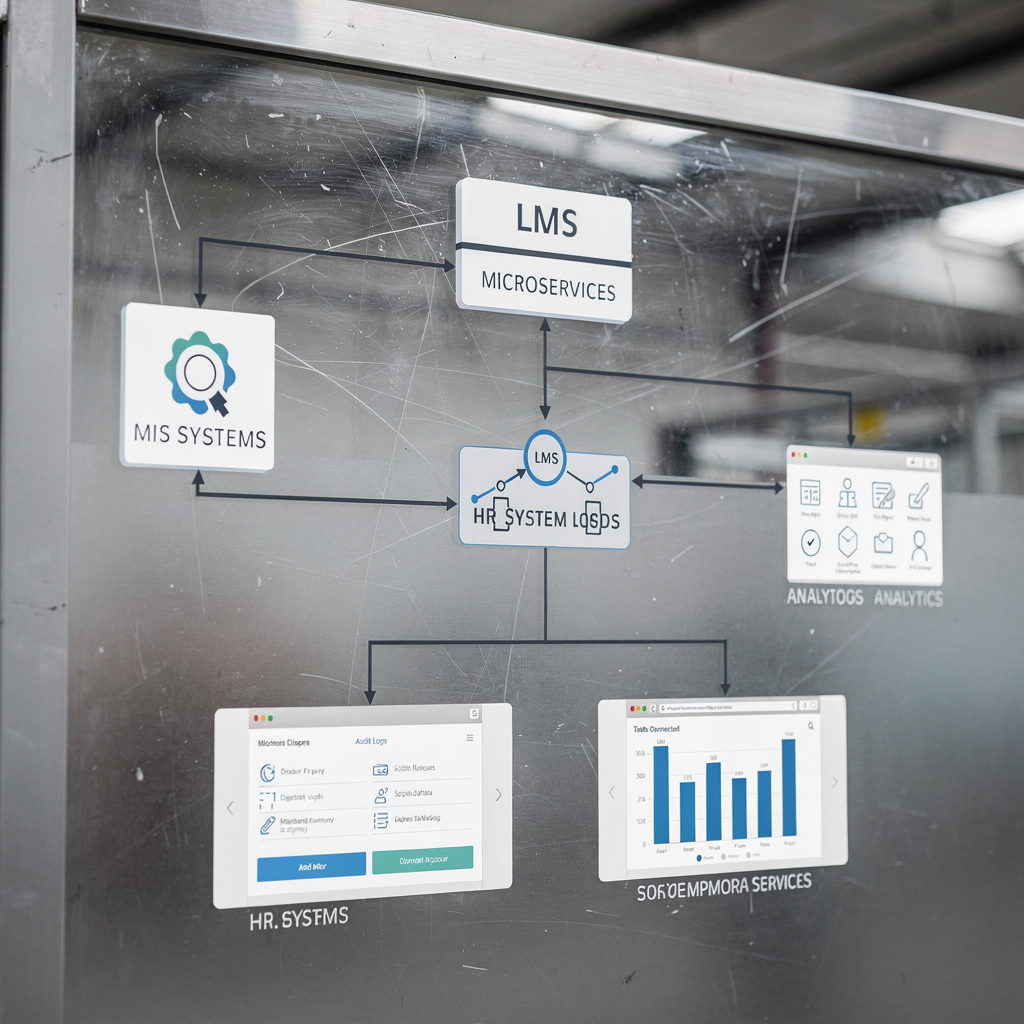
Integration priorities must include single sign‑on, data pipelines, SCORM/xAPI support, role mapping, and feeds to HR systems. Also, choose an architecture where AI micro‑services call the LMS APIs and keep PII separate. Next, log decisions for audit so you can trace recommendations. For example, link adaptive recommendations to user scores stored in the lms and to performance records held in HR. Then the system can auto‑generate assignments from performance gaps and route learners to a coach when AI confidence is low.
Preferred vendor features include APIs, webhooks, data export, support for authoring tool outputs, and enterprise governance. Also, check for support of an ai-powered lms that can surface analytics and recommendations. Next, ensure the platform can integrate with operational tools that teams already use. For logistics teams the same pattern appears in email automation where context and data grounding matter; see a case study on using virtual assistants for logistics to understand enterprise grounding requirements virtual assistant for logistics.
Workflow examples make the benefit tangible. First, the system reads assessment gaps and creates remedial assignments automatically. Then it emails managers with progress snapshots. Also, create escalation rules so coaches step in when confidence scores fall below a threshold. For ROI, focus on reduced admin time, faster course updates, and automated learner remediation. Finally, test integration in a sandbox and run a pilot cohort. Then measure time saved, accuracy of data sync, and learner satisfaction before full rollout.
Drowning in emails?
Here’s your way out
Save hours every day as AI Agents label and draft emails directly in Outlook or Gmail, giving your team more time to focus on high-value work.
responsible ai, accuracy and faqs — manage the 45% issue, human oversight and common questions
Studies show that roughly 45% of AI-generated answers in educational contexts contain issues such as accuracy or sourcing problems. Also, research warns that AI assistants can produce errors that hurt trust AI Assistants Threaten News Integrity and Public Trust and Beyond the Hype: Major Study Reveals AI Assistants Have Issues. Therefore you must implement fact‑check layers and human review. Next, add provenance tags and confidence scores so reviewers can spot risky outputs quickly.
Governance controls should include human‑in‑the‑loop review, rollback paths, and reporting dashboards. Also, require SME sign‑off for certified modules and show provenance next to recommendations. Then map data flows to GDPR and to EU rules if you operate in those jurisdictions. For trust building, present citation links alongside content and provide transparent correction paths.
Prepare clear faqs for learners and admins. For example, answer “How accurate is the assistant?” and “Who owns content?” Also explain “How is learner data used?” and “How to escalate errors?” Next, publicize human oversight policies and the steps to correct mistakes. For guidance on building trust and training people to work with autonomous agents, the Salesforce research shows that most workers expect human involvement even as they grow more optimistic about autonomous AI agents Autonomous AI Agents Are Coming: Why Trust and Training Hold. Finally, align responsible ai controls with your learning strategy and auditing needs so you can keep improving accuracy while protecting learners.
key features and next steps — top 5 ai capabilities, all-in-one ai training tool and how to choose for better training and ai workforce impact
Prioritize the top 5 ai capabilities when you evaluate vendors. First, generative content that supports course creation. Second, adaptive recommendations that support personalized learning. Third, real‑time support and chat. Fourth, analytics with explainability and data-driven insights. Fifth, integration APIs that connect to existing systems. Also, aim for an all-in-one platform that includes authoring, LMS integration, analytics dashboards, governance controls, and a marketplace for prebuilt modules.
Vendor selection steps should begin with a pilot and a defined cohort. Also, measure accuracy, learner impact, and SME time saved. Next, validate governance, audit logs, and integration depth. Then train L&D staff on prompt techniques and review workflows so your team can work alongside AI agents. For operational examples that show how automation improves response time and consistency in other domains, see ROI examples for automated logistics correspondence virtualworkforce.ai ROI for logistics. Finally, plan for human oversight as a constant and for incremental rollout.
Quick wins create momentum. First 90 days: pick one elearning course, enable generative drafts, add an assistant for FAQs, and measure time saved and learner satisfaction. Also include SME approval gates and an editorial checklist. Then iterate using your analytics and improve recommendations. For broader workforce impact, invest in AI coaching features, ai assessment modules, and social learning supports that help learners stay engaged. Ultimately, choose a vendor that balances content at scale with responsible ai and that helps L&D teams simplify operations while improving learning outcomes.
FAQ
What is an AI assistant on a learning platform?
An AI assistant is an embedded virtual assistant that answers questions, guides learners, and suggests next steps inside a learning platform. It helps learners find relevant training content and can route complex issues to humans.
How accurate are AI-generated learning suggestions?
Accuracy varies and studies show many answers need review; estimates indicate around 45% of outputs may contain issues in some contexts study. For that reason, human oversight and provenance tags are essential.
Can AI speed up course creation?
Yes. Generative ai helps draft outlines, module text, and quiz items, which reduces SME hours. However, human editors must review drafts for accuracy and tone before publishing.
How does personalized learning work with AI?
AI models map learner signals to recommended content, adjust difficulty, and trigger remediation based on mastery thresholds. Designers should expose adaptation rules so learners and coaches can understand recommendations.
What integrations should I check for?
Look for single sign‑on, SCORM/xAPI, APIs, webhooks, HR feeds, and support for your authoring tool. Integration ensures that recommendations and progress data sync reliably to your lms.
How do we build trust with learners?
Show provenance, require SME sign‑off for certified modules, surface confidence scores, and create transparent correction paths. Also communicate how learner data is used and protected.
What governance controls are required?
Implement human‑in‑the‑loop review, rollback options, audit logs, and reporting dashboards. Map data flows to GDPR/EU rules and corporate privacy policies as part of compliance.
How do I pilot an ai training assistant?
Start with a single course and a small cohort, enable generative drafts, add an assistant for FAQs, and measure time saved plus learner satisfaction. Then expand progressively based on results.
Will AI replace instructors?
No. AI automates routine tasks so instructors can focus on coaching and complex interventions. Human involvement remains critical for trust and for validating learning outcomes.
Where can I learn more about operational automation that supports training?
Explore examples of AI agents automating email and operational correspondence to understand enterprise grounding and ROI. For related case studies, see how virtual assistants support logistics and automated correspondence automated logistics correspondence.
Drowning in emails?
Here’s your way out
Save hours every day as AI Agents label and draft emails directly in Outlook or Gmail, giving your team more time to focus on high-value work.