


ai and event management — why ai matters for event planning
AI is reshaping how teams run events and how people attend them. For event planning the promise is clear. AI can automate scheduling, registration, communications and real‑time decisions. It can free teams from repetitive tasks and let an event planner focus on strategy and guest experience. AI also supports data-driven choices, so planners can pick the right room, the right AV setup, and the right catering levels. Recent market studies show that roughly 79% of organisations use AI agents across functions, and many report measurable gains.
Those gains matter for event management. Platforms that integrate predictive analytics and automated workflows report up to ~30% improvements in operational efficiency. You can see faster check-in, fewer venue errors, and tighter budget control when agents handle routine tasks. For example, an AI agent can handle registration flows and send personalised reminders. It can spot likely no-shows and trigger waitlist moves. It can also route speaker questions to the right staff member. These actions save time and reduce manual error, and they elevate the attendee experience.
For operations teams that rely heavily on email and message triage, tools that automate correspondence are useful. If you need a practical example for logistics-heavy events, consider how virtualworkforce.ai automates the full email lifecycle for ops teams. It understands intent, routes or resolves messages using ERP and other data, and drafts accurate replies inside Outlook or Gmail. That reduces handling time from about 4.5 minutes to 1.5 minutes per email, and it keeps context in long conversations. See a detailed use case for logistics email drafting here.
Quick benefits list for event planning includes time saved, fewer errors, faster decisions, and better attendee targeting. First, AI speeds repetitive tasks. Next, it reduces human mistakes in scheduling and vendor coordination. Then, it enables personalised outreach so attendees see relevant sessions. Finally, with predictive models, teams can budget and staff more accurately, which helps sponsorship and ROI. If you want to explore automation for operational emails in event workflows, the page on how to scale logistics operations with AI agents is a practical resource here.
ai agent in practice — how an ai agent helps an event planner manage event logistics and event data
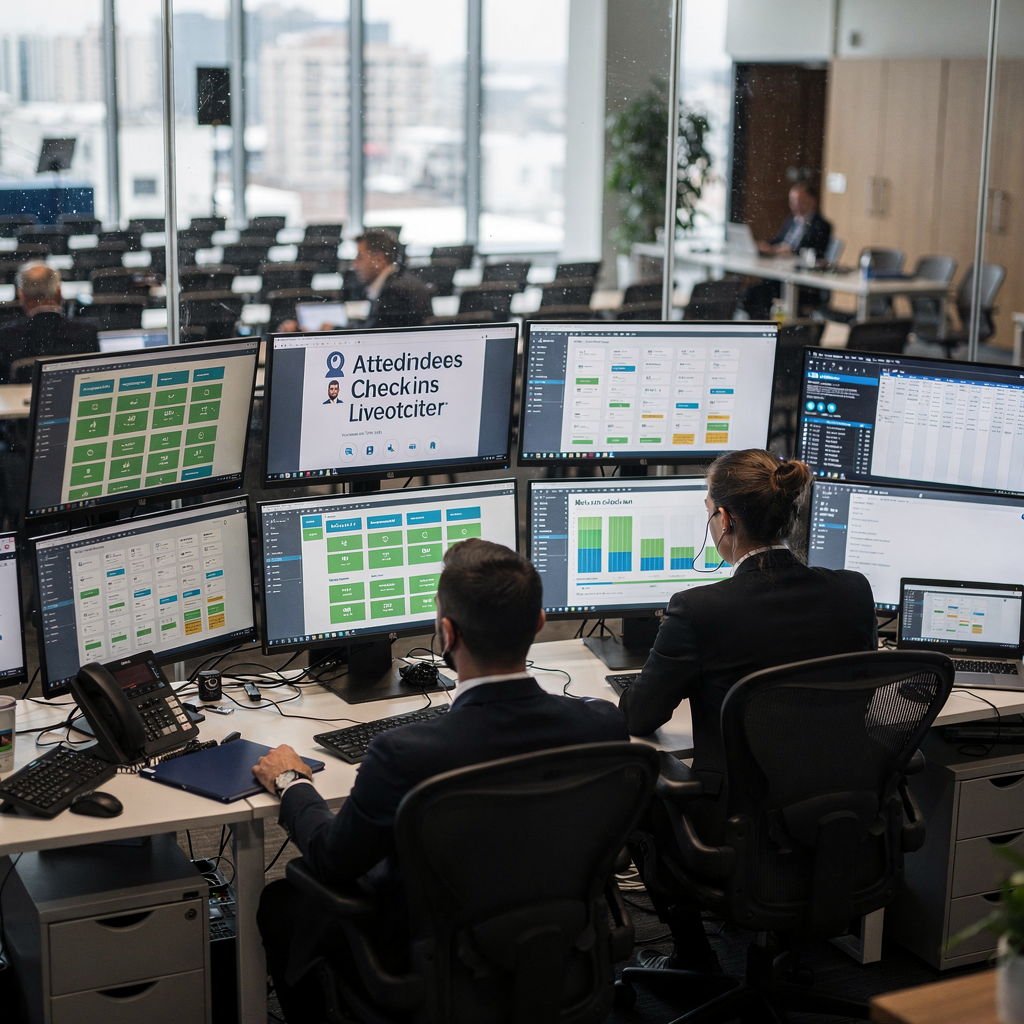
An AI agent brings multiple capabilities into the planning process. It can automate scheduling, coordinate vendors, track budgets, triage on‑site incidents, and allocate resources. It ingests historical and live event data to forecast attendance and to optimise room allocation. The agent watches check‑ins in real time and can adjust capacity dynamically. For example, when live check‑ins run ahead of expectations the agent can trigger extra staff or open additional seating. When sessions underperform it can move latecomers to other sessions that better match their interests.
Data use is central. AI analyzes data from registration lists, previous attendance patterns, ticket types, and session popularity. It then creates forecasts and scenarios. If the agent sees a repeat trend of late arrivals at opening keynotes it can schedule a pre-event reminder and update the agenda. That reduces no-shows and improves session throughput. AI also helps with vendor coordination. It sends standardised requests, confirms deliveries, and escalates conflicts to human staff when rules flag risk.
One practical flow looks like this: registration → personalised reminders → dynamic capacity adjustments. The AI agent for event can ingest registrant profiles, predict who will attend, and tailor messages to encourage action. If a VIP registers, the agent notifies the event planner and secures preferred seating. If a session nears capacity the agent opens a waitlist and informs attendees about alternatives. Teams that adopt this approach create a more seamless attendee experience and save staff time.
Event logistics rarely sit alone. Many organisers rely on email and document systems. AI can connect to ERP, ticketing platforms, and shared drives to pull the right context. For operations teams that need accurate, grounded replies to incoming queries, consider the automated logistics correspondence solution that integrates data with email workflows here. That kind of end‑to‑end automation reduces triage and keeps responses consistent under pressure.
Drowning in emails?
Here’s your way out
Save hours every day as AI Agents label and draft emails directly in Outlook or Gmail, giving your team more time to focus on high-value work.
ai in event — chatgpt, chatbot and ai chatbot use cases to personalise attendee experience
Frontline use cases for chat interfaces are easy to see. Registration chatbots can answer queries, guide attendees through payment steps, and verify ticket types. Session recommendation engines can suggest relevant talks and build a personalised agenda. Matchmaking systems connect attendees who share interests and create networking opportunities. On demand FAQ chatbots reduce help‑desk volume and speed responses. The result is a more tailored attendee experience and higher engagement.
LLMs such as chatgpt enable natural dialogue and create fluent responses when trained with event content and speaker details. Tools like chatbots then plug into venue maps, timetables, and push reminders. For instance, a chatbot can send a pre‑event reminder, offer a recommended agenda, and then nudge an attendee toward a networking break. That nudge increases event engagement and the chance of post-event follow up. If you are exploring tools like chatgpt for event communication, look into best AI tools for logistics companies to see integrations and options here.
Personalise is not just marketing copy. It is a measurable tactic. AI can create personalized session suggestions based on past registrations and survey answers. It can curate content recommendations, and it can tailor push messages to different attendee segments. For example, early-career professionals might get networking tips, while senior buyers receive curated executive roundtables. The agent tracks responses and refines the suggestions for future events.
Chatbots and AI chatbots also help after sessions. They capture feedback, request speaker ratings, and collect follow‑up inquiries. That feedback becomes event data for analytics and for planners who want to improve future events. Chat interfaces can also offload routine scheduling tasks from staff. They give event professionals more time for relationship building.
ai agent for event — ai tools, prompt, template and workflows event professionals use to use ai
Event teams assemble a toolset that combines CRM, event platforms, chatbot engines, scheduling agents, and analytics dashboards. Use AI tools for segmentation and lead scoring so sponsors see the right exposure. Practical assets include prompt libraries, template banks, and standard workflows. Templates speed deployment and ensure consistent tone across messages. For example, a template for speaker confirmations and another for session descriptions keeps copy consistent and reduces back-and-forth with speakers.
Prompts are useful when teams rely on generative models. A short, structured prompt can produce a session blurb, a speaker Q&A, or an FAQ response. Keep a library of tested prompts so new staff can generate copy quickly. Also, standardise inputs such as attendee profiles, ticket tiers, and sponsorship levels. That standardisation helps an ai agent give reliable outputs. If you want a hands-on example for automating email-driven operations, check how virtualworkforce.ai connects business rules and operational data to draft accurate replies and route queries here.
AI tools for event planning often include analytics modules that measure attendance, engagement and campaign performance. Use those insights to refine agendas and to curate content for next time. For complex events, set up a workflow where an agent drafts invites, another monitors registrations, and a third handles on-site incident triage. That split keeps responsibilities clear and preserves human oversight. Templates for session descriptions, speaker bios and sponsor decks accelerate delivery and keep branding aligned.
When teams map their planning process they should identify one pilot use case. A common starter is the registration automation flow. It has clear inputs, measurable KPIs, and immediate attendee impact. Document the template, the prompt, and the data sources. Then extend the workflow to post-event follow up. This stepwise approach reduces risk and helps teams scale AI-powered event features without breaking existing operations.

Drowning in emails?
Here’s your way out
Save hours every day as AI Agents label and draft emails directly in Outlook or Gmail, giving your team more time to focus on high-value work.
agentic ai and event management technology — sponsorship, speaker bios and roi
Agentic AI refers to systems that take multi-step actions on behalf of users. In events that capability helps sponsorship, content and logistics. For sponsorship, predictive models forecast package demand and estimate lead value. Teams can price packages based on likely conversions and then report ROI to sponsors. Those reports combine attendance rates, session engagement and lead quality. They give sponsors a clear view of value.
Speaker management benefits too. AI models can auto-generate and verify speaker bios, suggest session pairings, and flag scheduling conflicts. This automation removes repetitive coordination. It also helps speakers deliver consistent information. A standard speaker bio template keeps format and length predictable, and it speeds promotion.
Measure governance and ROI with clear KPIs. Track conversions, attendance rates, engagement per session, lead follow-up, and staff hours saved. That gives a data-driven view of success. For teams focussed on operational email efficiency, virtualworkforce.ai provides ROI case studies that show time savings and improved consistency; these results help justify investments in event technology read more.
Agentic AI will continue to add features. Expect improved natural language understanding, stronger contextual memory, and tighter integrations with ticketing and venue systems. These capabilities let systems manage more of the planning and on-site execution. Yet governance matters. Keep humans in the loop for final approvals and for decisions that require judgment. Then use automation for repeatable, verifiable tasks. This balance preserves quality and scales impact for multiple event and sponsorship scenarios.
frequently asked questions — using ai in event: how event planners manage event, privacy and next steps
This FAQ covers common concerns and starter steps. It answers practical questions about deployment, privacy, and risk controls. It also highlights quick pilots that yield measurable results. If you want deeper logistics-specific workflows, explore automated solutions that combine email automation with operational data here.
How quickly can an event team deploy an AI agent?
Deployment can range from weeks to months depending on scope. A single chatbot for registration can go live in weeks. Full integrations with ERP and ticketing usually take longer and need IT, data connectors, and testing.
Do event planners need technical staff to run AI systems?
Not always. Many platforms offer no-code connectors and templates that allow event professionals to configure workflows. Still, IT involvement helps with governance, data access and security.
How does AI handle attendee privacy and consent?
Teams must collect consent and limit data retention to compliant periods. Always document data flows, use pseudonymisation where needed, and publish privacy notices for attendees.
What savings can teams expect from automation?
Operational efficiency improvements of up to ~30% are reported for event workflows. These gains come from reduced triage, faster decisions, and fewer manual errors source.
Should humans keep final control over critical decisions?
Yes. Human oversight is essential for escalations, speaker disputes, and vendor negotiations. AI helps with routine tasks, while people handle judgment calls.
Which pilot should teams try first?
Start with registration automation or a check‑in chatbot. These pilots have clear KPIs and immediate attendee impact. They also produce event data for future analytics.
Can AI improve sponsorship reporting?
Yes. Predictive models and analytics can estimate lead value, attendance by segment, and session engagement. That supports more accurate ROI for sponsors.
What are common risks with agent deployment?
Risks include bias in models, data leaks, and brittle integrations. Mitigate by testing, keeping humans in the loop, and by applying governance standards.
How does AI help with post-event follow up?
AI can automate post-event surveys, curate leads, and draft personalised outreach. That improves conversion and provides insights for improve future events.
Where can I learn more about AI for operations emails used in events?
Read practical case studies on automating logistics correspondence and on specific email drafting workflows. Those resources show how AI grounds replies in ERP and related systems see example.
FAQ
What exactly is an AI agent for events?
An AI agent is a software assistant that performs tasks like scheduling, routing messages, and making simple decisions. It runs rules and models to automate steps that would otherwise be manual, and it can escalate when human input is required.
How does an ai agent improve attendee experience?
Agents provide personalised agendas, timely reminders, and on‑demand answers that guide attendees through the event. They reduce friction at check‑in and help attendees find sessions and networking opportunities.
Can chatgpt be used safely in event automation?
Yes, when combined with guardrails and grounded data. Use models like chatgpt for natural dialogue, but verify facts and attach sources for critical replies. Human review remains important.
What is the best first use case for ai in event planning?
Registration automation or a check‑in chatbot is often the best first use case. It delivers fast value, has measurable metrics, and builds trust for broader automation.
How do AI tools fit into existing event technology stacks?
AI tools typically integrate with CRM, ticketing, and email systems. They can pull event data and push structured outputs back into management software so teams retain a single platform view.
Will AI replace event professionals?
No. AI reduces time spent on repetitive tasks and lets event professionals focus on strategy, relationships and content. People still guide attendee experience and make final decisions.
How do I measure ROI for AI in events?
Track staff hours saved, attendance rates, sponsor conversions, and post-event lead quality. Combine these KPIs into a clear ROI calculation that includes automation costs and time saved.
Are there ethics concerns with attendee data?
Yes. Collect consent, limit data access, and audit models for bias. Use secure storage and keep clear policies about data sharing with sponsors or partners.
How do AI agents handle last-minute changes on-site?
Agents can monitor live check‑ins and resource status and then trigger reassignments. They can notify staff and attendees of room changes, while humans approve larger shifts.
What resources help with piloting AI for events?
Start with vendor guides, case studies, and small pilots that focus on measurable tasks like registration or email triage. For examples of email automation that apply to event operations, explore vendor resources and logistics email automation case studies.
Drowning in emails?
Here’s your way out
Save hours every day as AI Agents label and draft emails directly in Outlook or Gmail, giving your team more time to focus on high-value work.