


recruit: Why hire a virtual assistant for recruitment — reduce inbox load with an email assistant and free the recruiter
Recruiters spend large parts of the day on email, scheduling and admin. First, they sift CVs and then they confirm times and chase candidates. As a result, hiring teams lose focus on building relationships and closing roles. If you want to hire a virtual assistant to reduce that load, an email assistant gives quick wins. For example, industry reporting shows that roughly 87% of companies use AI in recruiting, and email assistants are a common application to handle candidate communications.
Track hours spent on email as a baseline KPI before you bring someone in. Then you can measure recovered time and improved response rates. A simple time log works. It captures triage time, interview scheduling, candidate follow-up and client replies. These numbers help you decide whether to hire a virtual assistant or to trial AI tooling first.
Outcomes are concrete. Faster response times improve candidate engagement. Higher-touch outreach reduces drop-out from the candidate pipeline. You may see measurable time recovery that lets your team focus on strategic sourcing. In practice, teams that pair AI-powered email helpers with human oversight cut repetitive work dramatically. A quote from a UX expert captures the point: “AI-powered email assistants not only reduce the administrative burden on recruiters but also enable a more personalized and timely candidate experience, which is critical in today’s competitive talent market.” Brad Orego.
Quick action: start with a baseline. Track 2–4 weeks of email activity. Then set KPIs such as inbox processing time and candidate reply rate. Finally, plan a pilot that uses an assistant to manage standard replies and calendar invites. That way you free the recruiter to focus on sourcing perfect candidates and building relationships.
recruitment: What a virtual assistant for recruitment agencies does — screen CVs, support the recruiter and manage the email inbox
A virtual assistant for recruitment agencies handles a wide range of tasks that free recruiters for higher-value work. First, it can run resume screening and basic resume parsing to shortlist match scores. Next, it can send candidate pre-screen emails and manage interview scheduling. It also handles standard client replies and simple placement admin. These tasks reduce repetitive admin and keep candidate and client conversations moving.
Assistant services should connect to your ATS and CRM so records stay in one place. Integrations with systems such as Greenhouse, Bullhorn or Gem mean no double entry. In practice, this setup improves traceability and speeds the recruitment process. Many agencies use email assistants to personalise outreach at scale and maintain timely candidate contact while keeping accurate logs in the ATS; see the growth in AI interest where 34% of HR leaders explore generative AI for outreach and automated responses.

Sample daily deliverable: screen X CVs for open roles, send Y followups to candidates who need nudging, flag Z high-priority candidates for a recruiter review, confirm interviews and update the ATS. This clear task list helps the assistant prioritise. Also, the assistant can perform light lead generation and basic candidate sourcing on LinkedIn to feed your candidate pipeline. When you hire a virtual assistant, define SLAs for response time and quality so the assistant supports your team effectively.
Finally, use a short onboarding to align tone and rules. The recruitment virtual assistant should follow your templates and escalation paths. This setup ensures consistent candidate experience and fast handling of routine queries. If you want guidance on integrating AI agents into operational email workflows, our operational teams at virtualworkforce.ai explain practical setups and data grounding for complex inboxes.
Drowning in emails?
Here’s your way out
Save hours every day as AI Agents label and draft emails directly in Outlook or Gmail, giving your team more time to focus on high-value work.
virtual assistant: Delegate routine tasks to scale — automate scheduling, follow-ups and placement admin
Delegate routine replies, interview scheduling, reminders and standard offer emails. Let the assistant handle paperwork and database management so your recruiters can focus on closing roles. Assistants can handle calendar management, interview confirmations and simple client status updates. These steps free up recruiters to focus on building relationships and close deals more often.
Use templates and rules to automate repetitive messages. For example, create canned responses for no-shows, offer acceptance and reference checks. Then map those templates to triggers in your ATS or CRM. This approach reduces error and maintains a consistent candidate voice across interactions. It also helps you scale without immediately increasing in-house staff.
Measurement matters. Monitor time saved, candidate reply rates and time-to-placement. Today, only 13.33% of recruiters report saving more than 10 hours per week through AI tools, so aim for deeper integration to reach bigger gains. At the same time, retain human oversight for final offers and sensitive candidate and client communication. Keep a clear rule: assistants support decisions but do not make final hiring calls.
Virtual assistants can help with resume screening and initial shortlists. They can also update records and tag candidates for pipeline follow-up. If you want to find and hire pre-vetted virtual talent, decide whether you need part-time contract VAs or full-time remote talent. Use regular check-ins, a shared dashboard and project management tools to assign tasks and monitor outcomes. Hire assistants to handle administrative tasks so recruiters can spend more time on sourcing qualified candidates and on closing placements.
inbox: Achieve inbox zero and improve candidate experience — tools, workflow and recruitment software
Inbox management is core to candidate experience. A clean email inbox reduces missed messages and speeds replies. Start with a simple triage folder, a candidate action queue and a client queue. Use templates for common replies and canned responses for confirmations and reminders. This workflow cuts friction and keeps your candidate pipeline healthy.
Tools matter. Pick an email assistant that offers structured inboxes and analytics. Integrate that tool with your recruitment software and ATS to avoid double entry. You can also connect to Gmail or Outlook so the assistant drafts replies directly in your preferred client. When email becomes a structured workflow, teams spend less time on triage and more time on recruiting activities.
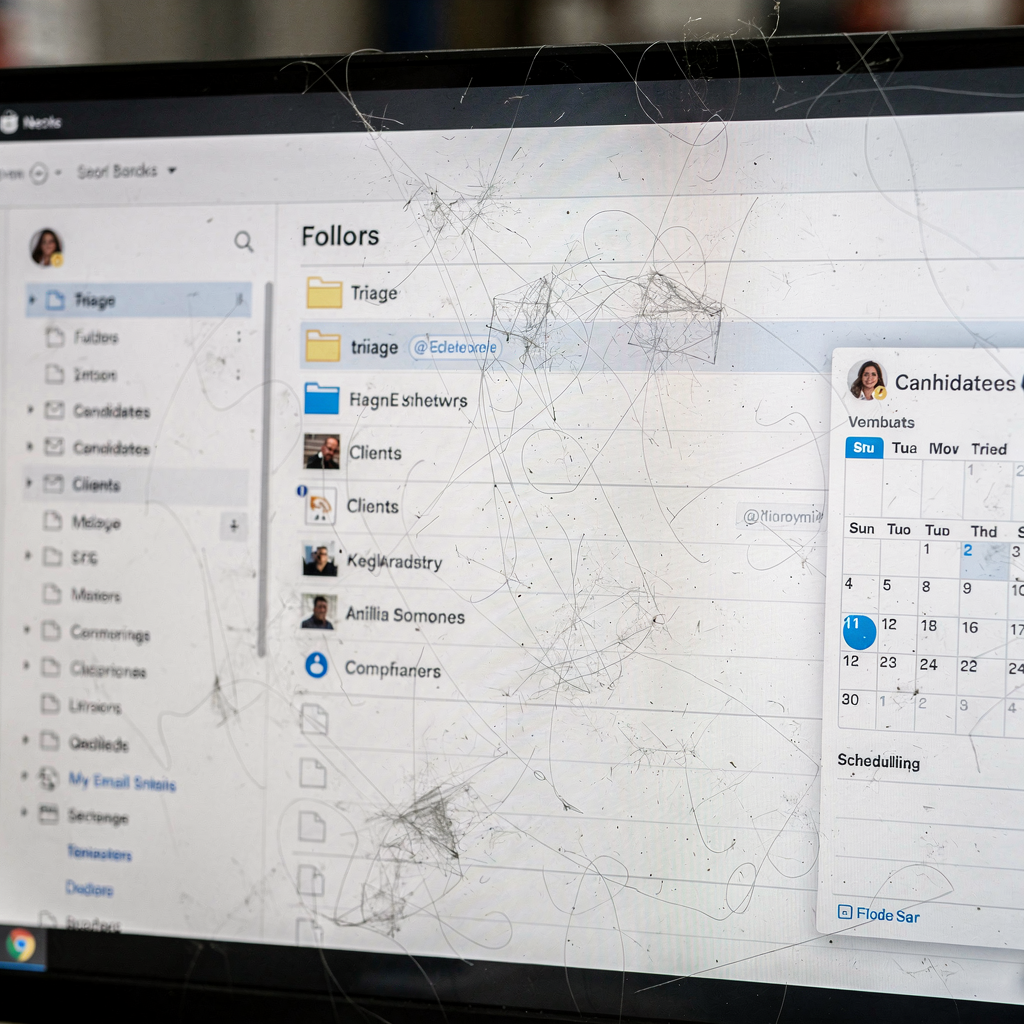
KPIs to watch include inbox processing time, candidate reply rate and interview no-show rate. These metrics tell you if the assistant is reducing drop-out and improving contact. Also track database quality and tags in your ATS. In practice, consistent, timely contact reduces candidate drop-out and improves brand perception with clients. Our product approach at virtualworkforce.ai focuses on reducing handling time per email and increasing consistency; teams typically cut handling time from around 4.5 minutes to ~1.5 minutes per email when they adopt grounded AI agents that route or resolve messages automatically.
Finally, combine human review with automation. Use the assistant to surface candidates who need human follow-up. Then let a recruiter step in for sensitive conversations. This balance maintains quality and speeds routine flows. The result: a team that can stay on top of volume, maintain inbox zero goals and scale outreach without losing candidate care.
Drowning in emails?
Here’s your way out
Save hours every day as AI Agents label and draft emails directly in Outlook or Gmail, giving your team more time to focus on high-value work.
hire a virtual: The right virtual assistant for recruitment — job description, onboarding and staff integration
Write a clear job description before you advertise. State required ATS experience, CRM skills and hours. List SLAs for response times and confidentiality requirements, including GDPR or EU rules where relevant. Specify whether the role includes resume screening, calendar management, database management and basic offer paperwork. A precise job description helps you find the best candidate quickly.
Onboarding matters. Give the assistant access to your ATS, templates and escalation rules. Plan a 1–2 week live overlap with the recruiter so the assistant learns tone and process. Include training on your recruitment software and regular check-ins for the first month. Also document the workflow so the assistant knows which messages to escalate and which to resolve independently.
Decide boundaries between the assistant and the recruiter. Define who handles interview prep, who makes candidate decisions and who owns client relations. This clarity prevents duplication and friction. Many teams choose a hybrid model where the assistant manages administrative tasks and the recruiter focuses on candidate sourcing, relationship-building and final decisions.
Cost versus benefit is simple to model. Compare salary or contract cost to the time recovered and the potential extra placements from faster outreach. Use KPIs such as time saved, interview fill rate and placement velocity. If you need pre-vetted VAs, look for providers that offer trial periods and references. Hire a virtual assistant who is dedicated to streamlining your processes, so your team can focus on building relationships and on focus on closing roles.
hire a virtual assistant: benefits of hiring a virtual — growing your business, new client wins, ready to scale and expand your talent pool
The benefits of hiring a virtual agent for recruitment are measurable. You improve candidate throughput, reduce time-to-hire and increase capacity to take on new roles. The AI recruitment market grows at a projected 6.17% CAGR, which reflects greater adoption of tools that speed placement and enhance outreach. When you scale with assistants, you can chase more opportunities and win new client work faster.
Standardise workflows and document templates to scale efficiently. Then add assistants as demand rises. Use automated reporting to monitor candidate pipeline and placement velocity. You will find that consistent outreach widens your talent pool and improves the quality of matches. For agencies that want operational examples of email automation beyond recruiting, see how automation can drive efficiencies in logistics workflows and email drafting with case studies on automated correspondence and scaling operations with AI agents.
Start with a pilot team, measure KPIs such as time saved and placements, then roll out agency-wide. Keep the pilot short and goal-focused. If it succeeds, you can replicate the model across teams. The right virtual assistant reduces admin tasks, improves candidate and client contact, and helps your agency grow. In short, hire a virtual assistant to free up recruiters so they can focus on sourcing qualified candidates and on growing your business.
FAQ
What tasks can a virtual assistant for recruitment handle?
A recruitment virtual assistant can manage resume screening, interview scheduling, candidate follow-ups and basic placement admin. They also update the ATS and perform database management to keep pipelines accurate.
How do I measure the impact of an assistant?
Track inbox processing time, candidate reply rates and time-to-placement as core KPIs. Also measure regained recruiter hours and incremental placements to show ROI.
Can a virtual assistant integrate with my ATS and CRM?
Yes. Most assistants can connect to popular ATS and CRM platforms to keep records in one place and to avoid double entry. Integration ensures accurate tracking of candidate and client interactions.
Do I need an AI-powered tool or a human VA?
Use both where they make sense: AI can automate drafting and triage, while humans handle sensitive conversations and final decisions. Combining both yields efficient and effective workflows.
How long does onboarding take?
Plan a 1–2 week overlap for live coaching, then a month of regular check-ins to refine templates and rules. A structured training process helps the assistant match your tone quickly.
Are there privacy or compliance risks?
Yes, so include confidentiality clauses and GDPR controls in your processes. Limit access to personal data and define escalation paths for sensitive matters.
What is a realistic time saving?
Results vary, but deeper integration can save significant recruiter hours. Current reports show only a minority report saving over 10 hours per week, so aim for thorough workflow automation to reach larger gains; see the report on AI in agency recruitment for detail.
Should I hire in-house staff or remote talent?
Start with remote talent or contract VAs to test the model and then consider in-house staff for roles that need tight co-location. Remote talent offers flexibility and quick scaling.
How do I keep quality consistent?
Use templates, escalation rules and regular quality checks. Conduct weekly reviews during onboarding and then monthly audits to ensure consistent tone and accuracy.
How do I scale assistants across teams?
Standardise workflows, document templates and automate reporting. Then add assistants as demand grows and measure KPIs to inform further hires. To learn about scaling operational email work with AI agents, review resources that show practical steps for broader operations.
Drowning in emails?
Here’s your way out
Save hours every day as AI Agents label and draft emails directly in Outlook or Gmail, giving your team more time to focus on high-value work.