


ai, ai-powered and productivity: boost team output with an ai email assistant
AI email assistants are software agents that read, classify, and draft replies to messages in a support inbox. They use NATURAL LANGUAGE PROCESSING and language models to analyze incoming emails, then suggest or generate an appropriate reply. Also, they surface context from CRM and ERP systems so agents send accurate information fast. For example, advanced AI can draft confirmations, collect missing data, and prepare followup steps without manual research.
AI dramatically reduces handling time. Studies show AI can cut response times by up to 40% and automate 40–60% of routine tickets, which frees agents for higher-value tasks (research findings). Next, executives are already on board: 84% of executives use AI tools in client interactions (industry data), so integrating an AI email assistant is now mainstream.
Also, AI-powered features speed up everyday work. For example, automatic drafting and suggested replies let agents send a first reply in seconds. Thread summaries condense long email threads so the agent reads less and responds faster. Prioritization and routing ensure urgent emails hit the right agent. Then, shared inboxes stay organised and fewer emails slip through the cracks.
Use-case examples include Zendesk AI and Salesforce Einstein for enterprise support, and Superhuman for faster personal workflows. Also, teams in logistics use AI agents that ground replies in WMS or TMS data; learn how these agents automate logistics email work on our page about virtual assistant logistics (automate logistics emails).
Finally, this approach improves email responses and preserves brand tone. Templates plus AI drafting maintain consistency, while generative AI helps explore phrasing options quickly. Consequently, support teams raise PRODUCTIVITY and reduce rework. In addition, AI can surface metrics about email volume and topic trends so managers prioritise training and staffing.
ai email and inbox triage: automate to keep your inbox under control
Automated triage keeps a busy shared inbox manageable. First, AI can CATEGORIZE incoming emails by intent, urgency, and customer. Then, rules can PRIORITIZE and route messages to the right queue or agent. For example, SLA-aware sorting pushes critical shipments ahead of routine confirmations. Also, priority flags let agents focus where impact is highest.
Studies report up to ~40% faster handling when teams automate triage, and some real-world cases cut hours-long waits to under two minutes (industry report). Also, automating triage reduces manual forwarding and lookup. Then, AI can attach context from ERP and email history so an agent sees the last invoice, the order number, and the delivery ETA in one view.
Step-by-step triage flow:
1. Ingest: AI reads the subject and body, then analyzes the content with NATURAL LANGUAGE PROCESSING. 2. Classify: AI assigns a tag such as “delivery query,” “billing,” or “return.” 3. Prioritize: AI sets priority based on SLA, keywords, and customer tier. 4. Route: The message is routed to a specialist or to an automated reply path. 5. Act: If safe to resolve, the AI drafts a REPLY or completes an automated task; otherwise, it attaches context and escalates.
Checklist — what to automate and what not to automate:
Automate: confirmations, status checks, ETA updates, and common FAQs. Automate: snooze rules, SLA-aware sorting, and simple followup reminders. Do not automate: sensitive refunds above a threshold, legal disputes, or any case where negative sentiment or ambiguous intent appears. Also, build escalation triggers for complex issues so a human reviews the entire thread.
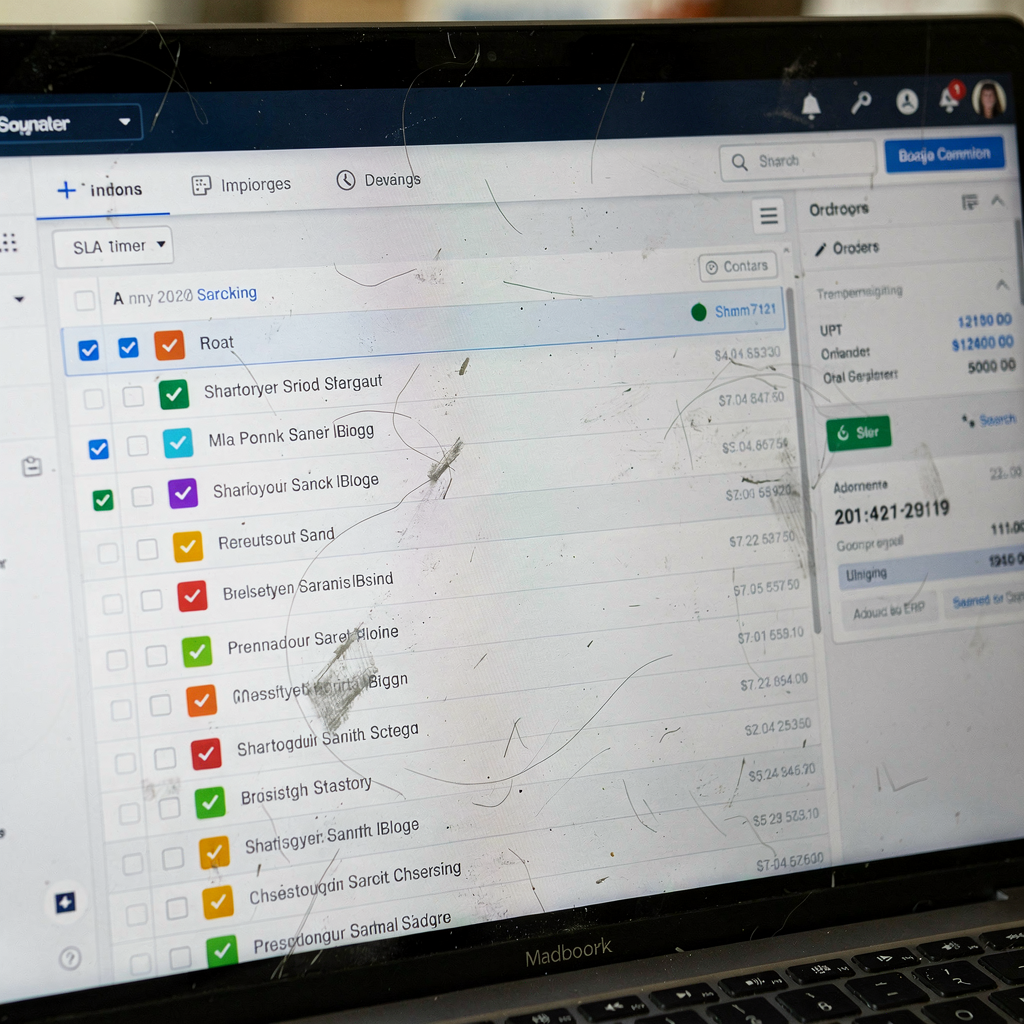
For a visual idea, imagine a unified inbox view that shows tags, urgency color, and ERP data in one pane. Also, add quick actions like “send ETA” or “request proof of delivery.” Teams using an AI for freight communication see notable reductions in manual triage; learn more about AI in freight logistics communication (AI for freight communication).
Drowning in emails?
Here’s your way out
Save hours every day as AI Agents label and draft emails directly in Outlook or Gmail, giving your team more time to focus on high-value work.
best ai email assistant features: workspace, template and grammarly-style writing aid
Choosing the best AI email assistant starts with the right features. First, a shared WORKSPACE is essential so the whole support team sees context, tags, and who owns each thread. Second, reusable TEMPLATE libraries speed replies and keep brand tone consistent. Also, a Grammarly-style writing aid reduces grammar errors and ensures tone matches the customer segment.
Must-have capabilities:
– Context-aware suggestions: AI should use customer history and operational data to suggest accurate replies. – Saved templates and A/B testing for subject lines and sales copy. – CRM and ERP integrations so email content reflects the latest order or shipment status. – Edit history and audit trail for compliance and review. – Role-based permissions and security to protect email addresses and sensitive fields.
Also, include multi-account support so teams handle multiple email accounts and still keep a unified inbox. Teams need thread-aware memory so the AI understands past promises and followup items. That feature prevents contradictory replies across long THREADS. Furthermore, an AI SEARCH across email and connected systems helps find attachments or past confirmations fast.
Feature tiers — a short comparison:
Basic: automated categorization, templates, and Gmail account integration. Advanced: CRM sync, audit trail, and grammarly-style writing aids. Enterprise: deep ERP/WMS/TMS grounding, full audit logs, and custom security policies. Also, a shared inbox by canary-style view helps large ops teams assign ownership and avoid duplicate work.
Security and governance matter. Choose a solution that logs every automated action and that provides human override. In addition, integrating AI with your email management workflows gives measurable benefits; read how ERP grounding works for logistics email automation (ERP email automation).
best ai email for sales emails: use an ai to speed replies while improving communication
AI that handles support can also help with sales emails. First, sales emails need PERSONALIZATION, clear CTAs, and sometimes A/B testing. Also, using AI to draft initial outreach saves time and increases consistency. Then, humans refine the tone, adjust offers, and verify compliance before sending.
How to use an AI assistant for sales emails: automate the first draft, apply a template, and inject customer data from the CRM. Also, add a safety step for legal or pricing language. Next, track outcomes so the AI learns which subject lines and sales copy perform best. In addition, maintain a model of customer behavior to recommend ideal followup timing and subject lines.
Three short templates you can adapt quickly:
Support template (quick reply): “Thanks for contacting us. I see your order [order number]. We are checking delivery ETA and will update you within 2 hours. If you need immediate assistance, reply and we’ll prioritise.”
Upsell template (gentle): “Thanks for your interest. Based on your recent orders, you may benefit from [product option]. Would you like a tailored quote? Reply and I’ll prepare one with current lead times.”
Refund template (sensitive): “I understand your concern. I’ve started a review for a refund. Please confirm the transaction ID and preferred refund method. We will follow up within 24 hours.”
Rules for human review before sending: any message that changes price, confirms liability, or includes personal data must be reviewed. Also, ensure the AI is not revealing internal notes or attachments. Use an AI model that supports safe data handling and can redact sensitive fields. For teams using Gmail, ensure the connector manages each Gmail account securely and respects company compliance rules, especially when personalizing outreach.

Drowning in emails?
Here’s your way out
Save hours every day as AI Agents label and draft emails directly in Outlook or Gmail, giving your team more time to focus on high-value work.
ai email assistant ROI: measure productivity gains and response-time improvements
Proving ROI is critical when asking stakeholders to fund an AI project. First, pick clear KPIs: average first response time, ticket resolution rate, percentage of automated resolves, agent throughput, CSAT, and cost per ticket. Next, set benchmarks and measure them before and during the pilot. For example, many teams report up to 40% faster response times and some firms see near-instant initial replies (efficiency study).
Also, mature AI adopters can see a 17% uplift in customer satisfaction when automation is combined with human review. In addition, 84% of executives already leverage AI in client interactions, so showing internal alignment is easier when you cite adoption metrics (industry data).
How to run a pilot:
1. Timeframe: 8–12 weeks. 2. Sample size: choose a subset of inboxes or a single queue handling high volume. 3. KPIs: first response time, % automated resolves, CSAT delta, and agent hours saved. 4. Success thresholds: 20% reduction in first response time and 10% CSAT improvement. 5. Fallbacks: clear rollback plan and manual override for all automated replies.
Dashboard fields to track: average first response time, median handling time, percent of emails automated, number of escalations, CSAT trend, and cost per resolved ticket. Also include analytics and reporting for tags and topic trends so teams can spot recurring issues.
To explore ROI in a logistics context, see our one-page ROI guide and examples of time saved per message on the virtualworkforce.ai ROI page (ROI for logistics). Also, run a side-by-side test where half the emails follow the automation path and half follow the legacy path so you measure real impact.
automate workflows and when to escalate: keep your inbox human-centred in the workspace
Automation should keep humans in the loop. First, automate routine confirmations, event notifications, and FAQ replies. Also, ensure the AI attaches evidence and data from ERP, TMS, or WMS when it replies. Then, escalate when sentiment is negative, the issue is complex, or the customer explicitly asks for a human. Klarna’s experience shows the limits of AI-only models; they reinvested in human talent when automated systems produced poor outcomes (Klarna case).
Escalation playbook — basic rules:
– Sentiment or keywords indicating frustration trigger a human review. – Any request for legal or financial adjustments routes to a supervisor. – Refunds beyond a set threshold get manual approval. – Ambiguous or contradictory email threads escalate automatically.
Governance items to maintain trust: monitor for hallucinations, keep review logs for automated replies, and train the AI model on historical replies so it learns company phrasing. Also, enforce data access controls and redact sensitive fields before an automated reply is sent. Next, perform weekly audits to sample automated replies and confirm accuracy.
Implementation checklist:
1. Pilot a single queue with clear KPIs. 2. Connect data sources and set permissions. 3. Configure tone, templates, and escalation logic. 4. Train agents on the workspace and override controls. 5. Measure and iterate.
Finally, if your team handles high volumes of operational emails, consider end-to-end automation that not only drafts replies but also updates backend systems. Our platform shows how AI agents automate the full email lifecycle for ops teams and reduce handling time from ~4.5 minutes to ~1.5 minutes per email; learn more about automating logistics correspondence (automated logistics correspondence) and connecting Google Workspace (Google Workspace integration).
FAQ
What is an AI email assistant and how does it work?
An AI email assistant reads and analyses incoming emails using NATURAL LANGUAGE PROCESSING and language models. Then it classifies messages, drafts replies, and can route or automate actions based on business rules. It may also pull data from CRMs and ERP systems to ground replies.
Can an AI email assistant handle all support emails?
No. AI can automate routine confirmations and FAQs, but complex or sensitive cases should be handled by humans. Also, escalation rules should catch negative sentiment and legal or financial requests so a human reviews them.
How quickly can I see productivity improvements?
Teams often see faster first replies within weeks of deployment. Studies show up to 40% faster handling and some pilots cut hours-long waits to under two minutes for simple queries (efficiency study). Pilot timelines of 8–12 weeks are common.
What metrics should I track in an AI pilot?
Track average first response time, percent of automated resolves, ticket resolution rate, CSAT, agent throughput, and cost per ticket. Also track escalation frequency and the accuracy of AI-suggested replies. Dashboards should include analytics and reporting fields for trends and tags.
Are templates still useful with AI?
Yes. Templates combined with AI drafting speed replies and keep brand tone consistent. Also, A/B testing templates helps identify high-performing subject lines and sales copy. Templates reduce editing time and rework.
How do you prevent AI errors or hallucinations in replies?
Prevent errors by grounding the AI with operational data from ERP, TMS, or WMS, and by keeping a human review step for sensitive actions. Also, log all automated actions and run regular audits to find and fix recurring issues.
Can the same assistant handle sales emails and support emails?
Yes. The assistant can switch workflows and tone based on tags or templates. For sales emails, ensure personalization comes from CRM data and apply human review for offers or pricing changes. Compliance is essential when personalizing sales content.
What integrations matter most for support teams?
CRM, ERP, WMS, TMS, and popular email clients such as Gmail are key. Integration ensures the AI drafts replies with accurate, up-to-date information. Also, sync with analytics and reporting tools to monitor performance.
How do you measure ROI for an AI email assistant?
Measure ROI by comparing pre- and post-deployment KPIs: first response time, agent hours saved, percent of emails automated, and CSAT. Run a controlled pilot, set success thresholds, and calculate cost per ticket before and after automation. See ROI examples for logistics teams (ROI for logistics).
What are best practices for deploying an AI email assistant?
Start with a focused pilot, integrate necessary data sources, configure escalation rules, and train agents on overrides. Also, audit automated replies regularly and iterate on templates and rules. Finally, maintain governance to ensure compliance and trust.
Drowning in emails?
Here’s your way out
Save hours every day as AI Agents label and draft emails directly in Outlook or Gmail, giving your team more time to focus on high-value work.