


ai — ai email assistant: why automation matters for healthcare supply
Picture a late-night inquiry about urgent PPE. A clinical coordinator opens the inbox. The message reads: “Need 5 boxes N95 today. Confirm ETA.” Staff drop other tasks. They pause patient rounds. They spend time on the inquiry instead of care. This scenario is common. It shows how high email volume for procurement, supplier queries and stock alerts pulls operations staff away from clinical priorities. First, email creates friction. Next, it creates hidden risk. Then, replies take longer. As a result, orders can slip or remain unconfirmed.
Hospitals have begun to shift. For example, 71% of hospitals report using predictive AI in EHRs, which points to growing adoption of AI in adjacent workflows 71% of hospitals report using predictive AI in EHRs. Also, research shows digital transformation can improve supply chain efficiency by about 30%, which supports expanding automation into email and messaging channels digital transformation can improve supply chain efficiency by ~30%. Therefore, many teams now ask: how do we reduce inbox triage time, cut response delays, and lower stockout risk while keeping compliant controls?
Automation offers clear goals. Reduce time spent on every inbox triage. Cut average response delays so orders move faster. Lower stockout risk by closing loop on confirmations. Also, improve data accuracy so inventory systems reflect reality. For operations leaders, measurable targets work best. Set KPIs such as a 50% cut in handling time, fewer supplier escalations, and a reduction in emergency orders. Then, test those goals in a short pilot.
virtualworkforce.ai designs AI agents to address this exact problem. The platform understands and labels incoming messages, routes or resolves messages using business rules, and drafts replies grounded in operational data. Teams typically reduce handling time from ~4.5 minutes to ~1.5 minutes per email. So staff spend less time on busywork and more time on high-value activities. For a health organization that needs tight governance, this approach also supports master data strategies and consistent communication across teams and suppliers, which the literature recommends master data management strategies.

best ai & best ai email assistants: criteria for selecting HIPAA‑compliant tools
Choosing the best AI email assistants for healthcare starts with security. First, verify a Business Associate Agreement. Next, confirm encryption at rest and in transit. Then, check immutable audit logs to show who accessed what and when. Also, look for SOC 2 reports and enterprise-grade controls. In addition, ensure the vendor supports data retention policies and can help with GDPR requests if you operate in the EU. Finally, verify that the vendor will integrate with your identity provider and provide scoped OAuth tokens rather than broad accounts.
Practical selection criteria include HIPAA compliance and a clear BAA, encryption, detailed audit, and role-based access. Also, require integration with Gmail or Outlook, so teams keep current tools. Ask how accurately the assistant can parse PO numbers, SKUs, lot numbers, and delivery dates. Ask for SLA commitments on latency and uptime. Also, require transparent error rates and explainability for automated decisions.
Compare market options. Native features in Gmail and Outlook offer basic automations and a gmail ai assistant or outlook ai assistant for drafting. Third-party tools provide deeper data grounding and full-cycle automation. Bespoke integrations can be powerful but demand heavy IT effort. For many logistics teams, a hybrid approach works best. For a practical comparison, see vendor notes on automated logistics correspondence when evaluating draft quality and routing logic automated logistics correspondence.
Risk points are clear. Data privacy and vendor BAAs must be non-negotiable. Integration complexity can delay benefits, so plan for phased rollouts and test environments. Also, include a checklist buyers can use: security, integration, reporting, and ROI. The checklist should require testing with sample incoming messages, validation of draft accuracy, and measurement of handling time. Also, include a step to validate vendor SOC 2 evidence. Finally, weigh the cost of change management and training against expected gains in response time and reduced errors.
Drowning in emails?
Here’s your way out
Save hours every day as AI Agents label and draft emails directly in Outlook or Gmail, giving your team more time to focus on high-value work.
integrate — google workspace — workspace: connecting ai-powered email to Gmail and Outlook
Integration planning starts by mapping mail flows. First, identify shared inboxes and personal mailboxes that touch procurement and suppliers. Next, document where emails must sync to operational systems like ERP or WMS. Then, plan scopes and permissions for service accounts. Both Google Workspace and Office 365 provide enterprise controls suited for healthcare. For example, you can limit OAuth scopes and require conditional access. Also, both platforms can support BAAs and compliance controls so a deployment is fully compliant with HIPAA.
Technical steps are simple in concept. Use APIs and OAuth to connect. Create a service account with least privilege. Then, limit scopes to mail.read and mail.send where needed. Also, build a parser that extracts structured data from messages and then maps fields into ERP or procurement records. In a test account, run the parser on archived messages and measure extraction accuracy. Next, route matches to automated rules and escalate the rest. Finally, sync confirmations back to the inbox and to the ehr or inventory system as needed.
Security controls matter. Use scoped tokens, audit trails, and periodic key rotation. Also, validate vendor BAAs and require SOC 2 evidence. For teams using Google Workspace, an integration guide can accelerate deployment and governance. If you want a hands-on example, virtualworkforce.ai documents how to automate logistics emails with Google Workspace and virtualworkforce.ai to connect mailflows to ERP systems without code automate logistics emails with Google Workspace. That guide shows how to test on sample mailboxes and run controlled pilots.
Operational steps include limiting scopes, testing on a sandbox, and mapping escalation paths. Also, maintain clear logging and an audit trail so every change to a message is recorded. Then, run a pilot on a single supplier stream. Finally, measure accuracy and handle exceptions. With careful steps, teams can integrate AI-powered email into Gmail or Outlook while keeping full control and auditable records.
automation — automate — automate email — workflow — inbox — template — followup — use case
Core automations transform repetitive email tasks. First, triage incoming orders. Then, extract order details automatically. Next, draft confirmations using templates. Also, schedule and send followup reminders until the issue resolves. For example, an automation can parse a purchase order number, confirm the SKU, and then draft a template order acknowledgement. That reduces manual lookups and keeps the inbox uncluttered. In addition, the same process can update the ERP and notify the warehouse.
Typical use cases include supplier order confirmations, backorder notices, delivery ETA updates, and invoice queries. For a supplier order confirmation, the workflow reads the PO, checks inventory, and drafts a reply. For a backorder reply, the system uses a template and suggests alternative products. For a delivery confirmation, the system sends a signed receipt and creates a record in the WMS. These automations remove busywork and let staff focus on exceptions.
Impact metrics are measurable. In one illustrative example, automated reorders and followups cut stockouts by about 40% and reduced order processing time by roughly 50%. Also, teams see fewer escalations and clearer ownership. To enable that, build templates and set rules for escalation. Include a step that flags messages that mention expiry dates, recalls, or lot numbers. Then, route those to a human. Also, always keep an audit trail so reviewers can validate decisions later.
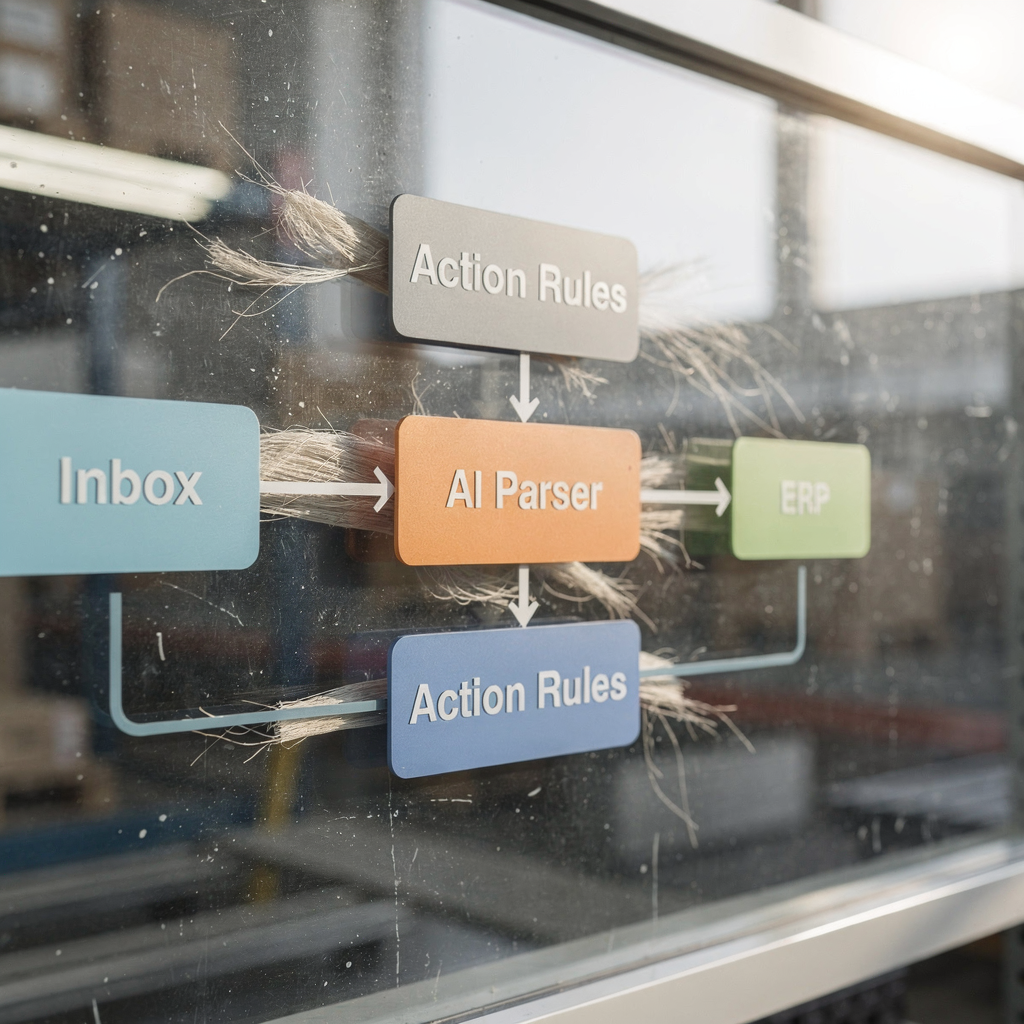
Here are three ready templates to start. Use the first for order acknowledgement. Use the second for backorder notification. Use the third for delivery confirmation. Template 1: “Order ACK: We received PO {PO}. ETA {date}. If you need an earlier shipment, reply.” Template 2: “Backorder: Item {SKU} is backordered until {date}. Would you accept substitution?” Template 3: “Delivery: Shipment {ID} delivered on {date}. Signed by {name}. Please confirm.” For a sample workflow, route mail to the parser, then to the routing engine, then to ERP update, and finally to a confirm reply. This pattern supports rapid pilots and measurable gains.
Drowning in emails?
Here’s your way out
Save hours every day as AI Agents label and draft emails directly in Outlook or Gmail, giving your team more time to focus on high-value work.
ai assistant — ai virtual — ai-powered — generative ai — ai-powered email — top ai email assistants — use ai — patient care
An AI assistant supports staff in many ways. First, a virtual assistant can draft replies and summarize threads. Next, it can surface urgent items for clinicians or logistics staff. Also, it can suggest next actions and flag messages that require human review. Generative AI helps create concise, compliant drafts. In addition, it helps reduce the time spent writing and searching. As a result, staff can focus on core tasks and reduce interruptions.
Generative AI must work with strict guardrails. Always include an audit and a mandatory human review step for any reply that contains PHI or sensitive procurement details. The policy should require humans to review the draft before sending when the system flags patient data or regulated content. Also, use templates so tone and content remain consistent. For non-PHI transactional emails, the assistant can send auto-confirmations after a human-approved setup.
AI agents can do more than drafting. They can validate order details against ERP, check inventory, and escalate exceptions. They can also create structured event records from unstructured email content. By doing this, the system reduces errors and improves traceability. In practice, teams report that well-configured AI improves consistency and response speed. For teams building an operational pilot, consider the best ai email assistants that provide thread-aware memory and deep grounding in operational systems. See a demonstration of virtual assistant deployments for logistics to understand routing and escalation patterns virtual assistant logistics.
One clear benefit is less admin time. Staff can spend less time on drafting and more time on critical decisions. Also, by reducing manual lookups, teams reduce avoidable errors. The system works as a writing assistant and as an operational engine. For safety, require review of drafts that include patient data. That policy keeps workflows efficient and compliant and helps deliver care without adding risk.
analytics — real-time — email management — email marketing — best practices — deliver care — patient care
Monitoring and analytics make automation measurable. Build dashboards that show SLA, response times, outstanding orders, and supplier performance. Also, track volumes by intent and by supplier. Use real-time alerts for high-priority flags and overdue confirmations. In addition, log every action for audit and compliance. For analytics, measure outcomes tied to operations and clinical impact so leaders can see value at scale.
Start small with a pilot. Then, expand in stages. Enforce retention and access controls. Also, train staff on how the assistant works and when to escalate. Keep messages transactional. Avoid email marketing approaches in clinical workflows. For example, do not send mass promotional messages across multiple channels unless they follow compliance rules. Instead, keep supplier emails targeted and relevant.
Best practices include running a six-month pilot with clear KPIs. Measure reduction in triage time, fewer stockouts, and staff hours saved. Also, measure a reduction in clutter and faster procurement cycles. Use audits to validate accuracy and to improve models. Train the assistant with validated templates and real examples, and then measure the change in handling time. For governance, maintain SOC 2, BAA, and privacy controls. Also, ensure access controls support GDPR where required.
Suggested six-month pilot KPIs: reduce inbox triage time by 40%, cut emergency orders by 30%, and save time on email handling so staff can focus on high-value tasks. For next steps, scale the pilot to additional supplier streams, add more templates, and integrate reports with your ERP and procurement dashboards. If you want practical tips for scaling operations without hiring, see guidance on scaling logistics operations with AI agents scale logistics operations with AI agents. Also, review expert guidance on AI transformations in healthcare supply chains to set realistic milestones AI applications in healthcare supply chains.
FAQ
What is an AI email assistant for healthcare supply?
An AI email assistant is a system that reads, classifies, and helps respond to supply-related emails automatically. It can parse order numbers, draft confirmations, and route exceptions to humans.
How does an AI email assistant reduce inbox workload?
It automates triage, extracts structured data, and drafts replies using templates. As a result, teams spend less time on manual lookups and busywork, and they can focus on exceptions.
Are these tools fully compliant with HIPAA?
Vendors must offer a Business Associate Agreement and enterprise-grade security controls to be fully compliant with HIPAA. Always verify BAAs, encryption, and audit logs before deployment.
Can an AI assistant integrate with Gmail and Outlook?
Yes. Integrations use OAuth, API scopes, and service accounts to connect. For hands-on instructions, vendors often document integrations specific to Google Workspace and Outlook.
Will automations handle invoices and backorders?
Yes. Automations can draft invoice responses and backorder notices using templates and business rules. They can also update ERP systems and create escalation tickets when needed.
What safeguards prevent risky auto-sends with PHI?
Implement a “human in the loop” policy and require mandatory review for any draft that contains patient data or sensitive procurement details. Also, flag drafts and keep full audit trails.
What KPIs should a six-month pilot track?
Track reduction in triage time, fewer stockouts, saved staff hours, and improved supplier response times. Also, monitor accuracy of data extraction and audit logs for compliance.
How do I choose between native Gmail features and third-party tools?
Native features suit basic drafting and small automations. Third-party tools add deeper grounding into ERP, thread-aware memory, and full lifecycle automation. Choose based on accuracy needs and integration complexity.
Do these systems use generative AI?
Many assistants use generative AI to draft concise replies and summaries. However, drafts should be reviewed for compliance and accuracy before sending.
Where can I learn more about operational deployments?
Look for vendor case studies and integration guides for logistics and procurement. For example, virtualworkforce.ai provides practical resources on automating logistics correspondence and scaling operations with AI agents.
Drowning in emails?
Here’s your way out
Save hours every day as AI Agents label and draft emails directly in Outlook or Gmail, giving your team more time to focus on high-value work.