


AI email assistant for construction materials suppliers: automate procurement, cut data entry and speed followup
An AI email assistant for construction materials suppliers can transform how teams handle daily correspondence. It reads incoming messages, parses orders, fills fields and suggests replies. For suppliers this means fewer manual lookups and a lower chance of error. Research shows generative AI can raise worker productivity by about 15% in support workflows, a figure that applies to procurement tasks too Generative AI at Work – Oxford Academic. Also, about 15.4% of construction professionals report they frequently negotiate with supplier teams by email, so faster email handling matters E-PROCUREMENT OF CONSTRUCTION MATERIALS.
The assistant detects intent, extracts quantities and specs, and maps data to your procurement system. Then it drafts confirmation messages and schedules a followup when needed. For example, an incoming RFQ arrives. Next, the assistant parses quantities and material codes. Then it populates PO fields in the ERP and sends a confirmation. Finally, it creates a reminder for shipment and a note in the project management record.
This flow reduces data entry and improves accuracy. Further, it lowers the risk of miscommunication that often delays construction projects Reduce Miscommunication in Construction Projects with AI. virtualworkforce.ai builds AI agents that automate the full email lifecycle for ops teams. The platform routes or resolves emails, drafts replies grounded in ERP data, and creates structured data from emails. Teams typically reduce handling time from ~4.5 minutes to ~1.5 minutes per email, saving measurable hours and improving consistency.
Use AI to automate the triage of large shared inboxes. In practice, start with one supplier or one mailbox. Then expand as the assistant proves accuracy. This staged approach helps teams see cost savings quickly and keeps project managers in control. For more on drafting and automated correspondence you can review a logistics-focused example at automated logistics correspondence.

Benefits of AI and virtual assistant tools for construction procurement and supplier communication
AI-powered email assistants deliver consistent replies and 24/7 coverage. They use standard templates and industry language to keep answers uniform. As a result, procurement teams see fewer order errors and faster supplier SLA compliance. The benefits of AI include reduced admin time, clearer relationship management, and measurable cost savings. In many firms, this means procurement leaders can focus on supplier strategy rather than repetitive email triage.
Virtual assistant choices vary from general virtual assistants to intelligent virtual agents built for the fast-paced construction industry. A virtual assistant for construction can handle scheduling and document retrieval. A construction virtual assistant will also understand bill of materials and delivery windows. Meanwhile, a virtual construction assistant blends both knowledge and automation to support site teams and procurement staff. Decide whether to hire a virtual assistant or adopt an AI agent based on volume, complexity and need for 24/7 replies in Outlook or Gmail.
Who benefits most? Procurement teams and project managers gain time back. Site managers get faster confirmations and clearer arrival dates. Suppliers benefit from cleaner inquiries and fewer correction loops. Contractors and construction professionals see improved execution on site. Use cases include order confirmations, invoice matching and delivery exception handling. For teams looking to scale operations without hiring, see a practical guide on how to scale logistics operations with AI agents how to scale logistics operations with AI agents.
Choose tools and platforms that are built for construction language and account for building material specifications. If you need a human touch, hire a virtual assistant for complex supplier relationships. Otherwise, use AI to automate routine replies. Either way, clear escalation paths keep procurement needs covered. This approach reduces the risk of missed deadlines and helps prevent costly rework.
Drowning in emails?
Here’s your way out
Save hours every day as AI Agents label and draft emails directly in Outlook or Gmail, giving your team more time to focus on high-value work.
How to integrate an AI assistant with CRM and management tools to create a single source of truth
Integration with CRM and ERP systems turns email content into structured records. When the assistant updates the CRM, teams gain a single source of truth. This practice avoids duplicate data entry and conflicting records. To succeed, map email fields to procurement and CRM fields. Start with a pilot mailbox and set permissions so only authorized users can modify records. Also enable assistant logs and audit trails for traceability.
Common blockers include legacy systems and non-standard email formats. Fragmented data in older ERPs makes mapping harder. However, modern connectors and API layers reduce friction. virtualworkforce.ai connects to ERP, TMS, WMS and SharePoint to ground replies in operational data. This reduces manual lookups and improves reply accuracy. When integrating ai, validate mappings against real email samples and refine parsing rules over several weeks.
Security and compliance matter. Set strict access controls and encrypt data at rest and in transit. Check vendor contracts for data handling requirements and ensure the assistant follows customer relationship management policies. Also log every action the assistant takes so project managers can review decisions. For teams that use multiple project management systems, plan mapping exercises to keep records aligned across tools and platforms.
Practical steps: map fields, enable connectors to project management systems and ERPs, run a seed dataset, and monitor results. Use clear escalation rules so the assistant hands off complex queries to a human. This hybrid model preserves control while delivering automation gains. If you need a logistics-specific example of CRM and email automation integration, see the erp email automation for logistics guide erp email automation for logistics.
Automation, workflow and KPIs: measure ROI from an AI procurement assistant and email assistants
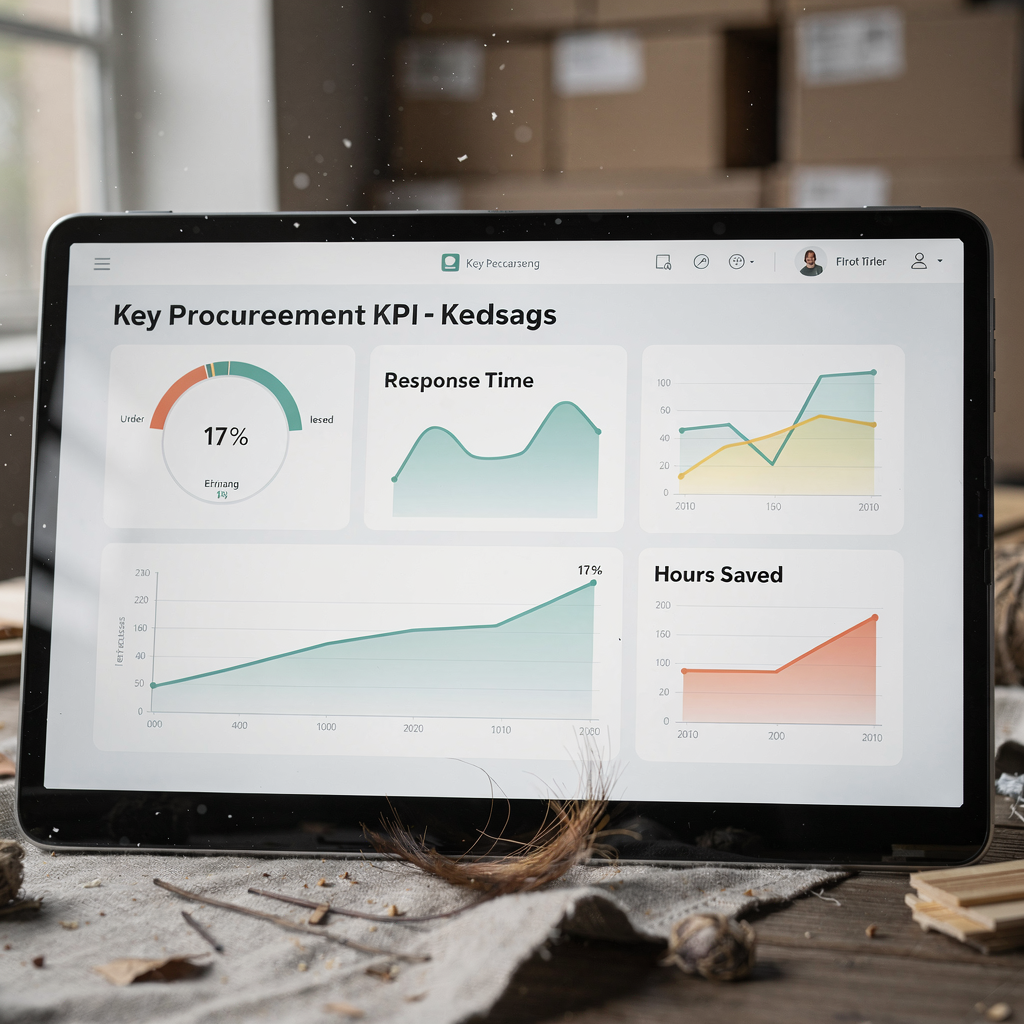
Automate repeatable workflows to measure value quickly. Key workflows include order confirmations, delivery tracking, invoice matching and followup reminders. Automating these reduces time spent on data entry and speeds supplier feedback loops. Measure average response time before and after deployment. Track hours saved by automation and calculate cost savings from fewer errors.
Important KPIs include average response time, order accuracy rate, percentage of emails automated and on-time delivery rate. Other useful metrics are time saved on data entry and average handling cost per order. Teams can estimate ROI by combining saved labour hours with reduced error costs and improved cash flow from earlier confirmations. For executives, a simple dashboard that shows time saved and on-time delivery improves buy-in. In many cases, teams track time saved in minutes per email and convert that to weekly hours to show impact.
The assistant can also collect structured data from emails and push it back into ERP. That creates clear audit trails and reduces disputes. Use a regular review cadence to tune rules and thresholds. For example, run a monthly review of KPIs for the first quarter, then move to a quarterly cadence as performance stabilizes. If you want a logistics angle on measuring ROI for automated operations, this ROI-focused resource helps virtualworkforce.ai ROI for logistics.
Remember to include qualitative measures. Project managers often report better supplier relationships and fewer last-minute rushes. Track that feedback alongside numeric KPIs to show the full benefit. Finally, remember the statistic that many teams reduce handling time from ~4.5 minutes to ~1.5 minutes per email, which directly converts into hours saved and lower operational cost.
Drowning in emails?
Here’s your way out
Save hours every day as AI Agents label and draft emails directly in Outlook or Gmail, giving your team more time to focus on high-value work.
Implementation checklist: choose ai tools, set up procurement assistant workflows, training and change management
Vendor selection matters. Look for ai tools that understand construction terms, support CRM connectors and provide auditability. Choose platforms built for construction so the assistant recognizes SKU patterns and delivery terms. Also confirm integrations with project management and ERP systems. For logistics teams, consider vendor comparisons that cover email drafting and automated correspondence.
Pilot planning reduces risk. Select one project or a supplier group. Define success metrics and run a 4–8 week trial. During the pilot, track kpis and gather qualitative feedback from site teams. Engage procurement and the project manager early. Provide simple templates and set clear escalation paths. If the team prefers human backup, hire a virtual assistant or use general virtual assistants to handle exceptions while the AI learns patterns.
Training and change management are essential. Brief site teams, create quick reference guides and hold short workshops. Use a shared inbox model while the assistant works alongside staff. Then gradually increase automation. Governance rules should set when the assistant must escalate and when it may reply automatically. Also keep assistant logs and configure audit alerts.
Decide whether to hire, outsource or adopt an AI agent. If volume is low and tasks are varied, hire a construction VA. If volume is high and repetitive, implement an ai-driven procurement assistant. virtualworkforce.ai delivers thread-aware memory and deep data grounding, which reduces false replies and keeps teams confident. Finally, track hours saved and iterate on templates to grow your business with predictable improvements.
Frequently asked questions
Will an AI email assistant replace procurement staff?
AI automates repetitive tasks but does not replace strategic staff. It frees procurement teams to focus on supplier selection and negotiation. The assistant handles routine confirmations and data entry while humans manage exceptions and relationships.
How secure are emails handled by an AI agent?
Security depends on vendor controls and configuration. Look for encryption, access controls and audit logs. Also review contracts for data handling and ensure compliance with company policies.
How do I integrate an AI assistant with existing CRMs?
Integration usually uses APIs or connectors. Map email fields to CRM fields, run a pilot mailbox and test with real messages. For a logistics-focused example of CRM and email integration, review the erp email automation guide linked earlier.
Can an assistant handle bespoke building material specifications?
Yes, if it is trained on your catalogs and rules. Start by feeding sample RFQs and labeled examples. The assistant improves as it sees more structured data from emails.
Will adopting email automation disrupt site teams?
Proper change management reduces disruption. Start small, maintain human fallback options and train site teams on the new process. Monitor feedback and iterate templates to align with field needs.
How do I measure ROI from an AI procurement assistant?
Track metrics like average response time, percentage of emails automated and hours saved. Combine those with reduced error costs to estimate ROI. Dashboards and monthly reviews help show progress.
Should we hire a virtual assistant or outsource to an AI agent?
Choose based on volume and complexity. Hire a virtual assistant for varied tasks and relationship work. Use an AI agent when volume is high and tasks are repeatable to reduce cost per order.
What are common adoption blockers and how do I mitigate them?
Blockers include legacy systems and resistance to change. Mitigate with a pilot, clear training and incremental integrations. Provide quick wins and show tracked time saved to build support.
How quickly will we see cost savings?
Savings appear within weeks for high-volume inboxes. Many teams report measurable hours saved after a 4–8 week pilot. Use tracked metrics to quantify savings and expand automation.
Where can I learn more about AI tools for logistics and procurement?
Start with vendor case studies and guides on automating logistics emails. For related resources, explore articles on automated logistics correspondence and how to scale logistics operations without hiring.
Drowning in emails?
Here’s your way out
Save hours every day as AI Agents label and draft emails directly in Outlook or Gmail, giving your team more time to focus on high-value work.