


ai email: why an ai email writer changes multilingual communication
AI email systems use Natural Language Processing and machine learning to draft, translate and adapt tone for diverse audiences. They speed routine replies, and they keep tone consistent across teams. For example, leading platforms now support more than 50 languages, which helps teams scale cross-border communication (source: The Best Multilingual AI Email Assistants in 2025). They do more than translate words. They adapt idioms, adjust formality, and tailor CTAs by market, so recipient expectations align with your message.
Research shows clear efficiency gains. A comparative study found drafting time can drop from about ten minutes to roughly six minutes per message, a near 40% reduction (Evaluating AI-Generated Emails, 2024). Similarly, multilingual outreach often sees higher engagement. One analysis of over a million AI-generated interactions reported roughly a 25% lift in reply rates when messages matched local language and tone (Multilingual translation redefines AI SEO). These metrics show why companies invest in AI email tools and automation.
The impact goes beyond speed. Teams reduce manual translation work and avoid copy-paste errors that come from hunting across multiple systems. If you run operations or customer service, consider how AI email can save time and reduce errors by grounding replies in live systems. For a practical example in logistics, see a case study on logistics email drafting powered by no-code AI that helps teams draft context-aware replies from ERP and WMS data logistics email drafting AI.
Start small and test fast. Map current email tasks that are repetitive or require translation, then choose two workflows to pilot. First, track how many emails you handle per day and where repetitive lookups happen. Then, pick an AI email writer to generate templates and follow-up messages, and measure time saved and reply quality. If your team handles shared mailboxes or long threads, a solution that builds email memory and integrates with core systems can cut average handling time significantly. For teams seeking a ready example, virtualworkforce.ai offers no-code AI agents that draft replies inside Outlook and Gmail and cite ERP/WMS data when needed virtual assistant logistics. This approach both speeds replies and keeps answers accurate.
ai email writer: how an ai email assistant and email assistant draft and improve messages
An AI email writer suggests subject lines, full drafts, tone variants and concise edits. It can generate email subject alternatives and produce short and long versions of the same message. The assistant will propose formal and casual tones, and it will localise idioms and formality so the recipient feels understood. To get the best output, provide context: recipient details, the purpose of the email, and any prior thread. Also, choose a tone preset. For sensitive topics always do a human review before you send.
Typical workflows start with a short prompt and then move to refinement. The AI email assistant drafts an initial message. Next, it offers variants and suggests a follow-up schedule. Then, a human reviewer edits wording, checks facts and approves the content. This human-in-the-loop model reduces errors while keeping speed. Many teams report they can generate email drafts and responses faster and more effectively, which results in better customer experience and faster SLA compliance.
Practical tips deliver consistent results. First, collect the essential context in a one-page prompt template. Include the recipient profile, goal, key facts and any attachments. Second, let the assistant create 2–3 tone options. Third, set rules for what the assistant must cite from systems like ERP or WMS. These steps keep AI output grounded. For operations teams that need deep data fusion, a no-code approach helps business users configure behavior without constant IT intervention. For more on automating logistics replies, check an example that connects email drafting to backend systems automated logistics correspondence.
Metrics back the method. Studies show average draft time falls from about 10 to 6 minutes per email after adopting an AI email assistant (Evaluating AI-Generated Emails). That frees staff to handle exceptions and to improve relationships. You can also use an email assistant to write professional emails, follow-up emails and customer replies. If you want to trial an AI feature, pick a small team and run a two-week pilot focused on repetitive threads. Use clear acceptance criteria, and track both email quality and time saved.
Drowning in emails?
Here’s your way out
Save hours every day as AI Agents label and draft emails directly in Outlook or Gmail, giving your team more time to focus on high-value work.
email writing tool and ai email writing tool: features to choose in the best ai email writer
Choosing the right email writing tool matters. Must-haves include broad language coverage, strong tone control, reusable templates, and tight email integration with Gmail or Outlook. Look for analytics that show open and reply rates so you can iterate. Also consider integrations with your CRM and ERP systems. If your team needs to cite order numbers or status updates inside replies, a tool that accesses ERP/TMS/WMS will produce more accurate responses and reduce manual lookups.
Privacy and compliance are critical. Pick a provider with clear data-handling policies and options for on-prem or private-instance deployments. Ensure GDPR and ePrivacy controls if you operate in the EU. For teams that require audit trails, choose an email tool with role-based access, edit logs and redaction features. Our company, virtualworkforce.ai, focuses on safe-by-design connectors and audit logs so operations teams can maintain governance while automating replies. For details about security and operations integrations, review our logistics automation offerings AI in freight logistics communication.
Quality signals matter. The best AI email writer will localise idioms, support citation when summarising and adapt CTAs by region. It will also include feedback loops so your team can correct mistakes and retrain behaviors. When evaluating vendors, score them on language coverage, integration depth and privacy controls before you run a trial. If you are looking for the best ai email assistants, pick one that offers clear update paths, explainability on suggestions, and a path to connect the systems your team already uses.
Other selection criteria include support for templates that produce standardized business emails across teams, the ability to generate email drafts automatically from triggers, and a clear migration path from existing email providers. A practical test is to run the same message across three languages and audit for idiomatic accuracy, tone and relevance. That helps you avoid literal translation mistakes later.
multilingual and multilingual email: a practical workflow to draft, translate and localise email content
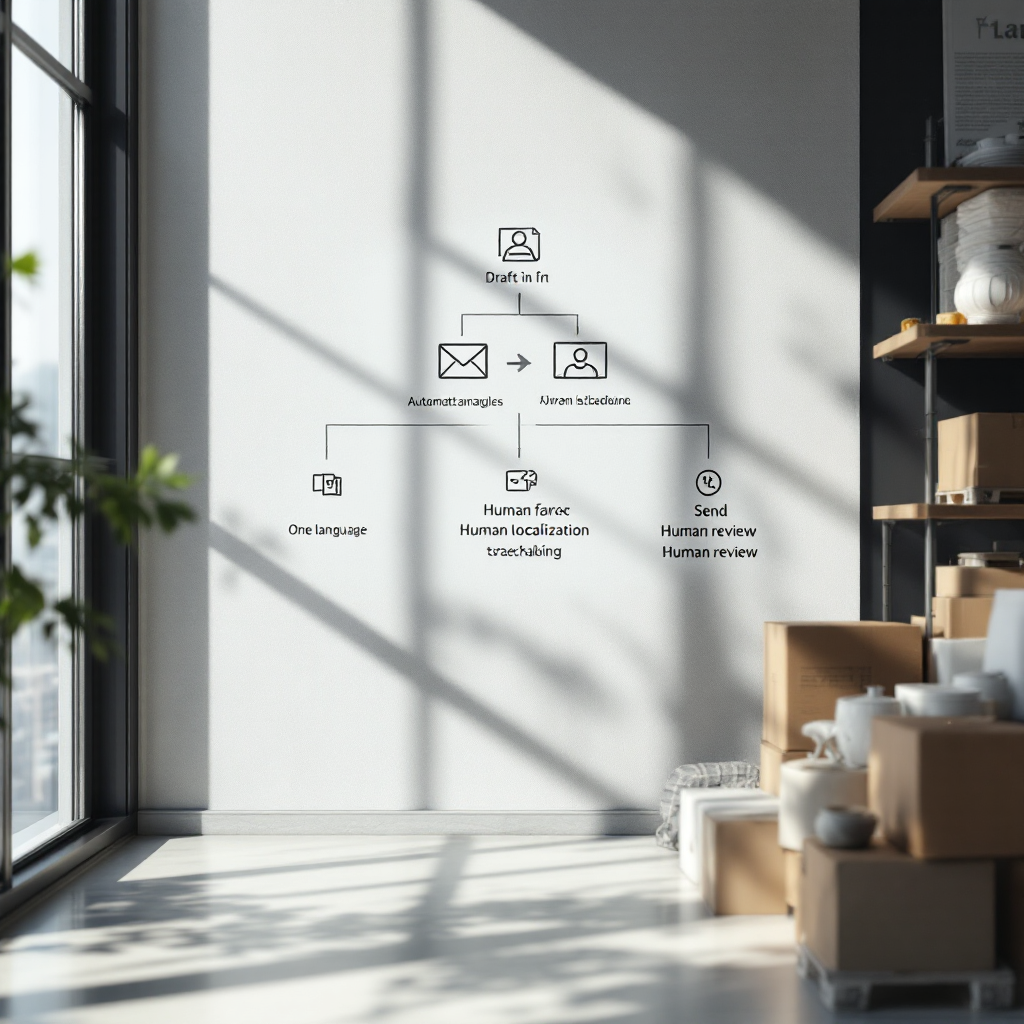
Use a structured workflow when you need to draft, translate and localise email content. First, create the source draft in your primary language. Second, use your AI email generator to produce variants for each target language. Third, perform a localisation check for tone, cultural references and formality. Fourth, have a human reviewer approve content and fix any idioms that read oddly. Finally, send or schedule using your email client or automation platform.
This workflow works well for customer support replies, sales outreach, product updates and HR communications that cross borders. For example, a support team can draft a reply in English, then generate localized responses in Spanish and Chinese, and then apply quick human edits to confirm shipping dates and legal references. This reduces time and preserves accuracy. If your team handles logistics emails, connecting to ERP and WMS data ensures answers reference correct order numbers and delivery ETAs ERP email automation logistics.
Watch for pitfalls. AI can produce literal translations, miss cultural nuances and use incorrect idioms. One study showed AI assistants still struggled in nearly half of complex news-related responses, which highlights limits in cultural reasoning and context understanding (Beyond the Hype). Therefore, build a short cultural-check checklist for reviewers that covers formality, idioms and local references. This checklist should be quick and practical so reviewers work faster and more consistently.
To keep operations smooth, add automation that tags messages by language and purpose, and route them to the right reviewer. If you need examples of a multilingual pilot for operations teams, see a logistics-focused implementation that routes emails based on order context and mailbox history AI for freight forwarder communication. That pattern reduces rework and improves first-pass accuracy. Finally, use feedback loops so the AI learns from edits and improves future drafts.
Drowning in emails?
Here’s your way out
Save hours every day as AI Agents label and draft emails directly in Outlook or Gmail, giving your team more time to focus on high-value work.
email marketing, cold email and ai email generator: testing, metrics and optimisation
When you run multilingual email campaigns, metrics tell the story. Track open rate, reply rate, conversion, unsubscribe rate and time-to-response. AI pilots often report a roughly 25% lift in replies for multilingual campaigns that match tone and local phrasing (Multilingual translation redefines AI SEO). Use these metrics to evaluate subject lines, body variants and CTAs by language.
Testing is simple and effective. Generate three to five subject and body variants with the AI email generator, then run A/B tests across regions. Monitor performance for each language and then iterate. The AI can also help personalise messages at scale by inserting dynamic hooks like local events or product relevance. Personalisation boosts reply rates, but you must test to find the right balance between local tone and brand voice.
Practical testing steps include segmenting recipients by language and behavior, running the AI-generated variants, and comparing results against a baseline. For a robust pilot, run a 1,000-recipient multilingual A/B test and compare reply rates by language and variant. The AI email generator can also produce follow-up emails and suggest timing based on prior engagement rates. Use automation to sequence follow-ups so you reach people when they are most likely to reply.
For cold email and sales outreach, apply strict governance. Ensure legal compliance for each market, and do not auto-send messages that contain unverified claims. Use the AI to create engaging email copy, but keep human approval for final sends in sensitive cases. If you need a tool that combines data from order systems with email templates, consider an option that links directly to your backend so content stays accurate and up to date.
ai tool, ai generation and ai-powered email: risks, governance and how ai email writer works for a perfect email (ai email assistants in 2025, top ai)
AI offers big gains, and it also carries risks. Common issues include factual errors, cultural reasoning faults and hallucinations. An international study found that AI assistants still encountered problems in about 45% of news-related responses, which shows limitations in complex context and cultural reasoning (Identity-Aware Large Language Models require Cultural Reasoning). Therefore, governance is essential.
Create clear rules for human review. Set human-in-the-loop gates for messages that contain legal, financial or safety-sensitive information. Log edits, keep records of prompts and outputs for audits, and establish approval thresholds so staff know when to escalate. A one-page governance policy should define permitted use, review rules, data retention and an escalation path for errors. That keeps teams fast but accountable.
Choose an AI tool that supports explainability and retraining. Top AI email assistants in 2025 will focus on stronger localisation, integrations and clearer update paths. Pick vendors with private-instance options and strong privacy controls if you work with sensitive customer data. If your team needs domain-specific grounding, prefer a solution that fuses ERP, TMS and WMS data so responses cite facts instead of guessing. For logistics teams, that pattern improves first-pass correctness and reduces rework how to improve logistics customer service with AI.
Finally, balance automation with oversight. Use AI generation to create drafts and variants, and use humans to validate content and context. This hybrid model produces more coherent and contextually relevant email replies while maintaining compliance. When implemented carefully, AI will generate drafts that your team can trust, and that help you write professional business emails that align with brand and legal requirements.
FAQ
What is an AI email writer and how does it differ from a regular email assistant?
An AI email writer uses machine learning and Natural Language Processing to draft, translate and adapt messages automatically. It differs from a basic email assistant because it can generate multiple variants, adapt tone, and pull structured data from systems to include accurate facts.
Can AI email tools handle multiple languages accurately?
Yes, leading tools support more than 50 languages and can localise tone and idioms, but you should always include a localisation check. Research shows multilingual AI assistants improved reply rates by about 25% when messages matched local language and tone source.
How much time can AI save in email composition?
Teams often save substantial time. A study found average composition time dropped from roughly ten minutes to six minutes per message after adopting AI-generated drafts source. That frees staff to focus on exceptions and strategic work.
What governance should I put in place when using AI for emails?
Implement human-in-the-loop gates for sensitive content, maintain edit logs and keep records of prompts and outputs for audits. Define permitted use, retention rules and escalation paths so the team uses AI safely and consistently.
Are there privacy or compliance concerns with AI email generators?
Yes, data handling and jurisdictional rules matter. Choose a vendor with GDPR support and options for on-prem or private-instance deployments, and verify role-based access and redaction features for sensitive data.
How do I test AI-generated subject lines and bodies?
Generate three to five variants and run A/B tests segmented by language and audience. Monitor open, reply and conversion rates, and iterate based on performance by language and variant.
Will AI always produce culturally accurate translations?
No. AI can make literal translations or cultural misreads, especially in complex contexts. Add a short cultural-check checklist for reviewers to catch idioms, formality and local references before sending.
Can AI integrate with my CRM and ERP for accurate replies?
Yes, the best solutions connect to CRM, ERP, TMS or WMS so replies include accurate order numbers and ETAs. This approach reduces manual lookups and improves first-pass accuracy.
Is there a recommended pilot to evaluate an AI email assistant?
Run a focused pilot with a small team and clear metrics. For example, a 1,000-recipient multilingual A/B test can compare reply rates and time-to-response across variants. Track open rate, reply rate and time saved to assess impact.
How does virtualworkforce.ai support operations teams with email automation?
virtualworkforce.ai offers no-code AI email agents that connect to ERP/TMS/WMS and email history to draft accurate, context-aware replies. That setup helps ops teams cut handling time, keep answers consistent and maintain governance while scaling replies.
Drowning in emails?
Here’s your way out
Save hours every day as AI Agents label and draft emails directly in Outlook or Gmail, giving your team more time to focus on high-value work.