


How AI helps print companies: use cases and ways to reduce costs
Quick fact: about 35% of print companies have begun using AI tools, while roughly 12% deploy advanced AI agents. That adoption drives clear ROI. For example, production systems can cut error rates by up to 25% and speed job completion by 15–20%. Therefore ROI appears quickly for many firms.
First, let’s state what success looks like. Success means faster turnaround, fewer reprints, and measurable savings that cover implementation costs within 12–24 months. Second, companies that adopt AI gain a measurable competitive edge in responsiveness and innovation. Research projects a 10–15% advantage for adopters. Third, the human touch remains crucial. AI augments staff, and reduces repetitive work so employees handle higher-value tasks.
Core use cases include automated customer service, automated prepress and colour management, predictive maintenance, and inventory forecasting. Automated customer service examples show web interfaces and conversational assistants handling FAQs and order checks, which reduces load on a customer service team and scales support during peaks. For prepress, AI inspects files for bleed, resolution, and colour profiles. A well-trained AI agent routes files to the right RIP and flags problems before plates are made.
Predictive maintenance uses sensor telemetry and machine learning to predict failures, and then schedule interventions that cut downtime. Inventory forecasting uses historical demand and supplier lead times to optimize stock, which lowers waste and frees cash. These real-world use cases show that AI-driven improvements lift customer satisfaction, and thus revenue per client.
Short case snapshot: a web-to-print firm implemented a conversational chatbot and an AI email assistant to triage orders. As a result, service teams handled peak sessions without extra hires, response times fell, and proof cycles shortened. Finally, remember that success starts with clear KPIs: turnaround time, reprint rate, and labour hours per job. Map those metrics, pilot fast, and measure constantly.
Automation and automation software for print shops: streamline workflow and web-to-print
Automation means task-level scripts and triggers. By contrast, automation software is a full MIS or web storefront that manages orders end-to-end. Both matter. A practical flow looks like this: order capture → file check → preflight → scheduling → print → finishing → despatch. At each step automation reduces manual handoffs and human error. For example, an automated file check rejects low-resolution assets immediately and prompts the buyer to upload better files. That reduces rework and saves time.
Web-to-print stores use templates, dynamic previews, and integrated checkout. These features help e-commerce and B2B buyers place repeat orders quickly. A good web-to-print setup integrates with RIPs, scheduling tools, and CRMs so orders move without manual copying. Chatbots and automated email agents help too. For instance, a chatbot can answer status questions and route complex issues to human agents. That improves the overall experience, and it lowers labour costs during business hours.
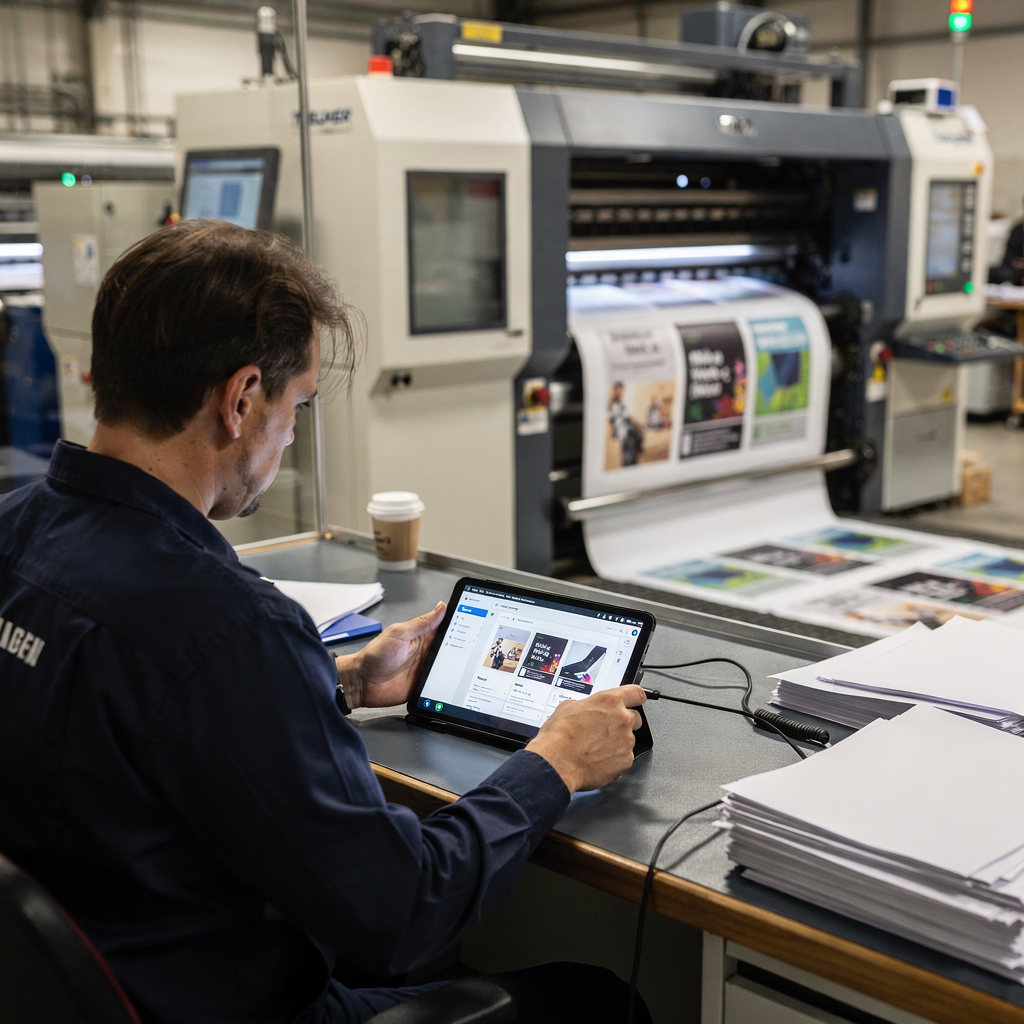
When choosing software, use a checklist. Ensure the platform integrates with RIP/MIS and printers. Verify it exposes APIs for custom workflows. Check user experience for buyers and operators. Ask about deployment options, security controls, and vendor support. Also test reporting and simple dashboards so analytics drive decisions. For shops that need email and ticket routing, consider a vendor that integrates with your CRM and shared inboxes so ownership stays clear.
For companies that want guidance on scaling operations with AI agents and email automation there are resources that explain how to automate logistics correspondence and order triage. See a practical guide about scaling operations without hiring for an example of how agents reduce handling time in busy teams. Also review case studies that compare AI email assistants to traditional outsourcing for proof of concept.
Finally, pick a pilot area. Start with web-to-print order handling or customer inquiries. Measure conversion lift, time saved, and error reduction. Then expand into prepress and scheduling. With short pilots you reduce risk and build internal buy-in. The goal is to streamline the chain from order to despatch so your shop runs with greater efficiency.
Drowning in emails?
Here’s your way out
Save hours every day as AI Agents label and draft emails directly in Outlook or Gmail, giving your team more time to focus on high-value work.
AI agent and AI tools: best AI for using AI in customer service and production
First, define terms. An AI agent is an autonomous assistant that can act on information and execute tasks without constant human prompting. AI tools include LLMs, vision models, and rule engines. For instance, an ai model like gemini can power a conversational layer and retrieval system. Combine that model with a knowledge base and automation connectors and you have an agentic assistant that handles complex tickets.
Customer-facing agents answer order status, manage proofs, and help with customisation. Production agents schedule runs, predict maintenance needs, and adjust job priorities. When choosing the best ai for your shop, shortlist platforms that provide strong APIs, data privacy controls, and domain training ability. Pilot one agent for customer service first. That approach reduces risk and demonstrates value.
Suggested tech stack: an LLM plus a retrieval-augmented knowledge base, connected to your MIS and CRM, and paired with low-code automation that triggers actions. Monitor agents continuously. Track accuracy, escalation rates, and time saved. Balance AI autonomy with human oversight, especially where quality matters.
Start small. Use an AI agent to triage incoming emails and create structured tickets. That reduces repetitive tasks for service agents and improves ticket routing. Next, expand into production. Use vision models to inspect output and feed results back to scheduling. Use data analytics to refine models and forecast demand. For help with automating operational email, review materials that explain virtual assistants built for logistics, and how email drafting agents reduce manual effort for ops teams.
Security and governance matter. Validate models against historical tickets. Keep logs for audits. Train agents on your brand voice, and set thresholds for escalation so complex cases land with human specialists. With this approach, an AI agent becomes a reliable partner rather than a fragile experiment.
AI-powered printer and printing equipment: from commercial printers to 3d printing
Printers today are sensors and processors wrapped around mechanical systems. AI-powered sensors capture temperature, vibration, and colour drift. Then machine learning predicts failures before they occur. That reduces downtime and saves service costs. For commercial printers, integrations with PLCs and RIP systems via OPC-UA and APIs let agents adjust queues automatically. A well-instrumented press reports ink consumption and alignment, and an agent corrects registration in real time.
In 3d printing workflows, AI can optimise orientation, supports, and material usage. Generative AI helps redesign parts to use less material while keeping strength. As a result, shops can cut material waste by around 20% and raise design productivity by roughly 30% when they use generative ai techniques and topology optimisation.
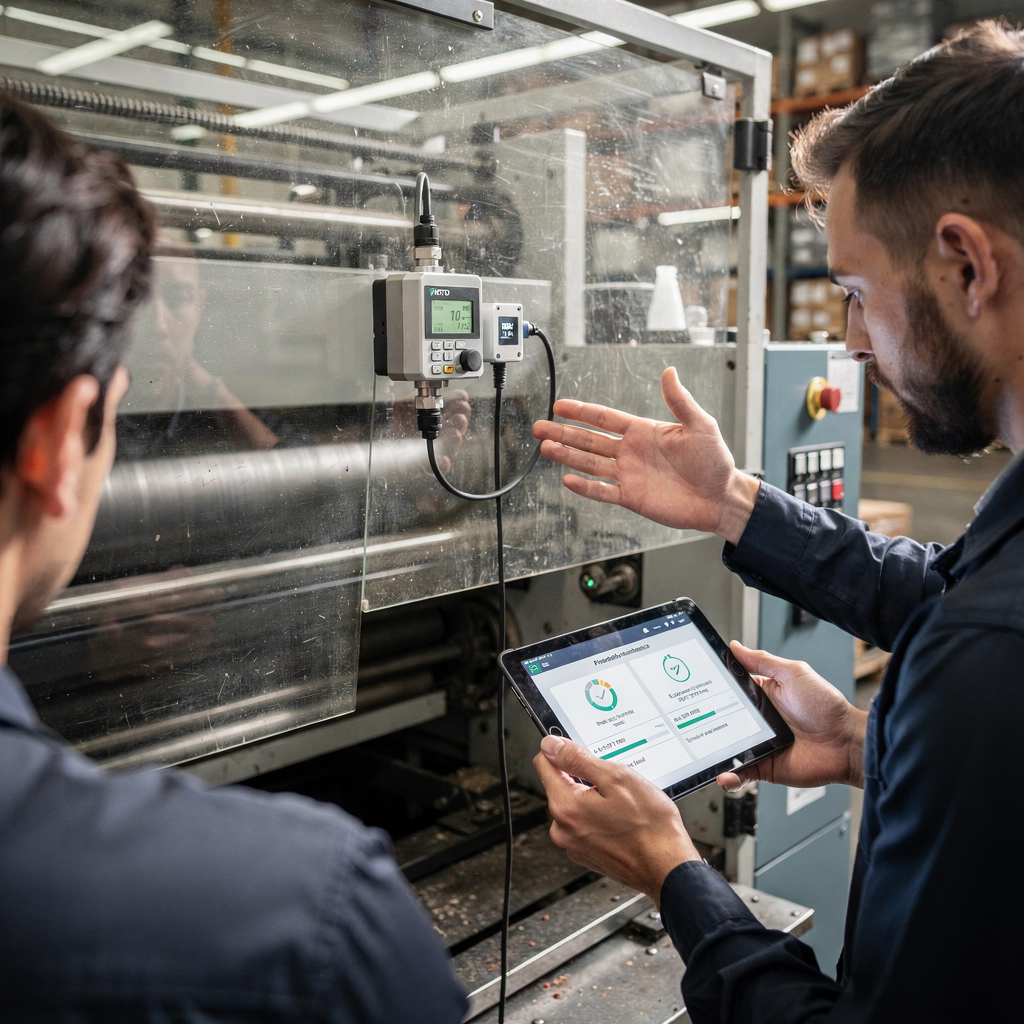
Integration points include RIP, PLCs, and your MIS. Quick wins are simple: automatic ink usage reports, early warnings for rollers and bearings, and scheduled maintenance windows that avoid rush-hour downtime. These improvements help commercial printers meet delivery promises and reduce emergency repairs.
Beyond hardware, AI also aids quality control. Vision models flag streaks, banding, and colour shifts. Operators get alerts with images and suggested fixes. That cuts guesswork and speeds corrective action. Then, when paired with analytics, shops learn which suppliers or substrates cause repeat issues. Finally, combine predictive maintenance with spare-parts planning to reduce stockouts. This produces a leaner operation with fewer service calls and better uptime.
Drowning in emails?
Here’s your way out
Save hours every day as AI Agents label and draft emails directly in Outlook or Gmail, giving your team more time to focus on high-value work.
How AI can help transform product images, workflow and help print shops with web-to-print
AI can automate product images and dynamic previews so customers see accurate mock-ups in real time. For web-to-print storefronts, dynamic previews reduce proof cycles and speed confirmations. AI crops images, adjusts lighting, and places artwork into contextual mock-ups for brochures and marketing materials. This reduces back-and-forth and improves conversion.
Personalisation at scale is possible. AI automates layout variations and language swaps. It generates multiple proof versions and ranks them by likely customer preference using simple analytics. Then the storefront shows the best option first. That approach improves customer satisfaction and reduces human review time.
Workflows benefit too. AI preflight tools check fonts, colours, and bleed as soon as a file is uploaded. If problems appear, automated messages explain fixes. This flow reduces reprints and keeps schedules on track. Dynamic pricing engines calculate costs based on materials, turnaround, and setup time. They upsell finishing options when profitability improves.
For print shops that want to reduce ticket cycles and improve proofs, content ideas include before/after visuals and an ROI calculator showing how dynamic previews shorten approval times and reduce reprints. Also consider integrating AI with CRM systems and Zendesk-style platforms so customer context travels with each request. If you need examples of AI that automates email lifecycles for ops teams, look at platforms that route and resolve messages automatically, draft replies from ERP data, and create structured records from unstructured email threads.
Finally, measure impact. Track proof cycles per order and the percentage of orders that proceed without manual edits. These KPIs show the tangible uplift from AI. With steady improvements, shops reshape processes and free staff to focus on creative work and business growth.
frequently asked questions: deploying AI agents, help print shops choose automation software and reduce costs
This section answers the most common questions and then provides a practical checklist for pilots. Use it to map KPIs and plan pilots.
Start with a deployment checklist. First, map key KPIs like turnaround, error rates, and labour hours. Second, choose a pilot area such as customer service or prepress. Third, run a 60–90 day pilot and measure results. Fourth, scale successful pilots across other jobs. Remember the safety guidance that calls for continuous validation when agents operate in industrial settings.
Top implementation steps: ensure data quality, define escalation rules, and plan for human oversight so the human touch remains in quality-critical stages. Teams should validate outputs against historical cases and keep audit trails. For governance, plan access controls and a failover to human agents when confidence falls below a threshold. That reduces risk and addresses companies face when introducing autonomous systems.
Cost questions are common. Many shops see payback within 12–24 months through fewer reprints, lower labour, and faster job completion. For email-heavy operations, automating the lifecycle of inbound messages can cut handling time significantly and reduce the burden on service teams. If you want a practical example, review case studies about automated logistics correspondence which show clear time savings in high-volume teams.
Finally, a short vendor checklist: ask how the solution integrates with your ERP and CRM, whether it integrates seamlessly with your RIP and printers, and how it handles data grounding. Also request a pilot plan and SLA for uptime. With a clear plan you reduce implementation risk and capture measurable benefits.
FAQ
What is the first step to deploy AI agents in a print shop?
Start with a focused pilot in an area that has clear metrics, such as customer inquiries or prepress checks. Measure turnaround, error rates, and labour hours for 60–90 days before scaling.
How much can AI reduce production errors?
Studies report up to a 25% reduction in error rates for AI-assisted production systems. Results vary by process and data quality, so validate with a pilot.
Which part of the workflow should I automate first?
Begin with order capture and triage because gains are immediate and measurable. Automating email triage and ticket routing reduces repetitive tasks and speeds response times.
How does AI help with predictive maintenance?
AI analyses sensor telemetry to forecast failures and recommend maintenance windows. This lowers downtime and avoids emergency repairs by scheduling work proactively.
Are AI agents safe for industrial use?
Yes when they are validated continuously and governed correctly. The International AI Safety Report recommends robust oversight for agent deployments in complex settings.
Do I need to train my own models?
Not always. You can use pre-built models and fine-tune them with domain data. Focus on data quality and context to improve accuracy quickly.
How do AI solutions affect customer satisfaction?
By reducing proof cycles, speeding responses, and improving order accuracy, AI typically raises customer satisfaction. Track NPS and repeat purchase rates to measure impact.
What is the expected payback period for AI investments?
Many adopters report payback within 12–24 months through labour savings and fewer reprints. Pilot results will provide a clearer estimate for your operations.
Can AI handle high volumes of orders during peaks?
Yes, AI excels at handling high volumes when connected to your systems. It can triage requests, route tickets, and draft replies so staff focus on exceptions.
Where can I learn more about automating email workflows for operations?
Review resources on automated logistics correspondence and how virtual assistants automate email lifecycles for ops teams. These guides show practical steps to reduce handling time and improve consistency.
Drowning in emails?
Here’s your way out
Save hours every day as AI Agents label and draft emails directly in Outlook or Gmail, giving your team more time to focus on high-value work.