


ai agent: how customer support teams use ai to improve customer support
An AI agent for support is an automated assistant that handles routine enquiries, triages tickets and hands off complex cases to humans. Teams use these agents to reduce manual triage, automate simple replies, and surface the right context for agents. For example, virtualworkforce.ai automates the full email lifecycle so operations and frontline teams spend less time on manual lookup and more time helping customers. This approach frees agents for high-value work and reduces response time across shared inboxes.
Why it matters right now is clear. Capgemini found heavy generative AI adoption in service operations by 2025, and they wrote that “Generative AI assistants are not just tools for automation; they are catalysts for reimagining customer engagement and operational excellence.” Capgemini (2025). At the same time, a 2026 survey showed 63% of organizations already incorporate generative AI in service operations and beyond Master of Code (2026). Therefore, deploying an AI agent reduces repetitive load so human agents can resolve complex problems.
Quick metrics to watch include first-contact resolution, average handling time, hand-off rate to humans, and CSAT. Track labour freed, because that directly links to ROI. Immediate steps to start are simple. First, map repetitive tasks and identify the highest-volume, lowest-risk flows. Next, pilot a single channel such as email or chat. Then, measure time saved, ticket deflection, and any change in customer experience. Finally, expand after you validate the model and governance.
When you pilot, choose a purpose-built helpdesk or support platform that provides full context, integrates with CRM and ERP, and supports no-code rules for routing and escalation. A focused pilot lowers risk and shows value fast. For teams in logistics and ops, see how end-to-end email automation can reduce handling time and improve traceability in real workflows by visiting a case study on automated logistics correspondence automated logistics correspondence.

ai agent for customer: core use cases to automate and resolve conversations
AI agents for customer interactions cover a clear set of use-cases that reduce volume and speed resolution. Common uses include FAQ and self-service, order tracking, password resets, ticket triage and routing, and guided troubleshooting. These flows handle repetitive questions, capture the needed context, and provide accurate answers from knowledge sources. For example, an AI can check order status, pull data from ERP, and reply with an accurate answer in seconds.
Automation works by capturing intent, then using retrieval systems to ground replies in verified knowledge base articles or knowledge base articles in a help center. This reduces hallucination risk and produces accurate answers. Implementations often pair an LLM with retrieval-augmented generation, and then add verification rules so an agent will not invent facts. Microsoft highlights that AI-powered virtual assistants can proactively engage customers with relevant information and thus improve loyalty Microsoft (2025).
AI helps resolve conversations by automatically capturing full context, suggesting replies for agents, and triggering escalation when intents remain unresolved. For instance, a copilot that summarizes an email thread and suggests a verified reply reduces handling time. Evidence shows AI reduces the volume of simple tickets and raises throughput without a proportional headcount increase; Aisera describes how AI assistants boost productivity by handling repetitive tasks Aisera (2026).
Start with high-volume, low-risk flows. Add verification rules and a human-in-the-loop for edge cases. Also, integrate via API into CRM and order systems so the AI has up-to-date facts. If you want a logistics-specific example, check a guide on scaling logistics operations with AI agents that explains routing and data grounding how to scale logistics operations with AI agents. Finally, remember that a single, focused pilot provides clear learning on accuracy, impact, and customer satisfaction.
Drowning in emails?
Here’s your way out
Save hours every day as AI Agents label and draft emails directly in Outlook or Gmail, giving your team more time to focus on high-value work.
ai agents for customer support: conversational flows that improve customer experience while helping customers
Designing conversational flows requires attention to short turns, confirmation prompts, and graceful handovers. Aim for concise messages so customers can scan replies quickly. Use explicit handover language that signals when the support team will take over. This preserves the human touch and reduces frustration.
Customer experience considerations are essential because many customers still prefer interacting with a human. Gartner found that 64% of customers prefer companies not to use AI in customer service due to concerns about losing personal connection Gartner via MiaRec (2025). Therefore, hybrid models—where AI handles routine parts and agents manage nuance—work best. Use clear escalation triggers and ensure the support team gets full context when a case moves from bot to human.
To prevent hallucination, connect AI to verified knowledge sources and show confidence scores or footnotes for critical facts. Also, keep the knowledge base and knowledge base articles up to date; maintain a feedback loop so agents can flag incorrect replies and the system can continuously improve. When accuracy matters most, consider fin AI approaches or controlled retraining on your internal documents and help articles. Log model outputs for audit and compliance.
Measure success with reduced response time, higher self-service rate, and maintained or improved CSAT. A purpose-built helpdesk that is AI-powered will include suggested macros, sentiment detection, and automatic routing so agents resolve conversations faster. If you want a concrete example for logistics email handling that shows thread-aware memory and operational grounding, see the ERP email automation use case ERP email automation in logistics. Finally, balance always-on availability with human oversight to keep trust high.
use ai for customer: building an ai-powered helpdesk built for teams and support team efficiency
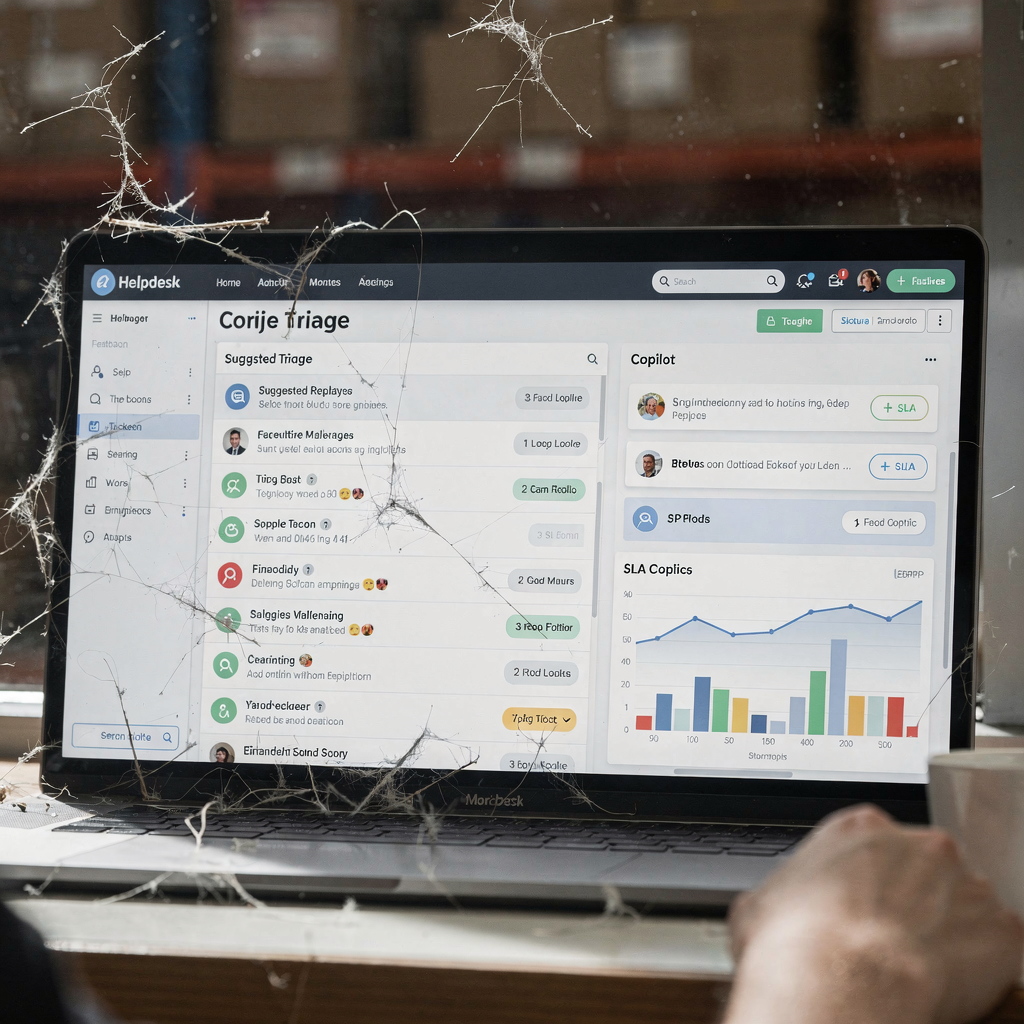
What does a helpdesk built for teams look like when powered by AI? First, it offers shared context across threads so agents see full context at a glance. Second, it provides agent-assist features like suggested macros and summarized threads via a copilot. Third, it automates ticket tagging, SLA reminders, and routing based on intent and urgency. This combination streamlines workflows and cuts repetitive work.
Key AI-powered features to prioritise include suggested response templates, sentiment detection, automatic routing, and analytics dashboards. A good support platform will also integrate with CRM and operational systems so replies use accurate data. You should choose the right tools that can deploy quickly and support no-code configuration so business teams control tone, rules, and escalation paths. Virtualworkforce.ai focuses on end-to-end email automation that drafts grounded replies and pushes structured data back into operational systems, which helps you scale without fragile workflows.
Team workflows should include human-in-the-loop steps for complex queries and coaching cycles driven by analytics. Use AI to coach agents with suggested improvements and to surface common questions so you can expand help articles. Track ROI with a checklist: saved agent hours, decrease in escalations, reduced onboarding time, and faster resolution. For practical guidance on improving logistics customer service with AI, see a focused resource on that topic how to improve logistics customer service with AI.
Finally, treat the helpdesk as data-driven. Use analytics to identify bottlenecks, continuously optimize intent models, and safeguard sensitive customer data under clear governance. This approach reduces support load, improves support experience, and accelerates onboarding of new agents.
Drowning in emails?
Here’s your way out
Save hours every day as AI Agents label and draft emails directly in Outlook or Gmail, giving your team more time to focus on high-value work.
ai for customer: technical choices (api, fin ai) and how ai improves to improve customer outcomes
Choosing architecture influences accuracy, safety, and speed. Key tech decisions include whether to use hosted LLMs, private models, or a hybrid; how to integrate via API with CRM and order systems; and whether to fin AI on internal data. Each decision trades off speed and control. For instance, fine-tuning an LLM on company documents can improve domain knowledge, while RAG (retrieval-augmented generation) reduces hallucination by grounding outputs in known documents.
Accuracy and safety require layered controls. Always log model outputs and add human review thresholds for low-confidence replies. Use versioning so you can roll back changes, and maintain audit trails for compliance in the EU or under GDPR. Connect the model to verified knowledge sources like help articles, internal PDFs, and operational databases. This keeps replies truthful and traceable, and it helps you resolve complex issues where facts matter.
Integration is central. Use APIs to pull order status from ERP, shipment data from TMS, or customs info from WMS. Doing so enables accurate answers and reduces hand-offs. If you need examples for logistics and freight workflows, there are resources that show API-driven email drafting for freight forwarders and ERP-grounded replies AI for freight forwarder communication.
Risk controls should include automated alerts for hallucination, human escalation for edge cases, and a feedback loop that captures agent edits to continuously optimize models. Consider a no-code layer that lets business teams update tone and routing rules without engineering. Finally, measure outcomes: saved minutes per interaction, fewer escalations, and improved accurate answers. These metrics show how AI improves customer outcomes and helps you scale your support.
using ai for customer service: choosing the right ai, governance, use ai for customer adoption and scale
Choosing the right AI means matching capability to use-case. Use lightweight intent detection models for quick triage. Choose a full conversational copilot or chatbot when you need multi-turn resolution. Run live trials and measure with first-contact resolution and CSAT so you can choose the right approach for each channel. For advanced needs, evaluate LLMS and fine-tuning to improve domain accuracy.
Governance must cover data privacy, audit trails, and clear policies on autonomy. Define when the AI can act autonomously and when it must escalate. Safeguard customer data and log actions for compliance. Also, create training materials so agents adopt the copilot smoothly; practical coaching reduces resistance and increases trust in outcomes.
A scaling plan should widen channels across every channel only after accuracy is proven. Expand from email to chat, WhatsApp, or voice agents when confidence thresholds meet targets. Train agents on the new workflows and use analytics to spot gaps. Continuous improvement cycles keep models aligned to changing products and help center content. Use a feedback loop to summarize agent edits and update AI-ready knowledge so the system continuously optimize.
Finally, follow a simple rollout checklist: define goals, run short pilots, enforce human oversight, track impact on customer journey and cost, and scale while maintaining human touch. If you want to compare how AI automation stacks up against traditional outsourcing in logistics, a comparative case study may help you decide virtualworkforce.ai vs traditional outsourcing. By taking these steps you can reduce support friction, improve loyalty, and ensure AI-driven features truly help teams and customers.
FAQ
What is an AI agent in customer support?
An AI agent is an automated assistant that handles routine enquiries, triages tickets, and escalates complex cases to humans. It uses intent detection and retrieval from knowledge sources to draft replies and route issues.
How do AI agents reduce handling time?
AI agents automate repetitive tasks like order lookups and password resets, which cuts time per interaction. For example, some systems reduce email handling from about 4.5 minutes to 1.5 minutes by drafting grounded replies and routing automatically.
Are AI assistants safe to deploy in customer support?
They can be safe when connected to verified knowledge sources and when you add governance, logging, and human oversight. Always include escalation thresholds and audit trails to safeguard customer data.
Will customers accept AI in support?
Many customers still prefer human interaction for complex issues, so hybrid models work best. Use AI for routine flows while preserving the human touch for nuanced conversations to maintain trust.
How do I start a pilot for an AI agent?
Map repetitive tasks, pick a single channel, and choose high-volume, low-risk flows. Measure key metrics like CSAT, first-contact resolution, and labour freed before scaling.
Should I fine-tune models on internal data?
Fine-tuning can improve domain accuracy, but it requires careful governance and testing. Alternatively, use RAG to ground outputs without heavy model changes.
How do AI agents prevent hallucination?
Connect agents to verified knowledge bases, show confidence indicators, and log outputs for review. Add verification rules that block autonomous replies for sensitive topics.
Can AI handle long email threads?
Yes. Purpose-built systems maintain thread-aware memory and provide full context to agents so they can reply accurately. This is especially useful in logistics and operations workflows.
What integrations should an AI support platform offer?
Look for API integrations with CRM, ERP, TMS, and knowledge repositories. These connections let the AI pull facts and draft accurate replies that resolve customer issues.
How do I measure ROI for AI in support?
Track saved agent hours, decrease in escalations, faster onboarding, and CSAT changes. Combine these with analytics to see how AI helps you scale and improve the entire customer journey.
Drowning in emails?
Here’s your way out
Save hours every day as AI Agents label and draft emails directly in Outlook or Gmail, giving your team more time to focus on high-value work.