


ai-powered learning platform — market size, outcomes and ai-powered learning platforms
First, let us state a few quick market facts. Education leaders report that AI plays an active daily role. For example, 47% of education leaders say they use AI daily (Aristek Systems). And many large employers rely on the technology. More than 40% of Fortune 500 companies use e-learning platforms enhanced by AI tools to upskill teams (Devlin Peck). These numbers show momentum. They also show where investment and attention focus.
Next, consider measurable outcomes. Researchers measured real gains when AI tutors supported physics undergraduates. A Harvard‑led study found students taught with AI tutors learned more than twice as much in less time compared with traditional instruction (EdTech Magazine). Thus, AI can shorten time-to-proficiency. It can also lift retention. And it can boost completion rates when systems provide timely feedback and remediation.
Who benefits from ai-powered learning? Corporate learning teams gain scalable coaching and customized training programs. Higher education benefits from intelligent tutoring and grading automation. K–12 and schools gain supplemental support for differentiated instruction. For corporate learning and learning and development, AI helps identify training needs and match learners to the right content. It supports managers and L&D teams to refine training and measure business outcomes.
KPIs change when AI supports instruction. Time-to-proficiency drops. Completion and course engagement rise. Learners score higher on assessments and pass certification faster. Predictive analytics also identify attrition risks and skill gaps. Therefore, organizations can act early and improve outcomes. Finally, blending AI‑driven learning with human mentorship keeps quality high and trust intact.
For teams that juggle many routine tasks like grading and scheduling, AI frees time. For example, virtualworkforce.ai automates complex email workflows for operations teams, cutting repetitive time and letting staff focus on strategy (virtualworkforce.ai case). Similarly, an ai-powered learning platform can remove administrative friction so educators and managers concentrate on coaching. And this reduces cost while improving learner satisfaction.
ai assistant and ai learning: personalised paths, adaptive learning and generative ai
Define the terms so teams can act. An ai assistant acts as a virtual tutor, coach, or admin aide. It answers questions, nudges progress, and automates routine work. AI learning refers to the broader use of AI to tailor instruction and deliver feedback at scale. Together, they create personalized learning paths that adapt to each learner.
Practically, AI assistants provide real‑time tutoring and instant feedback. They suggest next steps and they adjust difficulty based on performance. They generate practice items and they surface gaps for remediation. They also reduce teacher workload. Teachers spend less time on grading and more time on high‑impact coaching.
Adaptive learning models operate on learner data and on ai models that predict mastery. These systems create learning paths that adapt as learners progress. They recommend content, and they reorder modules to match readiness. Use generative ai to draft examples, summaries, and new practice questions when speed matters. But use rule‑based recommendations when accuracy or compliance demands strict control. Thus, teams must pick the right tool for the task.
Teams should map assistants to learner models. First, define learning objectives. Then tag content by objective and difficulty. Next, choose triggers for remediation and enrichment. Also, keep a human review loop for generated content. For instance, use generative ai to research supporting examples and to speed content production. Then, route outputs through subject‑matter experts for validation. This approach balances speed and quality.
Finally, measure impact. Track completion, proficiency gains, and engagement. Run A/B tests to compare human‑only instruction with hybrid instructor + ai assistant approaches. For straightforward administrative work, let AI handle routing, scheduling, and grading at scale. And for coaching, let AI augment instructor cues and surface coaching opportunities.

Drowning in emails?
Here’s your way out
Save hours every day as AI Agents label and draft emails directly in Outlook or Gmail, giving your team more time to focus on high-value work.
ai-powered lms, best ai lms and workflow: integrating AI into your LMS and workflow
Start with core features that an ai-powered LMS should offer. Expect personalized course recommendation, automated assessment, predictive analytics, and clear reporting. Look for ai features that recommend content, flag at‑risk learners, and automate administrative tasks. Also expect integrations with other systems so data flows across the learning ecosystem.
When you integrate AI into a learning management system, follow a simple workflow. Authoring feeds content. Delivery presents content to learners. Reporting closes the loop with insights. At each step, apply automation where it reduces low‑value labor. For example, let AI grade objective items and draft feedback. Let it tag content and generate ai playlists for skill reinforcement. This reduces admin time and improves consistency.
Pick lms platforms that support open integrations. Platforms with native AI or clean APIs let you add advanced ai capabilities without a full migration. Evaluate criteria such as explainability, data governance, and support for custom learner models. Also check for vendor experience in compliance training and in enterprise learning scenarios.
As you assess best ai lms options, consider function and fit. Some vendors deliver AI features in‑product. Others let you plug in third‑party ai tools. For example, teams that already use enterprise systems should prefer integrations that sync user profiles and training records. Also, verify scalability and uptime for large deployments. Check security and data residency requirements, especially in the EU and other regulated markets.
Workflow notes matter. Automate routine tasks like enrollment and reminders. Use predictive analytics to assign learners to cohorts. Employ automated reporting to surface trends for managers and learning managers. And keep human touchpoints for coaching and certification decisions. Finally, test automation rules in pilots and expand as you prove impact.
best ai, ai content and create elearning: tools to author personalised courses
Choose authoring solutions that accelerate production without sacrificing accuracy. Generative authoring tools can speed content creation. Options include modern suites and purpose‑built platforms. For example, classic authoring tool vendors now add AI assistants to help with drafts and templates. Use an authoring tool that supports structured content, templates, and version control.
Suggested tools cover drafting, tutoring, and review. Use generative ai to research examples and to draft scenarios. Also pair that output with established authoring suites for formatting, interactivity, and accessibility. Make sure SMEs review any AI content before publication. This human review keeps legal, technical, and regulatory accuracy intact.
AI content practices should include guardrails. Create templates and style guides. Require human approval for sensitive or certified training content. Track provenance for every generated item so you can audit decisions. These practices protect compliance and maintain trust with learners.
When choosing the right AI for content creation, weigh speed versus accuracy. If your domain is complex or highly regulated, prefer conservative generative workflows with tight human validation. For general soft‑skills or onboarding, you can lean more on generative approaches to personalize learning materials quickly. Also consider the learning journey and the desired learning outcomes when deciding how much to automate.
Tools you already use can often integrate with AI. Use connectors and plug‑ins to avoid rebuilding content libraries. For teams that need enterprise integrations, check for proprietary ai infrastructure or support for custom ai models. In short, pick tools that help you create elearning fast, and then lock in review steps to ensure quality.
Drowning in emails?
Here’s your way out
Save hours every day as AI Agents label and draft emails directly in Outlook or Gmail, giving your team more time to focus on high-value work.
cypher learning, ai-based learning and training platform: vendor case and adoption issues
Review a vendor case to make adoption concrete. Cypher Learning offers products that showcase graph knowledge, adaptive recommendations, and detailed analytics. Their approach maps content and learner interactions to suggest personalized learning paths. This model illustrates how a training platform can combine content graphs with predictive algorithms to deliver targeted recommendations.
Adoption in training platforms starts with a sensible pilot. Scope the pilot for a single team or curriculum. Involve subject‑matter experts early. Integrate with HR systems and your learning management system to keep records synchronized. Use marketplace plugins or APIs to connect to existing content libraries. Also plan for data labeling to train ai models effectively.
Risks arise during adoption. Bias and fairness demand testing and monitoring. Data privacy and GDPR compliance require governance and clear consent flows. Educators and trainers often need upskilling to trust and to use AI effectively. Mitigations include bias testing, regular audits, and transparent reporting on how recommendations form.
For operations teams and for learning teams, automation can look different. Virtualworkforce.ai provides a clear example outside education: it automates complex email lifecycles for ops teams by grounding drafts in ERP and other systems (virtualworkforce.ai ERP automation). In learning, similar grounding helps AI answer learner queries with accurate records, such as certification status and completed modules. This approach reduces confusion and improves trust.
Finally, plan for instructor support. Offer training on interpreting AI reports, on overriding recommendations, and on coaching learners. Keep a feedback loop so SMEs can correct or refine content. With these steps, adoption becomes practical and measurable.
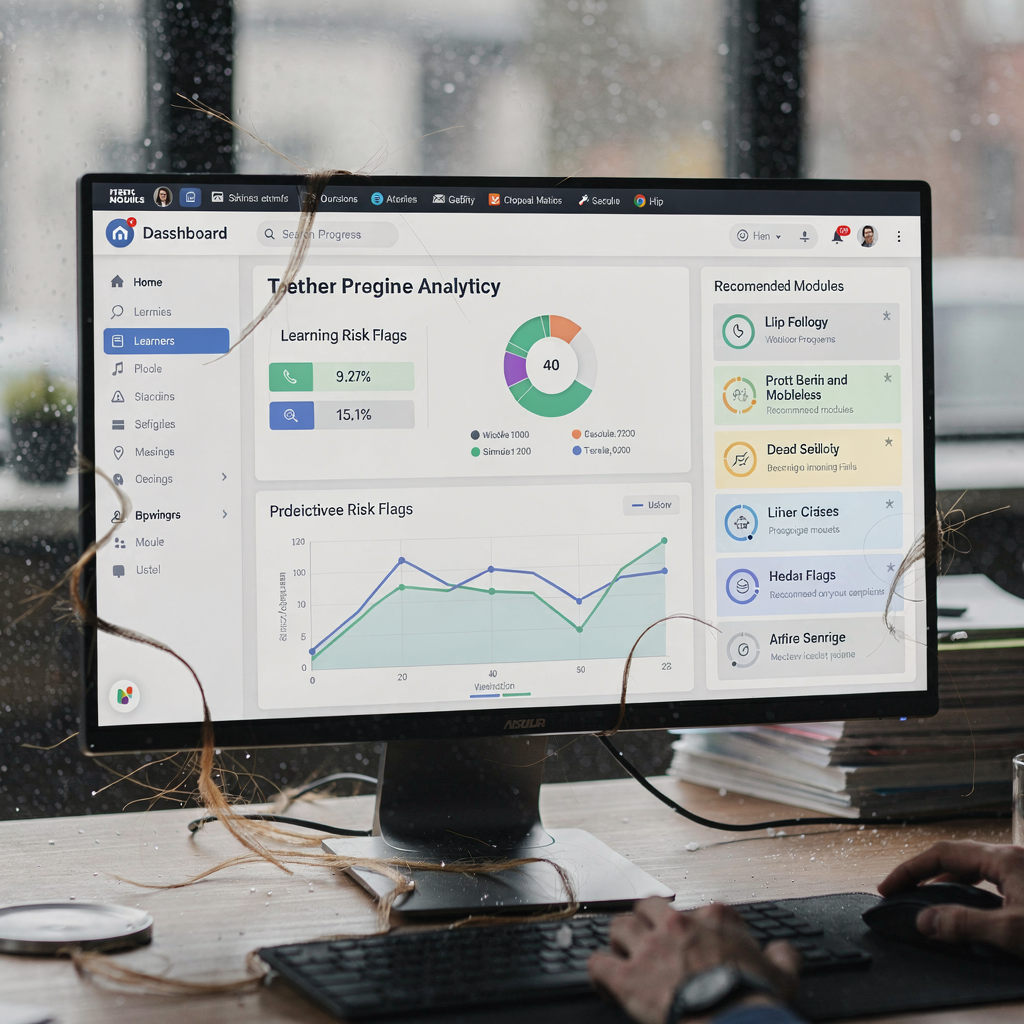
ai training, ai learning platform and let ai: implementation checklist and how to pick the right ai
Start implementation with a crisp checklist. First, define success metrics such as time-to-proficiency, completion rates, and engagement. Second, start small with a pilot cohort and clear timelines. Third, collect labeled data to train and to evaluate ai models. Fourth, set governance and privacy rules to meet GDPR, EU, and local requirements. Fifth, document escalation and human‑in‑the‑loop policies.
Train people as you deploy. Invest in instructor and manager training. Teach teams how to read AI reports and how to interpret predictions. Offer coaching on blending human feedback with AI recommendations. Use hybrid human‑AI models to keep quality high while scaling the learning approach. Run continual evaluations such as A/B tests and cohort comparisons to measure learning gains and to adjust models.
When selecting the right AI, match the tool to the use case. Choose tutoring AI for individualized coaching. Choose generative AI to speed content production, but set strong review gates. Choose analytics and predictive tools for workforce planning. Check vendor explainability and security. Confirm the vendor supports scale and integration with your learning management system. Also check for features like ai playlists, dynamic learning, and the ability to deliver personalized learning experiences.
Practical governance matters. Define data access and retention. Require transparency about model inputs and outputs. Monitor for bias and performance drift. Create a change control process for model updates. And involve legal and compliance teams when training content affects credentials or regulated domains.
Finally, pick the right mix of tools and partners. Start with tools that meet your learning objectives and that integrate with existing systems. Then iterate based on measured impact. Use pilots to refine models and to prove roi. By following this approach, teams can let AI augment instruction while preserving human oversight and trust.
FAQ
What is an AI assistant in e-learning?
An AI assistant in e-learning acts like a virtual tutor and administrative aide. It answers learner questions, suggests next steps, and automates routine tasks such as grading and reminders. It also supports instructors by surfacing at‑risk learners and by recommending targeted interventions.
How does AI improve learning outcomes?
AI improves learning outcomes by providing personalized feedback and by adapting difficulty to learner performance. Studies show that students using AI tutors can learn faster and retain more, including a Harvard‑led study where AI tutors produced greater than twofold improvement in learning (source).
What should I expect from an ai-powered lms?
Expect features like personalized recommendations, automated assessment, predictive analytics, and clear reporting. A good ai-powered lms integrates with existing systems, supports governance, and offers explainable recommendations so instructors can trust the outputs.
Can generative AI create course content safely?
Yes, when teams apply guardrails. Use generative ai to draft examples and summaries, and then require human review for accuracy and compliance. This hybrid workflow balances speed with quality and reduces risk in specialized domains.
How do I measure the impact of AI in training programs?
Define clear KPIs such as time-to-proficiency, completion rates, engagement, and business outcomes. Run pilots with control groups and use A/B testing to quantify learning gains. Track long‑term retention and on‑the‑job performance where possible.
What are common adoption challenges?
Challenges include data privacy, bias, and instructor training. Teams must set governance, test for bias, and invest in upskilling educators to interpret AI recommendations. Pilots and SME involvement help reduce risk.
How does AI affect instructor workload?
AI reduces repetitive tasks like grading and scheduling, and it surfaces coaching opportunities for instructors. This change frees instructors to focus on high‑impact teaching and mentorship, improving the overall learning experience.
Which tools help author personalized courses?
Look for authoring tool vendors that support templates, structured content, and integrations with generative systems. Pair automated drafting with SME review. Choose tools that align with your compliance and domain needs to ensure accuracy.
How do I ensure data privacy and compliance?
Set governance rules and data access controls. Comply with GDPR and relevant local regulations. Use encryption and retention policies, and document consent and data processing agreements to maintain trust.
How can operations teams benefit from AI examples outside education?
Operations teams gain insights from enterprise AI examples where automation reduces manual work. For instance, virtualworkforce.ai automates the email lifecycle for ops teams, which frees staff from repetitive triage and improves consistency (example). Similar automation in learning can free L&D teams and educators to focus on coaching and strategy.
Drowning in emails?
Here’s your way out
Save hours every day as AI Agents label and draft emails directly in Outlook or Gmail, giving your team more time to focus on high-value work.