


ai & event planning — what an AI assistant does
AI is changing how teams approach event planning. It predicts attendance, handles scheduling, manages event registration, automates repetitive tasks, runs chat support, and sends personalised messaging. Predictive analytics lets planners forecast turnout and allocate seats, staff, and catering more accurately. For example, roughly 50% of event planners plan to use AI tools this year, which shows how fast adoption is rising. At the same time, about 90% of event professionals see AI’s potential to optimize workflows and outcomes.
When you pilot an AI assistant, start small and measure impact. First, map your data sources: CRM, ticketing, past events, attendee surveys, and an event website. Next, feed these into an AI system that can analyze historical trends and respond to live inputs. virtualworkforce.ai uses AI agents to label and route inbound messages in operations; similarly, an AI assistant for events can label attendee intents and route follow-ups or escalate issues only when needed, which helps your team save time and reduce errors. If your operations team handles many event emails, see how email automation across ERP and communication systems can reduce handling time and keep context in shared inboxes by visiting a practical guide on scaling logistics operations with AI (how to scale logistics operations without hiring).
Action points for event planners: choose measurable KPIs, run a two-month pilot on one event, and connect at least one CRM and a ticketing feed. Also, decide governance and human override rules. Use AI to streamline routine approvals, but keep strategic decisions with humans. Finally, collect feedback from attendees and speakers to refine prompts and rules for the system. This phased approach helps you optimize the planning process while maintaining control and quality.
attendee engagement & event experience — personalisation, matchmaking and content
AI improves attendee engagement by delivering personalised schedules, matchmaking, and tailored content recommendations. It can tailor agendas for each attendee, suggest sessions based on interests, and surface networking matches that actually matter. AI matchmaking engines power virtual networking at hybrid events and boost meaningful connections. Vendors now offer personalised video tools, such as platforms that create bespoke messages for attendees, which improves conversion and retention. For real proof, a recent overview highlights how platforms enable AI-generated videos and content to drive higher engagement across channels (23 Ways Event Planners & Marketers Are Using ChatGPT & AI Tools).
Start by mapping attendee profiles and session metadata. Then configure matchmaking rules and thresholds for contact suggestions. Track metric changes: click-throughs, meeting requests per attendee, and session dwell time. These metrics show whether personalization moves the needle on engagement. AI can also adapt messaging cadence in real-time and adjust push notifications for in-person or virtual attendees to avoid overload while increasing relevance.

Tools like an ai chatbot or an ai writing assistant generate copy for emails, social media posts, and session descriptions. They save time and keep tone consistent. For privacy-conscious planners, consider event platforms that allow on-premise control or stringent data governance. If you want examples of how to link event operations to automated messaging, check how AI automates logistics correspondence for operations teams (automated logistics correspondence).
Remember metrics matter. Use A/B tests for personalized video hooks and compare session attendance against recommended schedules. Over time, AI to analyze interaction data will provide insights for future events and improve the overall event experience.
Drowning in emails?
Here’s your way out
Save hours every day as AI Agents label and draft emails directly in Outlook or Gmail, giving your team more time to focus on high-value work.
automate your event — workflow automation, event registration and event schedule
Automation cuts manual hours and reduces errors. You can automate registration flows, reminders, badge printing, speaker briefs, live schedule changes, and on-site check-in. Automation also helps with exhibitor management and sponsor deliverables. When planners automate these tasks, teams save time by automating routine approvals and confirmations. As a result, staff focus on high-value activities such as programming and sponsor relations.
Practical steps: connect your ticketing system to an event app and your CRM. Then enable workflow automation for confirmations, reminders, and badge generation. Many management software platforms provide APIs or connectors so you can link systems seamlessly. For example, operations teams often need automated email workflows that reference ERP or WMS data; similar integrations benefit events when you pull attendee lists or booth assignments from core systems. If you handle many operational messages, learn how targeted automation lowers response time and errors by visiting a case on ERP email automation (ERP email automation).
Benefits in practice are concrete. Faster check-ins lead to shorter queues and better first impressions. Fewer manual steps mean fewer mistakes in session assignments. A measurable result can be a reduction in labour cost per check-in and faster throughput at registration desks. Also, real-time schedule changes get pushed to the event schedule and attendee devices instantly, so everyone stays informed.
To ensure a smooth rollout, test with a small in-person pilot. Train staff on the new flows and set clear escalation rules. Keep human oversight on speaker briefs and sponsor messaging. Finally, collect post-event feedback to refine templates and automate even more for the next event.
ai chatbot & ai writing assistant — communication, prompts and chatgpt alternatives for event
An AI chatbot answers FAQs, handles booking changes, captures leads, and drafts messages. An ai writing assistant creates emails, social media posts, scripts, and sponsorship outreach. Both reduce manual drafting and help teams save time. Use chatbots for 24/7 FAQ support and for routing complex queries to the right human. A clear prompt library improves reliability and speeds response.
Keep prompts simple and reliable. Example prompts: “What is the venue address?”, “Change my session booking to X,” and “Send sponsor a session performance summary.” These short ai prompts work better than long paragraphs. For critical communications, draft with an ai writing assistant and then review before sending. For private or sensitive workflows, consider alternatives to ChatGPT such as Claude or Llama-based solutions. There are specific chatgpt alternatives for event planners that prioritise privacy and customisation.
Here are three quick prompt templates you can reuse: (1) Attendee Q&A: “Answer quickly with venue, time, and check-in link.” (2) Sponsor pitch: “Draft a one-paragraph value summary highlighting impressions and session ROI.” (3) Emergency message: “Notify attendees of a schedule change, include reason, next steps, and contact.” These templates reduce errors and keep tone consistent across channels.
Beyond global models, event teams can deploy ai chatbots that sit inside an event platform and connect to attendee records. That gives the bot context to pull personalized info. If your operations team already automates emails with AI agents, you can apply similar patterns to registration inboxes and sponsor communications. Also explore ai tools for event planning that specifically integrate with event software to manage leads and follow-ups without manual steps.
Drowning in emails?
Here’s your way out
Save hours every day as AI Agents label and draft emails directly in Outlook or Gmail, giving your team more time to focus on high-value work.
ai-powered event analytics & event technology — predictive insights, roi and sponsorship
AI-driven analytics help you predict attendance, measure lead quality, and prove sponsorship ROI. Use an ai-powered event dashboard to compare predicted vs actual attendance and to analyze session performance. These insights guide decisions on venue size, staff allocation, and sponsorship tiers. For instance, predictive analytics allow you to set realistic capacity limits and reduce waste.
AI helps sponsors by matching their target audiences to session profiles and by delivering personalized sponsor content. It can also provide real-time exposure reports that quantify impressions and clicks. These reports support renegotiations and help show the value of sponsorships. Use ai systems to automate sponsor matching and to create evidence-based ROI reports for stakeholders.
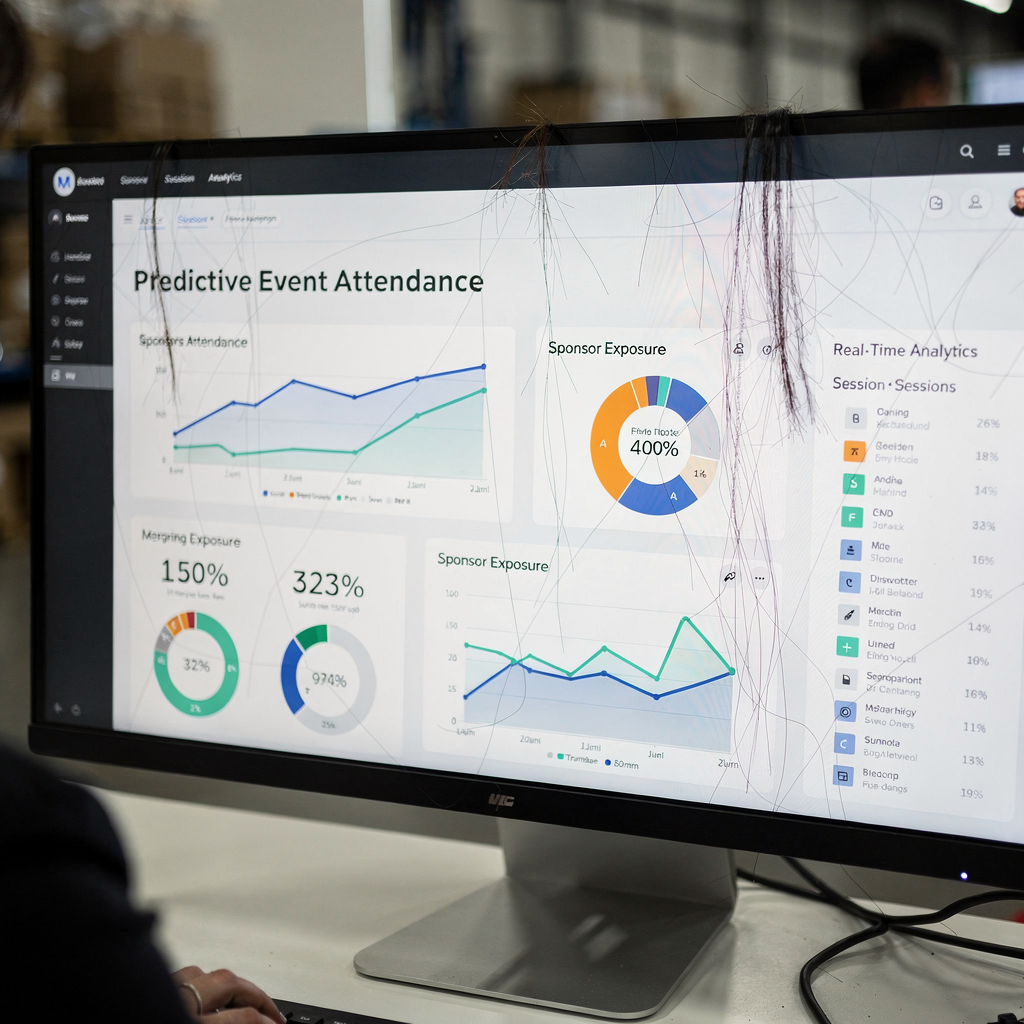
Decisions informed by AI include sizing rooms, assigning moderators, and setting sponsorship packages. AI to analyze past events and the amount of data you collect can reveal patterns that humans miss. For data-driven planning, ensure you capture clean inputs: registration timestamps, session check-ins, and engagement scores. Then let analytics surface high-value segments and actionable insights for future events.
Track ROI carefully. Measure lead quality, follow-up conversion, and post-event sales. Use post-event surveys and link responses to behavioral data. This combination gives a full picture of performance and helps you tailor future offers. Finally, ensure governance for data and customize models to reflect your goals so that AI-powered insights remain accurate and useful.
event planner playbook — template, event app, hybrid events, case studies and how to manage event
Start with a simple playbook: select a tool, run a pilot, set KPIs, ensure human oversight, and define data governance. Choose a tool that supports the workflows you need and that integrates with your event app, CRM, and ticketing system. Run a pilot on a small hybrid events program to test matchmaking, registration automation, and messaging templates. That will give you a realistic measure of benefits before scaling.
Use a template pack: registration templates, matchmaking settings, sponsor report templates, and post-event survey forms. Include sample ai prompts for attendee Q&A, sponsor follow-up, and emergency communications. These reusable templates save time and help keep quality consistent. If your team manages heavy operational email flows, consider how end-to-end email automation can free capacity across planning teams and partner operations; see a relevant case for automating logistics correspondence (virtual assistant logistics).
Case studies show concrete wins: better attendance prediction, automated communications that reduce manual hours, and higher sponsor ROI from audience matching. For example, firms that use AI to analyze past events and automate outreach report faster follow-ups and clearer sponsor metrics. To evaluate tools, compare management software features: data grounding, thread-aware memory, and no-code setup. These features reduce the need for constant prompt adjustments and help you scale without hiring large teams.
Finally, governance matters. Define who reviews AI outputs, who owns data access, and how models are updated. Keep human review for creative messaging and sponsor negotiations. By following this playbook you can streamline operations, save time, and deliver better experiences for your clients and attendees. If you need more on scaling communications without adding headcount, read about how companies improve customer service with AI (how to improve logistics customer service with AI).
FAQ
What is an AI assistant for event planners?
An AI assistant automates tasks such as registration, scheduling, and attendee messaging. It can also provide predictive analytics and help with content creation to save you time.
How can AI improve attendee engagement?
AI personalizes agendas, recommends sessions, and suggests networking matches based on profiles. These tailored touches increase meeting requests and session dwell time.
Can AI predict attendance accurately?
Yes. AI uses past events and current signals to forecast turnout and trends. Planners use these forecasts to optimize venue size and staffing.
Are chatbots safe to use at events?
Chatbots can be safe if you choose platforms with strong data governance and clear access controls. Always review the chatbot’s responses before sending sensitive or legal information.
What is an ai writing assistant useful for?
An ai writing assistant drafts emails, social media posts, and sponsor reports. It speeds content creation and keeps tone consistent across channels.
How do I pilot AI at my events?
Run a short pilot on one event, connect a CRM and ticketing feed, and track KPIs such as check-in time, message response rates, and sponsor impressions. Then iterate based on feedback.
Which metrics matter for sponsorship ROI?
Measure impressions, lead quality, meeting requests, and conversion after the event. Combine behavioral data with post-event survey responses for a full view.
Can AI handle in-person and virtual attendees equally?
Yes. AI supports hybrid events by personalizing content for both in-person and virtual attendees and syncing schedules across devices. It also offers matchmaking and dynamic notifications for each format.
What are alternatives to ChatGPT for events?
Alternatives include Claude, Llama-based models, and specialised event AI platforms that prioritise privacy and customisation. Choose based on data needs and governance.
How do I ensure AI outputs remain accurate?
Keep human oversight for critical messages, feed models with clean data from past events, and set review checkpoints. Regularly update prompts and templates to reflect real outcomes.
Drowning in emails?
Here’s your way out
Save hours every day as AI Agents label and draft emails directly in Outlook or Gmail, giving your team more time to focus on high-value work.