


How AI and AI tools transform print companies, print shops and the print industry
AI matters now because the sector expects it to matter. For example, 85% of industry respondents see AI as critical, and 83% view it as a source of new business. These figures tell a clear story. Printing businesses that ignore AI risk falling behind. At the same time, those that adopt it gain speed and flexibility.
AI speeds turnaround. It reduces manual errors. For instance, design systems like Adobe Sensei help with repeated layout decisions and automating design tasks by turning creative steps into repeatable processes. As a result, teams deliver proofs faster. They also move from template work to personalised print services. Print-on-demand becomes feasible at scale. Many printer operations add new service lines such as personalised direct mail and variable-data business cards.
The impacts vary by scale. Small print shops gain immediate value when AI reduces repetitive tasks and speeds proofs. Industrial printing plants benefit when AI helps plan runs and optimize plates. In every case, AI tools let staff work smarter. Staff spend less time on routine checks and more time on higher-value work like client strategy. Also, AI helps marketing and sales teams personalise offers, which lifts customer engagement and repeat business. For a practical operations example, the same email and data problems that logistics teams face exist in print operations; companies that automate email workflows and routing reclaim hours per week with targeted AI agents.
There is a caution. Studies show AI assistants still err. For example, research found AI assistants produce errors in roughly 45% of news-related responses, which signals the need for oversight. Therefore, teams must design approvals and audit trails into every AI deployment. In short, AI is transforming core operations, but human review must remain part of the workflow.
Which top AI and best AI tools to help print companies with web-to-print and the printing process
When you choose tools, focus on speed, integration and accuracy. For web-to-print storefronts, look to platforms such as Printbox and GelatoConnect to power order capture and file handoff. Those web-to-print solutions reduce manual uploads and speed quoting. Next, use creative tools like Canva or Adobe Firefly and Adobe Sensei for quick template edits and AI design support. These tools help create on-brand templates and allow customers to customize layouts without complex design skills. Use one clear template for variable-data campaigns, and then let the system scale edits automatically.
Practical top ai choices span several categories. For order capture and storefronts pick web-to-print tools that tie into your MIS. For creatives choose platforms that produce print-ready files. For data and operational tasks consider Microsoft Copilot or similar solutions that process spreadsheets, generate instant quotes and analyze order trends. These ai tools also enable instant quoting, automated proofing, template personalisation and dynamic pricing. For example, instant quoting shortens the quote-to-order time and lifts conversion on online storefronts. Also, integrating an AI-powered assistant into email workflows reduces email handling times; operations teams can route or resolve order emails faster using AI agents, which you can learn about in our piece on scaling operations without hiring.
Key KPIs improve. Quote-to-order time drops. Estimate accuracy climbs. Conversion rates on web orders improve. For print companies, the best ai picks include a mix of web-to-print tools and creative AI. Use tools for print that automate file interrogation before jobs hit the press. Then connect them with your ERP and MIS so the whole workflow flows. Finally, remember the human in the loop. Test every AI-generated proof. Validate color and bleed for high-quality printing. That discipline avoids costly reprints and reduces waste.
Drowning in emails?
Here’s your way out
Save hours every day as AI Agents label and draft emails directly in Outlook or Gmail, giving your team more time to focus on high-value work.
Workflow automation: how AI-powered assistants automate prepress, layout and quality control for printers
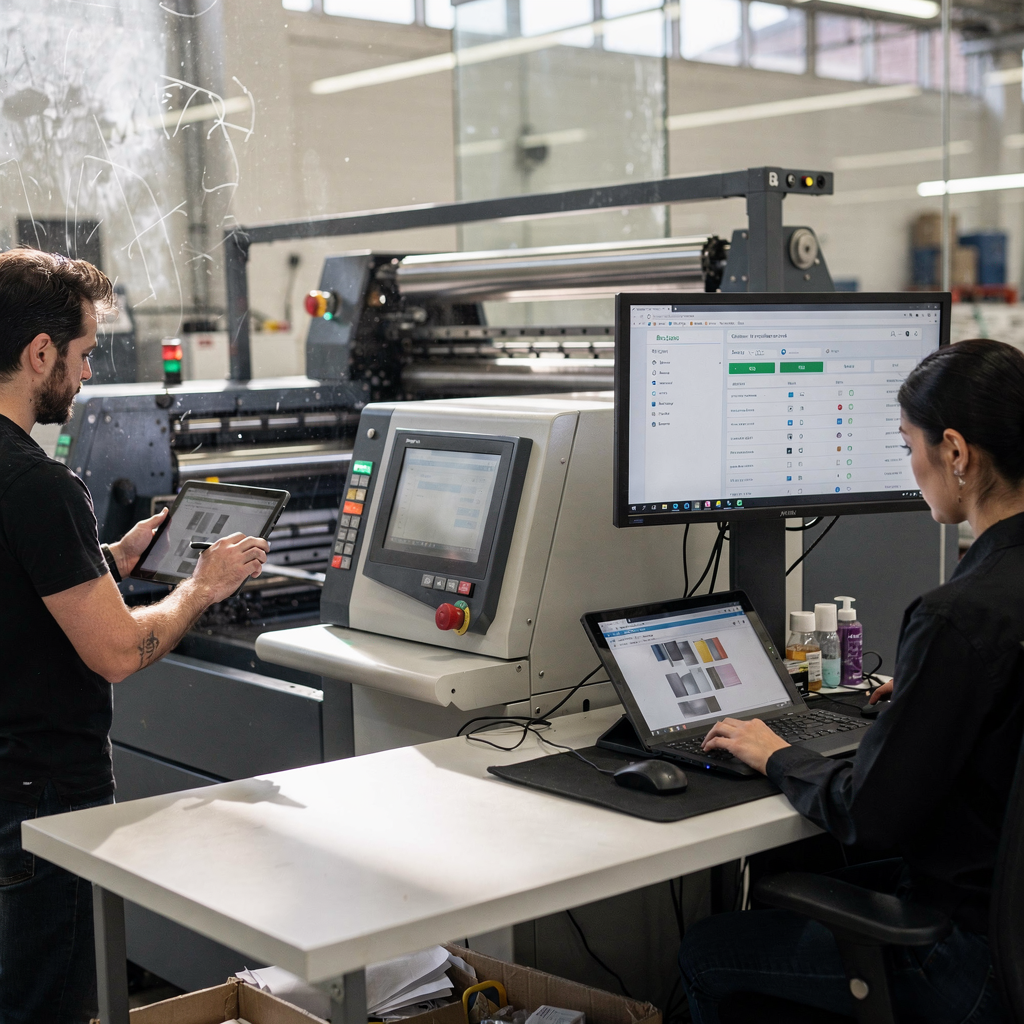
AI-powered assistants automate many prepress steps that once slowed production. First, file interrogation or preflight happens automatically. Systems parse PDFs, check fonts, confirm trapped colors and flag missing images. Second, colour correction tools use AI to match proofs to press profiles. They reduce trial-and-error and help achieve consistent, high-quality output. Third, auto-imposition and nesting reduce setup time for plates. The software optimizes sheet use and reduces waste. As a result, the press runs with fewer interruptions.
Quality control benefits as well. Vision systems inspect printed sheets in real time. They detect banding, streaks and registration issues faster than manual checks. That reduces reprints and lowers material waste. Also, AI schedules jobs across presses to optimize throughput. The system assigns jobs based on capacity, job complexity and delivery windows. Thus, printers can minimize bottlenecks and improve on-time delivery.
Those changes show up in measurable gains. Printers see higher first-pass yield and fewer manual checks. They spend less time adjusting imposition and more on customer service. For customer-facing teams, conversational ai and AI-assisted chatbots handle basic status requests. They free staff to handle complex exceptions. If your operations struggle with email volume, AI agents can help by routing order messages, drafting replies and updating systems with structured data. For implementation guidance, our work on automated logistics correspondence offers parallels and practical ideas for routing and escalation rules that apply to print operations.
To summarize benefits clearly: automation shortens lead times and improves predictability. It also helps the shop optimize materials and labor. Finally, incremental deployment keeps risk low. Pilot one prepress task. Measure improvements. Expand from there. That approach lets teams balance speed gains with accuracy checks.
Real-world use cases: AI-driven web-to-print, print-on-demand business and smarter product images
Real-world use cases show how AI delivers value in everyday printing services. In a typical web-to-print scenario, a customer builds a brochure or business card online. The storefront uses AI to adjust layout, fit text to space and generate print-ready PDFs. That reduces back-and-forth and speeds fulfillment. For print-on-demand business, AI automates mockups, scales image edits and manages SKU variants so shops fulfill orders quickly. Systems can create high-quality previews from AI-generated or edited product images to improve conversion on ecommerce pages.
Image tools matter a lot. Adobe Sensei, DALL·E and Runway ML speed background removal, color correction and creative mockups. These tools save editors hours per SKU and let teams onboard products faster. Also, AI-generated images can help small brands test concepts rapidly without high photography costs. However, always confirm print color and resolution to maintain high-quality printing.
Metrics improve with these use cases. Product onboarding time falls. Image-edit time drops. Ecommerce conversion often rises thanks to better previews. For online printing stores, the combination of web-to-print storefronts and automated image pipelines creates a smoother customer experience. It also reduces the cost per SKU for large catalog runs. If you want to optimize image workflows, consider how AI features integrate with your CMS and MIS. Tools like GelatoConnect and Printbox link storefront orders directly to production, which further reduces manual handoffs and speeds delivery.
One more point: data drives smarter pricing and inventory decisions. AI can analyze order patterns and recommend which SKUs to prioritize for print-on-demand versus bulk runs. The power of ai in these scenarios lies in speed and scale. When a shop uses AI to automate repetitive tasks and to produce consistent product images, it frees staff to focus on design direction and customer experience. That combination helps achieve faster onboarding and more repeat business.

Drowning in emails?
Here’s your way out
Save hours every day as AI Agents label and draft emails directly in Outlook or Gmail, giving your team more time to focus on high-value work.
AI assistant and ai models that help print shops: from customer chatbots to ai tools for image editing
An AI assistant can support front-line customer interactions. Conversational ai chatbots answer order status questions, guide uploads and handle simple quoting. They improve response time and customer satisfaction while freeing sales staff. For more complex requests, AI agents escalate with full context, which reduces repeated explanations and speeds resolution. Our company builds AI agents that automate the email lifecycle. Those agents can read order intent, fetch ERP or MIS data and draft grounded replies so teams spend less time searching and triaging for operational messages.
Behind the scenes, ai models parse orders and forecasts. Natural language processing extracts order details from emails and forms. Machine learning models forecast demand and help plan press schedules. Generative models produce layout variants and suggested copy, which designers can accept or modify. Image-editing tools perform background removal, style transfer and batch processing for large SKU sets. These ai tools can help reduce image prep times and improve catalog quality.
Integration matters. Connect AI agents to CRM, ERP and print MIS so the system can update orders and push proofs automatically. That reduces email loops and manual status checks. For teams that want to scale without adding headcount, combining web-to-print storefronts with AI-driven back-office support creates a seamless path from order to press. If you need guidance on automating logistics-related messages and email drafting for operations, see our work on AI for freight and logistics communication which shares practical patterns that apply to printing operations as well and can help adapt those patterns.
To sum up, apply ai models where they remove repetitive manual work. Then keep humans in the approval loop for color-critical or high-value jobs. Use a versatile ai approach that matches the shop’s scale and business goals so teams can work smarter and deliver consistent, high-quality output.
How to implement and govern AI: automate safely, transform traditional print and ensure ai can help without adding risk
Start with a map of your current processes. Identify pain points where AI can save time or reduce errors. Then pilot a single use case. For example, automate preflight checks or deploy an AI assistant to triage inbound emails. Measure KPI changes such as turnaround time, error rate and margin uplift. Also, set clear success metrics before you expand the pilot.
Governance matters. Require human review for critical decisions. Keep audit trails so every AI decision links to data and rules. Regularly test models for accuracy and bias. Studies show AI still makes mistakes; for instance, research highlighted error rates in assistant responses, which reinforces the need for oversight noted in legal analyses. Use staged rollouts and rollback plans to reduce risk.
Practical steps include data access control, versioning of models and clear escalation paths. Train staff early. Let operators and prepress technicians review outputs and flag issues. Also, connect AI to data from multiple sources so it works with real operational context. If email overload blocks operations, consider AI agents that automate the full lifecycle of operational emails. Those agents can label, route and draft replies based on ERP or MIS data, which helps teams spend less time searching and reduces errors in shared inbox workflows.
Finally, watch ROI. Track how AI affects turnaround, waste, and customer satisfaction. Optimize where necessary. Keep the implementation iterative. Choose best ai tools that fit your technical stack and business goals. Balance automation with human control so AI can help your shop grow revenue while keeping quality high. With deliberate governance, AI can transform traditional print into a resilient, efficient operation.
FAQ
What are the top AI tools for print shops?
The top ai tools to help print operations typically include web-to-print platforms like Printbox and GelatoConnect, creative systems such as Adobe Firefly and Canva, and operational assistants like Microsoft Copilot. Also consider specialized image tools and AI agents that automate email and order handling for smoother operations.
How does AI improve web-to-print storefronts?
AI streamlines personalization, automates proof generation and produces print-ready files automatically. As a result, customers customize products faster and conversion rates on the print storefront rise.
Can AI really automate prepress tasks?
Yes. AI can preflight files, correct colour, perform imposition and optimize nesting. These functions reduce manual checks and improve first-pass yield, which lowers waste and shortens lead times.
Are there risks to deploying AI in a print business?
There are risks such as incorrect outputs, integration errors and data privacy concerns. You should deploy incrementally, keep humans in the loop, and maintain audit trails to control those risks.
How do AI assistants help customer support for printers?
Conversational ai chatbots and email agents handle routine inquiries like order status and uploads, freeing staff to handle complex quotes and custom jobs. This improves customer satisfaction and reduces response time.
What metrics should I track when adopting AI?
Track quote-to-order time, estimate accuracy, first-pass yield, waste rates and conversion on web orders. Also track email handling time and repeat business to see broader effects on customer experience.
Can AI help with print-on-demand business models?
Yes. AI automates mockups, image edits and SKU variant management, which supports rapid fulfilment and lowers the cost per SKU. That makes print-on-demand viable for more product lines.
Do small print shops benefit from AI?
Small shops benefit by automating repetitive tasks, improving proofs and reducing administrative load. They can also use AI to offer personalized products and compete with larger commercial printing operations.
How do I integrate AI with my MIS and ERP?
Integrate using APIs and middleware so AI agents can fetch orders, update status and ground replies in operational data. This approach reduces manual lookups and helps teams spend less time searching for information.
What is a quick first AI project for a printer?
A good first project is automating preflight checks or adding an AI assistant to triage and respond to operational emails. Both projects show quick gains in turnaround and reduce manual effort without major disruption.
Drowning in emails?
Here’s your way out
Save hours every day as AI Agents label and draft emails directly in Outlook or Gmail, giving your team more time to focus on high-value work.