


Why ai and assistant adoption matters for tech startups
Startups move fast, and AI adoption matters because it saves time, reduces errors, and scales teams without hiring more people. Right now about 77% of companies are either using or exploring AI, and roughly 63% apply it in service operations and software engineering. Those numbers show where tech investment goes, and why early-stage companies should pay attention. First, AI reduces routine load by taking on repetitive tasks. Then teams focus on product strategy, not manual lookups. For example, tracking time saved per task or measuring developer velocity shows clear wins. Typical metrics include time saved per task, ticket deflection rate, and cycle time for feature releases. Also measure baseline effort, set targets, and iterate.
This chapter covers how an AI assistant shortens product cycles, scales support without headcount growth, and frees engineers and operations to do higher-value work. Start with three repeatable tasks you can target. For many startups those tasks include email triage, test data prep, and documentation updates. Measure baseline effort for each task, and set a target savings percentage. Then run a short pilot. Use clear success criteria so you can decide to expand or stop.
Track results in a simple dashboard that shows time per task, tickets handled, and developer cycle time. Use the dashboard to report wins and plan next steps. Also remember that tool choice matters. Some teams pick an ai platform for custom builds, while others adopt ai-powered utilities to get started fast. If your startup focuses on operations-heavy workflows, consider tools that can integrate with ERP or shared inboxes. For instance, our virtualworkforce.ai product automates the full email lifecycle for ops teams and cuts handling time from about 4.5 minutes to 1.5 minutes per email, so teams see immediate gains and fewer bottlenecks.
How ai assistant automates customer support and gets work done
AI agents now handle routine queries, and they free support staff for complex cases. For startups that want to improve customer experience while keeping costs down, automation plays a central role. Design the system to answer common questions, route unusual issues, and hand off promptly to human support agents when needed. First map the customer journeys. Next define automation thresholds so the assistant escalates appropriately. Then run a 30-day pilot and measure CSAT and response time.
Practical use cases include ticket triage, knowledge retrieval, 24/7 chat, and automated follow-ups. For ticket triage, an AI assistant can label issues by intent and urgency, and then route them to the right queue. This approach reduces toil and increases consistency. You should also design clear SLAs and escalation paths. In many setups the assistant drafts replies that a human can quickly approve. That pattern balances speed with quality, since some users still prefer human contact and complex issues need human intervention.
Risks include accuracy gaps and data privacy concerns. Monitor outputs, set fallbacks, and enforce access control. Use human review for edge cases, and log decisions for auditability. When possible, ground replies in operational systems so answers remain accurate. For logistics-focused teams, see our guide on automated logistics email drafting which explains how to route and resolve messages while preserving context.
Short action list: map customer journeys, define automation thresholds, run a 30-day pilot, and measure CSAT and average response time. Also track hand-off rates to see if the assistant improves first-contact resolution. Finally, remember that customer support automation works best when it complements support agents rather than replaces them. The goal is to handle routine flows, route harder issues, and let humans focus on relationship-building and escalation.

Drowning in emails?
Here’s your way out
Save hours every day as AI Agents label and draft emails directly in Outlook or Gmail, giving your team more time to focus on high-value work.
Building ai-powered platforms: deploy, deploying ai and enterprise ai basics
Phased builds cut risk when you build and deploy AI systems. Start with a Proof of Concept, move to a pilot, and then scale to production. Typical custom platform cycles take 12–18 months for full custom platforms, but you can reach meaningful pilots much faster with pre-built components. Startups should pick a durable intelligence layer that separates data, models, and orchestration. That architecture reduces rework when you swap ai models or integrate new sources.
Key architecture essentials include a data layer that becomes the source of truth, an orchestration layer that runs workflows, and model hosting that supports llms and specialized reasoning engines. Decide early whether to buy an ai platform or build custom ai. Vendor solutions speed deployment and lower upfront risk, while custom builds offer tighter control and domain fit. Consider enterprise ai needs like access control, audit logs, and scalability. Also think about costs and the need for enterprise-grade traceability.
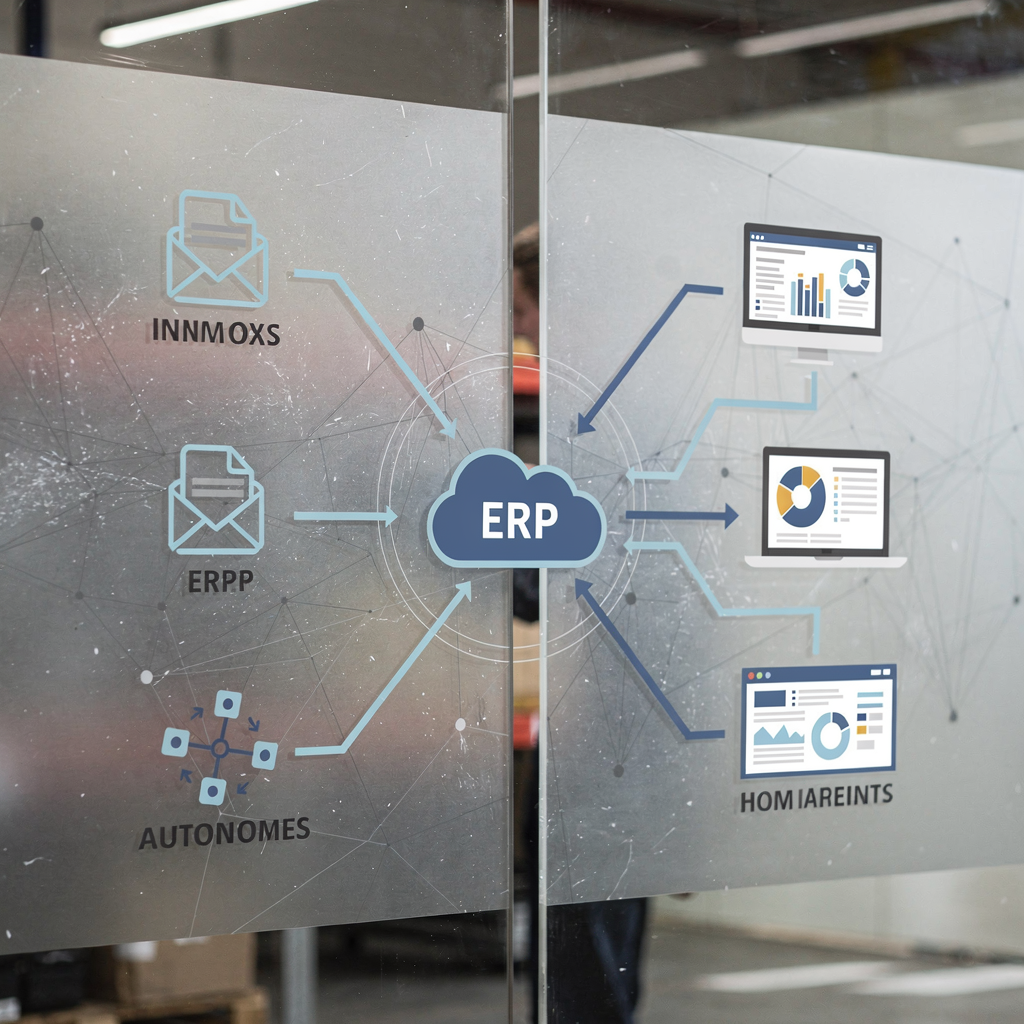
Practical guidance: prefer a durable intelligence layer, instrument everything for observability, and use low-code tools where possible to shorten feedback loops. If you want to link email workflows to ERP or SharePoint, test one integration first. For logistics teams, our article on ERP email automation for logistics shows how to ground replies in operational data and keep history attached to threads. That setup improves accuracy and reduces rework.
Short action list: choose one integration such as CRM or ERP, define data contracts, and plan incremental deploys. Also decide whether to host models in-house or use managed services. When deploying ai, track both performance and cost metrics. Add a small feedback loop so users can flag bad outputs quickly. Finally, include governance from day one to protect privacy and maintain compliance.
From personal assistant to agentic ai: applied ai and ai personal use cases
Personal assistants boost individual productivity and agentic AI completes multi-step tasks across systems. Start with personal assistant use cases such as scheduling, meeting notes, and quick research. A personal assistant can manage your calendar, draft emails, and summarize meeting notes. For teams that need deeper automation, agentic ai can perform goal-directed workflows like reconciling orders, updating CRM records, or following up on sales calls across systems.
Contrast simple personal assistant features with autonomous agents that run end-to-end processes. A personal assistant helps one person with tasks like calendar coordination and note-taking. An ai agent executes multi-step goals, interacts with APIs, and makes conditional decisions. Move to agentic AI when processes repeat reliably, when you can define clear success metrics, and when governance and rollback mechanisms exist.
Try a two-step rollout. First trial a personal assistant for one team and measure time saved and user satisfaction. Next define an agentic pilot for a specific end-to-end process, such as email-to-order reconciliation, and set rollback guardrails. Use no-code or low-code automation where possible to reduce development time. Also make sure systems log full context so teams can review decisions. For logistics and operations teams, read about how to scale logistics operations with AI agents to see a real example of agentic workflows automating long email threads and routing.
Short action list: trial a personal assistant, define an agentic pilot, set rollback and guardrails, and then evaluate. Keep human intervention available during early runs. When the agent reduces manual work and meets quality targets, expand its scope. Use a framework that balances autonomy with safety, and keep users informed so they trust the assistant to get work done.
Drowning in emails?
Here’s your way out
Save hours every day as AI Agents label and draft emails directly in Outlook or Gmail, giving your team more time to focus on high-value work.
Measuring ROI: roi, real roi, analytics and gartner® benchmarks
Measure both cost savings and revenue impact to prove real ROI. Start with a clear baseline and then report short-term wins and projected annualised gains. Use KPIs such as cost per ticket, time to resolution, engineer hours saved, and conversion lift. Also include qualitative outcomes like employee time returned for strategic work. To benchmark performance, compare results to industry numbers and gartner® reports when you need external validation.
Instrumentation matters. Build a simple dashboard to track key metrics and run A/B tests for changes. Use analytics to link automation to business outcomes such as reduced churn or faster delivery. For example, track how automating email workflows reduces hand-offs and improves customer experience in measurable ways. Our ROI study for logistics shows clear time savings and improved consistency; see the case study on virtualworkforce.ai ROI in logistics for details.
How to report results: present baseline numbers, then short-term wins, and finally projected annual gains. Include both quantitative and qualitative benefits. For executives, highlight hours returned, cost reductions, and the competitive advantage gained by faster response times. Also show how automation affects downstream KPIs like NPS, repeat purchase rates, or SLA compliance.
Short action list: build a performance dashboard, run controlled tests, and produce a 90-day ROI review. Make sure you capture data at the source so you can prove causality. Finally, report real roi, not impressions, and use the findings to prioritize the next set of automations.
Choosing best ai assistants: automate the boring, business needs and implementation checklist
Choose tools by fit and by the problems you need to solve. The market offers personal assistant tools for scheduling, coding assistants for developers, and conversational platforms for customer support. Identify your top ai priorities and shortlist candidates that integrate with your systems. Also check accuracy, safety, cost, and the vendor’s approach to data privacy. Run pilots with real users for four weeks before you decide to adopt or stop.
Selection criteria should include integration capability, accuracy on your data, governance features, and cost. Ask vendors for enterprise-grade security and audit logs. Consider whether you need a pre-built solution or custom ai. For operations-heavy teams, prioritize offerings that automate the boring end-to-end email lifecycle, not just draft replies. Our virtualworkforce.ai solution focuses on end-to-end email automation and deep data grounding so teams gain sustainable improvements in consistency and speed.
Implementation checklist: confirm data privacy and access control, define escalation paths, set monitoring and alerting, train users, and create continuous improvement loops. Also set clear rollback plans and human intervention paths. Include user training so adoption stays high, and instrument feedback so the assistant improves over time. For teams using Microsoft Teams or Gmail, ensure the assistant integrates seamlessly with existing project management software and calendars.
Short action list: shortlist three candidates, pilot with real users for four weeks, then decide whether to adopt, extend, or stop. Use no-code options to lower implementation costs. Finally, choose a partner that helps you scale and that offers a clear framework for governance, measurement, and continuous improvement so your tools actually get work done.
FAQ
What specific tasks can an AI assistant handle for a startup?
An AI assistant can handle tasks like email triage, ticket classification, scheduling, and drafting routine replies. It can also extract structured data from messages and push updates to operational systems, which reduces manual work.
How do I measure the impact of an AI assistant?
Measure baseline time per task, then track time saved, ticket deflection rate, and changes in CSAT. Build a simple dashboard and run A/B tests so you can show short-term wins and project annualised gains.
Are AI assistants reliable enough for customer support?
AI assistants work well for routine queries, but you should include escalation paths for complex issues. Monitor accuracy, use human review for edge cases, and ground responses in authoritative systems to improve trust.
When should a startup build custom AI versus buy a vendor solution?
If you need deep domain fit and full control, custom AI may make sense. If you want speed and lower risk, choose a vendor or ai platform with pre-built connectors. Start with a PoC and pilot before investing heavily.
What governance should I put in place for deploying AI?
Implement access control, logging, and audit trails. Define roles for human intervention, set rollback procedures, and enforce data privacy rules so the system remains safe and compliant.
Can AI assistants improve developer productivity?
Yes. AI tools can generate boilerplate code, help with testing, and automate documentation updates. That saves developer hours and increases velocity for product improvements.
How fast can I expect ROI from an AI assistant?
Many teams see measurable wins within 30–90 days from focused pilots. Track real roi by linking automation to reduced handling time and business outcomes, not just engagement metrics.
What is agentic AI and when should I use it?
Agentic AI performs multi-step workflows across systems and makes conditional decisions to achieve goals. Use it for repeatable, measurable processes that benefit from autonomy and have clear guardrails.
How do AI assistants handle data privacy?
Choose solutions with strong data privacy and access control features. Ensure you have clear data contracts, encryption, and retention policies, and that the vendor supports your compliance needs.
Can startups use AI without hiring specialized engineers?
Yes. No-code and low-code options allow product and ops teams to deploy assistants with minimal engineering. However, you will still need to instrument and monitor performance to ensure quality.
Drowning in emails?
Here’s your way out
Save hours every day as AI Agents label and draft emails directly in Outlook or Gmail, giving your team more time to focus on high-value work.