


ai in customer support now: adoption, speed and efficiency gains
AI now sits at the centre of many customer support strategies. Executives report broad adoption: a 2026 survey found that 84% of executives use AI technology to interact with clients. As a result, businesses see faster responses and higher throughput. For instance, roughly 91% of organisations report speed gains from automated systems, which directly reduces wait times and improves first-contact handling.
Also, many companies expect productivity improvements once they add AI to workflows. A late 2024 report noted that 64% of businesses expect higher overall productivity. That expectation helps explain why support teams invest in AI customer support tools and omnichannel support. In IT help desks AI often handles log-ins, resets and error triage. In consumer-facing centres it resolves account questions and order tracking. Different sectors show different deflection rates. For example, IT help desks tend to achieve higher automated resolution for repetitive tasks, while consumer support often needs more human escalation for complex queries.
When planning deployment, teams must measure the right metrics. Track time-to-first-response, deflection rate, and service desk efficiency. Also monitor customer satisfaction and resolution accuracy. Use pilot tests and clear KPIs. For logistics or operations teams that face heavy email loads, consider specialised solutions that automate the email lifecycle; see how virtualworkforce.ai automates operational correspondence to cut handling time and improve consistency here. Finally, keep the human element. AI speeds routine work but human review keeps trust high.
ai assistant and ai agent: triage, agent copilot and escalation
The roles of an AI assistant and an AI agent differ. An AI assistant directly interacts with customers. It answers simple questions, routes tickets, and offers scripted fixes. An AI agent, by contrast, often works behind the scenes as an agent copilot. It helps support agents draft replies, summarise long threads and suggest diagnostic steps. For example, Zendesk and ServiceNow provide copilot-like features that recommend responses and tag tickets for faster routing.
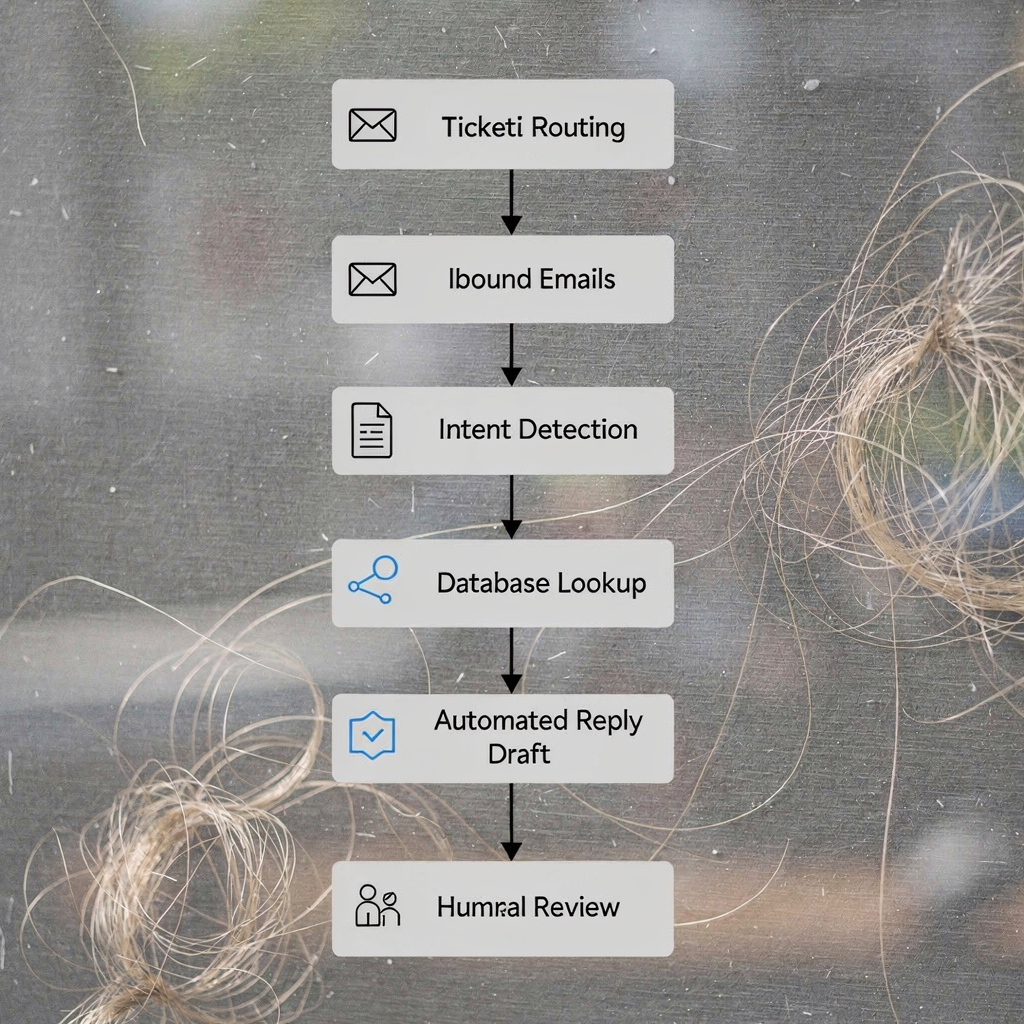
AI assistants excel at triage. They detect customer intent, suggest knowledge-base articles and raise the correct priority. An AI agent for customer work augments the human agent. It fetches relevant data, performs searches in ERP or CRM, and drafts replies that agents can edit. virtualworkforce.ai fits this pattern for operations emails. The platform understands intent, pulls data from ERP and drafts grounded replies directly in Outlook or Gmail; see a practical case for logistics teams here. This reduces manual lookups and speeds response.
However, empirical studies show limits. An NIH study on AI support for data scientists found mixed effects on complex problem solving and recommended human oversight. Likewise, an EBU report found that more than half of AI responses in a news context had significant issues, including sourcing errors. These studies matter. They underline that AI agents and assistants should handle routine work and triage, while humans keep control of sensitive or complex cases. Use confidence thresholds, human-in-the-loop review, and escalation paths. That way you gain efficiency yet manage accuracy risk.

Drowning in emails?
Here’s your way out
Save hours every day as AI Agents label and draft emails directly in Outlook or Gmail, giving your team more time to focus on high-value work.
ai help desk software and support tool choices: Zendesk, ServiceNow, Freshdesk, Intercom
Choosing AI help desk software means balancing scale, integrations and cost. Enterprise platforms such as ServiceNow and Zendesk offer deep ITSM integration and advanced automation. They usually provide an AI copilot, predictive routing and extensive audit logs. Smaller teams often pick Freshdesk or Intercom for ease of setup and lower cost. Intercom focuses on conversational AI and real-time customer chat support. Freshdesk positions itself as simple, omnichannel and affordable.
Consider these factors when you evaluate options: data residency, CRM and ERP connectors, customisability, and vendor support. Also check whether the support platform offers an AI agent that can access operational systems. For operations-heavy email workflows, vendors that ground replies in ERP and WMS data will give more accurate results. virtualworkforce.ai offers no-code setup and deep data grounding for emails; that is useful for teams that need full context and traceability. Learn how to scale logistics operations without hiring using AI agents here.
Here is a short vendor snapshot you can use as a starting point: – Zendesk: enterprise features, Agent Copilot, strong integrations. – ServiceNow: ITSM focus, workflow automation, audit trails. – Intercom: conversational AI, chat support, real-time customer engagement. – Freshdesk: SMB friendly, omnichannel support and rapid setup.
Run a pilot before full rollout. Define ROI metrics like reduced handling time and cost per ticket. Typical claims range from 20–50% productivity lifts for routine tasks, but validate these in your environment. Also track service desk capabilities such as automated tagging, predictive analytics and response quality. Finally, plan for staged rollouts so agents adapt and processes evolve.
support team and service desk workflows: integrating ai tool and customer support teams
Introducing an AI tool changes how support teams work. First, update routing rules so the AI handles repetitive customer queries. Second, set escalation paths where the AI flags uncertain cases and hands them to a human agent. Third, create playbooks that show when to accept AI replies and when to edit them. These steps reduce manual triage and preserve quality.
Workflows will shift. Support agents move from repetitive replies to exception handling. Service desk efficiency improves when AI automates classification, tags tickets and summarizes threads. For example, use AI to ai summarize long email chains, then let an agent make the final call. Also ensure agents can see source data and provenance. That keeps trust high and reduces errors.
Key metrics to track include deflection rate, time-to-first-response, escalation ratio and resolution accuracy. Add agent-centred measures too: time spent on escalation, training time and feedback scores. Avoid over-automation. If agents distrust the AI, escalate misuse and morale issues will grow. Provide a feedback loop. Let agents flag incorrect answers and improve models iteratively.
Three quick checklist items for operations managers: – Pilot small, measure outcomes and refine rules. – Build clear escalation playbooks and confidence thresholds. – Collect agent feedback and log corrections for continuous training.
Support teams that pair AI with a strong governance process unlock real gains. Also consider the support experience for end users. Keep channels for chat support and voice support open. Finally, preserve customer data controls and audit trails to meet compliance needs and to protect trust.
Drowning in emails?
Here’s your way out
Save hours every day as AI Agents label and draft emails directly in Outlook or Gmail, giving your team more time to focus on high-value work.
ai features and benefits of ai help: automation, observability and safety nets
Core AI features matter. Good systems include intent detection, retrieval-augmented generation, knowledge-base search, ticket tagging and automated rules. They also provide summarisation and explainability along with audit logs. These features let teams scale while keeping control. For example, retrieval-augmented replies that cite sources reduce hallucination risk and increase trust.
Benefits of AI help include faster answers, consistent responses and 24/7 coverage. AI also improves knowledge reuse by surfacing past resolutions and recommended fixes. Teams can deploy automation and AI to handle repetitive customer queries and to draft replies that a human reviews. That combination raises customer satisfaction and reduces mean handling time.
Yet, studies report accuracy concerns. One analysis of AI assistants in news found up to 45% of AI-generated answers had accuracy issues, while sourcing problems appeared in about 31% of cases. Those findings stress the need for verification layers. Implement provenance, confidence thresholds and human review for complex tickets. Also keep observability: log model versions, inputs and outputs so you can audit decisions and fix failures.
Security and privacy checks are essential. Verify data handling, enforce data residency rules and limit model access to sensitive customer data. Use role-based controls and maintain traceability. Finally, track long-term KPIs such as customer satisfaction scores, service desk efficiency and resolution accuracy. A measured approach gives you automation gains while protecting quality.
potential of ai for ai customer support: risks, governance and best ai customer support tools (including fin ai)
The potential of AI spans proactive alerts, predictive support and deeper automation. Systems can detect rising incident patterns and act before customers report problems. They can also personalise responses across the customer journey, improving customer experience. Generative AI and generative ai capabilities will drive richer automations, but they also introduce new risks.
Risks include hallucination, bias and data privacy lapses. The EBU and other studies highlight frequent accuracy and sourcing errors in AI outputs. Governance must cover model validation, continuous monitoring and incident playbooks. Maintain transparency with customers when an AI contributes to a reply. Also log decisions and provide clear audit trails so you can trace how an answer formed.
Financial services require extra controls. Fin AI deployments must include explainability, stricter provenance and stronger audit logs. A fin ai agent needs permissioned access to customer data and must record every retrieval. If you operate in finance, set up a formal validation regime, retain records and ensure compliance with regulators.
To choose the best ai customer support tools, evaluate data grounding, observability, integration with your CRM and support platform, and vendor posture on security. Also check niche features like thread-aware email memory and deep ERP connectors. For logistics teams, see practical guidance on AI for freight logistics communication and email automation here and consider ERP email automation examples here.
Three-step adoption roadmap: – Pilot: run a small, measurable pilot focused on high-volume repetitive work. – Measure: track deflection, accuracy and customer satisfaction scores. – Govern: deploy thresholds, audits and human-in-the-loop reviews.
FAQ
What is an AI assistant in customer support?
An AI assistant is a system that interacts directly with customers to handle routine queries. It performs triage, suggests articles and can resolve simple tickets without a human.
How does an AI agent differ from an AI assistant?
An AI agent typically works as a copilot for support staff, fetching information and drafting replies. An AI assistant usually faces the customer and handles first-touch interactions.
Which vendors offer AI help desk software?
Popular vendors include Zendesk, ServiceNow, Intercom and Freshdesk. Each offers different strengths in automation, integrations and omnichannel support.
Can AI reduce handling time for emails?
Yes. For operations and logistics teams, AI agents that automate the email lifecycle can cut handling time significantly. virtualworkforce.ai reports meaningful reductions by grounding replies in operational systems.
Is human oversight still necessary?
Yes. Studies show accuracy issues in some AI outputs, so human review remains essential for complex or high-risk cases. Use confidence thresholds and human-in-the-loop checks.
What safeguards should I implement?
Implement provenance tracking, audit logs, and restricted model access. Also require human approval for sensitive or low-confidence replies.
How do I measure AI success in support?
Track deflection rate, time-to-first-response, escalation ratio and customer satisfaction scores. Also measure agent workload and accuracy of AI-provided information.
Are there special rules for financial services?
Yes. Fin AI and fin ai agents need stronger explainability, auditability and compliance controls. Regulators often demand traceable decision records.
Can AI improve agent satisfaction?
When AI removes repetitive work, agents spend time on higher-value tasks and tend to report better job satisfaction. Still, involve agents early to build trust.
How should I start a rollout?
Begin with a focused pilot on high-volume, low-risk queries. Measure outcomes, collect agent feedback and then scale with governance and monitoring in place.
Drowning in emails?
Here’s your way out
Save hours every day as AI Agents label and draft emails directly in Outlook or Gmail, giving your team more time to focus on high-value work.