


How AI email assistant helps recruitment agencies recruit and scale: automate outreach, followup and inbox workflow
AI changes how recruitment agencies handle email at scale. Firstly, it frees recruiters from repetitive outreach and followup so they can focus on higher-value work. Secondly, it triages the email inbox, flags urgent threads and suggests who should own each conversation. Thirdly, it sequences outreach automatically, using templates that adapt to candidate signals and past replies.
Use cases are clear. Cold outreach runs as a sequence that adjusts cadence when recipients open or reply. Nurture sequences re-engage passive talent while keeping pipelines warm. Inbox triage prioritises replies that matter and archives noise. Together these actions let teams recruit more candidates without growing headcount.
Measure impact with tight KPIs. Typical time savings on email tasks reach around 40% for teams that adopt AI sequencing and triage; see market trends that highlight rapid growth in the category AI Powered Email Assistant Market Report 2026. Recruiters often report higher reply rates of 20–30% when messages are personalised and timed by the system. Additionally, over 90% of agency recruiters noted a positive impact from AI tools on their workflow AI in Agency Recruitment Statistics | Report by Atlas. These figures point to clear quick wins for scaling.
Practical quick wins include: deploy a tested outreach template for one role, add one followup step, and turn inbox rules on for triage. Also, connect the system to your ATS so outreach status syncs automatically. Many popular ATS offer plug-ins that speed this link. For teams that want hands-off email routing, virtualworkforce.ai provides AI agents that automate the full email lifecycle and integrate with operational data to draft grounded replies.
Call to action: Pilot a single outreach sequence for one role and measure replies and time saved after four weeks. Track reply rate and hours saved as the primary metrics.

Make recruiter and recruiting teams more efficient: cut admin, personalise emails, speed interview scheduling and placement
Recruiters spend too much time on admin and repetitive messaging. First, reduce admin by automating routine email replies and logging candidate responses into your ATS and CRM. Second, personalise messages at scale so outreach sounds human. Third, speed interview scheduling to cut back-and-forth and move candidates through the pipeline faster.
Templates work for scale, but dynamic personalisation wins conversations. Use fields that inject job requirements, recent company changes or LinkedIn signals into a base template. Then let the system refine tone based on recipient replies. This approach helps recruiters spend less time on admin tasks and more time on candidate conversations that matter.
Interview scheduling automation reduces scheduling friction. Calendar sync with Outlook or Gmail stops double-bookings and removes manual confirmations and reminders. Consequently, teams fill roles faster and reduce time-to-hire. Firms increasing spend on recruitment automation reached 55% in 2026, underlining the shift toward automation in hiring AI Recruitment Statistics & Trends for 2026 – Codeaid.
Workflow for turning replies into placement: capture reply, qualify the candidate against job requirements, create an interview event via calendar sync, then update the ATS record. This sequence keeps conversations moving and helps recruiters to focus on closing. Use an explicit handoff rule so a human reviews key replies before moving to offer.
Call to action: Start by creating one dynamic template and enable calendar sync for interview scheduling. Measure reductions in time on admin and faster response times as the success metrics.
Drowning in emails?
Here’s your way out
Save hours every day as AI Agents label and draft emails directly in Outlook or Gmail, giving your team more time to focus on high-value work.
Integration with ATS and recruitment software: connect AI agents and email inbox to sync candidate data and reduce time-to-hire
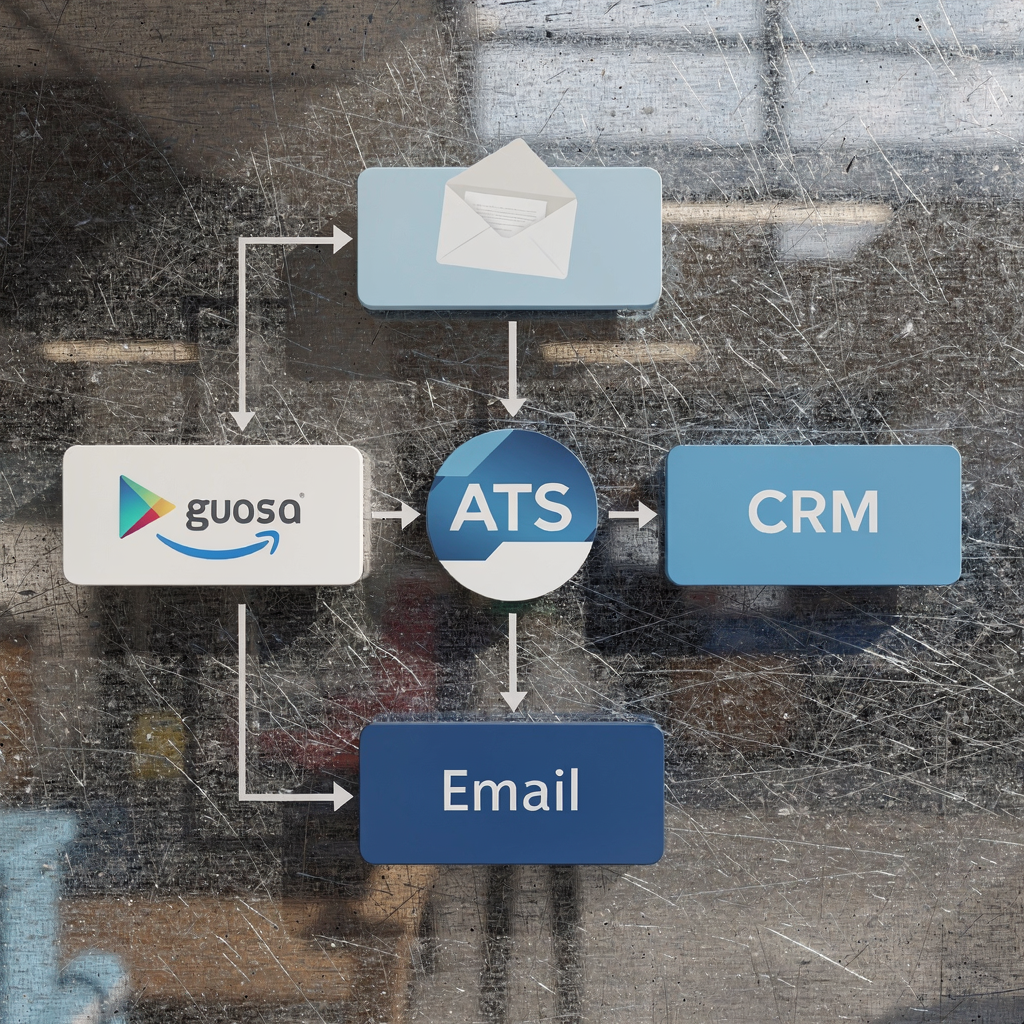
Integration matters. When the email inbox, ATS and CRM share data, teams avoid duplicate data entry and keep the system of record accurate. First, log every candidate and client conversation from outreach into the ATS so ownership stays clear. Second, ensure timestamps, owner assignment and status updates sync in real-time. Third, create fallback rules when an email cannot be matched to a record.
API and plug-in options make setup straightforward for many popular ATS. For example, connect via an API to push structured fields from email into candidate profiles. Then use the ATS and CRM as the system of record while the AI agents draft messages and route threads. virtualworkforce.ai demonstrates how deep grounding across operational systems reduces manual lookups and speeds replies, lowering handling time from ~4.5 minutes to ~1.5 minutes per email.
Privacy and consent checks are essential. Add a GDPR compliance step before storing messages, and record candidate consent status in the ATS. Also, maintain audit logs for every automated reply and escalation. This allows teams to trace decisions and defend hiring decisions when needed.
Real-world flow: an outreach email sends, the AI labels candidate intent, the ATS creates or updates a profile, the scheduler proposes slots, and calendar confirmations go to both candidate and hiring manager. This keeps pipelines accurate and reduces time-to-hire.
Quick checklist: required fields, timestamps, owner assignment, match threshold for existing records, and a human review for uncertain matches. Call to action: Run an integration trial between your inbox and one ATS plugin for four weeks and report on data quality and time saved. For integration patterns and examples, see how email automation ties to ERP and logistics processes for parallel use cases ERP email automation for logistics.
Measure ROI with ai tools: improve candidate experience, reply rates and hire velocity for staffing agencies and recruiting and staffing teams
Define clear metrics before you switch on automation. Start with reply rate, response latency, candidate experience and interview-to-offer ratio. Next, add time-to-hire and interviews scheduled per recruiter per week. These metrics show whether automation improves outcomes or just speeds activity.
Automated follow-ups reduce candidate drop-off. Some agencies report engagement gains of about 25% when they add sequenced followup and personalisation. In parallel, broader AI adoption statistics show that 51% of firms used AI in hiring in late 2025, with the number rising quickly AI Adoption in Recruiting: 2025 Year in Review – HeroHunt.ai. These trends support measurable experiments.
Use dashboards that compare baseline and post-AI performance. For example, track reply rate and time-to-hire for a control group and a pilot cohort. Then present results weekly to stakeholders. Also, measure candidate NPS to check candidate experience. If NPS falls, pause the automation and review templates and escalation rules.
Fast experiments work best. Run a four-week test where half your open roles use automation and half use manual outreach. Then compare improved response, interviews booked and placement velocity. Additionally, capture qualitative feedback from candidates and hiring managers.
Call to action: Build a three-metric dashboard—reply rate, time-to-hire and candidate NPS—and run a four-week pilot. Use those numbers to decide whether to roll out across recruiting teams. For inspiration on end-to-end ROI in similar operational settings, review virtualworkforce.ai ROI examples for logistics teams virtualworkforce.ai ROI for logistics.
Drowning in emails?
Here’s your way out
Save hours every day as AI Agents label and draft emails directly in Outlook or Gmail, giving your team more time to focus on high-value work.
Best AI and automation playbook: choose best ai assistants, design workflow automation and maintain reply quality in ai recruiting
Choose technology that matches your processes. First, prioritise accuracy of draft messages and ease of ATS integration. Second, require audit logs and human-in-the-loop controls so staff can review sensitive replies. Third, test scheduling features and confirmations to cut back-and-forth.
Selection criteria should include: quality of generated content, connectors for popular ATS and CRM, escalation logic, and reporting. Also, prefer tools that let you edit templates and set tone and brand rules. For agencies that want to scale without losing quality, a phased rollout reduces risk.
Rollout playbook: pilot with one team and one role, set templates and guardrails, measure the key metrics, iterate, then scale. Include a training plan so recruiters understand when to override drafts and how to keep replies personalised. Use a feedback loop so template performance improves over time.
Compare categories: AI agents that handle routing and drafting, outreach platforms that run sequences, and ATS plugins that log activity. For example, some vendors focus on end-to-end email lifecycle for ops teams and build deep grounding into ERP and other systems. These platforms cut manual lookup and keep conversations tied to source records.
Call to action: Start a 30-day pilot with one recruitment team, select three templates and set a review cadence. Track improved response and placement rate as your main success signals. For practical automation patterns, read guidance on scaling operations with AI agents how to scale with AI agents.
Governance, ethics and scaling for recruitment agencies: manage ai in recruiting, staff oversight and compliance while scaling the email assistant
Governance keeps candidate experience and compliance intact as you scale. First, be transparent with candidates about automated messages and capture consent. Second, perform fairness checks on templates and the data that drives candidate selection. Third, create a mandatory human review for any automated decision that affects hiring decisions.
Training and oversight are crucial. Train staff on when to escalate, how to edit drafts and how to interpret audit logs. Also, set retention rules and GDPR-compliant storage for candidate communications. Maintain a clear escalation path so unusual replies get immediate human attention.
Risks include robotic-sounding replies, hidden bias, and data leaks. Mitigations are straightforward: build personalisation rules, run bias audits on outreach lists, and keep detailed logs of every automated action. Also, include regular quality reviews and candidate feedback loops to preserve relationship-building and improve candidate experience.
Checklist for scale: staff training, monitoring dashboards, consent capture, audit trails, bias testing, and escalation paths. Ensure the AI agents log context so a reviewer sees why a reply was sent. Finally, use controlled rollouts to expand scope only after meeting quality gates.
Call to action: Add a governance checklist to your pilot plan and require a weekly quality review of automated replies. This keeps candidates and clients protected while you scale the system responsibly. For ethical automation applied to operations and customer email, consider examples in logistics that show strong control and traceability improve logistics customer service with AI.
FAQ
What is an AI email assistant and how does it help recruitment teams?
An AI email assistant drafts, sequences and triages messages to candidates and clients. It saves recruiters time by automating routine replies and routing important threads to the right person.
Can AI personalise outreach at scale?
Yes. AI can merge personalised fields and adjust tone based on candidate signals. However, humans should review messages for sensitive roles to keep relationship-building strong.
How much time can recruiters expect to save?
Teams typically report significant reductions in time on admin and email handling. Pilot metrics often show large time savings in email tasks over a month.
Will automation affect candidate experience?
Automation can improve response times and reduce drop-off when configured correctly. Still, you must monitor candidate NPS and keep human oversight for nuanced conversations.
How do AI agents integrate with ATS and CRM?
Integration works via APIs or plug-ins that push structured data from emails into candidate records. Proper setup keeps the ATS as the system of record and reduces duplicate entry.
Is GDPR considered when using automated email systems?
Yes. You must capture consent and log processing activities for GDPR compliance. Implement retention rules and provide opt-out paths in all messages.
What governance should agencies put in place?
Start with a checklist covering staff training, audit logs, bias testing and escalation paths. Regular quality reviews help maintain reply quality and compliance.
How do I measure ROI from an AI pilot?
Track reply rate, time-to-hire and candidate NPS before and after the pilot. Use control groups to isolate the impact of automation.
Can AI replace recruiter judgment?
No. AI speeds tasks and suggests actions, but recruiters retain control over hiring decisions. Human review is essential for fairness and quality.
How should agencies begin a rollout?
Run a short pilot with one team and a few templates, measure key metrics, iterate on templates and governance, then scale. Include a clear call to action for weekly reviews and adjustments.
Drowning in emails?
Here’s your way out
Save hours every day as AI Agents label and draft emails directly in Outlook or Gmail, giving your team more time to focus on high-value work.