


appointment scheduling: how automated emails cut missed loads and dwell time
Automated appointment scheduling emails make appointment booking simple and reliable. They reduce missed appointments and speed up dock operations. For example, reminders and confirmations can reduce missed appointments by up to 28% reduce missed appointments by up to 28%. Also, full implementations that combine booking and reminders have dropped missed-appointment rates from about 20% to roughly 8% — a ≈60% reduction. These results cut cost and idle time for shippers and carriers.
First, the basics. A scheduling flow starts when a shipper or broker offers a time slot. Then the receiver or carrier books that time slot using a booking portal. Next the system sends a confirmation email and a calendar invite. Finally it follows up with reminders and a reschedule link. This flow reduces back-and-forth and clears a common bottleneck that creates dwell time and detention fees.
Short example. A medium-sized warehouse with one loading dock automated confirmation emails. They trimmed average dwell time by two-thirds. As a result they saved staff hours and lowered detention fees. The saving added up to thousands of pounds per month. In practice, a single dock using dock scheduling and appointment management can see dwell time fall by up to 3×. That means faster trailer turns and better use of dock capacity.
Action points: send confirmations immediately; send reminders at 48 hours and two hours before arrival; include a reschedule link and clear arrival instructions. Use calendar sync to avoid double bookings and to give real-time visibility to your team. For more on applying AI to operational emails and to streamline replies, see our guide to virtual assistants for logistics virtual assistants for logistics. Use these steps to reduce wait times, reduce missed loads, and cut manual scheduling work.
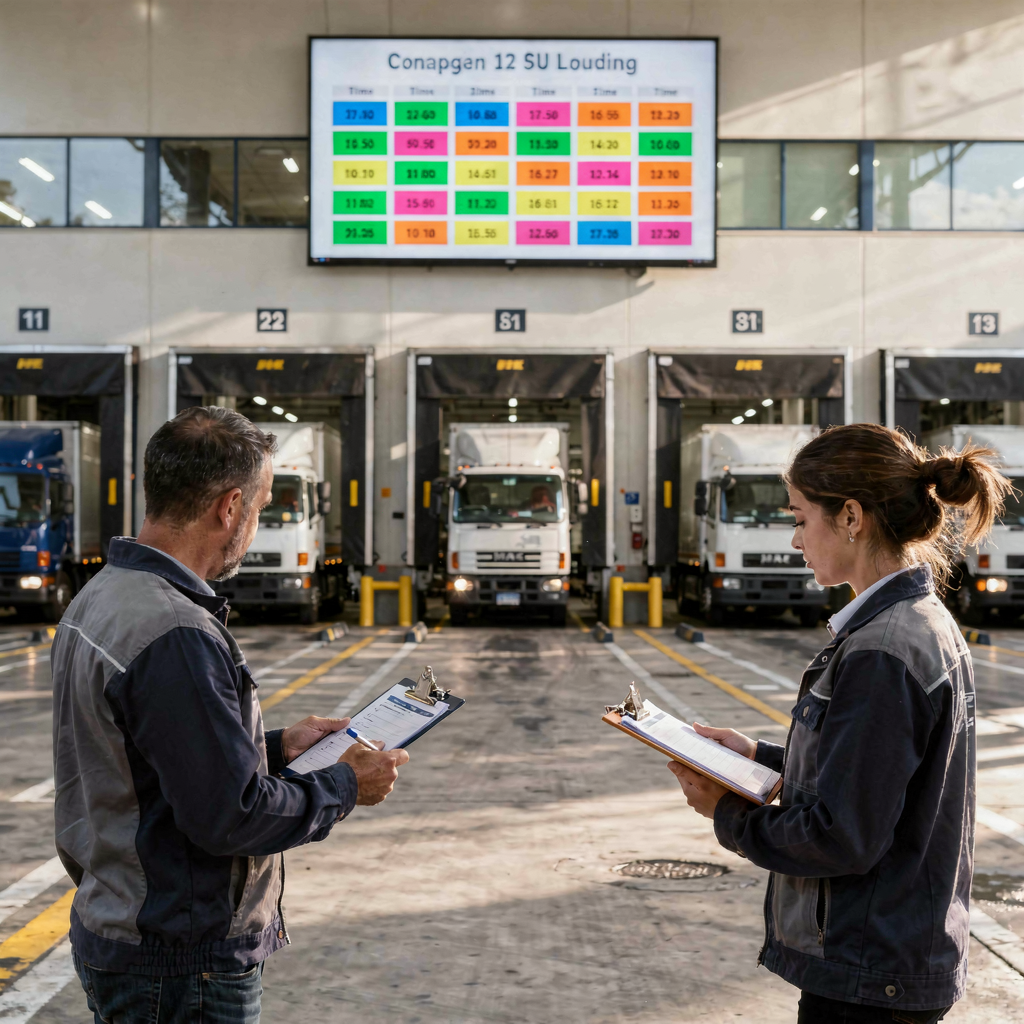
carrier: benefits for drivers and carriers from fewer phone interruptions
From the carrier view, fewer phone calls save time and money. Drivers stop waiting outside a gate. Carriers get faster turnarounds and higher earnings per trip. Reduced dwell time increases driver productivity and lowers detention fees. Automated notices replace routine phone calls. This reduces back-and-forth and keeps drivers on the road.
Carriers measure value in clear KPIs. On-time arrivals rise. Trailer turns improve. Earnings per day increase. Also on-time delivery performance strengthens relationships with shippers and brokers. A short stat helps show the scale: reduced dwell time often converts directly into extra runs per week, which boosts revenue for carriers.
Practical actions for carriers. First, use appointment scheduling emails that confirm arrival windows and gate instructions. Second, enable calendar invites that drivers or dispatchers can add to mobile calendars. Third, accept simple digital check-ins to log arrivals. This simple stack reduces phone calls and manual scheduling, and it keeps dispatchers focused on exceptions.
Use of automation also supports carrier networks. Systems that integrate with TMS and transportation management systems send real-time updates when a load shifts. That improves visibility and reduces disputes over detention fees. For teams that want to automate the email lifecycle tied to carrier messages, our automated logistics correspondence guide shows how to remove manual work while keeping full context for each message automated logistics correspondence.
Drowning in emails?
Here’s your way out
Save hours every day as AI Agents label and draft emails directly in Outlook or Gmail, giving your team more time to focus on high-value work.
scheduling for carriers: booking, calendar and dock scheduling that work together
Scheduling for carriers works best when booking portals, calendar sync and dock scheduling align. Self-service booking meets market demand; over 81% of consumers prefer online self-service scheduling over 81% of consumers prefer online self-service scheduling. In logistics, the same expectation applies. Carriers and 3PLs want tools that let them book appointments without phone tags.
Flow example: booking → confirmation → calendar invite → reminder → check-in. This flow removes manual work from dispatcher and reduces double bookings. Calendar sync with the warehouse calendar provides real-time visibility and prevents common errors that come from spreadsheet schedules. A scheduling platform that talks to TMS, WMS and ERP will cut admin and reduce human error.
Dock scheduling ties the flow to dock capacity. A clear appointment window and a suggested time slot reduce conflicts. Dock teams can set rules for slot length and peak-hour controls. Carriers get automatic updates when slots change. That reduces unexpected delays and improves on-time delivery rates.
Action points: pick a booking tool that supports calendar invites and real-time updates. Add buffer rules so trailers do not overlap. Track KPIs like double bookings, average dwell time and on-time arrivals. To see how AI can draft and route those emails within existing systems, read our logistics email drafting AI resource logistics email drafting AI. The right mix of booking, calendar sync and dock scheduling will streamline operations and improve supply chain scheduling.
automate: smart scheduling to replace manual appointment scheduling and limit disruption
To automate the booking lifecycle you need rules and tools. Smart scheduling can replace manual appointment scheduling and reduce disruption. Use calendar APIs, SMS and email gateways, and simple AI rules to allocate slots. Then add data validation to check contact details and load types. This lowers no-shows and reduces manual work for warehouse staff.
Key rules include buffer times between slots, priority rules for high-value customers, and blackout periods for maintenance. For example, an AI rule can block a slot if the trailer type or weight does not match the dock capacity. Also automated systems can suggest alternative times when a slot is full. These measures reduce bottleneck risks and keep the flow of goods moving.
Automation also improves appointment management. Personalised messages meet modern expectations; around 92% of patients in healthcare expect tailored communications 92% expect tailored communications. The same idea applies in logistics: relevant, data-grounded emails get better responses. Use automation to insert order numbers, expected load type and contact details directly into messages.
Practical tech options: calendar APIs for invites, email gateways for confirmations, basic AI rules for slot allocation, and TMS integration for booking status. virtualworkforce.ai automates the full email lifecycle, so teams do not waste time on repetitive triage and drafting. Use smart scheduling and automation to reduce calls and phone calls and emails, and to free staff for high-value work. Start by testing automated scheduling on one dock to prove savings.
Drowning in emails?
Here’s your way out
Save hours every day as AI Agents label and draft emails directly in Outlook or Gmail, giving your team more time to focus on high-value work.
shipper and dock: seamless dock scheduling and delivery coordination to reduce detention and dwell time
From a shipper and dock perspective, centralised dock scheduling reduces dwell time and detention fees. A clear schedule gives the loading dock team time to prepare for each arrival. Dock staff can stage pallets, ready the required staff, and allocate equipment for specific types of shipment. This preparation reduces unexpected delays and improves warehouse productivity.
Rules to consider: set minimum slot lengths by type of load, control peak-hour bookings, and require carriers to confirm arrival windows. Real-time updates should flow to carriers and dock teams so that everyone stays aligned. With these controls, the loading dock can handle higher throughput without adding staff or space.
Track KPIs such as dwell time, detention fees, and on-time unload rates. Also monitor dock capacity and the frequency of last-minute changes. Use a simple checklist for rollout: 1) map current appointment windows and peak hours; 2) define slot lengths by type of load; 3) enable a booking portal and calendar invites; 4) set buffer rules and confirmation steps; 5) monitor KPIs and adjust. This checklist helps shipper teams roll out dock scheduling in phases.
To reduce manual appointment scheduling, integrate calendar invites with the WMS and TMS. That action provides real-time updates for warehouse staff and carriers. If you want to automate logistics emails and keep full data grounding inside your ERP and WMS, see our guide on how to automate logistics emails with Google Workspace and virtualworkforce.ai automate logistics emails. A pilot that focuses on a single loading dock will show immediate improvements and help secure broader buy-in.
calls and emails: replace phone calls and emails with appointment scheduling emails to drive KPIs
Replace repetitive phone calls and email chains with appointment scheduling emails. That step improves transparency and raises adherence to appointments. Start with three message templates: confirmation, 48-hour reminder, and two-hour reminder. Each template must include a reschedule link and clear arrival instructions.
Timing matters. Send a confirmation immediately. Then send a reminder at 48 hours and again two hours before the appointment. These timings reduce no-shows and last-minute delays. Also use A/B testing on subject lines and call-to-action buttons. Measure open rate, click-to-confirm and no-show rate. Set targets such as a 15% lift in click-to-confirm within six weeks and a 20% drop in no-shows.
Example email subjects and CTAs work well when concise. Use a clear CTA like: “Confirm or reschedule your arrival for Dock 3”. Track emails per day and note which templates reduce calls to the dispatcher. Replace spreadsheet schedules and back-and-forth messages with a single source of truth. That approach reduces manual work and helps teams make smarter decisions.
Use a KPI dashboard to monitor progress. Key metrics include dwell time, missed appointments, on-time delivery, and detention fees. For a simple test, “Test automated appointment scheduling for one dock for 6 weeks” can validate savings. If you want a template dashboard and a short pilot plan, download our KPI dashboard template and pilot checklist from our ROI page KPI dashboard and pilot checklist. Try the pilot, measure results, and scale what works.
FAQ
What is appointment scheduling in logistics?
Appointment scheduling organises specific arrival windows for carriers and shipments. It helps docks plan staff, equipment and space for each delivery or pickup.
How do automated appointment scheduling emails reduce dwell time?
They confirm times, provide reminders, and allow carriers to reschedule. This reduces missed appointments and speeds up trailer turns.
Can carriers use booking portals on mobile devices?
Yes. Booking portals that integrate with calendar helps drivers and dispatchers add appointments to mobile calendars. This reduces phone calls and missed slots.
What tech do I need to automate appointment scheduling?
Use calendar APIs, email and SMS gateways, and simple AI rules for slot allocation. Integrate with TMS and WMS for better data grounding.
How quickly can a pilot show results?
A focused pilot on one loading dock typically shows improvements in 4–6 weeks. You can track dwell time, missed appointments and detention fees during the pilot.
What KPIs should I monitor?
Track dwell time, missed appointments, on-time delivery, detention fees and email open and click-to-confirm rates. These metrics show direct operational and financial impact.
Will automation remove the need for staff?
No. Automation reduces manual scheduling and routine calls. Staff can focus on exceptions and high-value tasks instead of repetitive work.
How do I handle last-minute changes?
Provide a reschedule link in every message and allow carriers to propose times. Use buffer rules to protect dock capacity during peak hours.
Can third-party logistics (3PLs) and carriers use the same system?
Yes. A shared scheduling platform can serve 3PLs and carriers and improve coordination across the carrier network. This reduces double bookings and back-and-forth emails.
Where can I get a pilot and KPI dashboard template?
We offer a pilot plan and a KPI dashboard template to test one dock for six weeks. See our ROI and pilot resources to download the materials and start a trial KPI dashboard and pilot checklist.
Drowning in emails?
Here’s your way out
Save hours every day as AI Agents label and draft emails directly in Outlook or Gmail, giving your team more time to focus on high-value work.