


How AI virtual assistant and email management reshape the accounting firm
Accounting teams face a daily flood of messages. An AI virtual assistant helps by sorting, prioritising, drafting replies, scheduling meetings and flagging urgent messages. For example, a virtual assistant can recognise a funding inquiry, place it in a priority lane, draft a first response and notify the correct staff to follow up. This reduces repetitive admin and helps each accountant spend more time on advisory work. First, the tool labels incoming client emails for intent and urgency. Next, it routes those messages to a partner or a team member when human input is required. As a result, firms typically achieve faster turnaround for client messages and fewer missed deadlines.
Data supports this shift. Firms using AI email tools report a roughly 30% reduction in time spent on email and client communication, which frees partners to focus on billable hours and strategy. In addition, a surge in adoption during 2025 pushed many practices into the 30–40% adoption range, and smaller firms have moved faster than expected. For productivity gains, studies show a 20–25% increase in overall productivity after automating routine communication tasks.
Use cases are clear. Partner inbox triage keeps escalation tidy during tax season. Recurring billing reminders and invoice queries get automated replies and timed followup notices. During tax season, a virtual assistant tags tax filing requests, attaches relevant client information and notifies the right accountant. For practice owners worried about accuracy, remember that AI works best with human oversight. As one expert put it, “AI can handle the ‘boring’ stuff, but accountants must remain in control to ensure accuracy and confidentiality” source.
For operations-heavy firms, tools that integrate deeply with ERP and document stores matter. Our platform, virtualworkforce.ai, automates the entire lifecycle of operational email so teams reduce handling time from ~4.5 minutes to ~1.5 minutes per email, while keeping full traceability. In practice, this means less manual work, a smaller bottleneck at shared inboxes and clearer ownership of client tasks. Therefore, adopting an accounting virtual assistant becomes a practical step toward better client relationships and reduced workload.
Automate client communication and achieve inbox zero for CPAs and accountant teams
Automating repeatable messages helps CPAs and accounting teams get closer to inbox zero. First, automation speeds responses. Second, consistent replies reduce the chance of conflicting advice across staff. For example, a library of email templates can handle routine inquiries, billing questions and scheduling. A template maintains tone and compliance while saving time on data entry. In many firms, automating followup and reminders cuts time spent on email and phone loops by a large margin.
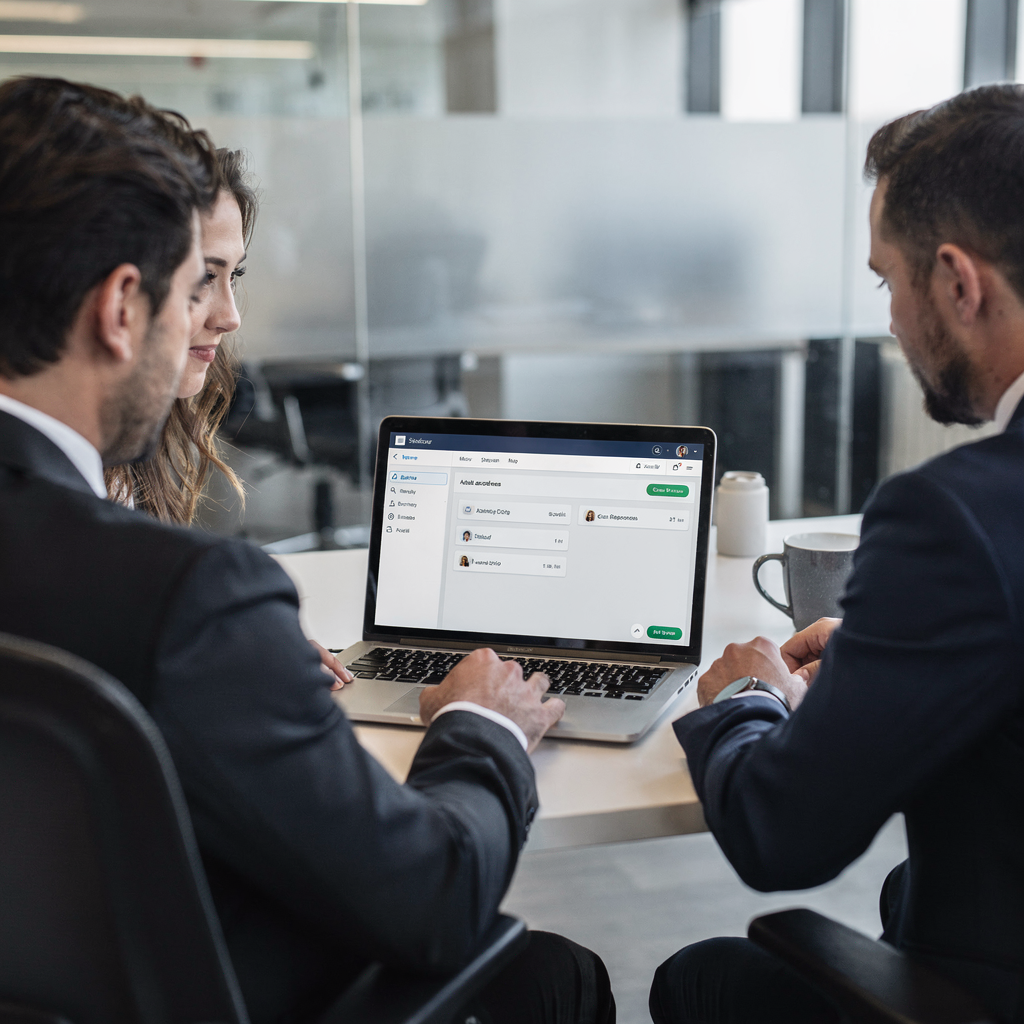
Metrics back this up. Surveyed teams that adopted automation report a 20–25% lift in productivity after automating routine communication tasks source. Smaller firms saw particularly fast gains; surveys indicate around 45% of smaller CPA firms had adopted some form of AI-driven communication tool by late 2025. By combining SLA rules with escalation paths, firms lower the risk of missed deliverables and late invoices.
Practical steps include building a template library and defining SLA rules for urgent inquiries and standard reply windows. For example, set a rule that flags any client message containing “pay,” “invoice,” or “due” and routes it to the billing team with an automatic reminder to the client. Automation can also mark repeat inquiries and assign them to a cpa or a junior staff member. When a followup is complex, the assistant drafts the initial response and a human finalises it, ensuring compliance and accuracy.
Integration with CRM and accounting software matters. A virtual assistant that can pull client data from CRM and the practice management system will craft context-rich replies and reduce manual data lookups. In short, the right assistant for accounting firms cuts admin, speeds responses and improves client experience. Teams that adopt these practices get nearer to inbox zero, improve client support and free staff to focus on higher-value work.
Drowning in emails?
Here’s your way out
Save hours every day as AI Agents label and draft emails directly in Outlook or Gmail, giving your team more time to focus on high-value work.
Email templates, client intelligence and automate workflows for new client onboarding
Onboarding new clients becomes faster with structured email templates and client intelligence. First, a set of onboarding templates covers welcome messages, document checklists, engagement letters and initial scheduling. Next, automation pulls client information from CRM to pre-fill forms and reduce data entry. As a result, the time from signed engagement to first deliverable drops, and the firm gains a consistent audit trail for client information.
Use a sequence that starts with a welcome email, follows with a KYC checklist, then issues a secure link for document sharing and ends with a scheduling invite. For example, a template can request proof of identity, prior year returns and bank statements. The assistant for accountants then flags missing items and notifies the assigned partner. This flow keeps the client informed and the office organised. In addition, auto-generated reminders push to the client portal, reducing the number of emails sent and repetitive manual chasing.
Client intelligence amplifies these gains. A virtual assistant that reads CRM fields and transaction history can personalise messages with relevant context and suggest likely documents. It can also create structured entries in your practice management system, reducing data entry errors. Some teams use this intelligence to auto-create a to-do list in the dashboard for each new client and to assign tasks to junior accountants. That way, human staff focus on analysis while the assistant handles repetitive onboarding steps.
Short template examples are easy to adapt. A welcome template can say: “Welcome to our firm. Please complete the attached checklist and upload documents to the client portal.” A KYC reminder reads: “Please upload ID and proof of address to avoid delays in tax filing.” Another template covers invoice notification: “Your invoice is attached; please review and notify us of any questions.” These sample messages reduce reply time and standardise client interactions. For granular setup guides, consider collecting templates and testing them in a pilot before a full rollout.
Security, compliance and human oversight for virtual assistant for accounting and audit
Security and compliance govern any deployment. Firms must protect client data and maintain traceability for audits. First, role-based access restricts who can view sensitive threads. Second, automated redaction rules block accidental exposure of bank account numbers or social identifiers. Third, an audit trail captures who edited or approved a message and when. These controls meet regulatory requirements and create accountability for every assistant action.

Processes should mandate human review for policy-sensitive communications. For instance, any message that contains tax advice or contract language should route to a licensed accountant for approval before sending. This preserves professional responsibility while allowing the AI assistant to handle routine admin tasks. Firms can also set sampling checks and version history to detect model drift or incorrect responses. As one practitioner observed, “The AI assistant helps us respond faster and more consistently to client emails, which improves our service quality and allows us to focus on strategic advice” source.
Data residency and encryption policies must align with the firm’s compliance posture. For EU or state-regulated clients, confirm where email content is stored and how long logs persist. Integration with accounting software and office platforms like Office 365 should preserve retention rules and e-discovery capabilities. In addition, require explicit client consent if the assistant will draft outbound messages on behalf of a partner. This protects client relationships and reduces liability. Finally, keep the human in control: AI handles routine replies and triage, while professionals sign off on any advice that affects tax filing or audit outcomes.
Drowning in emails?
Here’s your way out
Save hours every day as AI Agents label and draft emails directly in Outlook or Gmail, giving your team more time to focus on high-value work.
Software for accounting firms: selecting an assistant for accountants, assistant for accounting firms and trial checklist
Choosing the right software for accounting firms starts with clear criteria. First, confirm integration with your practice management system, CRM and document repository. Next, verify data residency, encryption and vendor support for CPAs. Also, evaluate whether the assistant can draft replies, create structured entries across systems and escalate with full context. Integration with common systems reduces manual copying between screens and cuts down on duplicate data entry.
Run a structured free trial. Begin by piloting the assistant on a sample inbox with common inquiry types. Test email templates for billing, onboarding and tax season queries. Measure time saved per user and changes in response SLA. For example, virtualworkforce.ai recommends running a pilot that simulates typical accounting email volumes and verifies the assistant can ground replies in ERP or CRM data. You can learn more about practical pilots and ROI from case studies about scaling operations without hiring here.
Implementation tips include phased roll-out, staff training and mapping common workflows. Start with a single team, then expand to partners and billing. Keep a backup manual process for edge cases and define escalation rules so that any complex inquiry routes to the correct human quickly. Track KPIs such as time saved, response SLA compliance and client satisfaction scores. For integration-heavy firms, verify connectors to your CRM and accounting software before signing a contract. You can also explore how we automate logistics email drafting to understand deep system grounding here.
Use a vendor checklist: ability to handle emails on your behalf, thread-aware memory across long conversations, zero-code setup and transparent governance. If you want a field-tested example of ROI approaches, see a practical ROI study for automated inboxes here. Select a partner that prioritises traceability and lets you maintain final control over client-facing communications.
Frequently asked questions for cpa firms, accounting practice and cpa practice — ROI, client experience and next steps
Below are concise answers to common implementation questions. This section also helps partners evaluate ROI, compliance and client experience before they pilot a virtual assistant for cpa work. If you prefer a scoped pilot, consider a free trial limited to a partner or small team to validate results and client feedback.
How quickly will we see ROI from an email assistant?
ROI often appears within months. Pilot data commonly shows a 30% reduction in time on email and a 20–25% lift in productivity, so small firms can recoup the cost quickly through reduced admin and more billable hours source and source. Your payback period depends on email volume, staffing and licence costs.
Can the assistant maintain compliance in client communications?
Yes, when configured properly. Use role-based access, mandatory human review for policy-sensitive replies and automated redaction rules to flag sensitive data. Maintain audit logs to support regulatory reviews and audits.
Will clients notice messages drafted by AI?
They may not, if templates are well written and personalised. The assistant can pull client information from CRM and craft context-aware replies. Still, always disclose when an assistant sends routine confirmations if your compliance policies require it.
How do we protect client data and privacy?
Confirm vendor data residency and encryption. Require audit trails and limit access with roles. Also, implement mandatory human approval for messages that include tax filing details or confidential documents.
What types of emails should we automate first?
Start with recurring and predictable messages: billing notices, onboarding checklists, scheduling and routine inquiries. These deliver quick wins and reduce manual work for staff.
How does an assistant affect our team’s workload and billable hours?
Automating routine inquiries reduces administrative tasks and frees staff for advisory work, which typically increases billable hours. Many firms report improved client support as staff spend more time on deliverables and less on manual followup.
Do smaller CPA firms benefit from automation?
Yes. Surveys show smaller firms adopted AI-driven communication tools rapidly by late 2025, improving response times and consistency source. Pilots can be low-cost and high impact.
What should we measure during a pilot?
Track time saved per user, response SLA compliance, client satisfaction and the number of emails sent versus resolved. Also measure reductions in manual work and data entry.
How do we choose the right vendor?
Check for deep integration with CRM and accounting software, zero-code setup, and strong governance controls. Ask for a pilot on a sample inbox and verify the assistant can ground replies in your operational systems.
What are the next steps to get started?
Pilot with a small team, choose core templates and monitor client feedback. Adjust rules and expand once compliance checks pass. Consider a scoped free trial to validate results before a full roll-out.
Drowning in emails?
Here’s your way out
Save hours every day as AI Agents label and draft emails directly in Outlook or Gmail, giving your team more time to focus on high-value work.