


automotive ai overview: why ai-powered email assistants matter to dealership ROI and business growth
The automotive sector faces constant pressure to respond faster and sell more. AI email assistants handle routine replies, sort leads, and prioritize urgent inquiries so teams can focus on high-value closing work. This shift helps reduce missed leads and shortens response time. As a result, dealerships can see measurable improvement in conversion and revenue.
For example, Infosys reports AI-enabled dealers reached a 26% lead-to-sale conversion, a sharp lift versus older averages. Also, IDC and Microsoft studies show generative projects returning roughly a 350% ROI in automotive programs, which proves strong commercial upside when teams combine people and technology.
AI assistants can triage leads instantly and keep buyer engagement active 24/7. They add a personalised touch at scale by using purchase history and first-party data to tailor messages. This capability reduces manual email work and gives customers a fast, helpful experience. Dealers that adopt AI email assistants typically see fewer lost opportunities and higher appointment show rates.
RAG-based assistants can answer technical product questions from buyers and fleet managers while citing manuals and stock records. A case study of a RAG system showed improved confidence in answers and faster technical responses; see the Tezeract case study for details RAG-based assistant. virtualworkforce.ai offers no-code connectors that ground replies in ERP and email history, which helps teams reduce data entry and speed correct replies.
Adoption choices matter. Consider whether you need an ai-powered email agent for lead routing, an assistant tuned for service requests, or a hybrid that supports both sales and aftercare. In short, AI improves customer experience, helps appointment scheduling, and drives repeat business while proving ROI.

integration and tech stack: how to integrate ai email assistant with CRM, inbox and workflow for seamless automation
Start with the tech stack and plan integrations before you launch. Map data flows between CRM, inbox, and backend systems so your AI assistant can fetch order status, inventory, and customer records. Connectors should include your CRM, calendar, and any ERP or management systems to keep context current. For many teams, Salesforce or HubSpot are central; ensure your AI links to those systems through APIs and scheduled syncs.
Design data mapping and webhook cadence to avoid stale fields. Set clear rules for what the assistant reads and writes. Use encryption and role-based access controls to protect PII and comply with GDPR. Test consent capture in your inbox flows so the assistant only acts with permitted data. virtualworkforce.ai makes this easier with native connectors to ERP and shared storage, which reduces manual data entry and the risk of inconsistent replies.
For inbox routing, create rules that forward finance, sales, and service threads to specialized pipelines. The assistant should triage by intent and urgency, then either reply or hand over to a human. Appointment and booking data should sync to calendars in real time. If the assistant suggests a test drive or a service appointment, it must confirm availability before sending a calendar invite.
Automation must not break existing processes. Keep human-in-the-loop checkpoints for high-value approvals. Maintain audit logs for compliance and review. Use a staging environment to validate behavior on sample threads. Finally, measure the integration outcome by tracking reduced handling time and improved lead response. If you need a practical example of email automation for ERP-driven workflows, see this guide on ERP email automation, which shows how to connect backend systems to inbox workflows.
Drowning in emails?
Here’s your way out
Save hours every day as AI Agents label and draft emails directly in Outlook or Gmail, giving your team more time to focus on high-value work.
email campaigns and automotive email marketing: designing targeted email, top email formats and followup sequences
Run email campaigns with clear segmentation and simple templates. Start by splitting lists by buyer intent, purchase history, and vehicle interest. Use targeted email content for finance offers, service reminders, and model launches. Keep subject lines short and test variants to improve open rates. For instance, A/B a value-driven subject line versus a scarcity-driven one to learn which converts best.
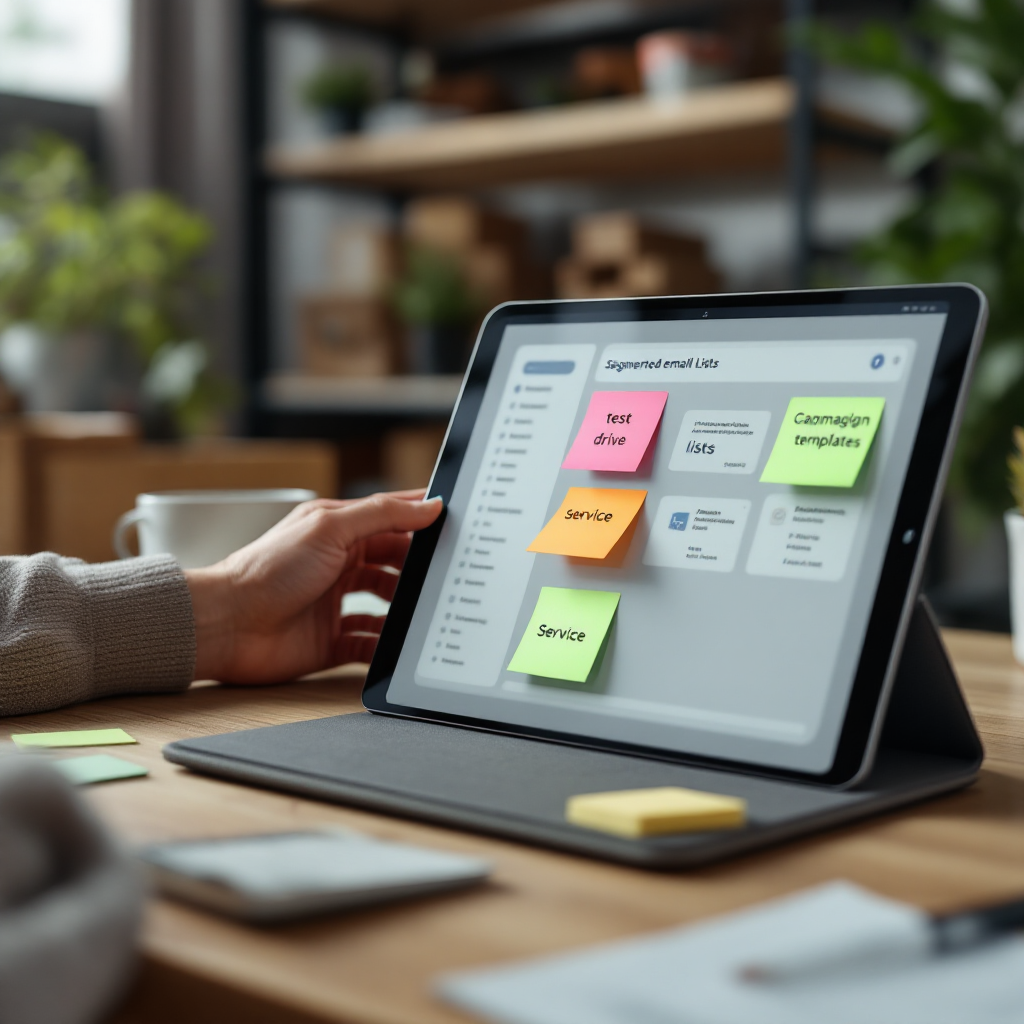
Templates should be concise. Use a short body for a test drive invite, another for financing, and a third for service reminders. Here are three compact email template examples: a test drive invite that asks for availability; a finance offer that outlines monthly payments and a CTA to book; and a service reminder that lists due items and a link to schedule service appointments. Each template must include a clear CTA and a one-click booking link for appointment scheduling.
Design followup cadence that mixes speed and persistence. An immediate automated email acknowledges the inquiry, a 24-hour followup nudges for details, and a three-day offer pushes a limited incentive. If lead intent rises, hand off to outbound calling or SMS to close fast. Track metrics like open rates, CTR, reply rate, lead-to-appointment, and unsubscribe. Tie those metrics back to CRM lead status to close the loop.
Use multi-touch attribution to credit email marketing campaigns and compare lift against a control group. AI can personalize per email content and adjust cadence based on response. For broader context on automating correspondence and content delivery, consult this resource on automated correspondence. Also, remember that strong personalization and fast followup boost conversion rates and improve the customer journey.
ai agents and automation for the sales team: streamlining CRM workflows, appointments and followup to boost conversion
AI agents take on routine email tasks so the sales team focuses on selling. An agent can auto-qualify leads, draft personalised replies, book appointments, and surface high-intent prospects for human followup. This reduces manual email labor and increases the time sellers spend in conversations that drive revenue. Use rules to ensure the agent escalates when it sees high purchase intent or complex inquiries.
Set clear SLAs for handover. For example, the agent handles initial qualification and booking, and the salesperson takes over within one hour for hot leads. Keep audit logs and human-in-the-loop approvals for offers or contract changes. These guardrails ensure compliance and maintain a human touch where it matters most. When deployed correctly, agents decrease response time, which contributes to higher conversion and better customer relationships.
To simplify deployment, integrate agents with CRM so they can update lead status, log activities, and remove manual data entry. Use webhooks for instant sync and an API layer to read availability for booking or test drive scheduling. Virtual assistants that work inside Outlook or Gmail and reference ERP and email memory reduce errors and speed replies; virtualworkforce.ai builds this pattern for logistics and operations teams and can adapt it to sales and service workflows.
Measure the impact on auto sales with cohort tests and holdouts. Compare conversion and appointment show rates before and after agents handle followup. Provide training and feedback loops so the agent learns from corrections. Finally, split roles between AI agents and the sales team to keep responsibilities clear: agents handle routine followup and appointment scheduling, while salespeople handle negotiation and closing.
Drowning in emails?
Here’s your way out
Save hours every day as AI Agents label and draft emails directly in Outlook or Gmail, giving your team more time to focus on high-value work.
measuring roi and business growth: KPIs, attribution for email marketing campaigns and real-world results
Measure ROI with a clear dashboard that tracks core KPIs. Key metrics include lead conversion rate, cost per lead, appointment show rate, incremental revenue, and campaign ROI. Track salesperson response time and the funnel from lead to test drive to sale. Use weekly dashboards that show cohort conversion and time-to-sale windows so leaders can see trends and act quickly.
Use holdout groups or A/B tests to attribute impact. Run uplift testing where a portion of leads receives AI-driven followup and another portion receives standard care. Compare conversion and revenue uplift. Multi-touch models help capture the role of email in a longer customer journey. For benchmarks, remember the 26% lead-to-sale result from AI-enabled dealers and the ~350% ROI reported in generative AI studies.
Choose a metric to prove value early. For many teams, appointment show rate and lead-to-appointment lift are persuasive. Also track open rates and CTR to optimize email marketing campaigns. Combine these with advanced analytics to identify which templates and cadences perform best. Use a measurable test window, and then scale the winning approach.
Present results to stakeholders with a simple story: reduced handling time, improved conversion, and higher revenue per campaign. Tie performance back to business growth and show how automation and AI-powered email systems reduce manual data entry and lower cost per lead. If you want examples of ROI in operations and logistics, see our analysis on virtualworkforce.ai ROI.
frequently asked questions about ai-powered email and inbox workflows: security, training and deployment
IT, legal, and sales leaders ask similar questions when evaluating AI. Address data privacy, model training, integration time, maintenance, and error handling up front. Provide clear policies for PII handling, consent capture, and a rollback plan in case the assistant makes an error. Also set a cadence for model retraining using a test dataset with automotive terminology.
Deployment checklist items include consent in mailbox flows, audit logs, role-based access, test datasets for industry language, and monitoring dashboards. Ensure you can disable the assistant quickly and review answers before they go out. Train the assistant on internal manuals and purchase history for accurate replies and to support customer experience in sales and service.
Finally, run a 90-day pilot that starts with a narrow use case, integrates the CRM and inbox, and measures lift with a holdout group. This practical approach proves value, reduces risk, and helps scale across departments without heavy IT burden. For teams handling complex logistics emails, our guides on scaling operations with AI agents and automated email integration show hands-on steps to simplify rollout.
FAQ
What is an AI email assistant?
An AI email assistant is a virtual assistant that drafts, routes, and responds to email using artificial intelligence. It uses natural language understanding to interpret intent and can fetch data from backend systems to create accurate replies.
How does an AI assistant improve conversion?
By replying faster and personalising messages, the assistant keeps leads engaged and moves them to appointments. For instance, AI-enabled dealers saw a 26% lead-to-sale conversion in a reported study.
How long does integration take?
Integration time varies with system complexity but a focused pilot can run in 8–12 weeks. Time is shorter when your CRM and key APIs are ready and connectors exist.
Is customer data secure with AI email workflows?
Yes, when you use encryption, role-based access, and audit logs. Ensure GDPR and consent flows are in place and that the system redacts or limits PII where needed.
Can the assistant book test drives and service appointments?
Yes. Agents can confirm availability, create calendar invites, and update CRM records for booking and appointment scheduling. This reduces manual booking work for the sales team.
What happens if the assistant makes an error?
Include human-in-the-loop checks and a rollback plan. Maintain logs so teams can correct mistakes and retrain the model to avoid repeats.
Do I need to retrain the model on our terminology?
Yes. Train on your product specs, inventory, and historical threads so responses cite correct details. A test dataset helps tune performance before full rollout.
How do we measure success?
Track KPIs such as lead conversion rate, appointment show rate, and cost per lead. Use holdout groups to attribute lift and present ROI with cohort reports.
Can the AI handle complex vehicle or technical inquiries?
Yes, especially when it uses RAG techniques and links to manuals and ERP data. It can surface accurate, cited answers for technical questions.
What are the first steps to start a pilot?
Select one use case, connect your CRM and inbox, run a 90-day pilot with a control group, and track measurable lift. Use the results to expand the assistant’s role across sales and service.
Drowning in emails?
Here’s your way out
Save hours every day as AI Agents label and draft emails directly in Outlook or Gmail, giving your team more time to focus on high-value work.