


ai (AI) + email: what an AI-powered email assistant does for a call center
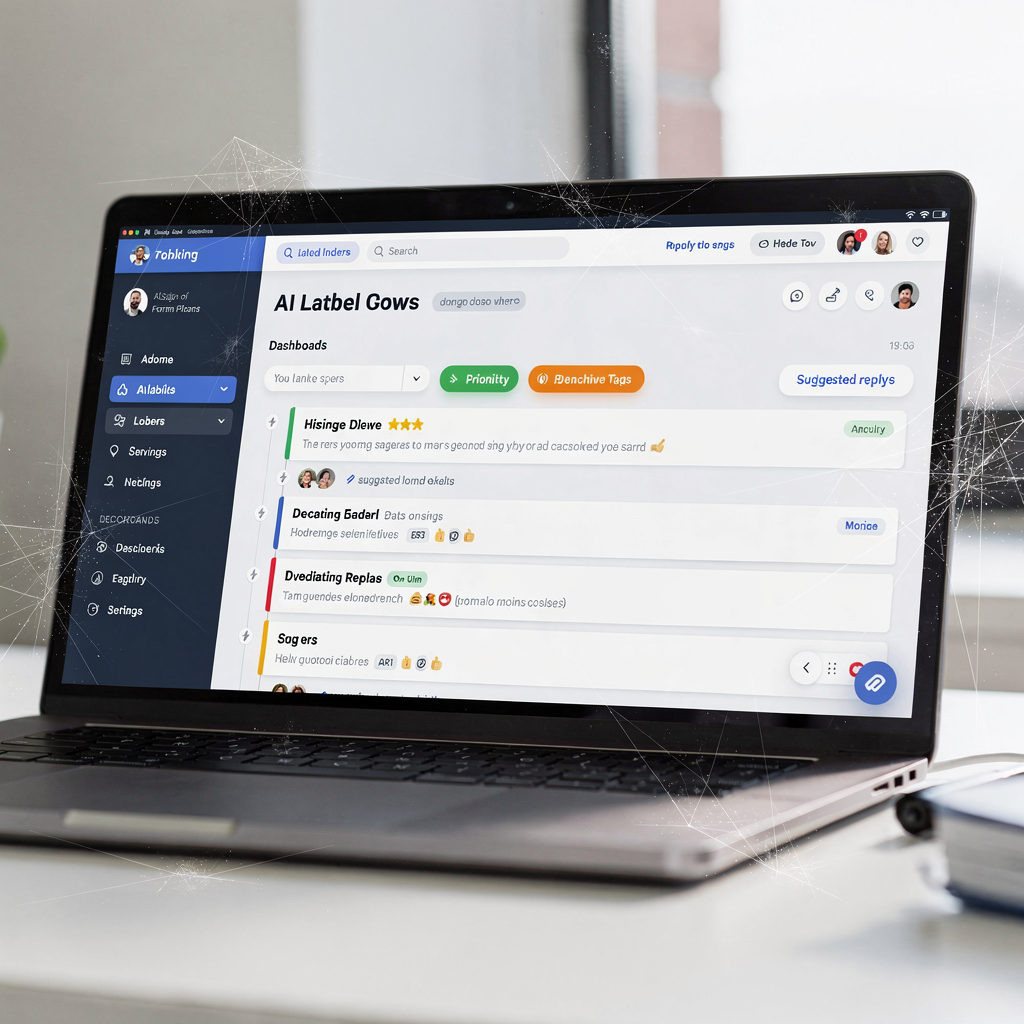
An AI-powered email assistant is a focused tool that automates the manual steps in a busy inbox. First, it performs automatic triage to sort inbound messages by intent and urgency. Next, it uses intent detection and priority tagging so agents see the most important items first. Then, for routine inquiries such as refunds, status updates, password resets, and subscription changes, the assistant can draft a reply and create a ticket automatically. The assistant acts as an AI agent inside existing systems, and it often reduces repetitive lookup and switching between tabs.
For a call center that still depends on email, the measurable benefit is clear. Industry reports show that AI can cut email handle time materially, with reductions near 25% for routine email workflows (LiveAgent). Similarly, Capgemini highlights the broader boost to self-service and reduced live-agent load when assistants handle routine tasks (Capgemini). These findings support a simple metric: track average handle time (AHT) for email and target a 20–30% fall after deployment. If your baseline is 15–20 minutes per email, then reducing AHT by a quarter yields faster response and better customer satisfaction.
Operationally, the assistant sits in the inbox and labels messages by customer, process, and urgency. It can pre-fill customer information from CRM and ERP records, then recommend a reply template. This reduces cognitive load on the human agent and cuts mistakes. For teams in logistics and operations, consider how an email automation solution links into ERP and TMS. For example, virtualworkforce.ai automates the full email lifecycle for ops teams, routing and resolving messages while drafting replies that are grounded in operational data automated logistics correspondence. Use this model to test a small set of intents, measure AHT, and then scale.
automate: contact center automation, workflow, inbox and triage
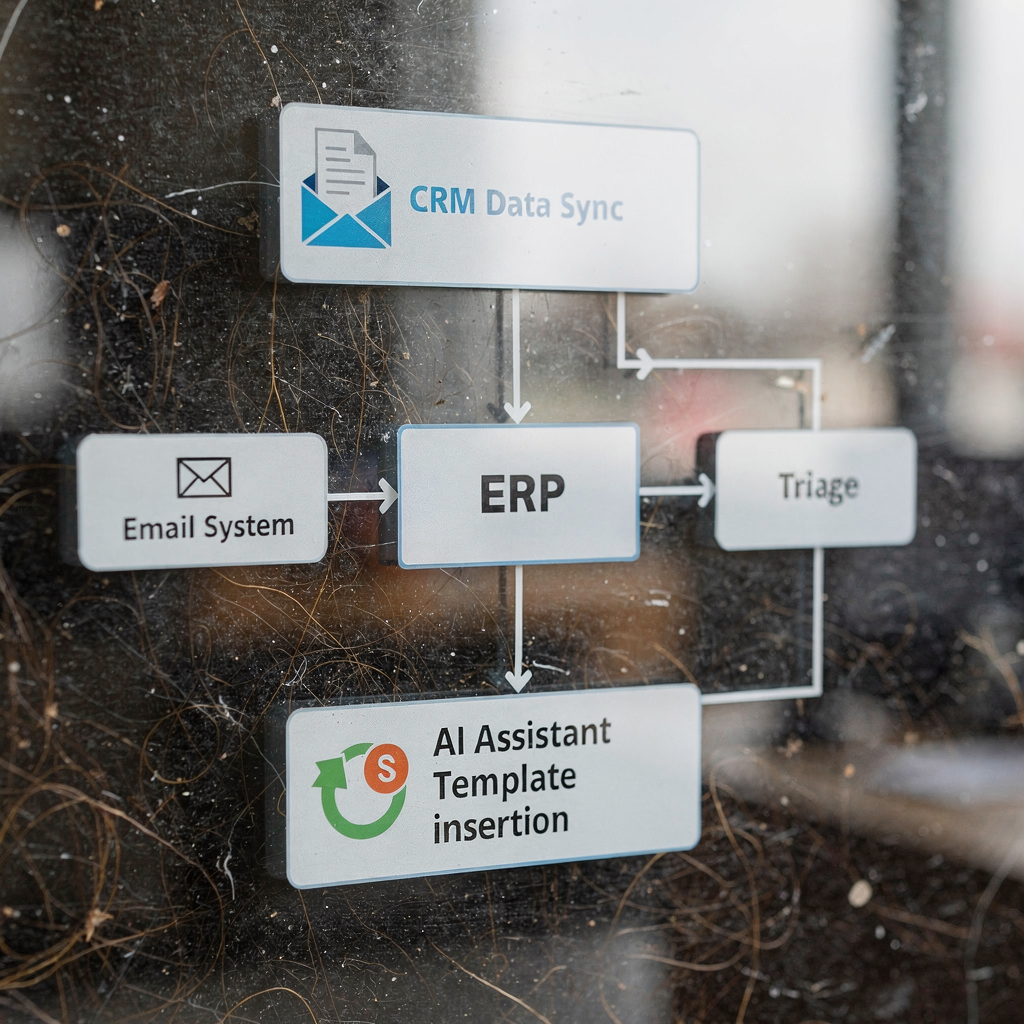
A successful contact center automation pipeline follows a predictable flow: receive → triage → route → resolve or escalate. First, incoming messages are captured and parsed. Next, rules handle clear cut cases, while machine learning and NLP manage ambiguous intents and sentiment. Then, messages are routed to the right team or resolved automatically. This layered approach scales throughput without adding headcount during volume spikes.
Design the rules so obvious inquiries follow deterministic paths. For example, password resets and billing confirmations can be completely automated with deterministic rules. For more complex inquiries, use ML models to predict intent and priority. This lets the system prioritise inbox traffic intelligently, so important emails reach center agents quickly. As a result, SLA compliance improves and fewer messages miss their SLA window.
Implementation requires careful mapping. Start by listing common intents and setting SLA thresholds. Define escalation paths and human-in-loop gates for high-risk or ambiguous messages. Also include triage checks such as profanity filters and sentiment thresholds. For teams moving from legacy setups to cloud contact center platforms, ensure the integration supports two-way data flows so the automation can read and update records in CRM systems.
Operational gains are straightforward. A contact center that automates repetitive work sees improved agent productivity and fewer missed opportunities. For logistics teams, see how email automation for customer service reduces lookup time and increases throughput ERP email automation for logistics. Use SLA-driven dashboards and monitor metrics such as queue depth and time-to-first-response. Then iterate by expanding automated cases from three to five intents during a controlled pilot. This staged approach minimises risk and allows agents to remain in control while the system learns.
Drowning in emails?
Here’s your way out
Save hours every day as AI Agents label and draft emails directly in Outlook or Gmail, giving your team more time to focus on high-value work.
ai agent and agentic ai: real-time suggestions, templates and conversational ai for agents
An AI agent gives on-screen assistance to center agents. In real-time, it suggests replies, surfaces customer history, and pre-fills templates so agents can act faster. These suggestions reduce typing and cognitive load. They also improve consistency, which helps every customer receive a more predictable answer. For example, suggested template text paired with CRM data can include order status and delivery windows without manual lookup.
Agentic AI takes this further. Agentic systems act on behalf of the agent by drafting, sending, or following up with controlled autonomy. This is useful for predictable, low-risk tasks where policies and approvals are codified. However, human agent oversight stays essential at launch. Use a human-in-loop gate until confidence and QA thresholds are met.
Deliver value immediately with templates tailored to intent. Create concise templates for refunds, tracking updates, and billing queries. Auto-personalise using CRM fields so the reply address and customer name patch in automatically. Track agent productivity, first contact resolution, and time-to-first-response as KPIs. Level AI describes how real-time assistant tools provide instant access to relevant information and suggested responses, which in turn enhance agent performance and CX (Level AI).
Conversational AI plays a complementary role by handling dialogue-like email threads or simple chat handoffs. Use conversational ai models for multi-turn intent handling and webhook-based lookups to fetch live data. For teams that want to automate follow-ups, include rules to limit automated outbound sends and to log every action in the helpdesk or center software audit trail. This reduces manual workload and prevents accidental escalations.
contact center CRM: leverage analytics, ai automation and email automation for customer service
Tight CRM integrations are necessary for accurate and compliant automation. With good CRM connections, AI suggestions use the freshest customer information and the system writes back actions taken. This avoids shadow updates and keeps the single source of truth intact. For logistics and operations, integrations to ERP, TMS and WMS are just as important as the CRM, since answers often depend on operational data.
Use analytics to measure volume by intent, response time by template, escalation rates, and customer satisfaction. Feed these signals back into model training so performance improves over time. NiCE reports that predictive analytics in contact centres raise first contact resolution rates by up to 20% when models personalise responses from historical data (NiCE). This kind of lift directly affects CSAT and operational KPIs.
Business impact is quantifiable. Capgemini finds that AI boosts self-service rates by up to 30%, which reduces live agent intervention and lowers cost per contact (Capgemini). Configure your CRM to trigger workflows and update records automatically when an email is resolved. Also implement bi-directional syncing so the AI can read and write reliably.
For teams seeking practical examples, review use cases where automating customer notifications and returns processes cut handling time dramatically. Virtualworkforce.ai demonstrates end-to-end email automation and thread-aware memory for shared inboxes, which is valuable when long conversations span days and several systems how to scale logistics operations without hiring. These linkages reduce manual lookup, streamline processes and help meet SLAs consistently.
Drowning in emails?
Here’s your way out
Save hours every day as AI Agents label and draft emails directly in Outlook or Gmail, giving your team more time to focus on high-value work.
prompt, template and conversational ai: designing prompts, templates and google dialogflow flows
Prompt design and templates are the backbone of reliable automation. Use short system-level instructions for the model with slot-filling that binds customer fields from CRM and ERP. Keep fallbacks guarded so the assistant triggers a human review for ambiguous or high-risk topics. For best results, build a template library by intent and make each template concise and tone-aligned.
Use google dialogflow for conversational intent models and webhook integration where you need multi-turn handling. Dialogflow can capture slots, validate them, and then call out to APIs for live inventory or shipment status. When webhooks return data, merge it into the template and log the exchange in your helpdesk or center software. This creates traceability for audits and for continuous model training.
Design prompts with safety in mind. Include canned escalation language and audit logs so the system records why it took an action. Also build in profanity and sentiment checks and escalate when thresholds are crossed. Keep templates customizable but enforce business rules: no refunds without order validation, no price changes without manager approval, and no personal data disclosure without consent.
Start with a small set of templates for high-volume intents and then expand. Test variations with A/B trials and measure lift on response times and CSAT. As you scale, retain a human-in-loop review for outputs until confidence thresholds are met. This approach ensures consistent personalized service while reducing workload for center agents and supporting complex queries with data-driven templates.
analytics, real-time, cx and compliance: measuring success and handling privacy
Real-time dashboards are essential for transparent operations. Track queue depth, time-to-first-response, FCR, CSAT, and email traffic trends. Use these KPIs to measure whether automation improves CX and reduces missed opportunities. Also feed email traffic into model retraining pipelines and A/B test templates to measure incremental lift.
Handle privacy and compliance proactively. Apply data minimisation and consent checks, especially for EU-like controls. Maintain audit trails so every automated action can be reviewed. For regulated industries, store only necessary fields and rotate keys and access policies frequently. Log exports and have role-based access to protect customer information.
Expect CX improvements when routine work is automated. Desk365 forecasts that by 2026 a majority of customer service interactions will be managed or assisted by AI, which implies faster responses and higher self-service rates (Desk365). The result is clearer ownership for important emails and fewer errors. Still, keep human review paths open for complex, high-stakes inquiries.
For a pilot, start with 3–5 high-volume intents and integrate with CRM and ERP. Require agent review until automated replies consistently pass QA. Measure baseline AHT, CSAT and FCR and then compare after deployment. Finally, maintain a cadence of retraining and policy reviews so the system adapts to changing language and new types of inquiry. These steps will help you deploy automated customer service confidently at scale.
FAQ
What is an AI email assistant and how does it help a contact center?
An AI email assistant uses machine learning and NLP to triage, prioritise, and draft responses for incoming messages. It reduces manual lookup and speeds up handling, which improves response times and agent productivity.
How quickly can I expect AHT to fall after deployment?
Many teams see AHT fall by 20–30% for routine workflows once the system handles common intents automatically. For example, industry reports indicate reductions near 25% for email workflows (LiveAgent).
What are the first steps to pilot email automation?
Start with 3–5 high-volume intents, connect CRM and operational systems, and define escalation paths. Run a human-in-loop phase until QA shows reliable outputs, then scale.
How does the AI get the correct customer information?
The assistant reads CRM systems and ERP/TMS sources and pre-fills templates using mapped fields. Bi-directional integration ensures the assistant uses fresh data and logs any updates it makes.
Is agentic AI safe to use for sending outbound email?
Agentic AI can act on behalf of agents but should include policy checks and approval gates. Use it for low-risk, high-volume tasks first, and keep human approval for sensitive cases.
What metrics should I track to measure success?
Track average handle time, time-to-first-response, first contact resolution, CSAT, and escalation rates. Also monitor email traffic trends and model confidence scores for continuous improvement.
How do we handle privacy and compliance?
Apply data minimisation, consent checks, and role-based access. Maintain audit logs and ensure EU-like data controls where required to protect customer data.
Can the system work with existing CRM tools?
Yes. Good solutions support CRM integrations and ERP connections to ground replies in operational data. For logistics teams, see examples of ERP email automation for logistics (ERP email automation).
How do templates and prompts improve consistency?
Templates standardise tone and content while prompts control model behaviour and fallbacks. Slot-filling personalises messages with customer fields so the responses stay consistent and accurate.
Where can I learn more about automating logistics emails?
For logistics-focused automation examples and step-by-step guides, review resources that explain how to scale logistics operations without hiring and automated logistics correspondence how to scale logistics operations and automated logistics correspondence. These pages show practical setups and expected ROI.
Drowning in emails?
Here’s your way out
Save hours every day as AI Agents label and draft emails directly in Outlook or Gmail, giving your team more time to focus on high-value work.