


assistant, ai and email assistant: what an ai email assistant does for a consulting firm
An assistant that combines natural language and business data changes daily email work for consulting teams. An AI email assistant drafts messages, summarizes long email threads, suggests replies, and manages follow-up automation and calendar scheduling. It can also draft short proposals, create meeting agendas, and suggest the next-step in a thread. For a consulting firm this matters because consultants spend time on routine admin instead of client strategy. With AI, teams reduce repetitive tasks and keep client communication timely and consistent. That helps preserve a professional tone on every client touch. Firms can save time and improve consistency while reducing errors in every email.
Start with clear capabilities. The assistant should do rapid draft generation. It should create thread summaries that capture decisions and outstanding actions. It should propose context-aware suggested replies that a consultant can accept, edit, or reject. It should also automate follow-up sequences and auto-schedule meetings in the calendar. When integrated with CRM and project management systems, the assistant pulls project facts into replies so messages stay accurate and grounded.
There is measurable impact. Controlled studies show AI tools increase employee productivity by up to 66% (NN/G). Firms that deploy AI-powered email tools report higher open and response rates, sometimes in the 20–30% range (HubSpot). These numbers explain why many consulting practices move quickly to pilot. Use short pilots. Test with a few consultants. Measure time saved, response quality, and client feedback. Then scale the right assistant that fits your CRM, your security requirements, and your team’s tone.
ai email assistant, email management and inbox management: measurable productivity and compliance gains
Inbox overload hurts response times. Many consultants have dozens of incoming emails a day. An AI assistant trims that workload by classifying intent and routing messages. It labels messages by client, urgency, and topic. It then either handles routine requests with an automated email or routes complex ones to the right human. That reduces manual data entry and avoids repetitive forwarding across inboxes. In operations use cases, end-to-end automation can cut handling time per email dramatically, from roughly 4.5 minutes to 1.5 minutes on average, according to vendor benchmarks and client reports.
Track the right metrics. Measure time to first reply, average response time, and percentage of automated follow-ups. Track client satisfaction and case studies that show outreach gains. Firms report response-rate uplift and throughput increases that support capacity expansion. For governance, choose enterprise-grade assistants that support data residency, strong encryption, and audit logs. That ensures legally sensitive consulting work stays compliant. McKinsey finds employees perform work more efficiently with AI assistance, which supports controlled deployments where security matters (McKinsey).
Practical KPIs include average response time, percent of automated replies, and client satisfaction score. Also include a metric for reduction in manual data entry and time saved per week. Use these to show value during onboarding. For firms that care about regulatory control, look for audit trails and role-based access. When legal teams require proof of decision chains, audit logs prevent disputes and ensure nothing falls through the cracks. For more on routing and operational email automation, see an example of automated logistics workflows and enterprise email lifecycle automation with virtualworkforce.ai.

Drowning in emails?
Here’s your way out
Save hours every day as AI Agents label and draft emails directly in Outlook or Gmail, giving your team more time to focus on high-value work.
best ai email assistant, email app and google workspace: vendor comparison for consulting firms in 2025
Choosing the best AI email assistant in 2025 depends on workflow, security, and CRM alignment. Compare short vendor strengths side-by-side. Flowrite delivers rapid, template-driven drafting. HubSpot Breeze combines CRM-integrated email marketing and personalization. Superhuman focuses on speed and prioritization. Missive supports team inboxes and collaboration. Proton Scribe is privacy-first for sensitive engagements. Google Workspace (Gemini) offers deep integration across Gmail, Docs, and search for enterprise-grade deployments. For firms using Google, integrating AI into email clients reduces context switching and improves response quality. See a practical guide to automate logistics emails with Google Workspace and virtualworkforce.ai for an integration example (integration example).
What to compare when evaluating vendors? Prioritize CRM integration, security and compliance, multi-user inbox routing, and the depth of template and automation features. Also evaluate cost per seat and available free plan tiers. Consider your sales motion: choose CRM-aligned assistants for sales-led teams. Choose privacy-first options for sensitive consultancy engagements. Choose Workspace-integrated assistants when you want firm-wide deployment and tight document search. If your team needs deep data grounding across ERP or operations systems, consider tools built for operational email that route and resolve requests rather than only drafting.
Pay attention to connected AI, generative AI quality, and natural language processing capabilities. Check that the vendor supports shared folders, inbox cleanup, and multi-person firm workflows. Test with a trial and measure reducing the time spent on email tasks. Also check whether the vendor supports email sequences, automated email, and automated follow-ups out of the box. For logistics-related teams, virtualworkforce.ai offers end-to-end automation and deep data grounding, which is helpful for teams that need accuracy and traceability (learn more).
automate, email automation, template and ai writing: implementation plan and templates for consulting teams
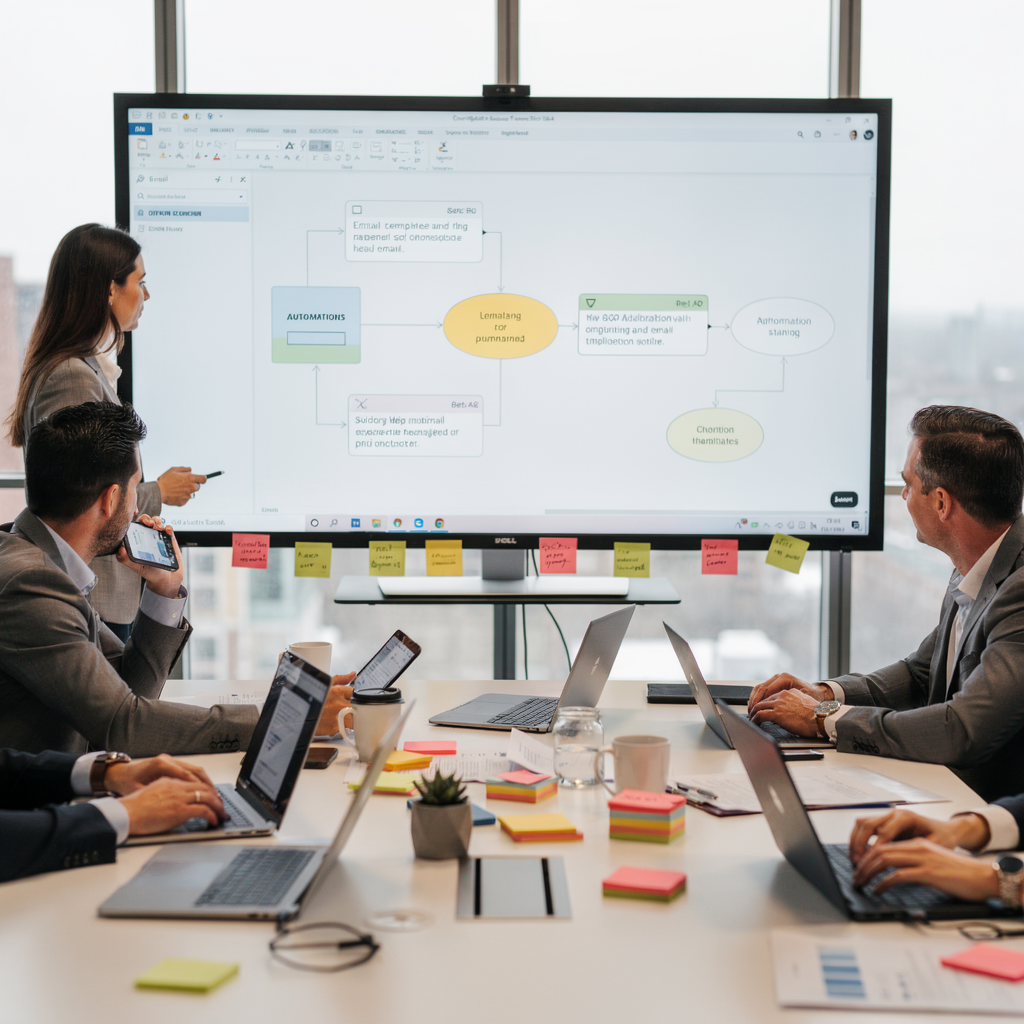
Start small and scale fast. Begin with a 30-day pilot that includes 4–6 consultants. First, define core templates such as client introduction, proposal follow-up, discovery meeting summary, and billing reminder. Second, map the automations you need: follow-up cadence, meeting scheduling, and notification routing. Third, connect CRM and project management data so drafts are grounded in facts. Finally, measure at 30/60/90 days for average response time, percentage of automated follow-ups, and client satisfaction. This staged approach reduces risk and provides clear ROI.
Sample templates to build quickly: a client introduction template that pulls in client name and recent meeting notes; a proposal follow-up template with a suggested next-step; a discovery meeting summary that appends action items; and a billing reminder that attaches invoice references from ERP. Each template should have optional AI-generated variants so consultants can pick a tone: concise, consultative, or executive. Guardrails matter. Require human review for high-risk messages and keep logs for audit. That reduces liability for AI-generated content.
Practical tips include setting a limit on automated follow-up attempts and creating a folder for drafts that need review. Use onboarding playbooks and short training so the team avoids a bit of a learning curve while adopting AI writing tools. Track hours per week saved and show how automation frees time to focus on high-value work. If you need role-specific examples, our operations-focused AI agents connect to ERP and reduce manual lookup, which helps teams that handle many incoming emails and shared inboxes (operational scaling). Train the assistant using your preferred data sources and keep a policy for AI suggestions versus human edits to ensure quality and compliance.
Drowning in emails?
Here’s your way out
Save hours every day as AI Agents label and draft emails directly in Outlook or Gmail, giving your team more time to focus on high-value work.
scaling, email marketing, case studies and new revenue streams: how assistants change consulting practice economics
Scaling with AI changes consulting economics in measurable ways. Automation reduces admin and manual data entry, which lowers overhead and increases billable time. A partner-level firm using templates and automations can triple client outreach while keeping reply quality steady. Another client reported roughly 40% fewer admin hours after deploying operational AI agents, which translated directly into more time for strategy work. Those improvements lead to new revenue streams. Firms can sell packaged retainer services for ongoing client communications. They can offer AI-enabled continuing engagement programs or even outsourced managed-email offerings.
Case studies show how firms capture upside. For example, a multi-person firm used AI email assistants to scale follow-ups and improved cross-sell conversion. A solo consultant used an AI assistant plus targeted email campaigns to expand a client base without hiring extra staff. These stories show that automated email sequences and thoughtful email marketing can increase pipeline velocity. Data-driven outreach improves personalization and reduces guesswork. Use CRM-linked email campaigns and tailored email copy to keep prospects engaged. Vendors and ai tools like virtualworkforce.ai focus on threading context and operational data, which helps when accuracy matters in client correspondence (TechTarget).
As you scale, add governance and training. Track new revenue streams separately and measure client retention rates. Offer executive assistant-style services for high-touch accounts and personal assistant email handling for mid-market clients. Decide whether to hire a virtual assistant or to automate first. Many firms find that automating core email tasks yields more net capacity than hiring entry-level staff. With the right assistant, nothing falls through the cracks, and consultants get time to focus on client strategy and life and work balance.
frequently asked questions, virtual assistants and email automation solution: rapid FAQ and decision checklist
This section answers frequently asked questions and gives a decision checklist. When to automate versus hand-write is common. Automate repetitive, data-dependent replies and use manual drafting for complex, high-risk messages. Data residency concerns are normal. Choose enterprise-grade tools with encryption and audit logs. Liability for AI-generated content is managed by human review and clear governance policies. Training data and potential bias are solved with representative internal data sources and controlled testing. If you want to hire a consultant or hire a virtual assistant, test both approaches in parallel.
Decision checklist: do you need CRM integration? Yes or no. Do you require enterprise-grade security? Yes or no. Do you need multi-user shared inbox routing and inbox management? Yes or no. Do you run high-volume templated outreach and email campaigns? Yes or no. If you answered yes to two or more, pick a CRM-aligned assistant. If your work is highly sensitive, pick a privacy-first option. If you already use Google Workspace, pick a Workspace-integrated assistant for smoother integration and search.
Next steps: run a 30-day pilot. Measure reducing the time spent on email tasks, response quality, and client satisfaction. Build email templates and automations for follow-ups, discovery summaries, and billing reminders. Keep a folder for drafts that need human review. Expect a bit of a learning curve during onboarding, but benefits usually appear within weeks. For logistics and operations teams that need end-to-end automation, consider an email automation solution purpose-built for operational workflows (operations automation).
FAQ
What does an AI email assistant do for a consulting firm?
An AI email assistant drafts replies, summarizes threads, suggests follow-ups, and schedules meetings. It also automates routine email tasks so consultants reduce admin and spend more time on strategy.
How quickly can a firm implement an email automation solution?
Most pilots start in 30 days for a small group. Full deployment depends on integrations, but firms often scale in 60–90 days with staged onboarding.
Are AI-generated emails compliant with enterprise security requirements?
Yes when you choose enterprise-grade providers that offer encryption, data residency options, and audit logs. Always validate vendor compliance with your legal team.
Will AI replace executive assistant roles?
AI augments assistants by handling high-volume tasks and freeing human assistants to focus on strategic work. Many teams keep human oversight for high-risk messages.
How do AI tools affect email marketing for consultancies?
AI-powered email improves personalization and can lift open and response rates. Combine AI writing with CRM data to run targeted email campaigns and newsletters.
When should a solo consultant use an AI assistant instead of hiring help?
A solo consultant should automate repetitive email tasks first to test impact. If automation proves insufficient, then consider hiring a personal assistant or virtual assistants.
Can AI handle emails that require ERP or operational data?
Yes. Connected AI that links to your data sources can pull invoice numbers, shipping status, and contract details into replies, which reduces manual data entry.
How do you prevent AI from making factual errors in client emails?
Use human review for high-risk replies and ground AI suggestions in verified data sources. Train the model on your factual records and enable audit trails.
What metrics should we track during a pilot?
Track average response time, percentage of automated replies, client satisfaction, and hours per week saved. Also measure conversion changes in email sequences.
How do I choose the right assistant for my consultancy?
Use a decision checklist: do you need CRM integration, enterprise-grade security, shared inbox routing, and high-volume automation? Match the right assistant to those needs and run a pilot to validate results.
Drowning in emails?
Here’s your way out
Save hours every day as AI Agents label and draft emails directly in Outlook or Gmail, giving your team more time to focus on high-value work.