


ai email assistant 2025: role for distributors
ai email assistant in 2025: distributors face high email volumes and tight timelines. An AI email assistant cuts manual replies. It speeds quotes like RFQs and RFPs. It keeps sales moving through complex supply chains. For distributors, that matters because delays cost margin and trust. AI systems automate routine replies and draft personalised outreach. They also schedule follow-ups and push next actions into CRM. As a result, sales teams spend less time on repetitive email tasks and more time on closing orders.
AI helps parse order confirmations, ETA requests, and returns. It uses CRM and ERP data to tailor answers. For example, virtualworkforce.ai reads ERP, TMS, WMS, SharePoint, and email history to ground replies in facts and speed responses. Teams typically cut handling time from about 4.5 minutes to roughly 1.5 minutes per message, which directly improves productivity and reduces errors. In distribution, automating responses and follow-up sequences shortens sales cycles and reduces missed opportunities. Many teams report faster quote turnaround when they automate the quote drafting process.
AI models can identify intent in an email thread and pull the correct contract terms, pricing, or inventory levels. Then they draft a clear reply that cites the right source. This limits manual copy‑paste across systems. It also avoids lost context in shared mailboxes. You can integrate a purpose-built tool for logistics to handle order queries and exception emails; see virtualworkforce.ai/virtual-assistant-logistics/ for a practical example of logistics-focused automation. For basic drafting and everyday email composition, Google’s built‑in Gmail AI offers useful suggestions and speed gains. Meanwhile, tools like SmartWriter.ai help with personalised outreach and GenFuse focuses on automation for sequences and pipeline management.
Factually, automation reduces friction. For proof, note that AI chatbots and assistants now support round‑the‑clock responses, improving response times and customer satisfaction (Desk365 data). Also, promotional messages and carefully timed follow-up emails drive strong ROI in distribution outreach (Cognism). Therefore, an AI email assistant that integrates with your systems and respects governance can transform how a distributor runs daily operations. Finally, when choosing any system, check connectors for ERP and TMS. That step ensures replies are accurate and that invoices, ETAs, and stock levels match what you tell customers.
best ai email assistant / best ai email: key features to look for
Short answers work best. First, choose features that deliver ROI. Second, confirm the tool drafts generative content and runs follow‑up sequences. Third, ensure deep CRM sync and analytics. Generative drafts let reps send starter replies in seconds. Follow‑up sequences keep leads warm and reduce manual reminders. CRM integration ensures every message links to the right customer record. Analytics show which templates win and whether subject lines convert. Finally, mobile optimisation matters because about 55% of emails open on mobile devices (HubSpot). Therefore, subject lines and responsive templates must work on phones.
Key features to scan for include generative AI, multi‑step automation, CRM integration, deliverability tools, and Gmail support. Also look for real‑time triage and smart routing so the right person sees urgent orders first. A quick checklist helps you compare vendors. Use this checklist when evaluating: generative AI for drafts; multi‑step follow‑up automation; CRM and ERP connectors; deliverability and spam testing; and in‑inbox suggestions for faster replies. If your team uses Gmail, pick a solution that works with Gmail and supports shared mailboxes. For logistics teams, consider tools tuned for order and ETA language — compare options at virtualworkforce.ai/logistics-email-drafting-ai/ to learn how domain tuning changes accuracy.
Security, compliance, and transparency also matter. Salesforce research shows that 60% of consumers want companies to handle AI interactions responsibly, which means you must enable audit logs and clear citations for AI‑sourced facts (Salesforce). Moreover, measure ROI in clear terms: time saved, faster quote-to-order cycles, and increased reply rates. If you run pilots, compare send volumes, open rates, and conversion from email to order. For teams with limited IT support, a no-code setup and role‑based access speeds rollout. For deeper reading on tools built for freight and logistics flows, check automated logistics correspondence resources at https://virtualworkforce.ai/automated-logistics-correspondence/.

Drowning in emails?
Here’s your way out
Save hours every day as AI Agents label and draft emails directly in Outlook or Gmail, giving your team more time to focus on high-value work.
inbox / keep your inbox / email management that works with gmail
Keep your inbox liveable. AI helps triage incoming emails, tag priority messages, and surface action items. Smart labels and automated prioritisation cut time spent on email each day. When you integrate an inbox management tool with Gmail, the system can place orders and returns into categories automatically. Then it can suggest the correct template for each case. In practice, this reduces context switching. It also keeps teams focused on sales and exceptions, not on sorting mail.
Real‑time suggestions inside the inbox speed replies. For instance, an in‑inbox composer can draft a reply based on the email and connected systems. It can pull order numbers and ETA data so reps do not chase spreadsheets. If you use a shared mailbox for sales or ops, pick a tool that preserves email history and handles the entire email thread context. That capability avoids inconsistent replies and duplicated effort. Virtualworkforce.ai supports thread‑aware context and deep data fusion with ERP and WMS, which keeps replies accurate and consistent. Learn more about how this works with Gmail in hybrid setups at https://virtualworkforce.ai/automate-logistics-emails-with-google-workspace-and-virtualworkforce-ai/.
Practical tips help you start. First, enable Gmail integration and grant read/write access only to needed accounts. Second, set auto‑tagging rules for orders, returns, leads, and invoices. Third, use SLA reminders for replies so urgent customer messages never slip. Fourth, test in a staged mailbox first, then roll out by team. These steps prevent email overload and let you measure gains in response time and customer satisfaction. Finally, pair inbox management with analytics so you can track how many messages you resolve automatically and how many escalate to a human.
template / email marketing / personalize / generative ai for campaigns
Templates power scalable campaigns. Use AI templates to personalize at scale. Then you can nurture retail accounts, follow up on quotes, and re‑engage dormant buyers. Dynamic templates plus personalization rules lift open and reply rates. AI can produce dozens of A/B subject lines fast. It can also swap modular sections so each recipient sees relevant pricing or stock info. Because mobile opens sit around 55% in 2025, always test mobile variants of your email templates (HubSpot).
Start by building modular templates: a short pitch, a price block, a product facts table, and a follow‑up paragraph. Then let generative AI draft variations from those modules. Use rules to personalize salutation, account history, and payment terms. Remember to include one clear CTA and one plain reply option. For email marketing you need compliant unsubscribe links and clear sender details. Also, use analytics to see which templates generate orders. Cognism’s review of email marketing shows promotional email often delivers the highest ROI and engagement among channels (Cognism).
For distributors, tie templates to order data. For example, auto‑insert current stock or the latest ETA from your TMS into the message. That practice reduces follow‑ups and improves trust. Virtualworkforce.ai supports data fusion so templates cite the right field from ERP or WMS and then log actions back to those systems. Use a free trial of your shortlisted tool to stress test templates against real email history. Also, keep a library of tested email templates so new reps ramp faster and follow best practices for tone and clarity.
Drowning in emails?
Here’s your way out
Save hours every day as AI Agents label and draft emails directly in Outlook or Gmail, giving your team more time to focus on high-value work.
workflow / ai automation / productivity / automate / use ai / real-time
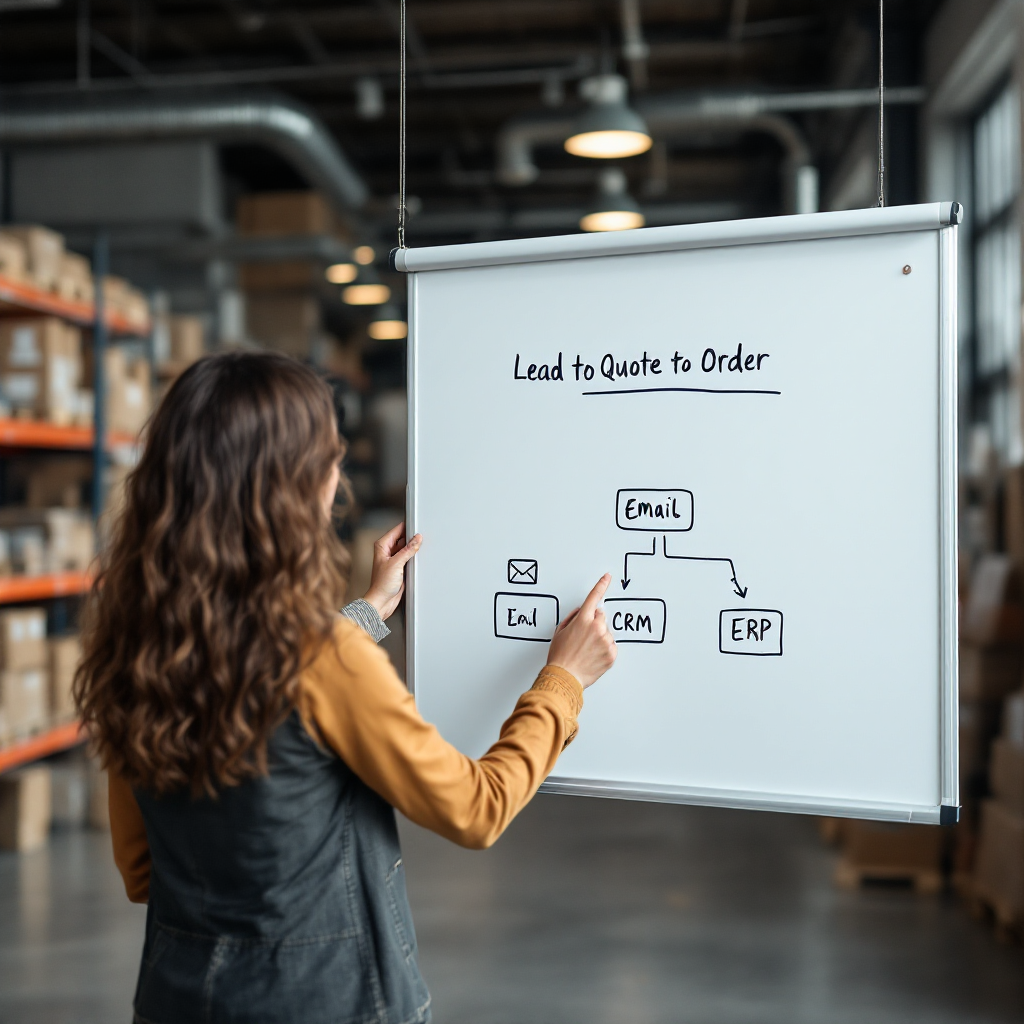
Map your workflows first. Lead → quote → follow‑up → close is a basic path. Then add AI automation to repeatable steps. AI can draft quotes, schedule follow‑up emails, and update CRM records in real‑time. This prevents leads from slipping through cracks. It also accelerates conversion. For productivity gains, measure reply time and conversion from email to order. Track time saved per rep as a key metric. You will then convert that metric into cost savings and better coverage.
AI automation can trigger actions across systems. For example, when an incoming email asks for a partial shipment, the automation can check inventory, draft a reply, and propose dates. It can also log the interaction in CRM and update the order status. That level of automation reduces manual steps and improves accuracy. McKinsey reports that AI in distribution helps automate RFPs and RFQs, boosting efficiency and accuracy (McKinsey).
Measure what matters. Track response time, conversion from email to order, and time saved per rep. Then iterate. Use short pilots to validate assumptions. For real‑time needs, pick a tool that supports real‑time alerts and event triggers so reps see high priority messages instantly. Finally, integrate automation with your CRM and ERP to maintain a single source of truth. If you want a practical guide on scaling logistics operations without hiring many more people, see https://virtualworkforce.ai/how-to-scale-logistics-operations-without-hiring/ for actionable steps and examples. Use AI to handle repetitive email tasks and to free your team for higher value work.
choosing the right ai / right ai / right ai email assistant / try for free / use an ai
Choosing the right AI starts with security and integrations. First, confirm data residency, access controls, and audit logs. Second, check connectors for CRM, ERP, TMS, and WMS. Third, test accuracy against real email history. Trust and transparency matter. Salesforce research shows that 60% of consumers think trust matters more when AI interacts with them (Salesforce). Therefore, you must pick a vendor that documents how models use data and that enables review paths.
Run a pilot for 2–4 weeks. Use a small sales group and a real inbox. Measure reply time, conversion, and quality of drafts. Try a free trial or free plan where available. Also try for free with systems that offer a free trial and test the tool on your typical order and exception emails. For logistics teams, compare solutions that offer deep data fusion and no‑code controls so you can set templates and rules without heavy IT work. For example, virtualworkforce.ai provides no-code setup, role‑based controls, and native connectors so business users can configure behavior and IT can secure data connections. See https://virtualworkforce.ai/erp-email-automation-logistics/ for more on ERP email automation and governance.
When evaluating price, look beyond license cost. Consider time saved, reduced errors, and shorter sales cycles. Also verify support for Outlook or Gmail and whether the vendor keeps an email memory for thread context. If you need a short list, include options that provide: clear governance, audit logs, per‑mailbox guardrails, and a free plan or free trial to validate before you commit. When you decide, roll out gradually, measure outcomes, and refine templates and rules to keep improving. That approach helps you choose the right AI for your business and to use an AI in ways that deliver measurable gains.
FAQ
What is an AI email assistant and how does it help distributors?
An AI email assistant automates and drafts replies, schedules follow‑ups, and personalizes outreach. It helps distributors by reducing manual copy‑paste across ERP and TMS and by speeding quote and order responses.
Which features should I prioritise when choosing the best ai email assistant?
Prioritise generative drafts, CRM and ERP integration, multi‑step automation, deliverability tools, and mobile optimisation. Also ensure the vendor offers auditing and role‑based access for compliance.
How do AI tools improve email management in Gmail?
AI tools provide in‑inbox suggestions, smart labels, and real‑time triage for incoming emails. They reduce context switching and let reps resolve messages faster while keeping the entire email thread intact.
Can AI personalise email campaigns at scale?
Yes. Generative AI creates dynamic templates and personalisation rules so you can send tailored messaging to retail accounts or prospects. It can also generate A/B subject lines quickly for testing.
How do I measure productivity gains from automation?
Track response time, conversion from email to order, and time saved per rep. Use those metrics to calculate savings and to compare before and after automation performance.
Is it safe to let AI read my ERP and email history?
It can be safe if the vendor uses role‑based access, audit logs, and data residency controls. Always verify governance rules and test how the system redacts or cites data before full rollout.
How long should a pilot take and what should it measure?
Run a pilot for 2–4 weeks with a small sales group. Measure reply time, conversion, draft quality, and any reduction in manual steps to decide whether to scale.
What free options should I test before buying?
Try vendors that offer a free plan or free trial and that let you test with real email history. A free trial helps validate templates, integrations, and ROI without a large upfront commitment.
Can AI handle the entire email thread for shared mailboxes?
Yes, some solutions maintain email memory and remain thread‑aware to produce consistent, first‑pass‑correct replies. This reduces duplicate replies and preserves context across team handoffs.
Where can I learn about AI tools tuned for logistics and freight communication?
Explore resources that focus on logistics email drafting and automated correspondence to see how domain tuning alters accuracy and outcomes. For practical guides and comparisons, visit pages like https://virtualworkforce.ai/best-tools-for-logistics-communication/ and https://virtualworkforce.ai/ai-for-freight-forwarder-communication/.
Drowning in emails?
Here’s your way out
Save hours every day as AI Agents label and draft emails directly in Outlook or Gmail, giving your team more time to focus on high-value work.