


assistant
Engineers spend a lot of time on email. In fact, analysis shows knowledge workers spend roughly 28% of their workweek managing email. For engineering teams that coordinate design, procurement and contractors, that number adds up fast. An assistant that handles triage and categorization can save you time, reduce email overload and help teams focus on technical work rather than administrative tasks.
Start with what an AI inbox assistant does. It scans incoming emails, applies categorization rules and highlights urgent items. Then it summarizes long threads, extracts action items and surfaces deadlines. For example, a missed RFI in a long thread once caused a one-week schedule slip on a site handover. A fast triage would have flagged that message and avoided the slip. So a clear priority layer changes outcomes.
An AI-powered email assistant also streamlines your workflow by routing messages to the right owner and by attaching relevant project documents. It can pull context from SharePoint or Google Drive, or from a project management system, to ground replies in facts. That reduces manual data entry and lowers the chance of sending wrong figures.
Use cases are simple and concrete. The assistant can flag vendor invoices, highlight permit requests, and create structured action items from free text. It helps with inbox cleanup and with consistent response templates for client information requests. The tool saves you time, and it also increases team collaboration because everyone sees the same context. virtualworkforce.ai builds AI agents that automate the full email lifecycle, so teams get thread-aware memory and accurate routing without heavy IT work. For teams that need to integrate Gmail or Outlook quickly, you can also choose workflows that automate emails with Google Workspace and keep records in OneDrive, Dropbox or SharePoint.

ai email assistant
An ai email assistant focuses on drafting and reply generation. It creates context-aware drafts, applies technical templates and enforces tone and compliance rules. In practice, smart drafting cuts the time spent composing routine replies by a large margin. Firms report overall time savings on email tasks in the 20–35% range, and that comes from combining drafting with prioritization and routing (AI adoption statistics).
One typical workflow: the assistant reads a request for information (RFI), finds the project file, drafts a three-line answer using a standard template and attaches the correct folder. A human reviews the reply in seconds and sends it. Before the assistant, engineers often spent five to ten minutes drafting the same reply. After, they approve and send in under a minute. That speed improves response times and keeps project correspondence moving.
These tools also support specialized email drafting. You can maintain a technical template library for RFIs, change notices and submittals. The assistant can ensure that those templates include mandatory compliance checks and required document attachments. It can use natural language processing to detect when a message asks for a quote versus a technical clarification, and then pick the correct template. This lowers errors and standardizes email replies across teams.
Generative AI plays a role, but you do not need to hand off control. The assistant produces suggested text that staff can edit. That keeps accountability while you benefit from faster drafting and more consistent messaging. For teams that want deeper integration with operational data, see how ERP email automation can ground drafts with live inventory and order status via an ERP email automation solution.
Drowning in emails?
Here’s your way out
Save hours every day as AI Agents label and draft emails directly in Outlook or Gmail, giving your team more time to focus on high-value work.
integrate
Integration matters. Engineering projects rely on multiple systems: BIM, project management, CRM and file stores. An email assistant must integrate with those systems to be useful. Firms that connected AI tools to core systems reported smoother organisation of project communications and faster decision loops. Around 62% of engineering firms had adopted AI tools by 2025, which emphasizes that integration pathways are now common in the field (adoption data).
Focus on connectors. The assistant should sync calendars and contacts, read and write to SharePoint or Google Drive, and update project management records. It should push structured data back into systems so that email becomes part of the official project record. That reduces manual data entry and keeps a single source of truth. A standard integration list includes API links to BIM systems, to ERP and to CRM systems. Also define user roles so the assistant respects permissions and keeps sensitive client information private.
To integrate safely, map data flows first. Identify where incoming emails land, which folders hold contracts, and which cloud drives store drawings. Then set rules that prevent the assistant from sharing restricted files. You may choose on-prem options, private cloud, or a hybrid model depending on data rules. Virtual teams benefit when connectors pull the right document and the assistant attaches it to the draft automatically.
Quick checklist: define required API links, sketch a data flow map, list user roles and test fallback manual workflows. For practical guidance on connecting email drafting to operational systems like ERPs and logistics platforms, team leads can review playbooks on how to scale operations with AI agents to learn real-world integration steps. This reduces friction and helps the assistant organize messages and deliver accurate, timely replies.
email assistance
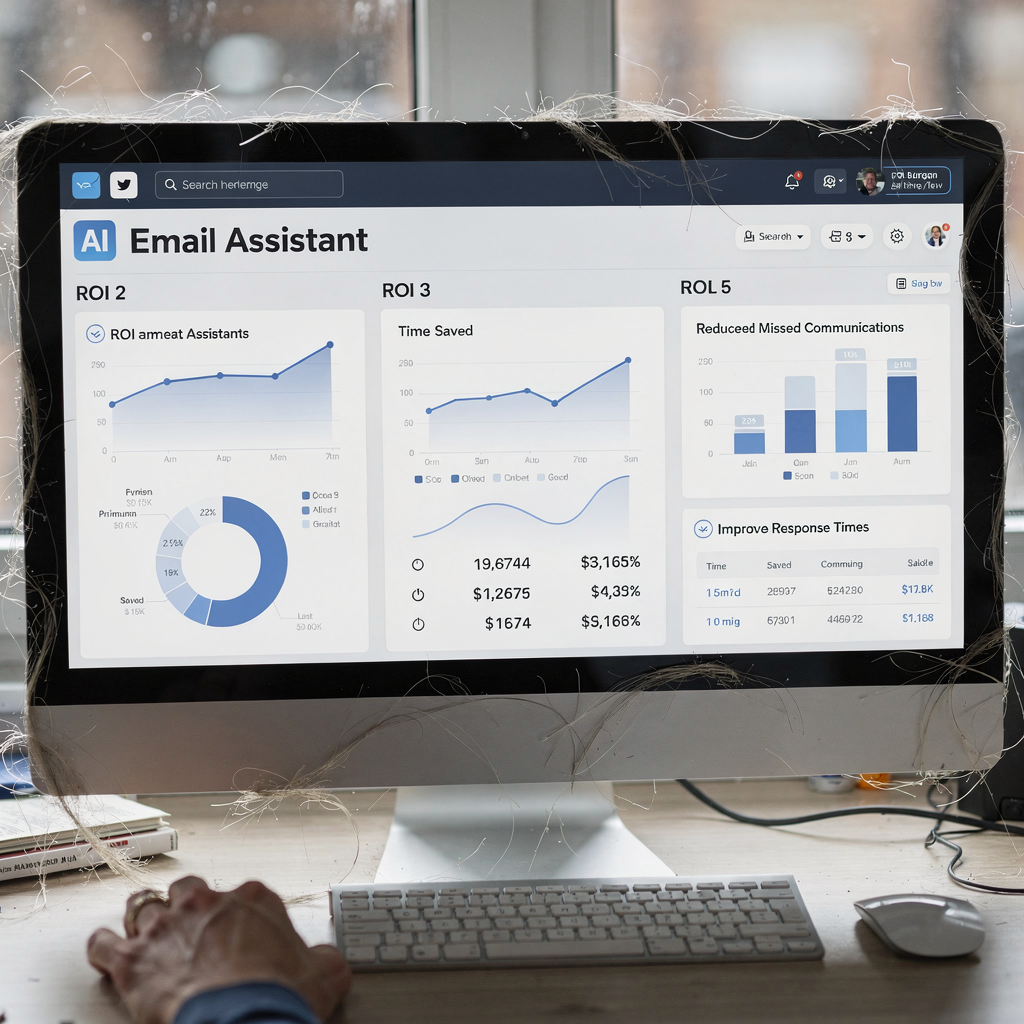
Measuring ROI matters when you deploy email assistance. Start with a baseline: minutes spent per email, number of incoming emails per employee, and missed-message rate. Use a simple ROI model: minutes saved × hourly rate × number of users. Case studies show material gains. For example, deployments have reduced missed communications by up to 40% and improved project turnaround by around 25% in some consultancies (case study).
Calculate direct savings first. If handling time drops from 4.5 minutes to 1.5 minutes per email, that change saves hours per week per user. Multiply that by salary rates and by email volume to get tangible savings. Then add risk reduction value. Fewer missed client messages reduce the chance of schedule slips and rework. That value is harder to quantify but it is real.
Beyond numbers, include qualitative benefits. Teams report improved team collaboration and peace of mind when shared inboxes show clear ownership. The assistant also reduces repetitive workload so engineers can return focus to design and analysis. As a researcher noted, “The integration of AI email assistants in engineering firms is not just about saving time; it’s about enabling engineers to dedicate more cognitive resources to innovation rather than administration” (MDPI).
Address common FAQs early: where does data reside, who owns generated text, and how accurate are automated email responses? Track audit logs and define retention rules. Ensure the assistant keeps an editable draft and an audit trail for every reply. This gives legal traceability and builds trust with internal teams and clients. For teams in logistics-heavy projects, templates that include CRM systems and project management hooks deliver full traceability across email and task systems.
Drowning in emails?
Here’s your way out
Save hours every day as AI Agents label and draft emails directly in Outlook or Gmail, giving your team more time to focus on high-value work.
automate
Security and governance come first when you automate email flows. Engineering work often contains IP, client data and regulated specifications. Protect that data with encryption, strict access controls and audit logs. You can choose private model training on corporate corpora to avoid exposing sensitive information. Vendors should provide on-prem or private cloud deployments if your project requires strict data residency.
Create a procurement privacy checklist. Require vendor descriptions of data flows, model training methods and retention policies. Ask for sample audit trails and for proof that the system can redact or quarantine protected fields. Also verify that the assistant can enforce document-level permissions when attaching files from SharePoint, OneDrive or Google Drive.
Governance needs to be practical. Define escalation paths so the assistant only auto-resolves low-risk messages. High-risk queries go to a human with full context. That keeps control while you benefit from efficiency. The assistant should also log every decision so auditors can review automated email routing and categorization later. Using AI agents that attach evidence to escalations reduces back-and-forth during audits and dispute resolution.
Security aside, plan for operational continuity. Backup the folder and mailbox metadata. Monitor for unusual spikes in email volume and set notification rules to alert admins. These steps keep the system resilient, and they reduce the chance of a failed automation that might delay a critical project milestone. When you automate, aim for predictable, auditable outcomes that free engineers from routine email work while ensuring compliance and traceability.
virtual assistants
Run a focused pilot before full roll‑out. A typical 6–8 week pilot works well. First, select a pilot team that handles a representative slice of project correspondence. Next, set KPIs: time saved per email, missed-message rate and average response SLAs. Then train users on prompt editing, on when to escalate, and on how to confirm attachments. Finally, measure results and iterate.
Change management is key. Give engineers a short playbook that shows how to edit the draft, how to flag errors and how to review audit logs. Keep the intervention light. Engineers prefer that the assistant suggest personalized responses and leave final sending control to a person. That approach keeps accountability while you scale benefits.
Provide admin controls for roles and escalation. IT teams should be able to connect data sources and define governance. Business teams should tune tone, rules and routing logic without code. For teams that need a no-code setup and deep operational grounding, some platforms explain how they automate the full email lifecycle and integrate with core systems like ERP and project management tools; explore resources on how to scale logistics operations without hiring extra staff to see similar approaches in other sectors.
Finally, prepare a rollback plan and define ongoing monitoring. Track accuracy and feedback loops so the assistant improves over time. Use a clear cost breakdown in the pilot to estimate ROI and the expected speed to ROI after scale. After successful pilots, scale in phases and keep a regular cadence of reviews. This staged approach gives teams confidence and peace of mind as they adopt AI tools for email work.
FAQ
What is an AI email assistant and how does it help engineering teams?
An AI email assistant is software that reads, categorizes and drafts replies for incoming emails. It helps engineering teams by prioritizing messages, extracting action items and reducing the time spent on routine email work.
How much time can an assistant save per week?
Time savings depend on volume and setup, but studies show knowledge workers spend about 28% of their week on email, and firms reporting deployment have seen 20–35% reductions in time spent on email management (source). Savings come from faster drafting and fewer manual lookups.
Will the assistant access project files like drawings and contracts?
Yes, a well-integrated assistant connects to file stores such as SharePoint, Google Drive or OneDrive to attach supporting documents. Proper permissions and governance keep sensitive files protected while enabling accurate replies.
Can automated email responses be customized for technical tone?
They can. You configure template libraries and tone rules so replies match your organization’s technical style. Teams can also require human sign-off for high-risk messages to maintain quality.
How do you measure ROI for an email assistant?
Measure minutes saved per email, multiply by hourly rates and scale across users to estimate direct savings. Add value from reduced missed messages and faster project turnaround to get total ROI. Use dashboards to track these KPIs during a pilot.
Is data secure when using AI tools?
Security varies by vendor. Look for encryption, private model training options, audit logs and on-prem deployments if needed. A procurement privacy checklist helps evaluate vendors before you commit.
What systems should the assistant integrate with?
Integrations typically include ERP, CRM systems, project management tools and cloud file stores. These links let the assistant ground replies in current operational data and update records automatically.
How long does a pilot take and what does it include?
A practical pilot runs 6–8 weeks and includes team selection, KPI definition, user training, monitoring and iteration. The pilot should prove time savings, accuracy and user acceptance before you scale.
Will automation replace engineers?
Automation reduces repetitive tasks but does not replace skilled engineering work. It frees engineers to focus on higher-value activities like design, coordination and problem solving.
Where can I find tools and further reading on implementing this?
Start with vendor resources and case studies that show integration paths and ROI dashboards. For practical how-to guides, see resources on ERP email automation, on scaling operations with AI agents, and on how to automate emails with Google Workspace for real-world examples.
Drowning in emails?
Here’s your way out
Save hours every day as AI Agents label and draft emails directly in Outlook or Gmail, giving your team more time to focus on high-value work.