


Why ai and assistant matter for fintech: CRM integration, security and email management
Fintech firms face heavy email volume and strict rules. AI sits at the intersection of productivity and compliance. It links email to CRM data. It adds audit trails and enforces policy. The global AI-powered email market is projected to grow to multi‑billion valuations by 2034, which reflects rising demand in financial services market forecasts. Email remains core for customer contact. There were over 4.59 billion email users worldwide in 2025, which shows why fintech teams must optimise incoming emails email statistics.
Data sensitivity is central to why AI and an assistant matter for fintech. Client financial data, KYC documents and transaction records travel by email. AI can tag and redact sensitive fields. It can enforce retention rules. It can add secure links instead of attaching full documents. This reduces risk while preserving context. This approach helps with audit requirements and helps compliance teams find records fast.
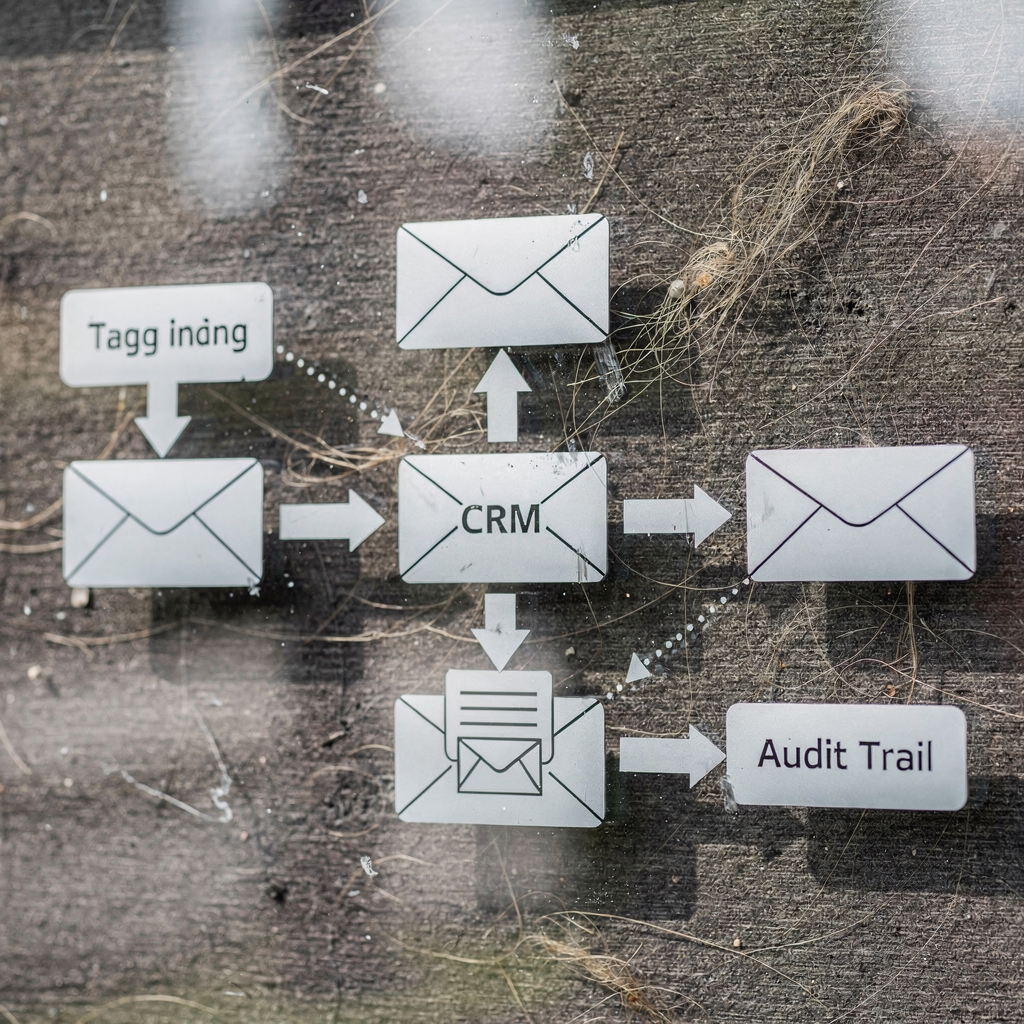
CRM integration changes how teams handle email. When an AI agent links a Gmail or Microsoft Outlook message to a CRM record, agents see prior interactions immediately. This reduces repeated questions. It increases first‑contact resolution. It also creates structured CRM updates from free‑text requests. For example, virtualworkforce.ai connects email threads to ERP or WMS data so replies are grounded in operational facts and not just memory. That gives teams an actionable view of each customer and helps reduce manual lookups.
AI also helps with email management through auto‑label, prioritisation and escalation. The assistant can flag compliance issues. It can surface urgent regulatory requests, and it can keep an audit trail of decisions and edits. This makes the workflow auditable. It makes handovers clear. It reduces human error and ensures that every email that affects a transaction or client file is tracked. As one study noted, AI assists relationship marketing and customer engagement by shaping responses and preserving context AI-capable relationship marketing.
Stat: AI email assistants can reduce email handling time significantly. Industry reports show time savings near 30–40%, which matters when teams receive hundreds of messages per day AI assistant statistics. For fintech teams this is not just productivity. It is risk reduction and faster regulatory response. If you want more detail on automating responses and linking messages to operations, see virtualworkforce.ai’s approach to automated logistics correspondence automated logistics correspondence.
How an ai email assistant and ai agent drafts replies and automates follow-ups to boost productivity
An AI agent can draft accurate replies and automate follow-ups. It reads the entire email thread. It extracts intent, relevant transaction IDs and required actions. Then it pulls data from connected systems. This grounding keeps replies correct. It limits “I don’t know” answers and reduces escalations. Teams save time and focus on complex cases. Reports show AI can reduce time spent on email by roughly 30–40%, which directly raises productivity AI assistant statistics.
Core functions include auto‑draft, scheduled follow‑ups, thread summarisation and smart replies. Auto‑draft templates help new hires send consistent messages. Thread summarisation gives a quick brief of a long conversation. Smart replies recommend short confirmations or next steps. The assistant can schedule a follow‑up email if a customer does not reply within a set SLA. This removes manual tracking and ensures SLAs are met.
Here is a short before/after workflow. Before: an operations rep reads a long message, searches ERP for order status, writes a reply, and sets a reminder. After: the AI agent reads the email, fetches order status, drafts the reply with the correct tone, and schedules the follow‑up if needed. The rep reviews the draft and sends or edits. The change cuts repetitive steps and increases throughput. In many teams this helps save hours per week per user.
Built‑in features prove the concept. Modern email clients now offer summarisation and generative suggestions. These features use generative AI models to create human‑like text. They also support tone control so messages match brand and legal needs. When you pilot, use an AI that allows configurable tone, and that stores the templates your legal team approves. This reduces rework and keeps messages compliant. For operational teams that need deeper integration, virtualworkforce.ai automates the full lifecycle and drafts replies grounded in ERP, TMS and WMS data ERP email automation.
Stat: teams using agent‑led drafting often reduce average handling time from about 4.5 minutes to 1.5 minutes per email, according to real deployments, which equals substantial productivity gains and fewer missed SLAs.
Drowning in emails?
Here’s your way out
Save hours every day as AI Agents label and draft emails directly in Outlook or Gmail, giving your team more time to focus on high-value work.
How an ai email assistant and ai agent drafts replies and automates follow-ups to boost productivity
An AI agent can draft accurate replies and automate follow-ups. It reads the entire email thread. It extracts intent, relevant transaction IDs and required actions. Then it pulls data from connected systems. This grounding keeps replies correct. It limits “I don’t know” answers and reduces escalations. Teams save time and focus on complex cases. Reports show AI can reduce time spent on email by roughly 30–40%, which directly raises productivity AI assistant statistics.
Core functions include auto‑draft, scheduled follow‑ups, thread summarisation and smart replies. Auto‑draft templates help new hires send consistent messages. Thread summarisation gives a quick brief of a long conversation. Smart replies recommend short confirmations or next steps. The assistant can schedule a follow‑up email if a customer does not reply within a set SLA. This removes manual tracking and ensures SLAs are met.
Here is a short before/after workflow. Before: an operations rep reads a long message, searches ERP for order status, writes a reply, and sets a reminder. After: the AI agent reads the email, fetches order status, drafts the reply with the correct tone, and schedules the follow‑up if needed. The rep reviews the draft and sends or edits. The change cuts repetitive steps and increases throughput. In many teams this helps save hours per week per user.
Built‑in features prove the concept. Modern email clients now offer summarisation and generative suggestions. These features use generative AI models to create human‑like text. They also support tone control so messages match brand and legal needs. When you pilot, use an AI that allows configurable tone, and that stores the templates your legal team approves. This reduces rework and keeps messages compliant. For operational teams that need deeper integration, virtualworkforce.ai automates the full lifecycle and drafts replies grounded in ERP, TMS and WMS data ERP email automation.
Stat: teams using agent‑led drafting often reduce average handling time from about 4.5 minutes to 1.5 minutes per email, according to real deployments, which equals substantial productivity gains and fewer missed SLAs.
Choosing the best ai, best ai email assistant and best ai email: match your tone with ai writing and email templates
Choosing the right AI requires clear criteria. Start with tone control and editable email templates. More than half of consumers expect personalised messages from financial providers, so tone matching matters for trust and conversion consumer personalisation stat. A best AI approach must let business teams set tone profiles, not just engineers. It must store approved AI templates, and it must let legal review fallback rules before a draft is sent.
Look for vendors that support CRM training on historical email data. Training on your CRM and past messages helps the model match your voice and reduces inappropriate phrasing. Ask for features that let you export and review generated drafts. That keeps control in the hands of compliance and customer teams. If you need a comparison against fast client tools, explore pages that show best Superhuman alternatives and vendor trade‑offs best Superhuman alternatives.
Be explicit about testing tone. Run parallel drafts where a rep edits AI suggestions. Measure how often edits are needed. That is an operational metric you can improve. Track metrics like average edit length, approval time and percentage of AI‑sent messages. A right AI email assistant will show decreasing edits over time as the model adapts. If you prefer established templates, use AI templates that populate variable fields from CRM records and then lock core legal phrases.
Also prioritise security and audit features. The tool should log who approved each template and who sent every message. It should keep the entire email thread and store redaction choices. This supports compliance with data privacy rules and financial services regulations. The right vendor will offer enterprise controls for Microsoft Outlook and Gmail, with encryption and role‑based access. If you want examples of fully automated email agents built for operations, virtualworkforce.ai shows how to scale logistics operations without hiring while preserving brand voice scale with AI agents.
Stat: A template + tone matching approach lowers the number of edits and speeds replies. Teams that align templates with brand voice typically see faster response rates and fewer compliance incidents.
Drowning in emails?
Here’s your way out
Save hours every day as AI Agents label and draft emails directly in Outlook or Gmail, giving your team more time to focus on high-value work.
Workflow and workspace: integrate with email app, support outlook users, keep your inbox and preserve email history
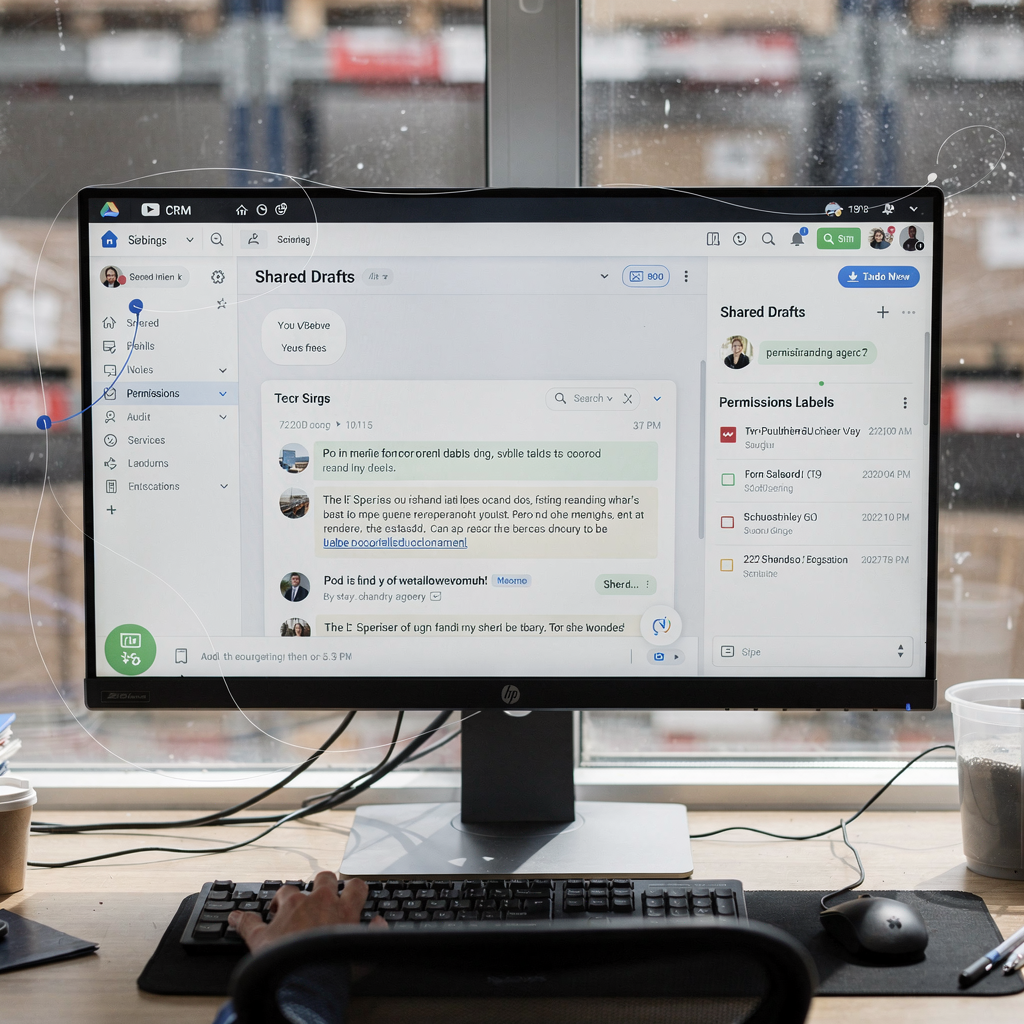
Technical fit decides adoption speed. Most teams use Gmail or Microsoft 365, so a vendor must support both. Integration with the email app and the CRM creates context automatically. Shared drafts and role permissions are essential for teams. They remove guesswork about who should reply and what data was used. That is how you keep your inbox clean and how you keep the audit trail intact.
Integration points to check include calendar links, CRM sync, search across email history and versioned drafts. The assistant should write drafts inside the email client so reps remain in flow. It should also update CRM records automatically when a case resolves. This keeps the customer record current and reduces duplicated effort. For logistics teams that need deeper ERP links, see virtualworkforce.ai’s work on automated logistics correspondence which shows how data grounding improves reply accuracy automated logistics correspondence.
Outlook users need feature parity. Ensure the vendor supports microsoft outlook add‑ins, message inspection and enterprise policies. Test how shared inbox rules work, and verify that the system stores the entire email thread for audit. Searchable email history is non‑negotiable for AML and KYC audits. If the assistant removes attachments, confirm how the system retains a secure, retrievable copy. Also check role access so only authorised staff can view sensitive content.
Workspace features also matter. Shared inboxes must offer assignment, notes and escalation paths. The assistant should automatically route messages by intent, and it should notify the right owner. Ask for reporting dashboards that show queue times and SLA compliance. These metrics make email operations visible. They also make it easier to measure ROI. A practical tip: pilot with a small shared inbox, and test permissions and escalation paths before full roll‑out. If you are looking for email composer and automation built for operational teams, explore virtualworkforce.ai’s pages on improving customer service with AI improve customer service with AI.
Stat: Retaining a searchable email history supports audits and reduces time to evidence in compliance checks. This saves hours during regulatory reviews and keeps replies defensible.
Use case, ai for email and email automation in fintech: customer support, sales follow‑ups and compliance monitoring
AI for email serves several fintech use cases. It can triage incoming emails, draft KYC follow‑ups, resolve transaction queries and run onboarding sequences. For customer support, the assistant can resolve routine queries automatically and escalate complex cases. This improves SLA adherence. For sales, the assistant can trigger follow‑up email sequences based on CRM status. That raises conversion and improves pipeline hygiene.
For compliance, AI can flag suspicious phrasing, missing KYC fields or inconsistent sender details. It can attach required documents to the case and mark the message as review‑required. These actions reduce the chance that a regulatory request is missed. AI also creates structured records from unstructured emails so teams can query trends and spot repeat issues. That supports audit and remediation.
Concrete examples include automated KYC follow‑ups where the assistant sends the next required document request and tracks receipt. Another is transaction queries where an AI agent retrieves transaction logs and drafts a response with reconciled amounts. These use cases reduce human lookup time and increase accuracy. The assistant can also help with cross‑sell by inserting approved marketing emails or personalised offers into onboarding sequences, while ensuring compliance with communication consent rules.
Measure outcomes to prove value. Track reduced handling time, improved first‑response time, higher resolution rates and better CRM data quality. These metrics make ROI visible. They also show where the assistant should be retrained. A useful resource on full email lifecycle automation demonstrates how to automate logistics emails with Google Workspace and virtualworkforce.ai, which is conceptually similar to fintech needs when it comes to data grounding and auditability automate with Google Workspace.
Stat: Automated follow‑ups and triage improve response rates and cut case resolution time, which helps teams meet SLAs and reduce manual rework.
From pilot to scale: choosing the right ai assistant, ROI metrics and competitor checks (including superhuman)
Start with a focused pilot. Choose a team that has repeatable email patterns. Define clear ROI metrics. Typical metrics include time saved per user, response time, SLA compliance and CRM data quality. Also track escalation rates and the percentage of messages that still require human edits. These measures tell you whether the assistant reduces workload or just shifts it.
Security and procurement matter. Check encryption, role‑based access and data residency. Confirm that the vendor supports enterprise logging and integrates with your SIEM if required. Monitor model drift and require regular retraining cycles. Ensure vendors provide transparency about how AI models use data and how they update. If you need a tool comparison that includes email clients like Superhuman, review vendor comparisons to understand where fast email clients differ from full lifecycle automation Superhuman vs virtualworkforce.ai.
Pilot checklist: pick a single shared inbox or team, integrate CRM and one operational system, set up templates and tone profiles, run for 4–8 weeks, measure baseline and post‑pilot metrics. Include training and clear escalation rules so the assistant only sends messages when safe. Remember to test Outlook users and Gmail account flows. For many customers, choosing the best AI means selecting a vendor that automates the full lifecycle and not just the draft. If you want alternatives to fast clients, see a page on best Superhuman alternatives best Superhuman alternatives.
Finally, calculate ROI. Use time saved per email, multiplied by emails per day, multiplied by days in period. Compare against licence and implementation costs. Include softer benefits like fewer compliance incidents and improved customer satisfaction. A good vendor will show a clear path from pilot to scale and provide support to avoid model drift or governance gaps. Stat: pilot metrics like reduced handling time and improved SLA compliance are the clearest indicators of long‑term value.
FAQ
What is an AI email assistant and how does it differ from a regular email client?
An AI email assistant uses machine learning and NLP to understand, draft and route messages automatically. A regular email client lets you read and send messages but does not automate intent detection, CRM grounding or follow‑up scheduling.
Can an AI assistant integrate with my CRM?
Yes. Most enterprise AI assistants support CRM integration to fetch customer context and to push structured updates back to the record. This integration reduces manual lookups and keeps customer data current.
Is AI safe for handling sensitive financial data?
AI can be safe if the vendor offers encryption, role‑based access and audit logs. Always verify security features, data residency and compliance certifications before deployment.
How much time can teams expect to save?
Industry reports suggest AI can cut email handling time by around 30–40%. Real deployments often show a decline from several minutes to one or two minutes per message, depending on workflow.
Do Outlook users get the same features as Gmail users?
A good vendor provides feature parity for microsoft outlook and Gmail. Confirm add‑ins, enterprise policy support and the way shared drafts and permissions are handled for both clients.
How does AI help with compliance monitoring?
AI can flag missing KYC elements, spot suspicious phrasing and attach audit trails to messages. It also stores the entire email history so teams can retrieve evidence quickly for regulatory reviews.
Will the AI replace human reps?
The AI is designed to handle routine, repeatable tasks and to automate follow‑ups, which reduces manual work. It still requires humans for approvals, complex decisions and exceptions, so it augments staff rather than fully replacing them.
How do I measure ROI during a pilot?
Track metrics such as time saved per user, change in response time, SLA adherence and the percentage of messages fully automated. Combine these with cost savings to calculate ROI over a defined period.
What is the best way to maintain brand voice with AI?
Use approved email templates, tone profiles and a review process during the pilot. Train the model on historical messages and monitor edit rates to ensure consistent voice over time.
Are there vendors that automate the full email lifecycle?
Yes. Some platforms focus on full lifecycle automation, connecting email to ERP, CRM and operational systems to draft grounded replies and route messages. These solutions reduce manual lookups and improve traceability.
Drowning in emails?
Here’s your way out
Save hours every day as AI Agents label and draft emails directly in Outlook or Gmail, giving your team more time to focus on high-value work.