


ai for investment firms and financial advisors: automate email, meeting prep and crm to simplify workflows
Investment teams and financial advisors face a steady stream of client requests, administrative work and compliance checks. An ai assistant for financial advisors can reduce that burden by handling routine email work, drafting messages and preparing meetings. For example, a fully integrated ai email assistant drafts replies, suggests followup tasks and links every interaction to the correct crm record. Teams that adopt purpose-built tools report measurable time savings and more consistent client relationships.
Key capabilities start with email drafting. The suite of tools organizes email and the tools organizes email messages so advisors read shorter threads and act faster. The assistant automatically scans advisors’ incoming emails and categorizes them, detects documents required and then proposes next steps. It can produce email drafting in the advisor’s calendar invite, and support drafting in the advisor’s voice for consistent tone across teams. Features include personalized email drafting that draws on client information and recent notes.
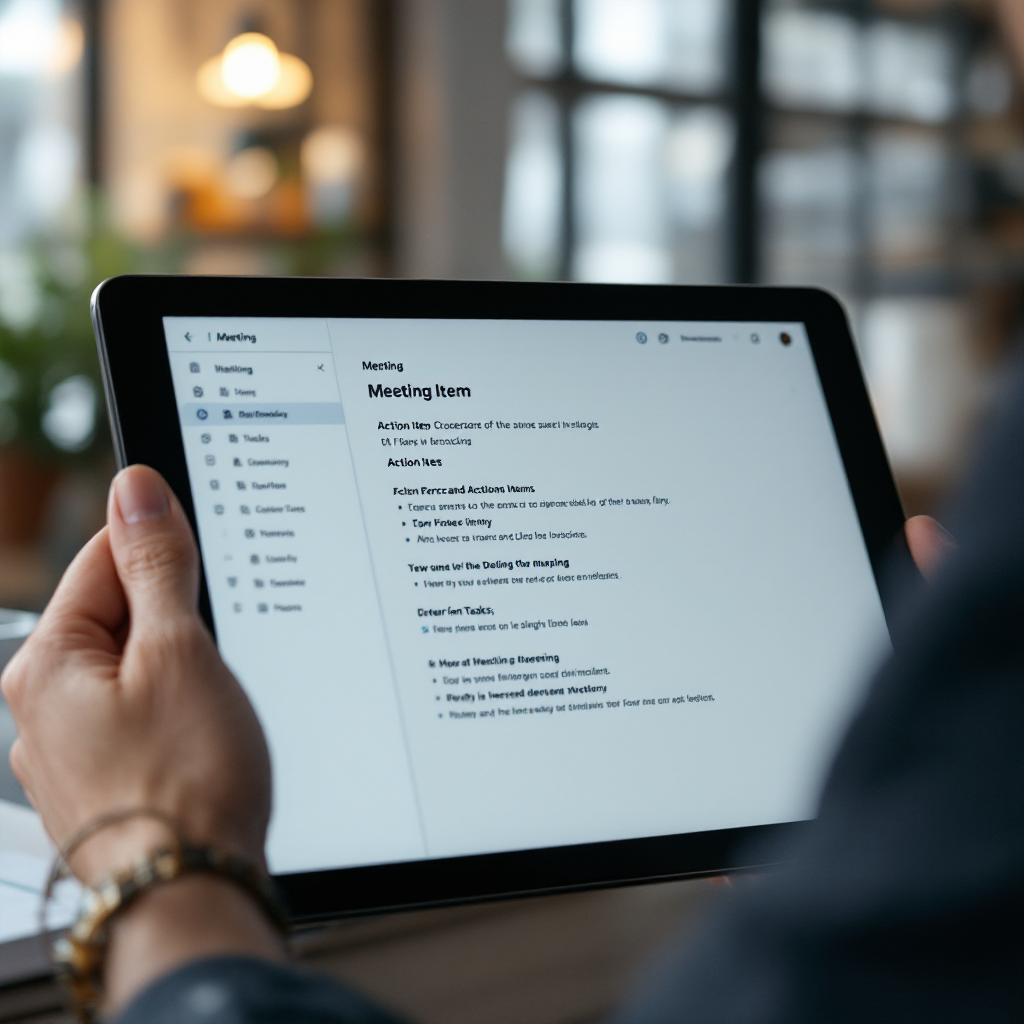
Meeting prep and meeting notes work together. Meeting prep briefs provide agendas, risks and client priorities before a client meeting. After the meeting the assistant creates a concise recap and meeting notes that list action items, required follow-up tasks and documents required. You can automate meeting notes capture and then push a summary into the crm platform designed for adviser workflows. This reduces duplicate data entry and keeps followup reliable.
Integration with crm and advisor crm systems matters. A bi-directional connector writes meeting summaries to client records and keeps automatic updates for contact fields. That level of integration lets registered investment advisors and wealth managers focus on building relationships and financial planning instead of manual data entry. In practical terms advisors save admin hours each week. For proof, a large survey found firms reported productivity gains of up to 30% after adopting ai tools (Bain).
Finally, choose a platform designed to simplify onboarding and to streamline client experience. For teams with high email volume a new ai can be the operational assistant that makes client work faster, while keeping control and consistent quality across messages.
integrate your assistant into the tech stack so it integrates seamlessly with CRM, calendar and compliance systems
Integration is tactical. First, list required connectors: Exchange/Gmail, calendar, crm APIs and secure storage. Then map where data should flow. A clear tech stack diagram must show bi-directional sync, audit logs and the crm fields the assistant will write to. For many firms the biggest gains arrive when an advisor crm’s ai email assistant writes directly into client profiles. That reduces data entry and improves CRM completeness quickly.
Checklist for a safe rollout:
• API scope and endpoints: confirm CRM, calendar and mail connectors. Verify the crm platform designed to accept automated updates.
• Authentication and access: enable single sign-on and role-based permissions. Ensure the assistant automatically respects mailbox guardrails.
• Data policies: set retention and residency rules, plus a data retention policy for audit needs. Provide options for EU/UK data residency if required.
• Testing and sandboxing: run the assistant in read-only mode first, then enable staged writebacks. Use a small pilot group and a staging crm to validate mappings.
• Audit and logging: enable immutable logs and data export for compliance reviews. Confirm every edit is traceable in the dashboard.
Practical notes: integrate with existing crms and crms used by advisors to avoid parallel systems. Vendors who achieve best results offer connectors that reduce duplicate threads and scan incoming mail to pick up client requests. Virtualworkforce.ai’s no-code connectors let ops teams connect ERP and mail sources without deep engineering, and that approach mirrors what many investment teams need when they scale automation (ERP email automation).

Drowning in emails?
Here’s your way out
Save hours every day as AI Agents label and draft emails directly in Outlook or Gmail, giving your team more time to focus on high-value work.
roi and real roi: quantify time saved, compliance benefit and revenue impact for investment firms
Decision-makers need a simple model to evaluate roi. Start by measuring hours saved per advisor. Then add compliance cost reductions and the revenue effect of more client-facing time. A short formula helps: (hours saved × advisor hourly rate) + avoided compliance costs + incremental revenue = real roi over 12 months.
Step one: time saved. Use baseline metrics. If an advisor spends 10 hours per week on email and meeting admin, a 30% productivity gain equals 3 hours back per week. Multiply by 46 billable weeks to estimate annual hours saved. Step two: compliance savings. Automating red-flag scans and audit logging reduces manual review time. For many firms automation cuts audit effort and lowers the chance of regulatory findings; this is shown where virtual assistants reduce routine enquiries and free specialists for complex issues (FINRA).
Sample calculation. Assume: advisor rate £150/hr; 3 hours saved weekly; 46 weeks. Time-saved value = 3 × 46 × £150 = £20,700. Add a conservative compliance saving of £5,000 and estimated incremental revenue from better client follow-up of £10,000. Total = £35,700. Compare to a 12-month cost of an ai software subscription and integration. Your roi will show payback in months for many mid-sized firms.
Suggested KPIs: response time to inbound email, client follow-up completion rate, CRM data completeness and audit time. Use analytics to track these KPIs and present results to the firm’s leadership. Firms that report broad generative ai experiments also note faster response times and improved client engagement, which supports these models (Bain).
Finally, include a template for reporting roi and an operations dashboard so leaders see the impact weekly. That makes it easier to justify expansion from a pilot to firm-wide use.
meeting assistant features so you never miss client actions and capture client intelligence automatically
A meeting assistant can make meetings actionable and accurate. Core features include live transcription, concise summary, action-item extraction and entity capture such as tickers, positions and dates. After a client meeting the assistant produces a short summary and a list of action items with owners and due dates. That reduces missed follow-ups and improves client experience.
Meeting preparation features are equally useful. Pre-meeting briefs show recent touchpoints, portfolio changes and client priorities. They flag life events and financial goals so advisors arrive prepared. During the meeting the assistant captures meeting notes and extracts named entities. It will highlight actionable requests, such as document uploads or account authorisations, and then create required follow-up tasks in the advisor’s crm.
The assistant can also support smart attachment processing. When a client shares documents during a call, the platform designed to recognise document types will link those files to the client record. That saves manual uploads and reduces data entry errors. After the call automatic creation of tasks and assignment to team members ensures nothing is lost. You get an instant recap for the client and a clear internal checklist for operations.
Set templates for summaries to standardise output. A good template contains a brief summary, action items, deadlines and next meeting suggestions. Tools that offer meeting assistant features often include sentiment flags to prioritise follow-up. Firms using meeting assistants report faster follow-up and more reliable client intelligence. For workflows where meeting follow-up matters, automate note-taking first and then expand into CRM sync to capture organised intelligence for the whole team.
Drowning in emails?
Here’s your way out
Save hours every day as AI Agents label and draft emails directly in Outlook or Gmail, giving your team more time to focus on high-value work.
industry-leading security and compliance that simplify audits and automate record‑keeping
Regulated firms require enterprise-grade security and clear controls and compliance. Start with encryption at rest and in transit and add immutable audit logs that show who changed what and when. A platform with SOC reports and penetration-test results helps satisfy security teams. Ask vendors for SOC documentation and third-party pen test summaries during due diligence.
Retention policies must be configurable by client and account. Set retention windows that match your firm’s record-keeping rules and regulatory guidance. In addition, supervised-learning governance and human-in-the-loop approvals for risky replies reduce compliance exposure. The assistant should flag suspicious content and route it to a compliance reviewer before sending.
Other required features include redaction tools, role-based access and exportable evidence for audits. Controls and compliance also means having a clear policy for supervised models and model-change logs. Firms benefit when the assistant produces end-to-end records that are easy to search and export, which simplifies audits and investigations.
Do formal vendor checks. Confirm data residency options for EU/UK, review security standards and check whether the vendor offers enterprise options such as private-cloud deployment. Also assess how the assistant handles onboarding of new users and what controls exist for escalation paths. A credible vendor will present a clear roadmap for compliance features and a history of working with regulated clients (AIQ Labs).
Finally, demand integration with existing monitoring tools. The platform should generate auditable trails, provide tools for supervised learning and include configurable red-flag scanning so compliance teams can focus on real issues rather than routine reviews.
phased adoption plan so financial advisors integrate pilots, measure outcomes and scale to firm-wide use
Adopt the assistant in phases to reduce disruption and to capture early wins. Start with a 4–6 week pilot for a small group of advisors or a single office. Choose use cases that show quick returns, such as email drafting and meeting prep. During the pilot define KPIs from the roi chapter and collect baselines for response time, CRM completeness and follow-up rates.
Phase two is optimisation. Over 3 months train users, iterate templates and fix annotation rules. Use a feedback loop where advisors rate drafts and where the system learns preferred tone. Include onboarding sessions and role-based guides so users know how to escalate and when to override suggestions. Ensure the operations team documents the roadmap and the dashboard for leadership.
Phase three scales to firm-wide use over 6–12 months. Expand from email automation to meeting assistant and then to full CRM automation. Use a playbook that covers permission mappings, data retention and compliance approvals. Monitor analytics and adjust templates and escalation paths. Remember to measure real roi at each stage and to publish results to sponsors.
Practical tips: focus on building internal champions, keep IT involved for connectors and governance, and set a clear change-management plan for onboarding. Provide a small library of templates for common client scenarios and maintain a central dashboard for rollout status. If you need examples of how ops teams use no-code connectors to automate domain-specific emails, see our notes on virtual assistants for logistics to understand the integration pattern (virtual assistant logistics) and the ROI approach (virtualworkforce.ai ROI).
FAQ
What is an ai email assistant and how does it help investment teams?
An ai email assistant is software that drafts, routes and organises email based on client data and rules. It helps investment teams by reducing manual drafting, creating standard replies and linking correspondence to client records so advisors spend more time on client work.
Can an assistant for financial advisors integrate with my existing crm?
Yes. Most assistants offer connectors to leading crm systems and can write meeting summaries and contact updates directly into the crm. You should confirm API access, scope and whether the vendor supports bi-directional sync during integration testing.
How do you measure roi for an ai assistant?
Measure time saved, compliance cost reduction and incremental revenue from faster responses. Use a simple model: (hours saved × advisor rate) + avoided compliance costs + incremental revenue = real roi over 12 months. Track KPIs such as response time and CRM completeness.
Will the assistant keep meeting notes and action items accurate?
Yes, meeting assistant features include live transcription, concise summaries and action-item extraction. You can standardise output with templates so every recap lists owners, due dates and required documents.
How does security work with these tools?
Enterprise-grade security includes encryption at rest and in transit, immutable logs and configurable retention policies. Ask vendors for SOC reports, penetration-test results and EU/UK data residency options during due diligence.
Do these tools help with compliance reviews?
They do. Features such as red-flag scanning, human-in-the-loop approvals and supervised-learning governance reduce routine compliance workload and create auditable trails for regulators.
Can the assistant scan advisors’ incoming emails and categorizes them?
Yes, many assistants scan advisors’ incoming emails and categorizes them by intent, priority and client. That lets teams route urgent requests and reduces the chance of missed follow-ups.
Is onboarding difficult for my team?
Onboarding is usually phased. Start with a pilot, add templates and run short training sessions. No-code connectors and user-configurable templates speed rollout and reduce IT dependency.
Will the assistant preserve the advisor’s voice in messages?
Most platforms support tone settings and will produce drafting in the advisor’s voice. Regular feedback and template tuning help maintain consistency and client experience.
Where can I learn more about applying this to operations and specific workflows?
For practical examples of no-code connectors and domain-specific automation, see virtualworkforce.ai resources on ERP email automation and logistics email drafting. Those pages show how deep data fusion and no-code control reduce handling time and errors (ERP email automation, scale logistics without hiring).
Drowning in emails?
Here’s your way out
Save hours every day as AI Agents label and draft emails directly in Outlook or Gmail, giving your team more time to focus on high-value work.