


Delivery and last mile: why Email assistants matter in last mile delivery
The final leg of a parcel’s journey is where cost and complexity concentrate. The last mile is the most complex and costly leg of the supply chain, and market momentum underlines that pressure: the last-mile delivery market is projected to reach US$ 311.31 billion by 2031, reflecting booming e-commerce volumes and rising delivery demand US$ 311.31 billion by 2031. For companies that handle high volumes of parcels, every missed step in the delivery process raises costs and hurts the delivery rate. Email assistants reduce manual workload by automating notifications, scheduling updates, and issue triage so teams can respond faster and with fewer errors.
First, email assistants draft and send standard messages for ETA updates, missed pickup alerts, and reschedule offers. Second, they parse incoming messages to extract delivery instructions, order numbers, and driver notes. Third, they can update systems without human copy-paste, which helps eliminate data silos and speeds reconciliation. virtualworkforce.ai, for example, connects ERP/TMS/TOS/WMS sources to draft context-aware replies and log activity, and this reduces handling time per email significantly. Therefore, teams cut throughput time, reduce errors, and free staff for complex exceptions.
Quick facts: consumers expect deliveries within 3–4 days, raising the bar for speed and reliability customer expectations for 3–4 day delivery; non-autonomous methods still account for a large share of revenue, showing the need for better communications tools 58.7% of revenue from non-autonomous methods; automated email workflows reduce missed deliveries and improve response times by routing exceptions faster. Consequently, email assistants help streamline delivery operations while improving the final delivery experience.
Short case example: a regional carrier faced frequent missed deliveries because single staff handled inbound exception emails, calls, and system updates. After deploying an AI email assistant that read order numbers, checked driver location, and suggested reschedule windows, the carrier cut missed deliveries and reduced average reply time. The result was a higher on-time delivery rate and fewer repeats of the same issue.
Benefit summary: email assistants improve throughput, reduce repetitive work, and provide consistent, data-grounded customer communication. Expected KPI impact includes improved delivery rate, faster reply times, fewer failed deliveries, and measurable cost savings per parcel. For more on how AI drafts logistics emails and reduces manual intervention, see a practical guide to logistics email drafting logistics email drafting with AI.
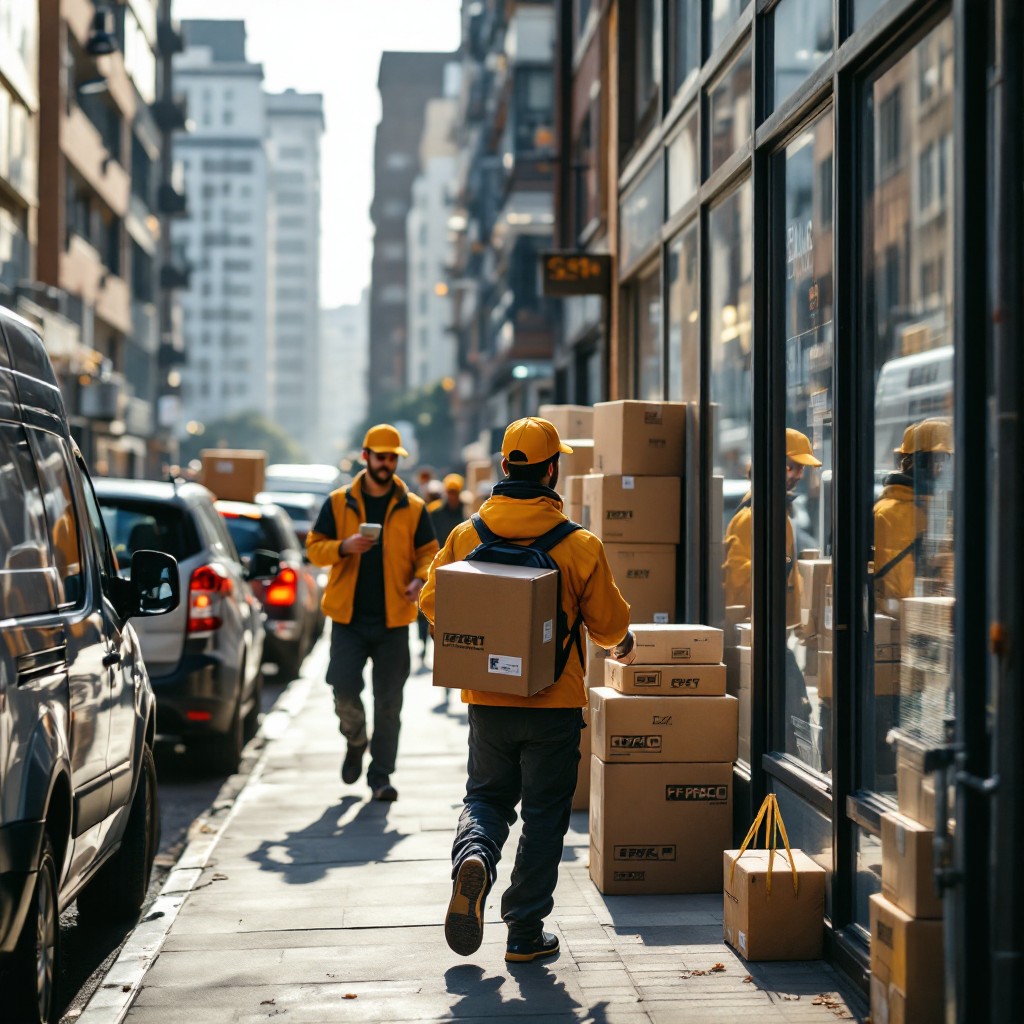
AI and automation: how AI agents and automation power routing and dispatch
AI agents sit at the junction between email and the delivery management system. They parse incoming messages, extract the delivery address, the order ID, and the customer’s note, then trigger the right workflow. An AI agent can escalate urgent issues, propose a new delivery window, or update the routing feed. This approach lets teams automate repetitive replies while routing critical exceptions to humans. As a result, dispatcher workload falls and accuracy rises.
Core technology includes natural language understanding, connectors to TMS and ERP, and rules that decide when to escalate. AI-powered scheduling and routing work together: email-triggered updates feed route optimization software and adjust delivery routes on the fly. Integrations with routing and dispatch tools help maximize vehicle utilisation and shorten delivery times. Reported gains from AI-enabled scheduling and route optimisation reach up to around 30% in route or time savings in some implementations AI transforming last-mile routing. Therefore, carriers scale capacity without hiring at the same rate.
Simple flow diagram: email → AI agent → routing/dispatcher update. The AI agent reads the message, calls the TMS to check capacity, and then either updates the route or queues the task for a dispatcher. This flow reduces manual copy-paste between systems and prevents data silos. In practice the AI also writes suggested replies and cites system facts so customer service teams can approve responses quickly and consistently.
Because email assistants integrate into the delivery process, they also support route planning and predictive scheduling. For teams wanting a no-code path to deploy AI agents, virtualworkforce.ai provides connectors and configurable behaviors that let operations teams set escalation paths and templates without deep IT work. For implementation playbooks on scaling operations without hiring, see a step-by-step resource on scaling logistics operations how to scale logistics operations without hiring.
Drowning in emails?
Here’s your way out
Save hours every day as AI Agents label and draft emails directly in Outlook or Gmail, giving your team more time to focus on high-value work.
Real-time, proof of delivery and electronic proof of delivery: improving customer experience and reduce costs
Real-time visibility reduces uncertainty for customers and costs for carriers. Email assistants can send real-time tracking updates, ETA changes, and automated delivery confirmations that include electronic proof of delivery. Sending a timely notification and an electronic signature image lowers disputes and speeds billing reconciliation. The automated proof of delivery flow also reduces time that customer service teams spend searching for confirmation files.
Real-time tracking in emails means ETA and location snippets appear in the message body, and the customer sees status changes as they happen. Automated POD notifications shrink claim windows and cut admin work for both the logistics provider and the customer. For firms focused on improving the delivery experience, the combination of email updates and electronic proof of delivery is a strong lever to boost customer satisfaction. As one industry voice put it, “Leveraging technology improves operational efficiency and enhances customer satisfaction, ultimately leading to stronger loyalty” communication improves operational efficiency.
Data-driven notifications also reduce inbound queries. Automated systems that run 24/7 answer common ETA questions and send delay notices, which reduces pressure on human teams and thus reduces costs. For example, a customer who receives an immediate ETA update after a delay is less likely to open a claim or call customer service, and operations teams can reconcile POD records faster for billing and carrier settlement.
Sample email templates you can deploy immediately: ETA notice — “Your package is on the way. Estimated arrival: [ETA]. Reply if access instructions changed.” Delay notice — “There is a delay on your shipment due to [reason]. New ETA: [ETA]. Choose a new delivery window here.” POD confirmation — “Delivery complete. Electronic proof of delivery attached. Contact us within 48 hours for disputes.” These templates link to system facts automatically when the AI agent drafts the email, and they reduce manual intervention across the delivery process.

Optimization and route optimization: using predictive analytics and dashboard to improve efficiency in last-mile logistics
Predictive analytics turn historical delivery data into actionable recommendations. Dashboards that combine delivery tracking, driver location, and performance metrics let operations managers optimize capacity and plan for surges in delivery demand. By analyzing patterns, predictive models suggest where to stage vehicles, which routes to merge, and when to open temporary hubs. Continuous optimization therefore raises vehicle utilisation and cuts cost per parcel.
Key metrics to track on a dashboard include on-time rate, delivery window accuracy, cost per parcel, and vehicle utilisation. When teams monitor these metrics, they can fine-tune route planning and adjust staffing levels. Route optimization tools also feed alerts to email assistants so customers get proactive updates about changed delivery windows. Because the dashboard synthesizes data from TMS, driver apps, and email threads, managers avoid data silos and get a single source of truth for decision making.
An effective dashboard mockup combines real-time delivery tracking, notification history, and optimization recommendations. It highlights exception clusters, shows which drivers have excess capacity, and lists parcels at risk of delayed final delivery. For visibility into email-driven workflows and no-code AI assistants that tie email to system updates, review automated logistics correspondence tools that automate replies and system logs automated logistics correspondence. The integration points to consider are TMS APIs, webhook support for driver apps, and secure data access for ERP lookups.
Practical optimization steps: run a short pilot with a subset of routes, capture delivery times and driver performance, then use predictive models to test optimized routes. Track the impact on cost savings and delivery rate, then scale successful changes across networks. A clear KPI set and a single dashboard reduce friction between planners, dispatchers, and customer service.
Drowning in emails?
Here’s your way out
Save hours every day as AI Agents label and draft emails directly in Outlook or Gmail, giving your team more time to focus on high-value work.
Driver apps, parcel and dispatcher management software: integrating email assistants with delivery management and management software
Driver apps and parcel-scanning tools are the live sensors of delivery operations. When an email assistant reads a customer note about a leave-at location or a gate code, it can call the driver app or update the delivery management system so the driver sees the instruction in real time. This closes the loop between customer communication and on-street action and improves driver performance.
Dispatcher roles change when email assistants handle routine messages and surface only exceptions. Dispatchers then focus on complex routing shifts, critical delivery issues, and high-value shipment coordination. By reducing repetitive tasks, email assistants free dispatcher time, reduce driver time spent waiting for instructions, and improve throughput. The architecture looks like this: email assistant ↔ delivery management ↔ driver apps ↔ customer notifications. That flow keeps driver location and driver notes synchronized across systems and reduces repeated work without manual intervention.
Integration checklist for vendors includes API availability, webhook support, role-based access control, and scalable message handling. Security and audit logs matter for compliance and dispute resolution. For teams evaluating suppliers, check that the last mile delivery software or management software integrates with your TMS and driver apps, and that it supports audit trails for proof points like electronic proof of delivery. Also evaluate whether the vendor supports configurable escalation paths so you can tune who gets exceptions and when.
Practical tip: use a driver app that posts real-time scans and location pings, a delivery management system that accepts webhooks, and an email assistant that reads and writes system facts. When combined, these pieces reduce failed deliveries and boost repeat business by improving delivery experience. For an example of how email automation works with ERP and logistics tools, explore ERP email automation for logistics ERP email automation for logistics.
Competitive advantage and cost savings: dashboard insights, proof, management and supply chain benefits
Email assistants create measurable cost savings and a distinct competitive advantage. Fewer failed deliveries reduce wasted driver time and lower redelivery costs. Better vehicle utilisation cuts fuel and labor spend. Faster, consistent replies reduce inquiry volumes and let customer service teams focus on retention. Those changes translate into lower cost per parcel and a stronger delivery rate across networks.
Quantify the benefits: compare baseline failed deliveries and average handling time per email to post-deployment numbers. Many teams see per-email handling time drop from multiple minutes to under two minutes when AI drafts replies and updates systems. That change multiplies across thousands of messages and results in meaningful cost savings. Use a simple ROI template: measure emails handled, time saved per email, fully loaded hourly cost, and the reduction in failed deliveries to produce an annual savings estimate. For detailed ROI guidance and pilots that tie email automation to operational savings, see virtualworkforce.ai’s ROI playbook for logistics ROI for logistics.
Competitive advantage also arises from superior customer communication. Proactive ETA notifications and quick dispute resolution increase repeat business and improve brand reputation. Electronic proof of delivery shortens settlement cycles with third-party logistics providers and reduces claims. Finally, the rollout steps—pilot, measure, refine, scale—help teams minimize risk while proving value quickly. Start with high-volume routes, collect delivery times and POD accuracy, then expand.
Call to action: scope a pilot that captures email volumes, connects core systems (TMS, ERP), and defines the KPIs you care about: on-time rate, cost per parcel, and reduction in failed deliveries. Collect the required customer data and create the minimum integration plan: API keys for TMS, webhook endpoints for driver apps, and read access to order history. With these elements in place, an email assistant can help you streamline delivery operations, reduce costs, and create a clearer competitive advantage in delivery logistics.
FAQ
What is an email assistant for last mile logistics?
An email assistant is an AI tool that automates and drafts replies for inbound logistics messages, and it can update systems like TMS or ERP. It reads order context, suggests replies, and can trigger workflows without manual copy-paste.
How does an email assistant improve delivery rates?
By automating ETA notifications, delay notices, and reschedule options, an email assistant reduces missed deliveries and clarifies delivery instructions. The result is fewer failed deliveries and better coordination between drivers and customers.
Can email assistants integrate with driver apps and dispatch systems?
Yes. Modern email assistants connect to driver apps and delivery management systems through APIs and webhooks to synchronize driver location and parcel scans. This keeps driver status current and reduces the need for manual dispatcher updates.
Are email assistants secure for handling order data?
Reputable solutions use role-based access, audit logs, and data redaction to protect sensitive information. You should evaluate API security, access controls, and logging before connecting production systems.
How quickly can I run a pilot for an AI email assistant?
Pilots can start in weeks if you connect core data sources and define a few high-volume use cases. Start with a single shared mailbox or route cluster, measure KPIs, then expand to more routes and workflows.
Do email assistants replace dispatchers?
No. They automate routine messages and surface exceptions so dispatchers can focus on complex decisions and critical delivery issues. This improves dispatcher productivity and reduces burnout.
What metrics should I track during rollout?
Track on-time rate, delivery window accuracy, cost per parcel, and average email handling time. Also measure reductions in failed deliveries and dispute volumes to quantify cost savings.
Can an email assistant handle electronic proof of delivery?
Yes. It can attach electronic proof of delivery and send confirmation emails automatically to accelerate reconciliation and reduce disputes. This improves billing cycles and lowers manual follow-up work.
How does predictive analytics help in last-mile logistics?
Predictive models forecast delivery demand, identify at-risk parcels, and suggest route changes to prevent delays. They feed dashboards that operations managers use to optimize routes and capacity.
Where can I learn more about implementing email automation in logistics?
Start with vendor resources and implementation guides that focus on connectors for ERP and TMS systems, and then test a pilot focused on high-volume routes. For practical deployment advice, see virtualworkforce.ai’s guidance on automated logistics correspondence and email drafting in logistics automated logistics correspondence and logistics email drafting with AI.
Drowning in emails?
Here’s your way out
Save hours every day as AI Agents label and draft emails directly in Outlook or Gmail, giving your team more time to focus on high-value work.