


AI email assistant for managed service providers (msps, msp): what it does and why it matters
An AI email assistant for managed service providers is software that automates triage, drafts replies, creates tickets and scans for threats. It reads incoming emails, identifies intent, and suggests the right response. It also tags high-priority messages, routes them to the right team, and adds context from a CRM or ERP. For managed service providers this reduces manual work, speeds response, and improves service quality. And teams can focus more on technical issues and less on repetitive email.
Key facts support adoption. MSPs that implement AI-powered email tools report up to a 30% reduction in email handling time. And studies show about a 20% lift in customer satisfaction after deploying intelligent email responses. These numbers build a strong business case for a pilot. For example, virtualworkforce.ai uses AI agents to automate the full email lifecycle so teams typically reduce handling time from ~4.5 minutes to ~1.5 minutes per message, and increase consistency.
Who benefits? Helpdesk teams, account managers, security teams and clients all win. Helpdesk sees fewer repetitive email tasks and clearer ownership. Account managers enjoy faster, more personalised replies. Security teams get early threat indicators and reduced noise. Clients receive faster resolutions. For MSP operations, this improves SLAs and reduces escalations and wasted hours.
Vendors and platforms to evaluate include Copilot Studio and other enterprise products such as Microsoft Copilot, plus specialised workflow vendors. Many MSPs evaluate integrations with Microsoft 365 or Google Workspace to speed identity lookups and context enrichment. Also explore dedicated solutions for operations like the virtual assistant solutions on our site at virtualworkforce.ai/virtual-assistant-logistics/ for examples of deep data grounding and thread-aware memory.
Use an AI carefully. Train the ai model with your templates and tone. Monitor triage accuracy and false positives. And measure impact on email processing, incident volume, and customer satisfaction. Overall, an AI email assistant becomes a productivity multiplier for managed service providers and a pathway to more predictable operations.
Inbox management & automation: triage, ticket creation and integration (google workspace, Microsoft 365, zapier)
Automated inbox management transforms how teams handle incoming emails. An intelligent system will automatically categorize types of messages, then apply priority tagging and routing. The process can automatically create a ticket in a PSA or CRM, extract structured fields, and attach context from ERP or SharePoint. This reduces manual lookups, and ensures nothing falls through a folder or a shared inbox. Inbox management and automation also support inbox zero goals and clearer ownership.
Practical steps are simple. Incoming email triggers AI triage. Then the system extracts intent, customer ID and required SLA. Next, it creates or updates a ticket, assigns a technician, and sends a status notification to the requester. This workflow reduces handoffs and speeds resolution. For many operations the best ai email assistant will plug into Microsoft 365 or Google Workspace for identity and calendar lookups. You can also use Zapier to integrate legacy systems and bridge platforms where direct connectors do not exist.
Deep integration matters. Connectors that integrate with Microsoft 365 and google workspace let the AI enrich tickets with directory and calendar context. They also let the assistant check mailbox rules and smart folders. For teams that use HubSpot or other CRMs, email integration links conversations to account records and open orders. Virtualworkforce.ai provides examples of automating email drafting and lifecycle management in logistics; see the case study on automated logistics correspondence for a close look at data grounding and ticket automation.
Checklist to get started: map mailboxes and responsibilities, define business rules for triage, test routing and SLAs, and run a pilot on a single mailbox. Also include monitoring for false positives and a feedback loop for writing assistants to improve draft quality. Make sure to include retention policies and audit logging so teams can trace decisions. Finally, use a prompt that guides the assistant to produce a safe draft and to attach source data links for technician review. This reduces repeated follow-up emails and improves handovers across shifts.

Drowning in emails?
Here’s your way out
Save hours every day as AI Agents label and draft emails directly in Outlook or Gmail, giving your team more time to focus on high-value work.
Email security platform & phishing: enterprise-grade detection and real-time protection
An AI email assistant often doubles as an email security platform by adding phishing detection, link analysis and impersonation flags to normal triage. Advanced models inspect URLs, attachments, and sender reputation in real-time. When the assistant spots a risk it can quarantine the message, add a warning banner, or open an incident ticket for the security team. These real-time controls reduce the mean time to detect and respond to email threats.
Risk is real. Targeted spear-phishing rose by about 45% in 2025. MSPs should expect increased attempts to impersonate trusted partners or to hijack credentials. An enterprise-grade email security platform must therefore combine AI threat scoring, DMARC/SPF/DKIM enforcement, and audit logs. These controls help prevent data loss and support compliance reviews.
Real-time actions are essential. For a suspected phishing message the assistant can quarantine the email, add a visible warning to the inbox, create an incident and suggest remediation steps. Integration with SIEM or ticketing systems ensures alerts are tracked and resolved. Security teams need an audit trail and the ability to override automated actions when context requires human judgement.
Minimum controls to require from any vendor include policy checks for DMARC, SPF and DKIM, enterprise-grade threat scoring, and clear incident playbooks. Also require role-based admin controls and encryption for stored email data. For MSPs that offer email security for clients, make sure the solution supports tenant separation and data residency. Microsoft and industry reports stress the importance of data management and AI-driven automation to harmonize disparate sources for safer email handling; see the Microsoft perspective on data and automation here.
How an AI email assistant helps you write and improve communication: draft, templates, virtual assistant and email threads
AI writing assistants help technicians and account managers produce clearer replies, faster. A virtual assistant can generate a first draft, apply a standard template, or summarise long email threads so a technician sees the facts quickly. This saves time and reduces the number of follow-up emails. For operations teams that face repetitive email volume, these features are a major productivity win.
Concrete uses include draft suggestions that are grounded in operational systems. The assistant can pull order numbers from ERP, check shipment status in a WMS, and insert a status line into the reply. It can also keep tone consistent by using approved templates. Teams should store those templates in a shared repository and let the assistant suggest the most relevant one.
Safeguards matter. Always review an AI-suggested reply before sending. Train the assistant with your service tone and do not rely on it blindly. Canned replies must be checked for context. You should also enable thread-aware memory so the assistant understands prior email threads and knows when details already exist. For a logistics use case, see how virtualworkforce.ai supports thread-aware drafting and full lifecycle automation at logistics email drafting with AI.
Micro-workflow example: the assistant suggests a draft; a technician edits and approves; the reply is sent and the template is stored for reuse. This simple loop reduces error-prone copy-paste, and it ensures consistent customer support language across shifts. The assistant can also summarise long threads with sentiment analysis and flag any unresolved asks. With these functions your team will generate emails faster, and handovers between shifts will contain fewer surprises. Use a controlled rollout and measure change in follow-up emails. Also consider integrations with Superhuman-style shortcuts if you use popular email clients that support plugins.
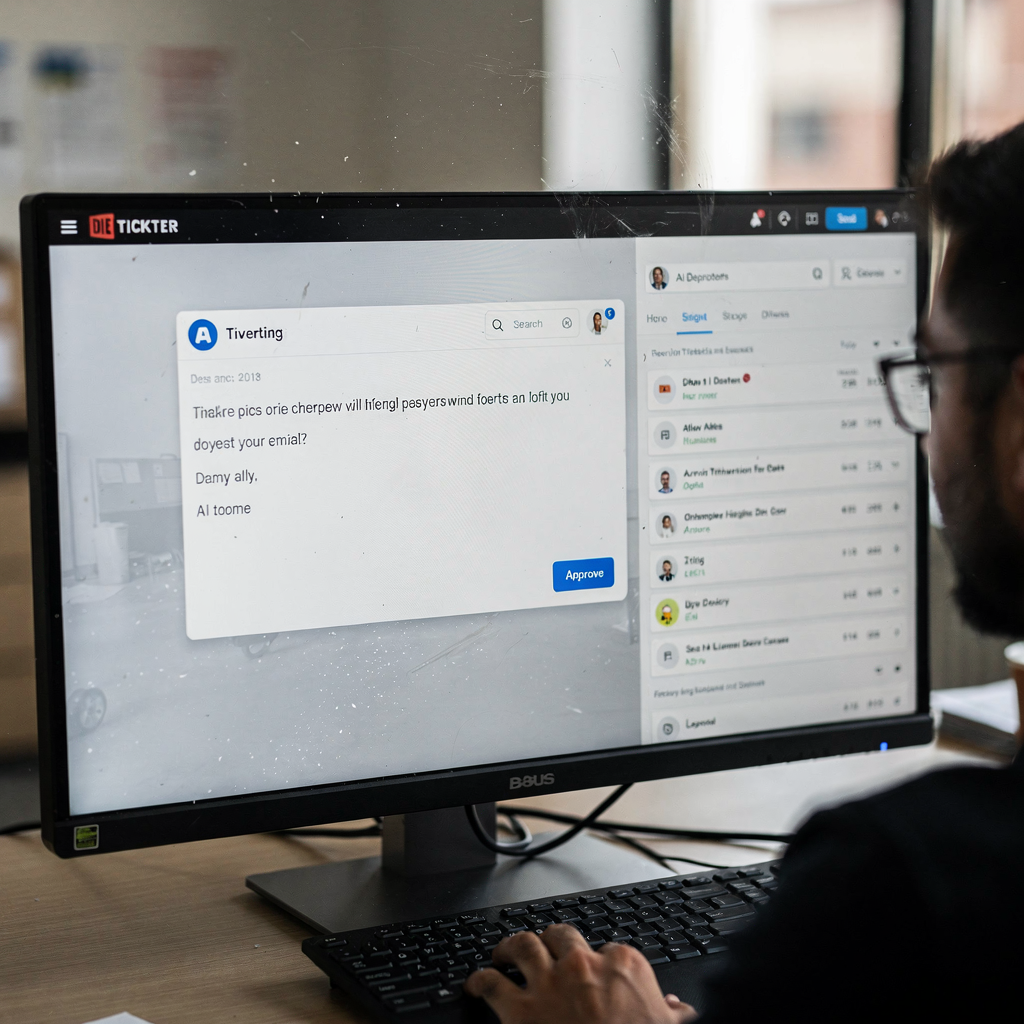
Drowning in emails?
Here’s your way out
Save hours every day as AI Agents label and draft emails directly in Outlook or Gmail, giving your team more time to focus on high-value work.
Choosing the best AI email / best ai email assistant for MSPs: selection criteria and expected ROI
Choosing the best AI email assistant requires clear selection criteria. First, evaluate the accuracy of triage and the tool’s ability to automatically categorize incoming emails. Next, check security features including phishing detection and enterprise-grade controls. Then review integration depth: can it connect to Microsoft 365, google workspace, your PSA, and CRM? Also confirm data residency, role-based access, and audit logs. Teams often want zero-code setup, thread-aware memory, and controls for template governance.
Estimate expected ROI with concrete inputs. Use the 30% reduction in email handling time and 20% CSAT uplift as starting points. For example, if your team spends 100 hours per week on email tasks, a 30% cut frees 30 hours for higher-value work. That translates into faster incident resolution and lower backlog. Virtualworkforce.ai has ROI case studies that show time savings and consistent responses across operations; see the ROI discussion at virtualworkforce.ai ROI logistics for practical numbers.
Procurement checklist: run a real mailbox trial, measure false positives, check the audit trail and admin controls, and confirm support for Zapier or custom webhooks. Also validate that the vendor supports an ai model tuned to your domain and that you can control templates and escalation paths. Try a short pilot for a single client mailbox and measure metrics like time to first response, number of follow-up emails, and ticket reopen rates. Include key stakeholders from security, helpdesk and account management during evaluation.
Also consider vendors that offer both drafting and full lifecycle automation. If you need deep data grounding across ERP and WMS systems, prioritise solutions designed for operations. The best ai email assistant will not only generate emails but will also create structured data and push updates back into your systems. Finally, verify vendor support for compliance, and test how the solution handles sensitive threads and legal holds before full rollout.
Deployment, change management and frequently asked questions
Deployment should follow a staged approach. Start with a pilot on a single mailbox or client. Tune triage rules and templates during the pilot. Then add security policies and escalation playbooks. After that roll out across additional clients or teams. This reduces risk and creates a feedback loop for continuous improvement. Also ensure logging and incident escalation are enabled from day one.
Change management is essential. Train staff on the new workflow, and document escalation flows. Set review windows for automated replies and hold regular audits. Use role-based access and template governance to prevent drift. Communication patterns change, and staff need guidance on when to edit an AI draft and when to escalate. Create a schedule for model retraining and for updating templates based on customer feedback.
Common FAQs include: “How do we keep client data private?” and “Can AI create tickets in our PSA?” Answer both by enforcing tenant separation, strong access controls, and by testing the integration in a sandbox. Use encryption and audit logs. And confirm that the vendor supports your PSA via connectors or webhooks. If your team needs Google Workspace automation, there are guides for integrating with virtualworkforce.ai at automate logistics emails with Google Workspace and virtualworkforce.ai.
Quick operations checklist: enable logging, document incident escalation, set template governance, schedule periodic security reviews, and measure triage accuracy. Also define how the system handles sensitive threads and legal holds. Finally, build a reference of types of messages and examples so the assistant learns your language. Regular reviews help keep the assistant aligned with business goals and prevent unintended actions.
FAQ
What is an AI email assistant and how does it differ from a regular email client?
An AI email assistant automates triage, drafting and ticket creation using natural language understanding. It differs from a regular email client by offering automated triage and structured context pulled from systems like ERP or CRM, and by supporting workflow automation beyond simple send and receive.
How accurate is triage when using AI for email routing?
Triage accuracy varies by dataset and training, but modern systems reach high precision when tuned on domain data. You should run a pilot, measure false positives and retrain the ai model to improve results over time.
Can an AI assistant detect phishing and protect clients in real-time?
Yes. When paired with an email security platform the assistant can flag phishing attacks, quarantine messages, and create incident tickets in real-time. Combining DMARC/SPF/DKIM checks with AI threat scoring improves detection rates.
Will the assistant create tickets in our PSA or CRM?
Most solutions support ticket creation via connectors or webhooks, so the assistant can create or update tickets automatically. Confirm compatibility during procurement and test with real mailboxes before full deployment.
How do we keep client data private when integrating AI?
Use tenant separation, role-based access and encryption to protect client data. Also require audit logs and restrict training data so sensitive threads are not used improperly.
Does the assistant help you write emails and reduce follow-ups?
Yes. The assistant can generate drafts, suggest templates, and summarise email threads, which reduces follow-up emails and improves handovers. Always review drafts to ensure context and accuracy.
Can we integrate the assistant with Microsoft 365 and Google Workspace?
Yes. Many vendors provide deep connectors for microsoft 365 and google workspace to enrich messages with identity and calendar context. These integrations speed identity lookups and improve ticket accuracy.
How do we measure ROI for an AI email assistant?
Measure time saved per email, reduction in ticket handling time, and changes in customer satisfaction. Use benchmarks like a 30% reduction in handling time and a 20% CSAT lift to model expected gains, and then validate with a pilot.
What controls should we require from vendors for security?
Require DMARC/SPF/DKIM enforcement, enterprise-grade threat scoring, audit logs, incident playbooks, and role-based admin controls. These controls help prevent data loss and support compliance.
How quickly can we deploy and start seeing benefits?
Deployments vary, but a focused pilot can run in weeks and deliver measurable benefits within a month. A staged rollout, coupled with training and template governance, accelerates adoption and reduces risk.
Drowning in emails?
Here’s your way out
Save hours every day as AI Agents label and draft emails directly in Outlook or Gmail, giving your team more time to focus on high-value work.