


Why an assistant and ai email assistant are essential for gas companies
Oil and gas teams handle complex operations every day, and they need clear, fast communication. First, faster responses reduce delays that can cascade into downtime. Second, fewer missed safety signals mean lower risk to personnel and assets. Third, clearer audit records support compliance with regulators and partners. These benefits establish a strong business case for adopting an ai email assistant in a gas business environment.
Industry research backs these claims. For example, a 2025 McKinsey report shows companies that integrate AI communication tools achieved up to a 40% reduction in email handling time. In addition, studies of AI deployments in upstream operations forecast operational efficiency improvements of about 20–30% over the next five years. These are measurable advantages that translate into real savings and safer decisions.
Consider a practical example. A contractor emails a site safety alert late at night. An assistant for oil that understands urgency can route that message to the on-call engineer within minutes, rather than hours. That routing reduces the mean time to acknowledge safety alerts. It also creates a clear audit record that shows who acted and when, which simplifies HSE reporting and supports regulatory inquiries.
Moreover the Deloitte infrastructure outlook highlights how data centres and communication platforms underpin modern operations, and why integration with IT matters for compliance and continuity Can US infrastructure keep up with the AI economy?. For oil and gas companies, the question is not whether to adopt an assistant, but how to adopt it safely and effectively. Companies using AI should balance rapid deployment with governance, so they protect sensitive information and align with GDPR and other rules. In short, a well-designed assistant reduces manual triage, shortens handling time, and improves risk management while supporting audit and compliance needs.
How an ai-powered bot and virtual assistant can automate the inbox to raise productivity
An ai-powered bot and virtual assistant change how teams handle incoming messages. They can triage mail, send auto-replies, schedule meetings, and extract action items. For operations teams, that means less context switching and more time for strategic work. Internal studies show about a 40% drop in email handling time and a 25% improvement in response accuracy when automation is applied to routine correspondence.
Start with concrete inbox tasks. The solution can label emails by intent, urgency, and customer. Then business rules can route critical items to engineers or procurement. For example, an inbound vendor invoice can be processed automatically: the assistant reads the PDF, performs data extraction of the PO number, routes the message to procurement, and logs the transaction for the audit. That erp email automation reduces manual lookups and speeds approvals. If you want a specialized guide, see our practical resources on logistics email drafting AI which explains email templates and tone.
Technically, high-precision triage works by combining lightweight rules with ML classifiers. The rules capture known patterns and business rules enforce routing. The ML model handles ambiguous or novel phrasing. Together they reduce false positives and ensure accurate routing, which reduces manual escalations. Connectors let the assistant read calendars, ERP records and CRM entries so replies stay grounded in facts. For teams that use Salesforce, CRM integration matters for consistency and traceability in client-facing workflows.
From a productivity perspective, this approach delivers measurable productivity gains. Teams see improved KPIs such as faster procurement cycles, fewer missed SLAs, and a drop in manual forwarding. A single virtual assistant for logistics or shared inboxes ensures ownership and thread-aware memory, which prevents lost context in long email threads. For more on how to scale this approach, review our article on how to scale logistics operations without hiring.

Drowning in emails?
Here’s your way out
Save hours every day as AI Agents label and draft emails directly in Outlook or Gmail, giving your team more time to focus on high-value work.
Using ai: generative ai and ai agent to improve email management and handle query extraction
Generative AI and an ai agent enable more than canned replies. They create concise summaries, draft accurate responses, and pull structured fields from unstructured messages. For example, a long supplier thread can be summarized into three action points, and an ai agent can extract contract dates, quantities, and incident details automatically. The result is faster decisions and fewer back-and-forth messages.
When using ai for extraction, transparency matters. Each extracted field should include a source reference, a confidence score, and a timestamp to form a reliable audit trail. That way reviewers can verify a date or quantity quickly. The virtual assistant also attaches relevant ERP or CRM records to drafts, so project manager reviews are fast. This reduces manual verification and improves accurate responses.
Here is a short before/after example. Before: a long, 12-message raw thread describing a delayed delivery, with mixed dates and vendor notes. After: the ai agent produces a 3-line summary, lists the confirmed delivery date, the contract PO, and the outstanding quantity. It also marks the confidence of each field. That structured output speeds procurement action and decreases escalation rules triggered by uncertainty. For teams focused on logistics correspondence, see our automated logistics correspondence advice for templates and workflows.
Generative AI also drafts replies that remain grounded in operational data. The assistant references ERP records, and it proposes three concise reply options for a human to pick from. If an item is high-risk or below a confidence threshold, the system will escalate to a human for review. That human review step preserves safety for critical actions. Finally, these features help reduce context switching across tools and unify the email service experience for ops teams.
Integration: ai platform, bot technology and automation for operational efficiency
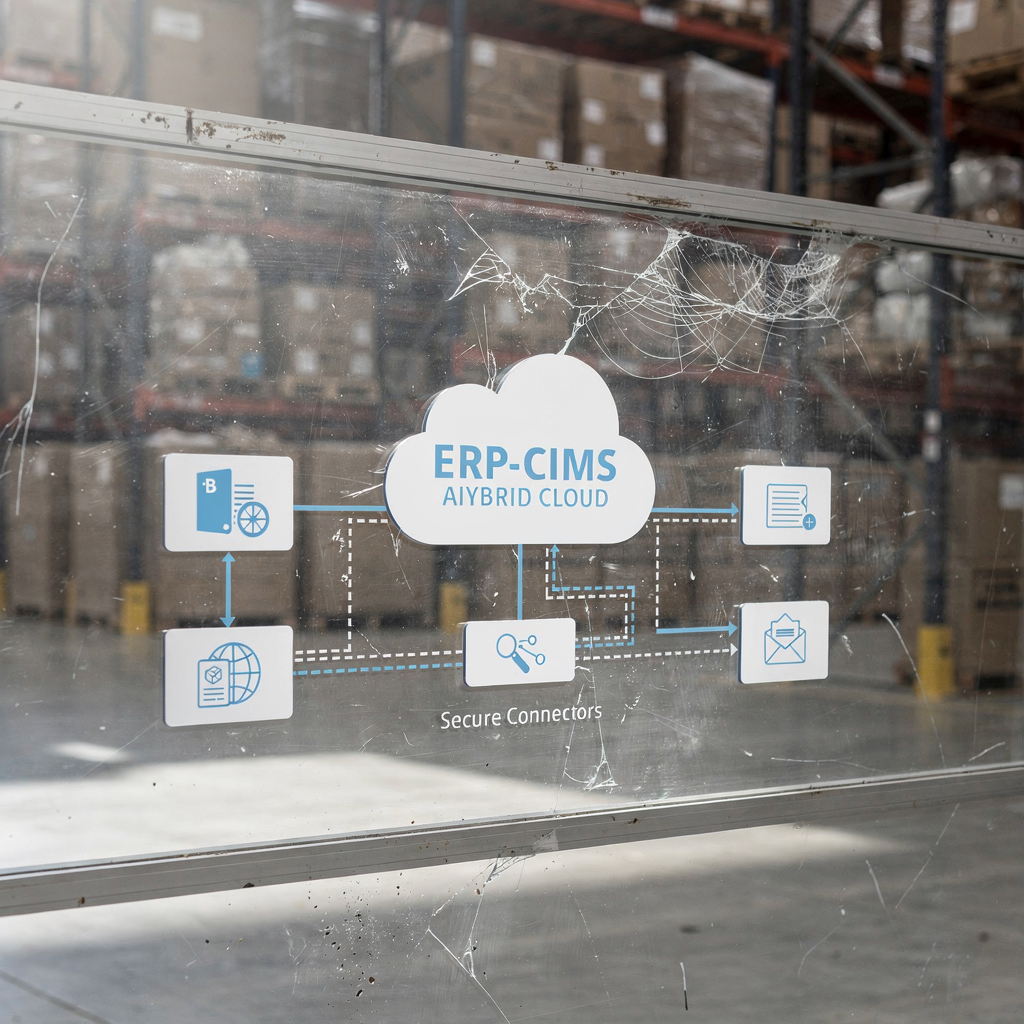
Successful deployment depends on integration. An ai platform needs connectors for Exchange, Gmail, and core systems. Typical integrations include ERP, CMMS, TMS, WMS, and SharePoint. These links let the assistant read order histories, transport manifests, and maintenance logs so replies remain accurate. For guidance on CRM connections and workflow design, examine our notes on ERP email automation.
Key integration items include single sign-on, API access to ERPS and crms, secure logging, and role-based access. These elements protect sensitive information while preserving operational speed. Hybrid on‑prem and cloud architectures address data residency and energy concerns. In turn, this supports operators who must balance compute needs against sustainability goals and the energy footprint of AI data centres.
Start small. Begin with a single use case like purchase approvals or vendor invoice routing. Measure cycle time and error rate, then expand scope. This phased approach reduces risk and shows ROI quickly. Integration with business rules ensures the assistant follows escalation rules and will escalate to a human for ambiguous or safety-critical queries. No-code configuration lets business teams adjust tone, routing logic, and escalation rules without needing engineering changes.
Finally, bot technology should provide an immutable record of actions. System logs capture every automated decision and user override. That audit trail supports compliance and simplifies incident reviews. By tying inbox automation into existing workflows, companies can unlock operational efficiency gains in procurement, maintenance, and compliance, while keeping governance under control.
Drowning in emails?
Here’s your way out
Save hours every day as AI Agents label and draft emails directly in Outlook or Gmail, giving your team more time to focus on high-value work.
Measuring roi and key business benefits from an ai bot and assistant
Measure success with clear KPIs. Track email handling time, mean time to acknowledge safety alerts, number of manual escalations, compliance retrieval time, and cost saved. Benchmarks help estimate value. For example, use the 40% reduction in handling time and case studies that show up to 15% operational cost savings to model ROI.
Senior finance teams want a concise CFO brief. Include payback period, recurring licence costs, integration effort, and risk mitigation value. Report how automation reduces manual touches and lowers operational costs. Also quantify productivity gains by showing time reallocated to high-value tasks. In many deployments, teams lower handling time from minutes to under two minutes per message, improving throughput and slashing backlog.
Beyond direct savings, highlight improved safety response and better audit readiness. Faster acknowledgement of incidents reduces exposure and potential fines. Improved email management and accurate responses enhance partner relationships in B2B supply chains. And finally, show how the assistant ties into existing KPIs, such as SLA compliance, supplier scorecards, and maintenance downtime.
To support pilots, encourage a 30-day free trial or limited pilot with a measurable scope. Use the pilot to validate assumptions and collect data for a full-scale business case. Also document crew feedback on user experience and how the tool reduces context switching. These qualitative inputs complement quantitative ROI and make a persuasive case for wider rollout.
Security, audit trails and compliance: ai email assistant, automation and best practice
Security and compliance are non-negotiable. Ensure encrypted transport and at‑rest storage, strict role-based access controls, and immutable system logs for every automated action. Map email extracts and the audit trail to regulatory needs such as HSE reporting and contract retention. Clear retention policies help teams meet legal obligations and support GDPR requests.
Practical controls include human review for high-risk queries, model explainability for flagged items, and regular retraining with domain data. Human review ensures decisions that affect safety or contract terms escalate to a qualified person. For risk management, define who reviews flagged emails, how disputes are logged, and where evidence is stored. That governance preserves traceability and avoids ambiguity in audits.
Design the assistant to redact or gate sensitive information by default, and log attempts to access such data. This protects both internal IP and partner details. In addition, maintain a clear policy covering data privacy and sharing across data sources. For organisations concerned about large-scale compute energy use, choose hybrid deployments and monitor energy consumption of training workloads.
Finally, document compliance attributes in the audit trail. Each automated reply or data extraction should carry metadata: source email ID, timestamp, confidence score, and link to the underlying ERP or CRM record. Those records speed investigative audits and provide evidence to regulators. When you deploy AI, make explainability and governance part of the rollout plan so the tool becomes a trusted operational partner rather than an opaque black box.
FAQ
What is an AI email assistant and how does it differ from a virtual assistant?
An AI email assistant automates email-specific tasks such as triage, routing, drafting, and data extraction. A virtual assistant may offer broader help across calendars, calls, and tasks. Both can improve productivity, but an AI email assistant focuses on the full email lifecycle and often integrates directly with ERPs and CRM systems.
Can an ai agent detect safety-critical emails?
Yes. Properly trained AI models and business rules can flag safety-critical messages by detecting keywords, context, and attachments. The system should then escalate those messages to humans and add a clear audit trail for compliance.
How do companies measure ROI for inbox automation?
Common metrics include email handling time, mean time to acknowledge incidents, manual escalations avoided, and operational costs saved. Use benchmarks like a 40% reduction in handling time and up to 15% operational cost savings to model ROI for pilots.
Is integration with ERP and CRM systems necessary?
Yes. ERP and CRM integration grounds replies in real data and supports accurate responses. Connectors let the assistant read order histories and contract details so replies remain factual and traceable.
How do you ensure data privacy and GDPR compliance?
Implement encryption, role-based access, and data retention policies. Also log access events and include human review for requests that expose personal or sensitive information to meet GDPR and other rules.
What is the role of human review in automated email handling?
Human review handles ambiguous or high-risk items and provides final approval for critical responses. It balances speed and safety, ensuring the system escalates correctly and that governance remains robust.
How long does it take to deploy an AI assistant?
Deployment time varies by use case and integration complexity. A focused pilot can run in weeks, while broader rollouts may take several months. Start with a single use case to shorten time to value.
Can the assistant work with existing email services like Gmail or Exchange?
Yes. Most platforms support connectors for Gmail and Exchange and include single sign-on. These connectors let the assistant read relevant context while preserving compliance and access controls.
Will automation reduce headcount in operations?
Automation reduces manual, repetitive work and redirects people to higher-value tasks. It typically reduces handling time and administrative burden rather than creating abrupt headcount cuts, and it supports reskilling opportunities.
Where can I learn more about email automation for logistics?
Explore resources on logistics email drafting, automated logistics correspondence, and ERP email automation to learn best practices. Our articles and guides explain templates, business rules, and how to configure agents for logistics workflows.
Drowning in emails?
Here’s your way out
Save hours every day as AI Agents label and draft emails directly in Outlook or Gmail, giving your team more time to focus on high-value work.