


Best AI email assistant for quality assurance teams
ai and ai email assistant for qa in 2025: why QA teams must use ai-driven tools
QA teams face more email volume than ever, and AI now offers concrete ways to reduce load and increase consistency. In 2025 many teams will rely on AI to automate triage, draft emails, and surface trends from long email threads. For example, organisations using AI in email workflows report about a 20% increase in agent productivity and roughly a 30% reduction in response times. These figures show why QA should adopt an AI email assistant now.
QA teams need tools that can automate triage of incoming emails and identify which threads contain reproducible bugs. AI can draft standardized replies, and it can propose follow-up steps for developers and support teams. It also helps QA by surfacing recurring quality issues across shared inboxes. For teams that want a full email lifecycle solution, point solutions that only draft emails leave a gap. Our work at virtualworkforce.ai focuses on end-to-end automation so teams reduce handling time and avoid manual lookups. This approach increases throughput and maintains traceability. First, AI labels messages by intent. Next, it routes or resolves routine queries. Then it drafts replies grounded in operational data.
Risk management remains critical. Data privacy, strong access control and clear audit trails keep processes compliant. QA managers should define who may edit AI drafts, and they should audit decisions regularly. Experts already warn that adoption without governance creates gaps, and teams must set rules before broad rollout. A quality assurance manager reported cutting email handling time by nearly half after introducing AI, but they stressed strict review rules and training for staff (case example). Finally, remember that AI is a tool to assist, not to replace skilled QA judgement. Use AI to free engineers for higher-value tasks, and keep human oversight where accuracy matters most.
Drowning in emails?
Here’s your way out
Save hours every day as AI Agents label and draft emails directly in Outlook or Gmail, giving your team more time to focus on high-value work.
inbox, inbox management and email automation: core email management features QA teams need
QA teams that want reliable inbox performance should prioritize core features that cut friction and automate routine work. First, prioritisation must surface urgent defect reports. Then, snooze and follow-up email controls keep work visible without noise. Thread summarisation turns long email thread discussions into short action items. Automatic tagging for “bug”, “test failure” or “urgent” helps assign owners. In practice these features reduce time-to-first-response and reduce the chance of missed defects.
Templates and automated replies reduce repetitive drafting. QA teams should look for robust email management features including templates, multi-account support, and exportable logs for QA metrics. Logs let managers plot trends and calculate SLA compliance. A good system will also allow teams to track percentage of emails auto-resolved and time-to-first-response. Those two metrics drive ROI. Additionally, inbox management must be thread-aware so the system remembers decisions made earlier in the same conversation. This capability avoids duplicate work and preserves context across entire email threads.

Look for tools that integrate with your QA platforms and bug trackers. Integration with Jira, TestRail or GitHub turns emails into actionable tickets automatically. Also verify that the email client support meets your needs. Solutions that compose replies inside Gmail or Outlook streamline work. If you need on-prem or EU data residency, confirm that before you sign a contract. Finally, check that the system can export metrics. You will use those metrics to measure reductions in email load and improvements in the QA process.
best ai email assistant, best ai email, sanebox and top 10 ai tools: short vendor comparison for QA use cases
Choosing the right tool starts with a clear list of requirements. For QA teams, that list typically includes tight integration with QA platforms, the ability to customize language for testing scenarios, and strong data governance. Below is a short shortlist of vendors that match common QA needs in 2025. SaneBox focuses on inbox triage and prioritisation. Gmelius offers shared inbox and templates for coordinated replies. Lindy drives workflow automation across email and task systems. Native Google/Gmail AI provides compose AI inside the inbox. Superhuman offers speed for individual power users. Shortwave specialises in summaries for long discussions.
Compare vendors on integration capability with Jira, TestRail and GitHub, on custom training for QA language, on-premise or EU data residency, and pricing per mailbox. You should also evaluate how well the vendor handles multiple email addresses and shared inbox ownership. A quick pilot gives you evidence. Pilot two tools for 30 days and measure time saved and error reduction. For logistics or operations teams, our resources show how AI agents can automate email drafting and routing; see our page on automated logistics correspondence for concrete examples.
Note that some vendors only offer drafting and compose AI, while others deliver full email automation. If your team needs end-to-end resolution and structured data creation from emails, prefer an AI agent that can push content into your operational systems. For small teams or high-volume operations, thread-aware memory and exportable audit logs matter more than flashy language features. Also consider total cost of ownership. Tools that require heavy prompt engineering or brittle workflows add management overhead. Finally, the right AI email assistant for QA should reduce manual lookups and allow teams to focus on test strategy and defect prevention rather than message routing.
Drowning in emails?
Here’s your way out
Save hours every day as AI Agents label and draft emails directly in Outlook or Gmail, giving your team more time to focus on high-value work.
integration, workflow and ai qa tools: how to automate within email and assign actions to qa platforms
Automation starts at the point of intake. When an email arrives, an AI agent should understand intent, extract structured data, and then assign actions. Common integrations auto-create tickets in Jira or TestRail directly from email content. This pattern reduces manual ticket creation and avoids lost context. For example, a single incoming message can become a bug ticket, a test assignment, and a follow-up reminder, all without human triage. That flow shortens the QA loop and increases throughput.
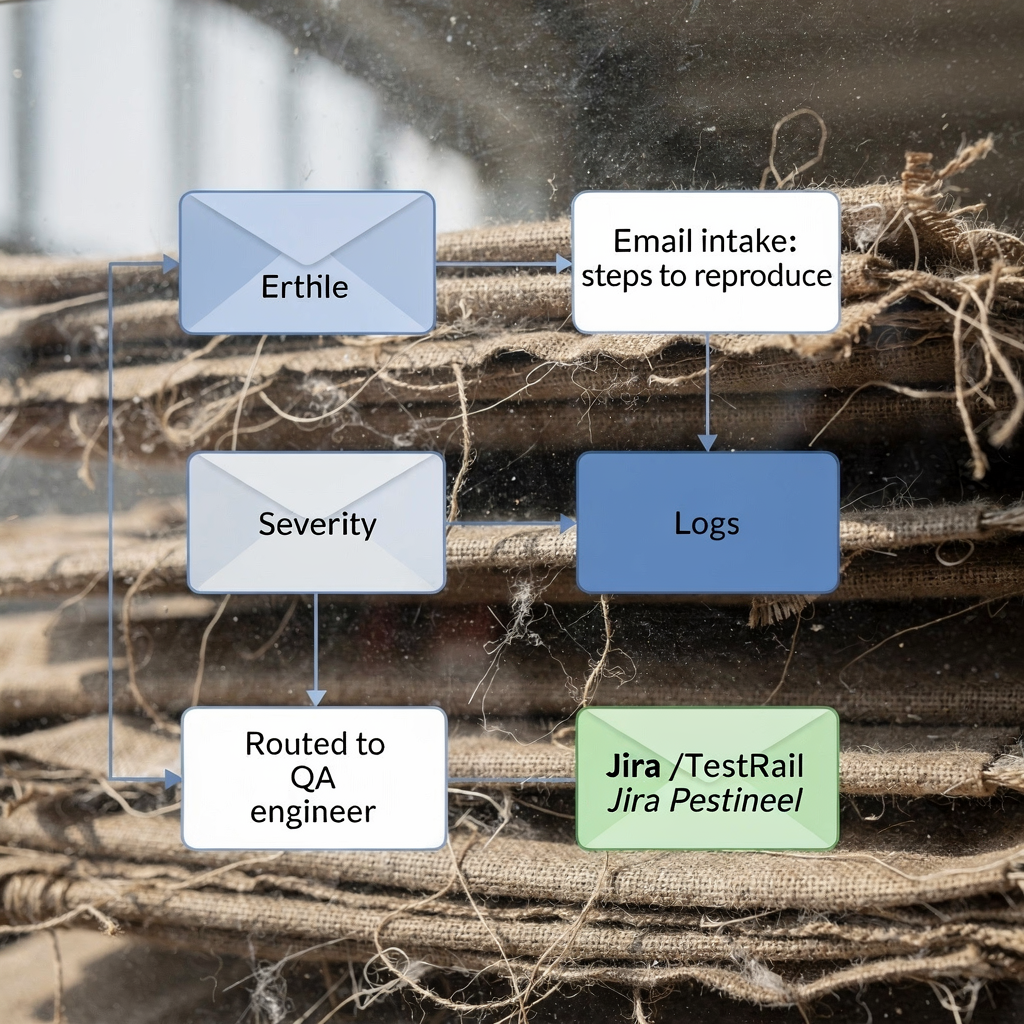
Workflow patterns matter. A common pattern looks like: triage → auto-assign → ticket creation → follow-up templates → escalate to support teams. Use AI to extract structured fields such as steps to reproduce, environment, and severity. Those fields should attach to the created ticket in your QA platforms. This avoids manual copy-paste and preserves the original email message as evidence. With the right integration the system also updates test runs from email commands. For example, a simple reply can mark a test as blocked or resolved inside TestRail.
When you design these integrations choose clear governance. Define who can auto-resolve an issue and who must approve escalations. Also keep audit logs for traceability. If your organization runs sensitive operations, ensure the integration supports EU residency or on-prem options. You can also embed AI to automatically classify an email as “bug”, “support” or “vendor escalation”, and then assign the correct owner. Finally, confirm that the integration supports pushback: the QA platform should signal status changes back into the inbox so stakeholders stay informed. For Gmail and Outlook users who want seamless automation, consider solutions that let you automate email directly into Outlook or inside Gmail with no extra steps; our guide on automating logistics emails with Google Workspace and virtualworkforce.ai shows one example.
team collaboration, ai support and best practices for email writing, templates and management features
Team collaboration improves when AI handles routine drafting and teams keep control of tone and SLAs. Best practices start with standard templates for common responses. Train teams to use templates for confirmation of receipt, initial triage replies, and status updates. Then, define human review rules for sensitive replies. This reduces mistakes while still letting AI assist. Also set change management for AI suggestions so the model improves with feedback.
Training matters. Teach teams how to edit drafts, flag incorrect auto-classifications, and retrain models. Use a small set of email templates at first. Then expand them once you see improvement. Managers should run weekly reviews of AI edits to ensure consistency. Role-based assignments and audit logs enforce accountability. Dashboards reporting inbox health and email management features let leaders spot trends.
Collaboration tools must connect to task management and support teams. That link keeps developers informed and allows QA to assign ownership quickly. For teams that need deep operational grounding, choose an AI that drafts replies using ERP and WMS data so messages remain accurate. Also ensure the solution supports multi-account workflows and shared inbox memory for long email chains. Finally, document your best practices and update the QA rubric as automation matures. That approach helps small teams scale without losing quality, and it reduces the email load for everyone.
use cases, ai quality assurance, email replies and frequently asked questions (FAQ) on implementing email automation
AI email automation fits many QA use cases. Use cases include customer support handoffs, developer-QA communication, vendor quality escalations, and automated QA status updates. In each case AI can triage, draft replies, and create tickets in QA platforms. For example, an AI agent can extract steps to reproduce from an inbound email and attach those steps to a bug ticket. This reduces back-and-forth and speeds resolution. ROI signals include reduced email handling time and fewer missed defects. Studies report a roughly 15% improvement in customer satisfaction after integrating AI-assisted quality tools.
Common FAQs cover deployment time, data residency, accuracy of auto-drafts, rollback options, and cost drivers. Deployment often takes weeks for basic pilots and longer for complex integrations. You should expect to configure rules and map fields to QA platforms. Verify data residency and security early if you must keep records in the EU or on-prem. Also check rollback options so you can disable automation quickly during incidents.
Accuracy improves with feedback. Encourage users to edit AI drafts and label misclassifications. That process trains the model and raises confidence. For teams that require high auditability, choose solutions with exportable logs and full thread awareness. If you want examples tailored to logistics and operations, see our case studies on AI for freight communications and ERP email automation. When you pilot, measure time-to-first-response, percentage of emails auto-resolved, and defect leakage. Those metrics show whether the AI brings measurable value. Finally, remember that while generative AI can speed drafting, real improvements come from coupling writing with structured automation and integrations that close the loop.
FAQ
What is an AI email assistant and how does it help QA teams?
An AI email assistant is software that reads, classifies and helps respond to incoming email. It helps QA teams by automating triage, drafting replies and creating tickets in QA platforms so engineers spend less time on administrative work.
How long does it take to deploy an AI email assistant?
Deployment time varies by complexity. Simple pilots can run in a few weeks, while full integrations with ERP and QA platforms often take several months.
Can an AI email assistant create Jira or TestRail tickets automatically?
Yes. Most mature integrations auto-create tickets and attach extracted fields like severity, steps to reproduce and logs. This reduces manual ticket creation and preserves the original email message.
What security controls should QA teams require?
Require access control, audit logs, and data residency options if you handle sensitive records. Also insist on role-based permissions and the ability to review AI edits before sending.
Will AI replace QA engineers who handle email?
No. AI reduces repetitive tasks and speeds responses, but human oversight remains essential for complex investigation and judgment. Teams that use AI can refocus engineers on higher-value QA work.
How accurate are AI-drafted email replies?
Accuracy depends on training data and governance. With proper templates, feedback loops and data grounding, AI drafts can reach high accuracy quickly. Always include a review step for sensitive replies.
What metrics should we track during a pilot?
Track time-to-first-response, percentage of emails auto-resolved, and error rates. Also measure customer satisfaction and defect leakage to see broader QA impact.
Do AI email assistants work inside Gmail or Outlook?
Many solutions offer compose AI that works inside Gmail or Outlook, and some let you automate email directly into Outlook. Choose a tool that fits your existing email client and security posture.
How do we handle data residency and compliance?
Confirm the vendor supports EU residency or on-premise deployment if required. Also ensure they provide audit logs and clear data governance policies before rollout.
What is the best way to start: pilot or full rollout?
Start with a focused 30-day pilot on a high-volume use case. Measure time saved and error reduction, then expand automation in phases based on results.
Drowning in emails?
Here’s your way out
Save hours every day as AI Agents label and draft emails directly in Outlook or Gmail, giving your team more time to focus on high-value work.