


ai and ai-powered email assistant: how they change workflows for real estate professionals
AI changes how teams handle email. For real estate developers, the shift is practical. An email assistant for real estate helps with faster replies, consistent tone, and context-aware drafts. It reduces repetitive email work and speeds lead follow-up. Industry reports show AI email assistants can handle roughly 40–60% of routine email tasks and deliver faster lead response, with reported improvements up to about 62% in response time when teams deploy automation [market report]. That shift matters for busy developers who answer inquiries, schedule showings, and confirm offers.
At the technical level, these assistants use natural language processing to read intent, extract details, and suggest or send replies. They integrate with calendar and CRM systems and with listing databases. For example, an AI assistant drafts a reply that attaches a brochure and offers an appointment link. Or, it sends an auto-reply that includes a link to a site map and a calendar slot. These are real-world auto-replies: “Thanks for your interest — brochure attached and choose a time here” or “Thanks — I’ve scheduled a showing; expect confirmation shortly.” These short automations show how AI automates routine tasks and cuts time on admin.
Integration points include calendar sync, listings databases, customer history in CRM, and property marketing feeds. Good assistants tag messages, route urgent leads, and escalate complex negotiations to humans. They also respect security and compliance rules; teams must set data-access policies and privacy controls to avoid exposing sensitive customer data. A short caution: real estate mail may include financial or identity details, so confirm encryption and audit trails before full automation.
Vendors vary by focus. Some offer only draft suggestions. Others provide end-to-end email automation that labels, routes, and replies. For enterprise operations, virtualworkforce.ai offers AI agents that automate the full email lifecycle and ground replies in operational systems. That approach moves work from inbox triage to decision-making, and lets agents concentrate on sales conversations and closing deals. As one analyst put it, “AI-powered email assistants are revolutionizing how real estate developers manage client interactions, enabling faster response times and more personalized communication at scale” [IMR Market Report]. Teams using AI see fewer missed opportunities and faster lead response, which improves conversion metrics and client satisfaction.
crm and real estate crm to automate lead handling and centralise real estate data
Centralised real estate data solves many everyday problems. A real estate crm to automate lead routing and record interactions saves time and prevents lost context. When an email arrives, the assistant categorizes intent, links the message to a lead record, and updates the CRM automatically. That mapping from inbox to record reduces manual entry and keeps full history for each prospect. In practice the flow looks like: inbox → categorize → crm update → followup sequence. This simple workflow keeps teams organised and reduces time on admin.
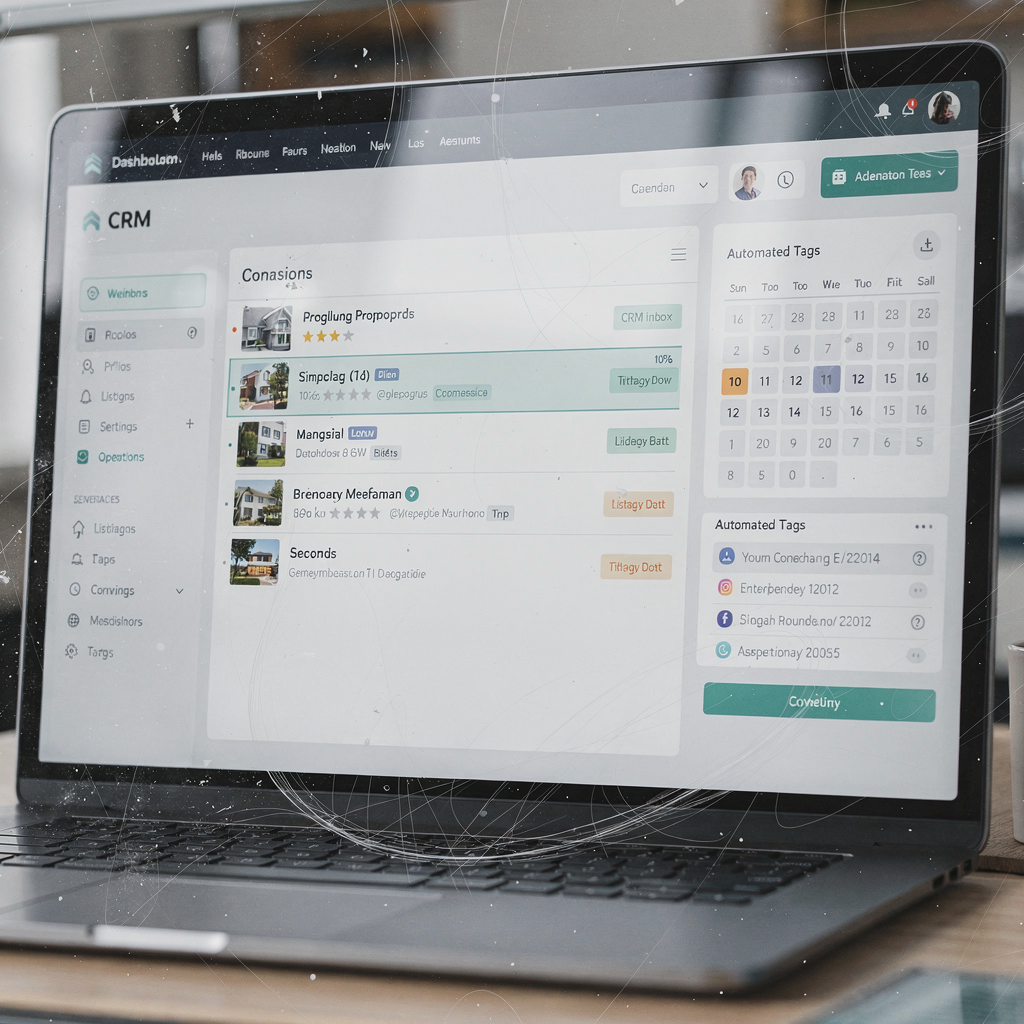
Automation improves data hygiene. AI tags messages by property, client type, and urgency. It routes high‑value leads to senior agents and places lower‑priority inquiries into nurture flows. The assistant can mark incomplete profiles and prompt for missing fields. These crm tasks ensure that statistics and conversion tracking remain accurate. That discipline helps managers forecast cashflow and plan showings across listings and teams.
Real estate crm systems that sync with AI reduce duplicate records and make reporting reliable. Teams track metrics such as response time, conversion rate, and data completion. These numbers show ROI. For example, when AI automates routing and tagging, firms see measurable drops in time on admin and fewer missed opportunities. Integrating AI with crm systems also enables automated logistics correspondence and threaded memory for long sales cycles; learn more about automated logistics correspondence and threaded workflows here.
Compliance and security matter. CRM compatibility and audit logs maintain traceability for sensitive negotiations and transaction management. Decide which fields the AI can write to, and require human sign-off for contract language. In short, integrating AI into your CRM lets your team keep in touch with prospects, maintain clean data, and focus on high-value tasks while the assistant sends routine updates and logs every step.
Drowning in emails?
Here’s your way out
Save hours every day as AI Agents label and draft emails directly in Outlook or Gmail, giving your team more time to focus on high-value work.
email marketing with automated followup and ready email templates using modern email tools
Email marketing for developments depends on timing and relevance. An ai-driven email assistant helps scale personalised outreach while keeping emails consistent. Teams use segmentation and automated followup sequences to nurture prospects across the sales funnel. A well-designed cadence can include an immediate auto-reply, a 3-day followup, and a 2-week nurture. That pattern keeps leads warm and limits manual followup.
Smart use of email templates speeds content creation. Use email templates for initial info, site-visit invites, investment packs, and re‑engagement messages. Email templates reduce errors and keep brand voice steady. Examples of subject headlines: “New Release — View Floorplans Today”, “Book a Site Visit — Limited Slots”, and “Investor Pack: Download Now”. Test subject lines and copy to improve open rates and click-through rates; frequent testing drives better performance and stronger analytics. For market context, email traffic and smarter inbox tools are expected to grow, which supports more sophisticated email marketing programs [email statistics].
Followup matters more than a single message. A layered followup sequence increases conversion probability. Typical timing rules: the assistant sends an immediate auto-reply, follows up after three days, then places the lead in a two-week nurture. Integrate email tools with your CRM to keep context inside the lead record. Many modern tools also handle SMS and calendar invites so you can coordinate showings and confirmations from one place. When choosing email tools, prefer ones that automate drafts, support A/B testing, and report open rates and click-through rates.
AI can also draft personalized sections of email content based on a lead’s browsing history or expressed preferences. That avoids generic copy and helps nurture leads into site visits. Some vendors offer trial plans or free trial periods so teams can test fit against their workflows. For a deeper look at how AI drafts logistics and customer messages for operations, see automated logistics correspondence examples here. Using AI for email marketing reduces manual load and helps teams scale marketing campaigns without losing personalization.
virtual assistant and ai assistant automation that saves hours per week — agents to focus on selling and agents and teams benefit
Automation saves time. Many firms report measurable reductions in routine workload and a clear rise in productive selling time. For example, frontline teams often cut handling time per email from about 4.5 minutes to 1.5 minutes. That translates into meaningful hours per week saved across a team. With that reclaimed time, agents to focus on selling and managers to work on deals.

Typical tasks automated include scheduling showings, answering FAQs, requesting documents, and sending site directions. The assistant handles routine confirmations and automated logistics correspondence for inspections and handovers. It also automates reminders and updates to buyers and sellers so teams keep projects on track. A before/after example helps make the case: before automation an agent spends 18 hours per week on admin and followups; after automation that falls to 6 hours per week, so agents spend more time with buyers and sellers and close more deals.
Change management matters. Start with a pilot and train agents on templates and escalation rules. Measure ROI with simple KPIs: response time, conversion rate, and time on admin. Use pilots of 30–60 days to validate impact and adjust templates. Many operations teams use virtualworkforce.ai to automate end-to-end email workflows so agents spend less time on triage and more time selling. That platform threads email memory and grounds replies in operational systems so escalations carry full context.
Scaling operations without hiring becomes realistic when AI handles routine emails and scheduling. The assistant sends confirmations, routes complex issues to the right person, and maintains audit trails. Over time, agents and teams see fewer missed opportunities and better client satisfaction. If your goal is to allow agents to focus on selling, a measured pilot with clear KPIs delivers the proof you need.
Drowning in emails?
Here’s your way out
Save hours every day as AI Agents label and draft emails directly in Outlook or Gmail, giving your team more time to focus on high-value work.
tools for real estate agents: email tools and ai tools that fit your workflow
Choosing the right tools for real estate agents means matching integrations, security, and usability. Start with a buying checklist. Prioritise CRM sync, templating, intent detection, and reporting. Ensure the solution provides crm compatibility and integrates with google calendar and listing services. Also check transaction management features and audit logs for security and compliance.
Recommended categories include email automation platforms, AI drafting assistants, scheduling tools, and analytics dashboards. When evaluating vendors ask about CRM compatibility, support for MLS feeds, and whether the tool can push structured real estate data back into your systems. Prefer solutions that offer free trial access so teams can test fit without a long commitment. For enterprise operational email automation examples and vendor comparisons, see resources on how to scale logistics operations without hiring here.
Vendor selection tips: run a short trial, include frontline agents in testing, and score each product on integration, security, ease of use, and support. An evaluation scorecard might rate crm sync, email templates, intent detection, and analytics on a 1–5 scale. Also verify whether the tool can sync with your ERP or document stores for grounded replies. Listedkit AI and similar product names appear in market searches; test them alongside established email tools and platforms that support marketing automation and SMS fallback.
Four tool features to prioritise are: CRM sync, templating, intent detection, and reporting. These features let AI automates routine outreach, boosts productivity, and reduces time on admin. A vendor that offers end-to-end email automation and strong integration across channels will ensure fewer missed opportunities and better tracking of open rates and click-through rates. Finally, confirm data governance and security and require an audit trail for sensitive offers and contract exchanges.
real estate agents and real estate professionals: frequently asked questions, template checklist and next steps for customer relationship management
This chapter wraps practical guidance with an implementation checklist. Begin with a short FAQ, then provide a one-page rollout template you can use for pilots. The goal is to help teams adopt automation without disrupting sales. If you have frequent doubts about accuracy, privacy, or cost, this section addresses them directly. You will also find clear next steps: pilot for 30–60 days, track response time and conversions, then scale templates and rules.
One-page rollout template: define pilot goals, set KPIs (response time, conversion, data completion), select 5 templates to create (initial info, site-visit invite, investment pack, inactive lead, inspection confirmation), train users, and run a review cadence every two weeks. Assign ownership for templates and routing rules. Ensure crm tasks and crm systems sync cleanly and that the assistant only writes to allowed fields. The template helps teams stay organized and keeps work auditable.
Frequently asked questions cover accuracy concerns, data privacy, and handover rules. You will want clarity on who approves offers, how the assistant escalates negotiations, and what access the AI has to supporting documents. Also compare cost vs benefit: many teams cut hours per week and reduce time on admin while improving faster lead response. For more on how AI drafts and scales operational email, see examples of automated logistics correspondence here.
Next steps: run a short free trial with one property line, measure response time and conversion, refine templates, and expand to other teams. Track these KPIs for customer relationship management success: response time, conversion rate, data completion, and fewer missed opportunities. Use pilots to ensure the assistant handles routine queries and that humans get escalations with full context. With measured rollout and clear governance, integrating AI into your email workflow will help agents and brokers keep in touch, boost productivity, and nurture leads through to closing.
FAQ
What is an AI email assistant and how does it help real estate developers?
An AI email assistant is software that reads, classifies, and drafts replies to emails using AI and natural language processing. It helps real estate developers by automating repetitive email work, speeding lead response, and creating consistent email content that matches brand tone.
How accurate are AI drafts and when should humans intervene?
Accuracy varies by vendor and training data, but AI drafts are strong for routine queries and scheduling. Teams should require human sign-off for contract language, price negotiations, and any sensitive financial or legal communications.
Can AI integrate with my CRM and calendar?
Yes. Many solutions sync with crm systems and google calendar to map emails to lead records and schedule showings. Confirm crm compatibility and test data flows before full deployment.
Will AI save my team time on admin work?
Yes. Firms often report meaningful reductions in time on admin and hours per week saved after automation. That freed time allows agents to focus on selling and on-site client work.
How do I protect customer data and ensure compliance?
Use tools with audit logs and strict access controls. Limit which systems the AI can read and write to, and require encryption and retention policies for sensitive emails to maintain security and compliance.
What templates should we start with for a pilot?
Start with templates for initial info, site-visit invite, investment pack, inspection confirmation, and re-engagement for inactive leads. These cover the bulk of routine queries and are easy to iterate on.
What KPIs should we track during a pilot?
Track response time, conversion rate, data completion in the CRM, and the number of escalations to humans. Also monitor open rates and click-through rates for marketing messages.
Can we scale operations without hiring more staff?
Yes. With AI that automates routine messages and routing, teams can scale operations without hiring while maintaining service levels. Start small and measure impact before full roll‑out.
Do AI assistants support SMS and cross-channel communication?
Some platforms support SMS, email, and calendar coordination across channels so you can confirm showings and send reminders from one interface. Check vendor features for multi-channel support.
How do I choose the right email tools and AI tools for my team?
Pick tools that prioritise CRM sync, templating, intent detection, and reporting. Run a free trial, involve frontline agents, and test integrations with your transaction management systems to ensure the solution fits your workflow.
Drowning in emails?
Here’s your way out
Save hours every day as AI Agents label and draft emails directly in Outlook or Gmail, giving your team more time to focus on high-value work.