


How an ai assistant and virtual assistant organises the inbox for real estate professionals
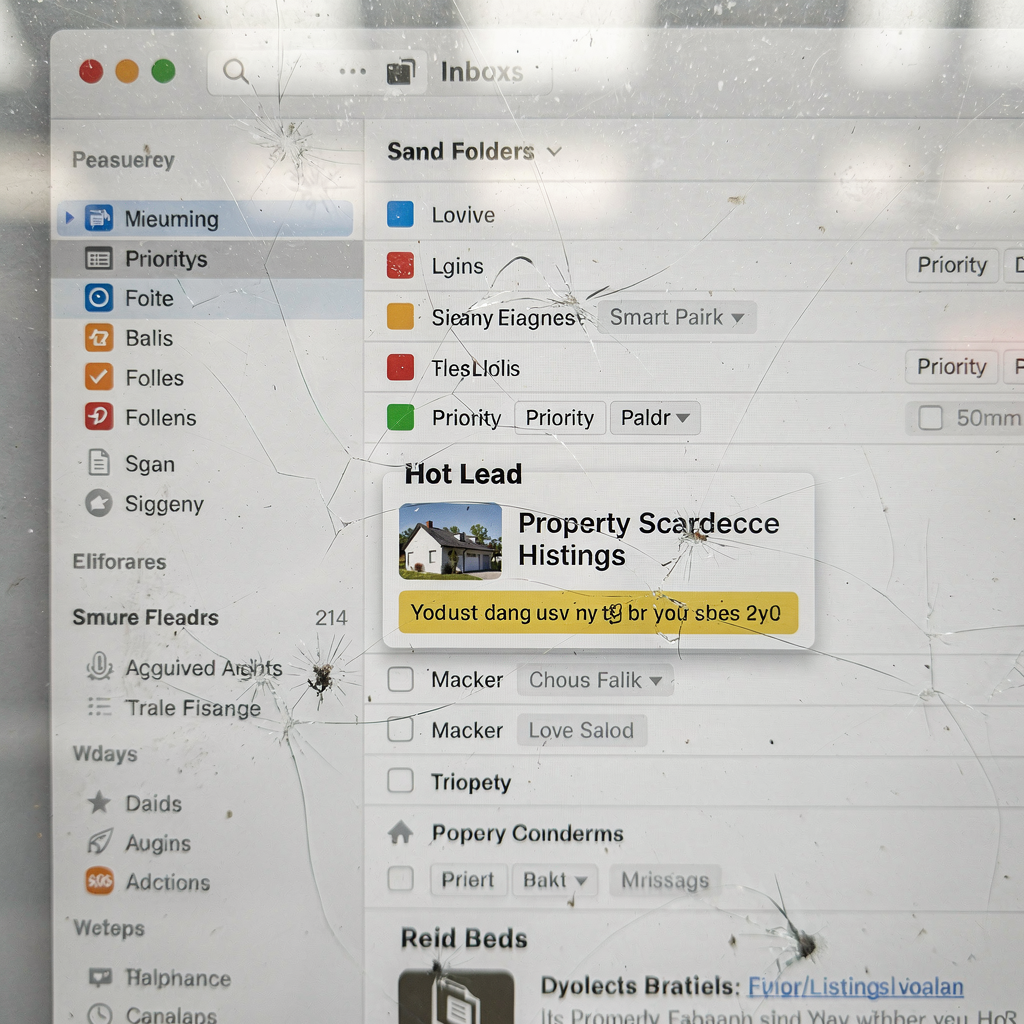
An email assistant for real estate can change how agents manage day-to-day messages. It sorts priority leads and surfaces the hottest prospects first. Agents see urgent buyer inquiries before casual questions. AI and a virtual assistant tag, filter, and route emails so no lead falls through the cracks. Smart folders and priority flags work continuously. They reduce the time agents spend on triage. Tests show AI inbox triage can cut response time by up to ~50% and stop leads going cold in comparative tests. That statistic explains why many brokerages adopt these tools.
Key features include auto-routing to team members and 24/7 auto-replies that give instant responses while a human prepares a full reply. A shared team inbox becomes organized. This helps brokers assign ownership and keep context. For teams that need deeper automation of operational email, our work at virtualworkforce.ai automates the full email lifecycle so replies are grounded in backend data sources and not guesswork. Our agents reduce handling time and increase consistency, which helps agents to focus on selling rather than admin work.
Other tools that illustrate these functions include Follow Up Boss for team inbox and automation and Lindy for email workflow automation. Follow Up Boss offers a team-first view that helps sales managers allocate workload. Lindy automates sequences and followup so leads receive timely, relevant messages that reference a listing or viewing window. Seamless sync with calendars lets the AI draft scheduling options and push a booking into Google Calendar without manual work. This reduces back-and-forth and helps agents schedule showings faster.
The quick outcome is clear. Teams miss fewer leads. They deliver faster first replies and maintain a clear workload per agent. Inbox management finally becomes a predictable workflow rather than a guessing game. For real estate professionals, that predictability correlates with higher conversion rates, better client satisfaction, and fewer missed opportunities. To learn about applying this to operations-driven inboxes, see our guide to automating logistics emails with Google Workspace and virtualworkforce.ai which shows practical steps for zero-code setup and governance automating email with Google Workspace.
Integrate email assistant with CRM and MLS to automate workflow and boost lead generation
Tight CRM integration transforms email into a lead engine. When an AI assistant links messages to records, agents avoid duplicate entry. New leads from a portal can create a CRM contact automatically. The tool can then score that contact, pull recent listing details from MLS, and trigger a followup sequence. A typical flow looks like this: new portal lead → AI drafts a welcome draft → CRM creates and scores the lead → followup sequence starts. Many brokerages report large gains when email tools update CRM records automatically, which removes manual steps and speeds up followup according to industry research.
Integration points include contact sync, lead scoring, listing pulls via MLS/IDX feeds, and auto-create tasks and reminders. These connections let the system send context-aware messages that reference the correct listing and buyer preferences. An AI assistant that can read a new inquiry and match it to a property increases relevant replies and avoids generic messages. That relevance boosts engagement and leads to better conversion rates. One analyst observed, “With data specific to real estate, AI can enhance customer engagement by providing timely, relevant communication that drives conversion” —McKinsey.
Agents benefit from reliable sync between email and CRM. The AI can push activity logs, set followup tasks, and update stages without manual input. This level of automation turns inbound emails into structured data inside your inbox and inside your CRM. It also reduces admin errors in transaction management and keeps everyone aligned. For teams that value end-to-end automation and accurate traceability, our virtualworkforce.ai platform shows how to create rules that route or resolve messages automatically while keeping IT control and audit trails. Learn how scaling operations without hiring applies to email-heavy teams in our case studies on scaling logistics operations without hiring how to scale operations.
Drowning in emails?
Here’s your way out
Save hours every day as AI Agents label and draft emails directly in Outlook or Gmail, giving your team more time to focus on high-value work.
Use ai-powered templates and automation to speed followup and improve inbox management for real estate agents
Templates plus automation keep messaging consistent, timely, and personalized. AI-powered templates let the system inject MLS fields into a message so every draft mentions the correct listing, price, and showing window. Dynamic placeholders can include client name, desired neighbourhood, and next steps. When an agent receives a buyer inquiry the assistant can select a matching template, customize it, and suggest a short draft for review. Agents save time and maintain a human tone that matches your brand. Remember that short, personalized messages often outperform long form in email outreach.
Automation helps maintain cadence without manual effort. Multi-step sequences can nurture cold leads and accelerate warm leads. Behavior-triggered followup sends reminders if a prospect opens an email but doesn’t reply. You can track metrics such as reply rate, open rate, conversion per sequence, and time-to-first-response. In tests, agents using sequences and templates reported measurable lifts in conversion rates and faster response times; top tools reduced response time by as much as 50% in comparative testing source.
Practical tactics include keeping templates short and personalizing with listing details. A/B test subject lines and preview text. Use a smart email approach that matches your tone and edits the draft to feel like the agent wrote it. When emails match a client’s priorities, they engage more. AI can also automate scheduling offers and push times into Google Calendar to let prospects accept instantly, which helps schedule viewings and schedule showings without extra calls. For a deeper view on automated drafting grounded in data, see how virtualworkforce.ai drafts replies inside Outlook or Gmail using operational data to ensure accuracy automated drafting examples.
Improve productivity and operational efficiency so agents to focus and agents to focus on selling
AI tools free agents from repetitive admin work so they can spend more time with buyers and sellers. When the system automates routine tasks it reduces hours lost to triage, lookup, and forwarding. Firms that adopt AI email assistance report productivity gains and higher conversion. Some marketing studies show ROI lifts exceeding 170% when automation supports lead nurturing. Teams often measure hours saved per week, extra client calls, and closed deals per agent to quantify impact.
Operational efficiency comes from clear rules about when AI handles a thread and when human takeover is required. Define service-level agreements for agent takeover so no thread languishes. Agents receive highlights for threads that need human judgment. This balance lets the AI handle routine replies and route exceptions to a human assistant. Virtual assistants that automate workflow reduce handling time and maintain traceability, which is crucial for transaction management and compliance.
Measure outcomes with straightforward KPIs: hours saved per agent, number of extra showings booked, and uplift in conversion rates. Track quick responses and time-to-first-response to quantify improvements in lead generation. When agents spend less time on email, they can do more showings, negotiate offers, and close deals. That shift from admin to client-facing work boosts morale and revenue. To explore how AI approach reduces handling time and raises consistency in operational contexts, see our ROI study for logistics and operations which includes handling-time reductions and measurable efficiencies virtualworkforce.ai ROI study.
Drowning in emails?
Here’s your way out
Save hours every day as AI Agents label and draft emails directly in Outlook or Gmail, giving your team more time to focus on high-value work.
How an intelligent ai email assistant helps automate CRM updates and manage templates
An intelligent AI can parse email content and update CRM fields with high accuracy. It extracts intent from messages, notes preferences, and logs next steps. The assistant can auto-assign followup tasks and surface a relevant template when a thread moves stages. These automations reduce manual copying and cut errors in records. Start with read-only updates and an audit period. After two to four weeks of review you can enable write-back automation.
Functions often include parsing dates and times, extracting contact info, and detecting interest level from an inquiry. The system can then create a followup task with a due date, or schedule a call into Google Calendar so agents receive reminders. To prevent bad updates, set confidence thresholds so the AI flags low-confidence changes for human review. That control preserves data integrity and reduces accidental overwrites.
Example tools that combine CRM and email automation include Salesmate and platforms that connect email-to-CRM flows. For operations-heavy teams, virtualworkforce.ai offers thread-aware memory and deep grounding in backend systems so the assistant drafts replies and updates records from verified data sources. This approach lets teams automate routine tasks without sacrificing accuracy or auditability. Integrating AI with your systems helps keep templates current and ensures emails that match buyer or seller intent go out automatically. For teams interested in end-to-end automation of operational emails and structured data extraction, our documentation shows practical steps to implement zero-code connectors and governance controls virtual assistant for logistics and operations.
frequently asked questions and faq: risks, compliance, setup and measurable outcomes for real estate agents
Before adopting an email assistant, teams ask predictable questions. This section answers those core concerns so decision makers can act with confidence. Below are concise responses on data, accuracy, setup time, compliance, and ROI. Use them as a checklist for pilots and rollouts.
Data and privacy: How is email content and MLS data stored and secured? AI vendors should support encryption in transit and at rest, role-based access, and data retention controls that match brokerage policy. For EU or GDPR work, confirm regional compliance and contractual safeguards. Our platform enforces IT governance and access controls so teams keep control of sensitive data.
Accuracy: How does the system handle AI errors and when should agents review drafts? Start with review workflows and confidence thresholds. The AI flags low-confidence edits for a human assistant. Over time, the system learns tone and accuracy from corrections and reduces errors. This gradual approach prevents mistakes while demonstrating value.
Setup time and cost: What are typical rollout steps and expected payback? Plans vary. A small pilot with one team often runs in weeks rather than months. Costs depend on integration depth and message volume. Many teams recoup investment through saved hours, fewer missed opportunities, and improved conversion. Expect measurable returns within the first 30–90 days with a targeted pilot.
Compliance in communication: How do we manage opt-outs and record-keeping? Create guardrails in the platform for opt-out handling, store communications for audit, and integrate with brokerage compliance rules. Follow local laws for marketing consent and maintain logs for transactional correspondence.
ROI and KPIs: What should we measure? Track response-time reduction, lead conversion lift, hours saved, and missed opportunities avoided. Use baseline metrics before the pilot, then measure 30/60/90-day changes. This gives a clear summary of performance and helps decide whether to expand.
Quick adoption checklist: select a CRM-compatible tool, pilot with one team, define guardrails for when AI handles routine threads vs. when humans step in, measure 30/60/90-day metrics, and iterate. For guidance on scaling operational email automation without hiring and keeping auditability, review our resource on how to scale logistics operations with AI agents which applies the same principles to email-heavy teams how to scale with AI agents.
FAQ
What is an email assistant and how does it fit into a real estate workflow?
An email assistant automates routine email tasks such as triage, drafting, and routing. It fits into workflows by creating tasks, updating CRM records, and suggesting drafts so agents move faster and focus on selling.
How secure is my client data when using an AI virtual assistant?
Security depends on vendor controls like encryption, access logs, and governance. Choose a provider that supports role-based access and data retention policies to meet brokerage and local regulations.
Will an ai assistant replace my human assistant?
An AI assistant automates repetitive tasks and reduces admin work, but it does not replace human judgment. Human assistants handle complex negotiation, personal client relationships, and exceptions.
How long does setup typically take?
Setup varies by integration needs. A focused pilot can run in weeks, while full CRM and MLS integration may take longer. Start small, measure, and expand based on results.
Can the system automatically update my CRM from emails?
Yes, with proper configuration an assistant can parse emails and update CRM fields. Begin with read-only mode, audit edits, and then enable write-back to reduce risk.
How accurate are AI-generated email drafts?
Accuracy improves with training and governance. Use templates and review low-confidence drafts. Over time the AI will match your tone and reduce the need for edits.
How do I ensure compliance with opt-outs and marketing rules?
Set automation rules to respect opt-outs and store communication logs. Incorporate brokerage policies into the platform to ensure consistent handling of marketing consent.
What KPIs should I track after implementation?
Track response-time reduction, conversion rates, hours saved, and missed opportunities. These KPIs show direct impact on lead generation and closing deals.
Can the assistant schedule showings and sync with calendars?
Yes. Most systems integrate with Google Calendar and other scheduling tools to offer time slots and confirm appointments. This reduces back-and-forth and helps schedule viewings instantly.
How do I start a pilot with minimal risk?
Choose a CRM-compatible tool, pilot with a small team, define guardrails, and measure 30/60/90-day metrics. Use read-only CRM updates initially and expand once confidence grows.
Drowning in emails?
Here’s your way out
Save hours every day as AI Agents label and draft emails directly in Outlook or Gmail, giving your team more time to focus on high-value work.