


ai + saas: Why AI email assistants matter for SaaS
SaaS teams face a constant stream of messages. AI email assistants help by triaging inbound mail, drafting replies, personalising outreach, and automating follow-ups. AI classifies intent, highlights urgent threads, and suggests next actions so human agents can focus on higher-value work. This reduces repetitive chores and shortens response time for customer-facing teams.
AI adoption in SaaS is already measurable. Over 60% of enterprise SaaS products embed AI features, and 92% of SaaS companies plan to boost AI investment — a clear signal that teams will continue to use AI to scale operations source. These figures translate into time saved. For example, tools that automate triage can cut handling time per message by minutes, which compounds across hundreds of daily emails.
Richard Hollingsworth, co-founder and CEO of Fyxer, explains how an AI email assistant reorganises a busy inbox and drafts replies for professionals. He says the tool helps users reclaim time and respond more effectively source. This real-world example highlights how AI email can free founders and small teams from low-level email work.
For SaaS leaders, the business value is straightforward. First, teams save time and reduce context switching. Second, they scale outreach without hiring a proportional number of staff. Third, they improve consistency in messaging and reduce errors. Combined, those benefits produce faster sales cycles and stronger customer retention. If your team handles volumes of repetitive messages, an AI assistant can make emails more predictable and efficient.
Operational platforms built for logistics or support can extend these gains. For example, a platform built for SaaS operations can automate routing, integrate with ERP data, and draft grounded replies. If you want to explore applying AI agents to operational email workflows, see our guidance on automated logistics correspondence and ERP email automation for logistics automated logistics correspondence and ERP email automation. In short, expect AI to handle routine work, so teams can focus on strategy and customers.
ai email assistant + email automation: Core features that automate outreach
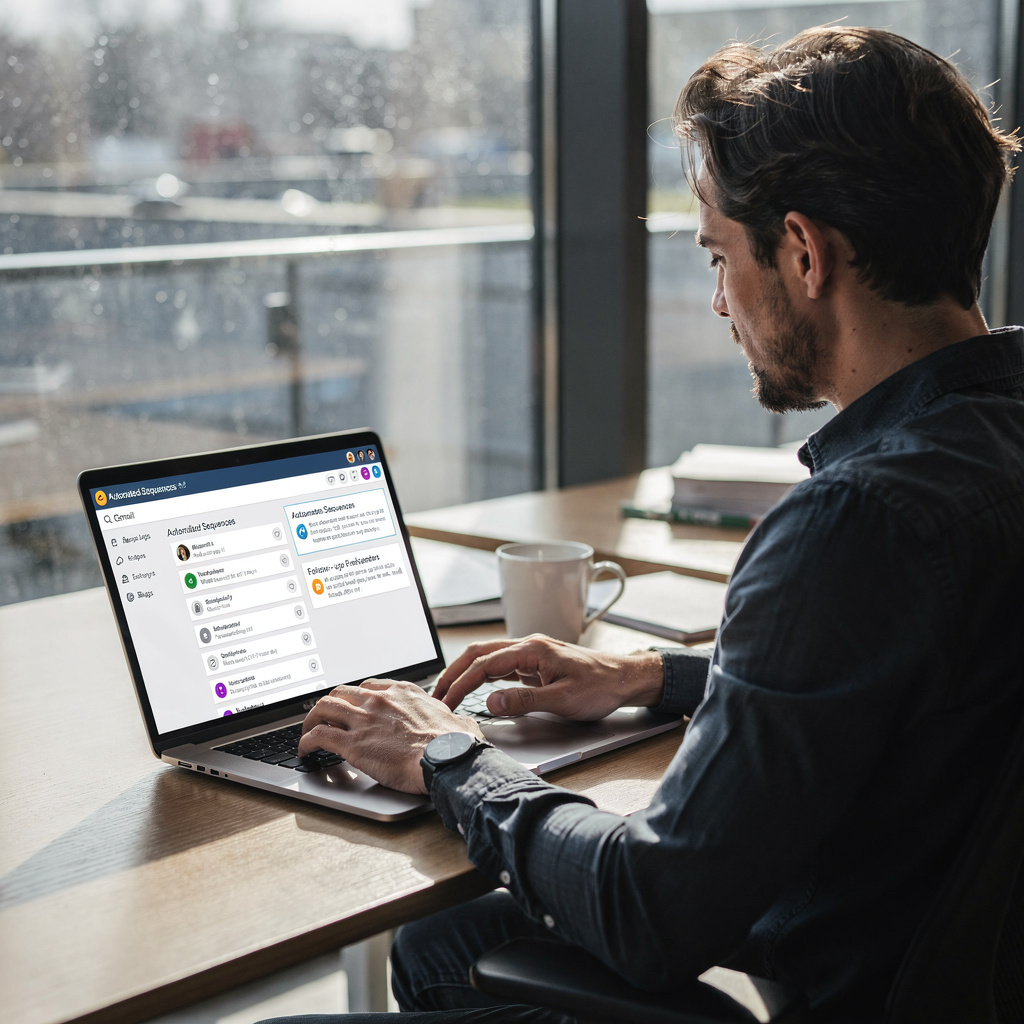
AI email assistants combine automation and intelligent drafting to make emails faster and smarter. Core features like sequence building, auto follow-ups, send-time optimisation, CRM triggers, and out-of-office handling remove manual steps. These features streamline the lifecycle of a thread from first contact to resolution.
Sequence building and email sequences let teams create multi-step cadences that adapt to recipient behaviour. Auto follow-ups ensure messages land at the right cadence and that no lead falls through the cracks. Send-time optimisation improves deliverability and engagement by scheduling messages when recipients are most likely to open them. CRM triggers keep customer records in sync and reduce duplicate data entry. Features like OOO handling pause cadences and resume them when appropriate.
Automation reduces manual steps and increases throughput. Outbound volume rose by about 15% in the past year thanks to higher engagement and AI efficiencies, showing how teams can scale outreach without adding staff source. A typical demo flow is short. Signup, connect your CRM, trigger a sequence, and let the AI personalise each message. The assistant uses historical email threads and customer fields to draft tailored content, then runs optimised follow-ups automatically.
Small experiments return quick wins. Test follow-ups first, then subject-line personalisation, and finally timing. If you want feature-specific examples for operations teams, check our virtual assistant for logistics page to see how sequence logic and routing apply to logistics email flows virtual assistant for logistics. Also explore our guide on automated logistics correspondence for concrete templates and flows automated logistics correspondence.
Drowning in emails?
Here’s your way out
Save hours every day as AI Agents label and draft emails directly in Outlook or Gmail, giving your team more time to focus on high-value work.
best ai email assistant + choose the best ai email tool: How to choose the best ai email tool
Choosing the best AI email tool requires a clear checklist. First, verify integrations with your CRM, ticketing, and enterprise systems. Second, confirm data security and GDPR compliance. Third, test customisation of tone, templates, and routing logic. Fourth, examine reporting for opens, CTRs, reply rates, and conversion funnels.
Benchmarks help you compare tools. Use a 29.2% open rate and a 4.1% CTR as baselines for SaaS email campaigns source. Shorter emails can improve CTR by about 5.8%, so aim for concise copy in subject lines and the first two sentences source. Also test A/B subject lines and measure reply rate, not only clicks.
A decision checklist looks like this: integrations (CRM, analytics), data security and governance, customisation level, reporting depth, ease of use, and cost per active user. Must-have items include CRM sync, secure data storage, and thread-aware memory. Nice-to-have features include send-time optimisation, built-in AI templates, and multi-language drafting. Deal-breakers are missing governance controls or the inability to ground replies in business data.
Compare vendors across categories: marketing automation platforms like ActiveCampaign and Encharge focus on broad email automation and campaign orchestration. Inbox-first tools such as Superhuman, Shortwave, and newer players position themselves as fast email clients with AI writing. For ops-heavy teams, look for a platform built for SaaS operations that routes, resolves, and drafts replies with data grounding. If you want a practical comparison of Superhuman alternatives, see our best Superhuman alternatives guide best Superhuman alternatives. For teams handling logistics or operations at scale, explore our piece on how to scale logistics operations without hiring for specifics scale logistics operations without hiring.
Finally, pilot a short list. Score each tool on must-have items and run a 30-day trial focused on one use case. That will reveal which provider is best suited to your stack and goals. Remember to include both automation and human review in your pilot.
ai email marketing + email management: Personalisation, metrics and ROI
AI personalises at scale by analysing multiple data points per prospect. AI agents use firmographic fields, behavioural signals, and email history to tailor content. This enables dynamic content and segment-level personalisation that would otherwise need manual work. As a result, campaigns look bespoke even when sent at scale.
Key metrics to track include open rate, CTR, reply rate, conversion, trial-to-paid lift, and unsubscribe rate. If emails are irrelevant, 51% of recipients say they will unsubscribe, so relevance matters for retention source. Track sequence fatigue and unsubscribe trends closely when you scale outreach.
AI helps improve each metric. Use AI to generate subject-line variants, personalise the first sentence of an email, and select optimal send times. Combine those tactics with concise email content to lift CTR and replies. Also instrument reporting to trace the trial-to-paid conversion lift from specific sequences.
Measure ROI with realistic timelines. Expect initial lift in open and CTR within 2–4 weeks of a pilot. Expect improved reply rates and conversion lifts in 6–12 weeks once sequences mature and models learn from behaviour. For operations-heavy teams, grounded AI that uses ERP and WMS data can reduce handling time per email from ~4.5 minutes to ~1.5 minutes, which directly increases throughput and reduces cost-per-contact. If your focus is logistics or freight communication, our pages on AI for freight forwarder communication and container shipping automation offer concrete ROI scenarios AI for freight forwarder communication and container shipping AI automation.
Practical tips: keep emails short, A/B test subject lines and first-sentence variants, and monitor sequence engagement to pause low-performing flows. Make sure the tool can produce email templates and reuse winning copy. Finally, connect reporting to revenue so you can credit the right sequences for conversions and trial growth.
Drowning in emails?
Here’s your way out
Save hours every day as AI Agents label and draft emails directly in Outlook or Gmail, giving your team more time to focus on high-value work.
ai used + ai automation + advanced ai automation: Optimising sequences and advanced use cases
Advanced AI tactics improve relevancy and reduce wasted sends. Intent scoring predicts which leads are ready to talk. Adaptive cadences modify timing based on opens, clicks, or replies. Content variation per persona makes messages feel bespoke, and automated re-entry logic puts recipients back into nurture after a significant event. These advanced features help you automate smarter, not harder.
Use cases vary by team. For trials, an AI agent can detect signals of intent and trigger personalised onboarding messages. For abandoned signups, a short re-engagement flow with a single follow-up email often recovers a missed conversion. For post-purchase onboarding, AI to automatically send contextual tips grounded in order history increases activation. These tactics rely on email history and operational data to produce accurate replies and suggestions.
Tools like intent scoring and adaptive cadences need governance. False positives in scoring can create noisy outreach. Respect privacy and consent signals. Also watch for sequence fatigue. If a recipient does not engage with five messages in a row, consider pausing the cadence or changing channel.
Implementation advice: start with one sequence and measure lift. Use a control group to track incremental impact. Then expand to other flows once you see reliable gains. For logistics teams, the full lifecycle automation approach offers big improvements. Virtualworkforce.ai, for instance, uses AI agents to label, route, and resolve operational emails while drafting grounded replies that reference ERP, TMS, and WMS data. That approach reduces manual lookup and speeds resolution. See our page on how to improve logistics customer service with AI for more on sequence automation in operations improve logistics customer service.

future trends in ai email + right ai email assistant: Adoption risks and next steps
Expect more models, more agents, and more integrated ecosystems. Deloitte predicts an expanding AI ecosystem with new vendors and data relationships, which will increase both opportunity and complexity source. As AI proliferates, teams must balance innovation with governance.
Key risks include model accuracy, hallucinations, data privacy (GDPR), and vendor lock-in. Teams should require explainability and grounded responses for high-stakes replies. For operations and customer service, accuracy matters more than stylistic flair. A wrong shipment date or incorrect customs instruction can be costly. Therefore, prefer AI that uses business data and preserves audit trails.
A practical roadmap looks like this. Pilot one use case. Define KPIs such as handling time, reply rate, and conversion lift. Secure data flows and configure access governance. Train users and set escalation rules. Expand by outcome rather than by feature count. For teams handling many inbound operational messages, a full email lifecycle automation solution can be the right fit. virtualworkforce.ai automates intent labelling, routing, and grounded drafting across shared inboxes, which reduces errors and clarifies ownership. Learn how to scale logistics operations with AI agents for step-by-step guidance scale logistics operations with AI agents.
Final checklist before selecting a right AI email assistant: confirm legal and compliance readiness, verify technical integrations, ensure people are trained, and define how success will be measured. Choose a partner that offers thread-aware memory, deep data grounding, and the ability to escalate only when needed. That combination protects customers and drives measurable improvements in the email experience and business outcomes.
FAQ
What is an AI email assistant and how does it help SaaS teams?
An AI email assistant organises inboxes, drafts replies, and automates follow-ups using machine learning. It helps SaaS teams by reducing repetitive work, improving response consistency, and freeing staff to focus on higher-value tasks.
Can AI email assistants integrate with CRM and ERP systems?
Yes. The best solutions offer integrations with CRM and enterprise systems so replies can be grounded in business data. That integration ensures messages reference accurate order, shipping, or account information.
How quickly can we expect improvements after deploying AI assistance?
Small pilots often produce open and CTR improvements within 2–4 weeks. More mature outcomes, like reply-rate and conversion lifts, typically appear in 6–12 weeks as sequences and models learn.
Are AI email assistants safe for GDPR and data privacy?
They can be, if vendors provide governance controls and secure data flows. Always validate how a tool stores data, who can access it, and whether it offers audit trails for regulatory needs.
Which features should I test first in a pilot?
Start with follow-ups, subject-line personalisation, and send-time optimisation. These features deliver quick, measurable uplifts with low implementation friction.
How do AI agents improve operational email workflows?
AI agents label intent, route messages, and draft grounded replies using ERP, TMS, and WMS data. This reduces manual lookups and clarifies ownership for shared inboxes in operations teams.
What metrics should we track to measure ROI?
Track open rate, CTR, reply rate, conversion to paid, handling time per email, and unsubscribe rate. For operations teams, measure handling time and error reduction as direct ROI indicators.
Can AI make emails sound too robotic?
AI can, but most assistants let you customise tone and templates to match brand voice. Start with conservative templates, then iterate based on engagement and feedback.
What are common pitfalls when scaling email automation?
Common pitfalls include sequence fatigue, false positives in intent scoring, lack of governance, and insufficient monitoring. Pause low-performing flows and use control groups to measure true impact.
How do we choose the right AI email assistant for our team?
Choose a tool that integrates with your stack, secures data, supports customisation, and reports on revenue-linked KPIs. Pilot one use case, measure outcomes, and scale by results rather than features.
Drowning in emails?
Here’s your way out
Save hours every day as AI Agents label and draft emails directly in Outlook or Gmail, giving your team more time to focus on high-value work.