


AI email assistant: cut workload and busy work for admin
An AI email assistant can cut busy work for school admin teams and teachers. It sorts, filters and labels incoming mail. Then it prioritises urgent items and drafts routine replies. As a result, staff spend less time on email management and more time on students. One study found schools using AI saw about a 30% reduction in time spent managing emails. In another report, administrative teams reported a 25% drop in backlog. These figures translate into hours saved each week for headteachers and office managers.
Practical automation includes acknowledgements, permission reminders, meeting scheduling and simple enquiries. For example, an office manager can set rules so the system filters parent queries about trips. Next, automated replies confirm receipt and list next steps. Then, the assistant routes complex cases to the right person. This routing reduces reassignments and lost threads. It also improves response time and consistency.
Common admin tasks that benefit include: acknowledgements for student absence, meeting booking, permission slips, invoice queries and trip communications. The assistant can generate a short template for each case. For instance, a headteacher might use a template to confirm a school trip place. An office manager can deploy a template that attaches printed forms or links to google docs when needed. These templates speed replies and reduce manual lookup.
Schools that adopt automation see clear time-saving gains. Third, tools that automate repetitive tasks often integrate with calendars and MIS to keep data accurate. For district-level planning, this helps maintain consistent tone and policy across multiple sites. Virtualworkforce.ai builds AI agents designed to support full email workflows. For more on lifecycle automation, read about automated logistics correspondence and how lifecycle automation works in other sectors at automated logistics correspondence. This approach helps schools by routing messages, reducing errors and freeing staff for higher-value work.
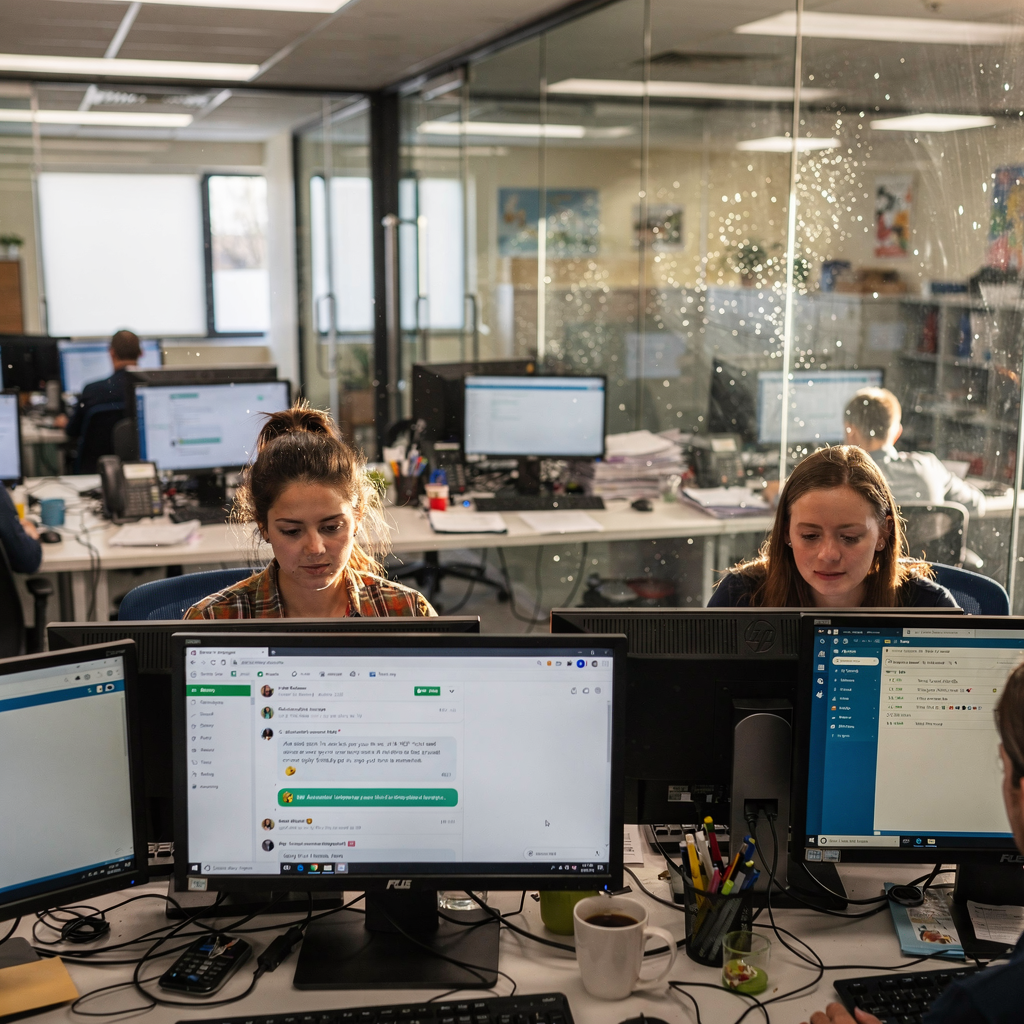
Personalise: personalise communications while protecting student data
This chapter covers how to personalise messages at scale while keeping student data safe. Personalise communications for parents, carers and staff without exposing sensitive records. In 2025, 59% of educators reported that AI enabled more personalised communication with families and students (source). Therefore, a careful design balances tailored messages and data minimisation.
Start with clear access rules. The assistant should only read the minimal fields it needs. For example, to send absence follow-ups the assistant may use name, year group and contact preference. It must not access full medical notes or safeguarding records. Always record who approved data access and why. This practice meets privacy standards and reduces risk.
Use templates for common parent and student-facing messages. Examples include:
– Consent request template: short introduction, trip details, deadline for reply and a link to reply.
– Absence follow-up template: acknowledgement, suggested next steps and contact details for student support.
– Differentiated update template: separate versions for primary and secondary parents with brief, role‑appropriate language.
Checklist for data the assistant may and must not access:
– May access: student name, year group, contact number, attendance status.
– Must not access: counselling notes, safeguarding case files, free text medical records, or sensitive assessments.
Also, train staff to review generated drafts. Even when messages are personalised at scale, a quick human check keeps tone and context correct. Vendors should provide strong data governance. School leaders should ask suppliers about encryption, retention limits and whether systems log access. Finally, for examples of AI that automates email drafting in operational settings, see how a virtual assistant model works in other sectors at virtual assistant logistics. That page explains how grounded replies reduce errors and keep context attached.
Drowning in emails?
Here’s your way out
Save hours every day as AI Agents label and draft emails directly in Outlook or Gmail, giving your team more time to focus on high-value work.
School districts, education platform and real-time integration of ai tools
This chapter explains integration with SIS, calendars and the wider education platform. Integration keeps messages accurate and timely. For instance, a change in a bus timetable should trigger a real-time update to parents. Similarly, attendance flags can create a follow-up message automatically. Integration reduces duplicate admin work and supports consistent information across sites.
Key integration steps are simple and modular. First, connect via API or SSO to the MIS and calendar. Next, set permissions so the assistant only reads agreed fields. Then, define triggers and escalation paths. For single schools, a basic API linking the calendar and email is enough. For school districts, add central rules so district-level announcements flow to every site with local customisation.
Common triggers include attendance alerts, timetable changes, behaviour logs and emergency notices. The assistant can also sync with lesson schedules so staff receive timely reminders linked to the day’s activities. This saves time and reduces missed updates. To support google docs and shared planning, connect the education platform to document stores. A link to a lesson plan stored in google docs can be automatically attached when a teacher shares updates or resources.
Permissions and governance must be clear. Districts should map data flows and define ownership. Use staging environments to test triggers. Also, document failure modes so staff know when the assistant could not send a message. If an integration breaks, staff need a reliable fallback. For practical guidance on integrating email automation with Google tools, see the walkthrough on automating emails with Google Workspace and virtualworkforce.ai at automating with Google Workspace. This helps schools adopt modular steps for single sites and multi-school districts.
AI agent and generator: automate drafts, link lesson plan resources and streamline workflow
Use an AI agent to draft replies, attach relevant lesson plan links and move messages into workflow queues. An AI agent reads intent, drafts a reply and suggests attachments. Then a teacher or admin reviews the draft before it sends. This maintains human oversight while speeding routine replies.
A generator can produce short, consistent drafts for common queries. For example, a parent asks about homework. The system looks up the lesson plan and class timetable, then creates a reply with a link to the lesson plan. The teacher reviews and sends. This keeps tone consistent and saves time. The workflow might be: inbox → AI draft → teacher review → send. Or inbox → AI creates admin task → admin completes task. Either path reduces time spent on repetitive composition and manual lookup.
Simple prompts and templates aid consistency. Example prompt: “Draft a concise reply to a parent asking about tonight’s homework for Year 8 Maths. Reference the lesson plan and include a link to the shared google docs resource. Keep tone warm and professional.” This prompt helps the generator produce a controlled response. Remember: always require human review before sending. This prevents miscommunication and ensures accuracy.
Workflows should also include routing rules for escalation and attachments for context. When an email is complex, the agent can create a structured task and attach previous emails, attendance records and the relevant lesson plan. This keeps context. If you want to see how operations teams use AI agents to automate full email lifecycles, explore the virtualworkforce.ai approach to virtual assistants built for operational accuracy at AI agent lifecycle. That resource shows how thread-aware memory and grounding reduce rework.

Drowning in emails?
Here’s your way out
Save hours every day as AI Agents label and draft emails directly in Outlook or Gmail, giving your team more time to focus on high-value work.
Student data protection and compliant AI assistant deployment (Gemini and model choices)
This chapter covers legal and security requirements, model choices and vendor assurances. Schools must meet FERPA and GDPR where relevant. They should demand transparency about training data and data flows. Also, consider whether to use cloud models, private clouds or on-premise solutions. For generative ai, these choices affect risk and control.
Ask vendors specific questions. For example: Where is data stored? Is it used to train public models? What encryption standards apply? What is the breach protocol? A supplier should provide a clear processor agreement and logging for audits. In education, privacy standards are non-negotiable. Insist on data minimisation and options to run models in private environments.
Model options include hosted public models and private deployments. Some providers offer an ai platform built for private clouds or on-premise use. Others rely on public models such as Gemini or ChatGPT. Ask whether the supplier fine-tunes models on your data, and whether that data leaves your environment. If they train ai on your records, get a written policy and opt-out options.
Keep requirements practical. A compliance checklist for procurement should include: documented data flows, retention periods, encryption at rest and in transit, processor agreement, breach notification times, model training policy and access logs. Include a review of how the assistant handles student data and what it stores in email history. Also require proof of penetration tests and third-party security audits.
Finally, provide staff training on safe use. Even with strong vendor controls, staff must know what not to ask the system and how to spot suggested text that may leak information. For a balanced view of the risks and benefits of AI in classrooms, see expert discussion on how AI is transforming education and the cautions educators raise at SMU Learning Sciences. That piece highlights the need for careful rollout and ongoing oversight.
Measure impact and transform teaching and learning: metrics, workload and school community uptake
Measure success with clear metrics. Track hours saved, inbox backlog, response time and parent satisfaction. Propose a 90-day pilot metric set that includes hours saved per week, change in email backlog and a teacher satisfaction score. Also monitor response time to urgent messages and parent feedback. A dashboard to track these KPIs helps leaders make data-driven decisions.
Set targets and review them weekly during the pilot. For example, aim to reduce inbox time by 30% and backlog by 25% within 90 days. Use surveys to capture how staff feel about the assistant. In a 2025 survey, 69% of teachers said AI tools improved their teaching methods, reflecting time freed for planning and student support (source). Track uptake across the school community and provide targeted coaching where adoption lags.
Also evaluate impact on student engagement and student needs. Freed time can boost one-to-one support and help schools personalise learning at scale. In short, the assistant can transform teaching and learning by removing routine busy work so teachers focus on pedagogy, interventions and student-facing activities. Use a short rollout checklist: pilot scope, stakeholder brief, training sessions, live monitoring and scale decision. Monitor common questions and adjust templates accordingly.
Finally, school leaders should compare ai tools and pick those designed to help operations, not just drafting. For operational accuracy and full lifecycle automation, see case studies on how to scale operations without hiring and how AI improves customer-style communications at scale without hiring. If you want examples of how automation in other sectors reduces handling time, review resources on virtualworkforce.ai and adapt lessons for schools. Three KPIs leadership should monitor: hours saved per staff member, inbox backlog reduction and parent satisfaction score. Start a pilot, measure weekly, and expand once results prove time-saving and better effective communication.
FAQ
What is an AI email assistant for schools?
An AI email assistant is a system that helps sort, prioritise and draft email replies. It automates routine tasks so staff spend less time on inbox management and more time on students.
How much time can schools expect to save?
Studies show time savings of around 30% for email handling in some settings, and administrative backlogs can fall by about 25% (source) (source). Results vary by school size and implementation quality.
Can the assistant personalise messages without risking student data?
Yes. Proper systems use data minimisation and access controls so only necessary fields are read. Schools should require vendors to document what data the assistant may and must not access and to follow privacy standards.
How does integration with school systems work?
Integration uses APIs or SSO to connect to the MIS, calendars and document stores. This enables real-time updates for attendance and timetables. Districts can apply central rules while allowing local customisation.
Do teachers need to review every AI draft?
Human review is recommended for sensitive or contextual messages. For routine acknowledgements a trust model with periodic spot checks may suffice. Always set escalation rules for complex replies.
What compliance checks should procurement teams ask for?
Ask about data flows, retention, processor agreements, encryption, breach protocol and model training policies. Also request third-party security audit reports and clear logging for audits.
Can AI attach lesson plan resources automatically?
Yes. When integrated with document stores, the assistant can attach a lesson plan link or google docs resource to replies. Always verify links before sending to parents or students.
Is generative AI safe to use in schools?
Generative AI can be safe when deployed with controls like private deployment, data minimisation and strict vendor assurances. Training and staff guidance reduce the risk of inappropriate outputs.
How should a school measure pilot success?
Use a 90-day pilot with metrics such as hours saved per week, change in inbox backlog and teacher satisfaction score. Monitor response time and parent feedback as well.
What common questions do staff ask about AI assistants?
Common questions include: What data does the assistant access? Who reviews drafts? How are errors fixed? Provide clear answers, a simple escalation path and training to build trust.
Drowning in emails?
Here’s your way out
Save hours every day as AI Agents label and draft emails directly in Outlook or Gmail, giving your team more time to focus on high-value work.