


How AI transforms email marketing for travel agents and travel agencies in the travel and hospitality sector
AI is changing how travel agents and travel agencies manage messages and sell trips. First, AI lets teams send timely, personalised travel offers and service messages with less manual work. Second, it helps teams sort huge volumes of mail and find the right answer fast. For example, industry research links AI pairings with virtual assistants to measurable business growth, showing about a 7.7% efficiency gain when AI agents work alongside virtual assistants. Also, agents report strong satisfaction using AI tools, with nearly 80% positive feedback on AI in customer service (Desk365).
AI-driven systems combine natural language processing and pattern recognition to label intent, extract dates, and trigger actions. Thus, travel and hospitality teams can automate confirmations and follow-ups while keeping tone aligned to brand. TripIt style itinerary alerts show how real‑time notifications improve the travel experience and keep customers informed. In the same way, large online travel platforms like Expedia and Kayak use AI to tailor deal emails and relevant content.
Why adopt AI now? The tourism industry faces seasonal demand and rapid customer expectation shifts. Therefore, travel marketing that uses AI reduces response times and lifts conversion. For operations, AI reduces repetitive tasks and frees human agents to handle complex queries. As Dr Elena Martinez notes, “AI email assistants are revolutionizing how tourism companies interact with their customers.” Also, EPAM states that AI integration “allows companies to deliver personalized, timely, and efficient communication” (EPAM). These quotes show clear momentum. Overall, travel email marketing for travel must adopt AI to stay competitive and to streamline guest communication.
Use AI assistants and email automation to streamline booking, inquiry handling and email support
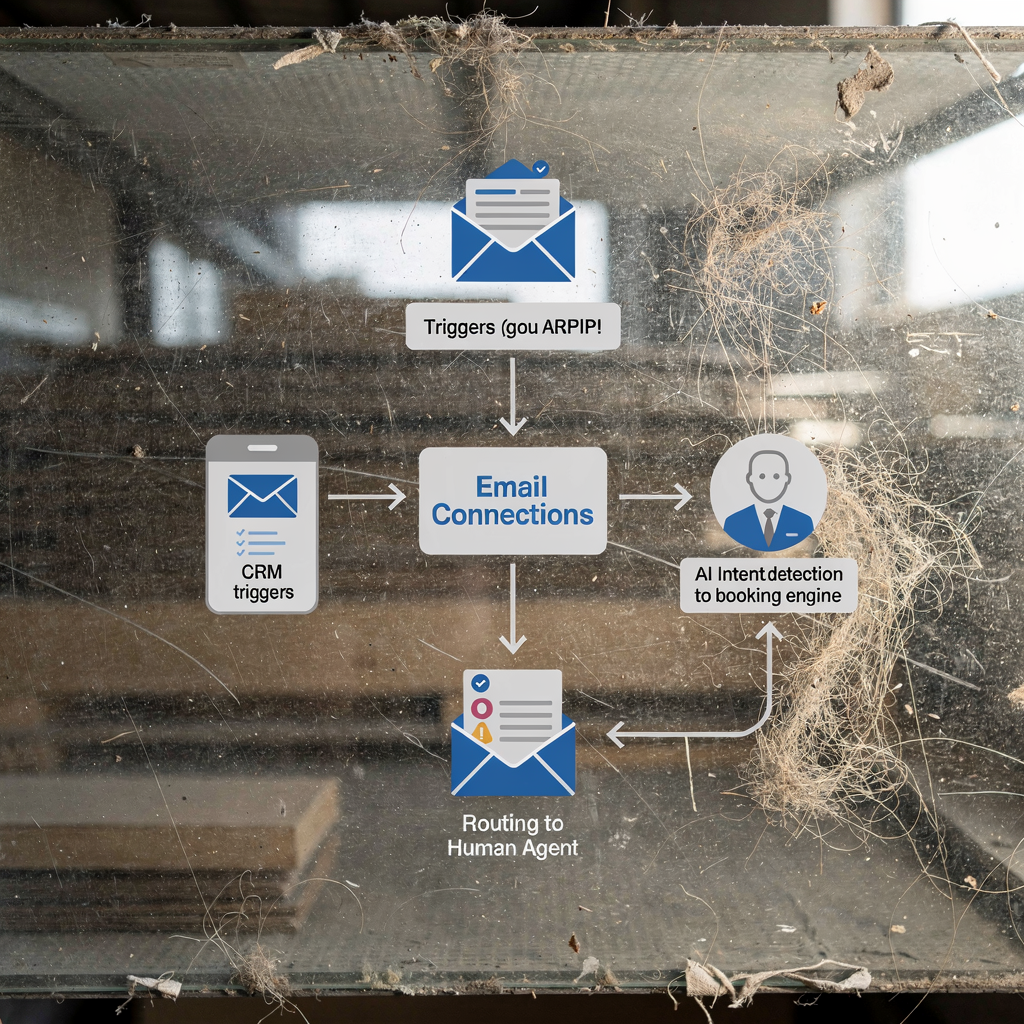
AI assistants can handle routine booking messages, confirmations and simple inquiry flows. First, set up automated booking confirmations and payment reminders. Then, let the assistant route complex matters to a human agent. Case studies show AI systems can manage a large share of routine enquiries, sometimes up to 60–70%, and cut average reply time by roughly 40% (Microsoft). Such results lower costs and improve customer satisfaction.
Practical steps are simple. Create templates for booking confirmations, cancellation flows and confirmation email sequences. Add escalation rules so the system flags urgent or ambiguous messages for a human agent. Link the AI to your booking engine and property management system. This keeps context in place and avoids repeated manual lookup. For further reading on technical setup and data sync, see ERP email automation for logistics, which shares useful patterns for linking operational systems ERP email automation for logistics.
When you automate common replies, measure time saved per message and track response quality. Tools that draft replies inside Outlook or Gmail reduce manual work while maintaining accuracy. For travel teams, that matters because shared inboxes lose context fast. If you want an example, a boutique agency reported AI handling around 70% of low‑complexity messages during peak weeks. Use clear triggers such as booking date changes, payment failures and itinerary updates. Finally, consider how an email platform connects to your CRM and payment provider to keep customer records current and to send segment specific follow ups.

Drowning in emails?
Here’s your way out
Save hours every day as AI Agents label and draft emails directly in Outlook or Gmail, giving your team more time to focus on high-value work.
Leverage segmentation to create engaging email content and effective travel email marketing campaigns
Good segmentation raises engagement and conversion. First, split your audience by trip type, travel dates, spend level and behaviour. Next, use dynamic content blocks so each subscriber sees relevant offers. Personalisation matters: AI-driven personalisation analyses past bookings and interaction patterns to serve timely offers and relevant content. Studies show personalised campaigns outperform generic sends in open and click metrics (ScienceDirect). So you should personalise subject lines, preview text and in‑email calls to action.
Build segments that map to the customer journey. For example, create one list for short city breaks and another for family trips. Then set triggers: abandoned booking, 90‑day pre‑trip reminders, and post‑trip feedback. Use template blocks for destination images, itinerary highlights, and upsell suggestions. Also add social proof and local tips to build trust. A practical template: a strong subject line, concise itinerary summary, clear CTA, and a one‑line social proof item. Try subject lines that include destination and a benefit, such as “Paris in Spring — Flexible dates and free cancellation”. Keep A/B tests running to see what content is resonating.
To grow your email list, offer lead magnets like packing checklists or destination guides. Send a welcome newsletter to new subscribers and then a weekly email with curated deals. When you measure campaigns, track open rate and conversion. Finally, integrate segmentation logic into your marketing platform so triggers auto‑send messages when customers reach a milestone.
Integration: combine email automation with CRM, digital marketing and marketing services for hospitality business growth
Integration amplifies ROI and reduces friction. Link email systems to your CRM, booking engine and analytics. That way, triggers based on booking status or customer behaviour fire in real time. For example, syncing booking data allows an email to include exact travel dates and a confirmation number. Use an API connection whenever possible to keep records synchronised. If you want step‑by‑step technical patterns, read how to improve logistics customer service with AI for ideas on routing and data grounding how to improve logistics customer service with AI.
Cross‑channel campaigns matter. Trigger social or paid ads after an email open or booking abandonment. That increases the chance to convert a warm lead. Also connect ticketing or helpdesk tools so email support cases flow into your CRM. For example, Front or Zendesk can route complex issues to agents while AI handles first responses. Choose an email platform that supports segmentation, scheduling and deliverability monitoring. Your marketing platform should report revenue per email and booking conversions so you can measure tangible business growth.
Track the right metrics and automate reports. Weekly dashboards should show booking conversions, unsubscribe rates and time to first reply for support tickets. Finally, document integration tools and governance rules so data access stays secure and staff know who owns each process. To set up automated processes with common workplace software, see how to automate logistics emails with Google Workspace automate logistics emails with Google Workspace.
Drowning in emails?
Here’s your way out
Save hours every day as AI Agents label and draft emails directly in Outlook or Gmail, giving your team more time to focus on high-value work.
Measure and streamline travel marketing: KPIs for email marketing for travel in the travel industry
Clear KPIs let you optimise systematically. Track open rate, click‑through rate and booking conversion for campaigns. Also measure revenue per recipient and unsubscribe and complaint rates. For support streams, monitor time to first reply and percentage of enquiries resolved without human escalation. Use these metrics to decide where to scale AI or where human agents must intervene.
Set a reporting cadence. Run daily checks on critical support KPIs during peak season. Then review weekly campaign performance and monthly strategic trends. Use A/B testing to optimise subject lines, send time and message layout. Predictive send windows powered by AI can boost opens. Clean inactive segments regularly to reduce costs and keep your email list healthy. Keep a control group so you can assess true email marketing success over time.
Use a KPI dashboard that combines campaign and support data. Include conversion funnel metrics from initial email to final booking. Map where in the customer journey customers drop out and test remedies. For example, if many subscribers click but do not book, add clearer CTAs or a short booking checklist. Finally, when you report results, link metrics to business growth and to improvements in customer experience.
Implementation checklist for automation in hospitality and travel: best practices for effective travel email marketing and frequently asked questions
Follow a stepwise rollout to reduce risk and to grow confidence. First, audit current messages and identify high‑volume flows such as booking confirmations and payment reminders. Next, define segments and triggers and draft templates for each flow. Then pilot AI on low‑risk emails and measure response quality. After successful pilots, scale to cover more sequences and integrate with your CRM and booking systems. Keep clear escalation paths so a human agent can take over if needed.
Include compliance and trust steps. Add clear unsubscribe links, follow GDPR rules and explain how customer data is used. Train staff on tone and escalation rules so automated messages match brand voice. Use a short template bank for common replies and allow editing by agents. To reduce manual work, let AI draft replies while staff approve or send. virtualworkforce.ai provides end‑to‑end email lifecycle automation that routes, drafts and grounds replies in operational data, helping teams reduce handling time and improve consistency.
Quick wins include automated booking confirmations, pre‑trip checklists and post‑trip feedback requests. Address common questions up front in your FAQ and set expectations in confirmation emails. For security, maintain audit logs and limited API access. Finally, test continuously. Use subject lines, timing and content tweaks until you see sustained lifts in customer engagement and enhanced customer satisfaction. Below are frequently asked questions to help you decide what to pilot first and how to measure success.
FAQ
How much of my email workload can AI realistically automate?
AI can automate a large share of routine messages, such as confirmations and simple enquiries. Many teams report handling 60–70% of standard messages automatically, while complex cases still go to a human agent.
Will automated messages feel impersonal to customers?
No. When you use dynamic content, tailored subject lines and the right tone, automated messages can feel personalised. You should test templates and keep a human fallback for sensitive issues to build trust.
Which KPIs should I track first?
Start with open rate, click‑through rate and booking conversion from email campaigns. For support, monitor time to first reply and the share of enquiries resolved without escalation.
How do I keep automated emails compliant?
Follow GDPR and local data laws, provide clear unsubscribe options and document consent for marketing messages. Also limit data access through controlled API permissions and logging.
What systems should I integrate with my email system?
Integrate your CRM, booking engine and payment provider so messages include accurate booking details. API connections help keep records synchronised and reduce manual lookups.
How can I test if my content is resonating?
Run A/B tests on subject lines and message body, then measure opens, clicks and conversions. Keep experiments small and iterate on clear metrics to see which content is resonating.
When should a human agent take over?
Escalate to a human agent for ambiguous intent, payment disputes or high‑value customers. Automate clear flows and use escalation rules to attach context for faster resolution.
Does AI require special technical skills to set up?
Most AI setups use connectors and APIs and do not need heavy engineering work. For deeper integrations, collaborate with IT to ensure secure access to operational systems.
Can AI improve guest communication beyond email?
Yes. AI can power chat, SMS and in‑app messaging and help keep messages consistent across channels. Use the same templates and tone rules to deliver a unified customer journey.
What is a quick win to grow my business with email?
Start with automated booking confirmations and a post‑trip feedback request. These flows increase trust, prompt reviews and often lead to repeat bookings, helping you grow your business.
Drowning in emails?
Here’s your way out
Save hours every day as AI Agents label and draft emails directly in Outlook or Gmail, giving your team more time to focus on high-value work.