


ai — why it matters for training companies
AI is the use of computer systems to perform tasks that normally require human judgment. For training providers the core roles are clear: personalise messages, triage enquiries, and speed replies. First, AI can create tailored communications that match a learner’s progress. Next, AI can sort incoming enquiries and route them to the right team. Finally, AI helps reduce the time spent on routine email tasks so trainers can focus on teaching and learner support.
One headline fact matters. Generative AI has been shown to raise productivity on business tasks by up to about 66% (NN/g, 2023). Therefore training teams can free staff from repetitive email work. As a result they get faster response times and more time for design and coaching.
This chapter covers where AI helps most and what to measure. Use AI for enrolment confirmation, course reminders, feedback collection and follow-ups. Measure response time, learner satisfaction and completion rates. Beware risks. Bias in models can affect tone and fairness. Privacy and data governance must be set up to meet EU and other rules. Also watch for hallucinations when an AI model invents facts; always validate key operational content.
Concrete case: a training ops team with high volume reduced handling time per message by roughly two thirds, freeing 10 hours a week per staff member for learning design. For training teams that want to scale, AI can also act as an assistant that drafts replies inside an email client so humans only verify and send.
Short checklist
1. Map high-frequency email tasks to automate: enrolments, reminders, NPS follow-ups. 2. Set privacy and bias checks: redact sensitive data and run audits. 3. Choose metrics: average reply time, course completion uplift, and staff hours saved.

ai email assistant + ai assistant — everyday use cases
Training teams see value when an AI email assistant handles repeatable tasks. For example, the assistant can send automated enrolment confirmations, schedule course reminders and nudge learners who fall behind. It can also collect post-course surveys and trigger personalised follow-ups. These practical steps reduce friction and lift learner engagement. For instance, personalised and timely contact can lift engagement in learning contexts by 20–40% (Okano, 2026). So targeted messages matter.
Use case details help teams act. First, automated enrolment confirmations should include course links and admin details. Second, progress nudges can cite recent module completion and suggest next steps. Third, post-course surveys should be short and timed two to five days after completion. Fourth, for high-value customers the AI assistant drafts messages but routes the draft to a human for final approval.
Data and integrations matter. Required data includes learner name, course state, completion percentage and CRM identifiers. Integration points include LMS, CRM and calendar systems. Roles must be defined: who reviews drafts, who handles escalations and who owns the knowledge base. Also set thresholds for automatic replies versus human review. In operations-heavy contexts, companies like virtualworkforce.ai use AI agents to automate the full email lifecycle so that replies are grounded in ERP and other systems. This reduces manual lookups and avoids errors.
Concrete case: an online training provider used an AI assistant to send late‑completion nudges. Response rates rose 32% and completion time fell by two weeks. Quick checklist
1. Gather required data fields from LMS and CRM. 2. Connect the assistant to the knowledge base and set escalation rules. 3. Define review roles and approval SLAs for drafts before sending.
Drowning in emails?
Here’s your way out
Save hours every day as AI Agents label and draft emails directly in Outlook or Gmail, giving your team more time to focus on high-value work.
inbox + keep your inbox + workspace + google workspace — integrating with your tools
Integrations determine how smoothly an AI feature fits daily work. Native assistants for Google Workspace and Outlook reduce friction because they work inside familiar email clients. For example, Gemini for Gmail or Microsoft Copilot for Outlook lets teams draft and send messages without leaving the inbox. Also, connectors or APIs link CRM platforms so every message logs to the right record. HubSpot and other CRMs can be synced via connectors to keep contact history current and searchable.
Start by mapping which inboxes need AI access. Decide which shared inboxes will get automation and which remain manual. Set workspace permissions so the AI can read email headers, but only authorised systems can access full message bodies. Define retention and consent rules to match data protection obligations such as GDPR. As a practical step, create an audit trail for each automated action so you can trace why a reply was sent.
Example integrations include linking a gmail account to a HubSpot workflow, or using Microsoft 365 connectors to push email content into a ticketing system. For logistics or operations teams that need deeper data grounding, see how email drafting can link to ERP and shipment records at virtualworkforce.ai’s automated-logistics-correspondence resource. These integrations let the AI check status, pull the right reference and then draft a precise reply so teams don’t waste time hunting for facts.
Concrete case: a training firm linked Google Workspace to its LMS and cut administrative follow-up time by 40%. Quick checklist
1. Map inboxes and set workspace and access permissions. 2. Connect Gmail or Outlook to LMS and CRM using secure APIs. 3. Add logging and retention policies and test with a pilot group.
automate + workflow + template + email replies — designing efficient processes
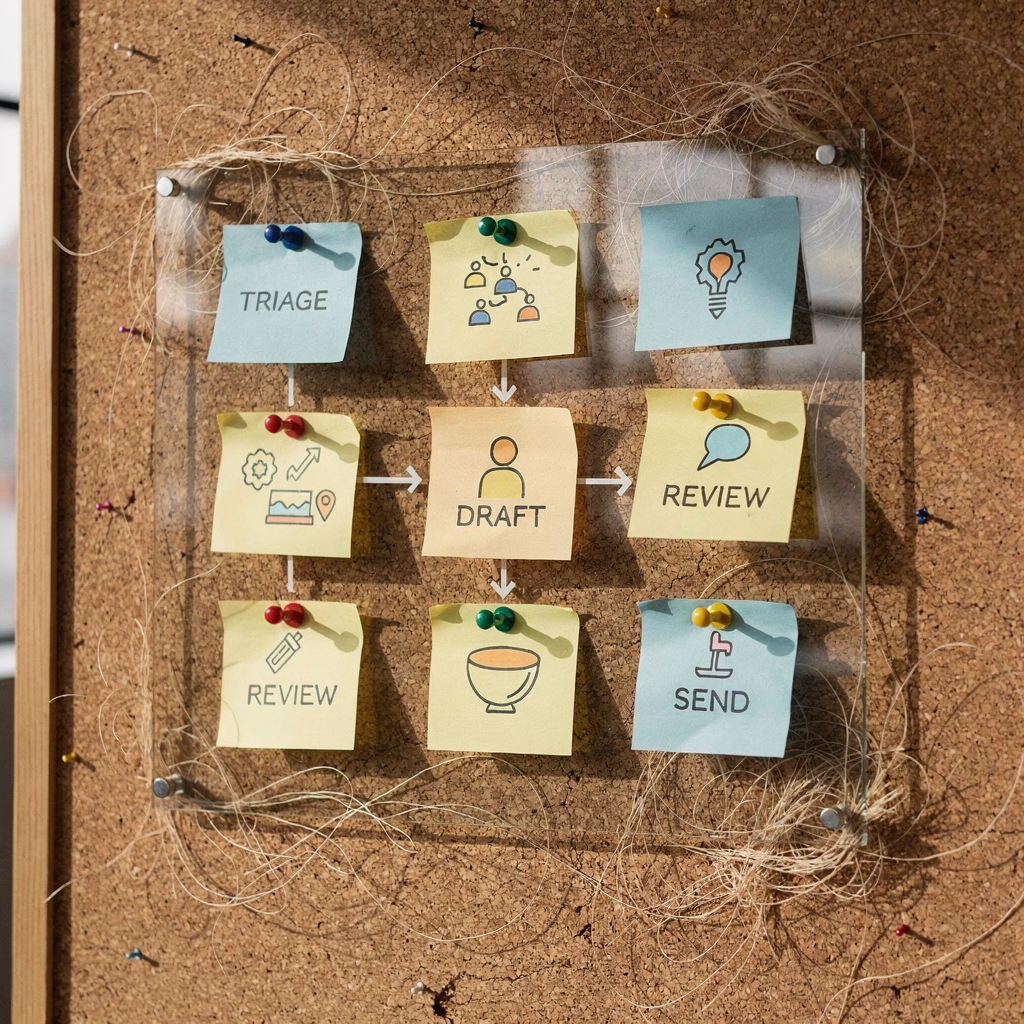
Good design separates where to automate and where humans must act. Use templates for confirmations and routine updates. Use custom drafts for complex or sensitive issues. A typical pattern works like this: triage → draft → human review → send → log to CRM. That workflow balances speed with quality. For high-volume tasks an AI can automatically categorize incoming emails and then apply a matching template. For cases that need judgment, the AI will instead produce a draft for human editing.
Decide which replies the system should send automatically. Use automation for enrolment confirmations, schedule changes and receipts. Reserve human sign-off for refunds, complaints and policy disputes. Templates should be short, include variables (name, course, date) and link to the knowledge base. Also build escalation rules so urgent issues reach a support team member immediately.
When well configured, these patterns reduce repetitive email tasks by roughly 30–40% and cut response times in a similar range. For consistency, set tone guidelines and have the AI learn from approved edits so future drafts match your voice. You can also track the percentage of AI-sent messages that required edits; that metric shows when your templates need refinement.
Concrete case: a learning department introduced email workflows and templates and cut average reply time by over 50%. Quick checklist
1. Classify common message types and create templates. 2. Define a triage workflow and set escalation triggers. 3. Measure edits required and tune templates each month.
Drowning in emails?
Here’s your way out
Save hours every day as AI Agents label and draft emails directly in Outlook or Gmail, giving your team more time to focus on high-value work.
draft + reply + best ai email assistants + hubspot + sales emails — choosing tools and use cases
Choosing the right tool affects results. Evaluate Shortwave, Gemini for Gmail, Microsoft Copilot, Superhuman and Gmelius for accuracy, integrations and cost. Look for clear connectors to HubSpot and your LMS so sales emails and renewal notices can update contact records automatically. Also consider whether the vendor supports shared inboxes and whether the assistant that drafts content preserves audit trails.
Use cases split into commercial and support work. For sales teams, AI can draft outreach emails and follow-ups that you then personalise. Integrate drafts with HubSpot sequences so every send updates the CRM. For support teams, AI-powered email helps log tickets and produce consistent replies for common queries. In operations-heavy environments virtualworkforce.ai goes further by grounding replies in ERP and WMS data to draft accurate operational replies that reduce human lookup time.
Selection criteria should include security and compliance, especially if you handle personal data. Check whether the tool supports GDPR, data retention rules and editing controls. Also compare cost to measurable ROI: time saved per week, conversion uplift from outreach emails and reduced error rates in operational replies. For AI model quality, look for providers that clearly describe their language models and whether they incorporate OpenAI or other providers; many teams use ChatGPT-style systems but require enterprise controls.
Concrete case: a small training company trialled two top AI email assistants and chose the one with the best HubSpot integration. Their sales emails response rate rose by 18% and time to first reply fell. Quick checklist
1. Test integrations with HubSpot and your LMS. 2. Validate security, GDPR and data retention. 3. Run an A/B test for outreach emails and measure conversion lift.
use an ai — governance, training and success metrics to keep your inbox useful
Governance keeps AI useful and safe. Start with access controls, audit trails and data deletion policies. Ensure IT configures connectors and business teams set tone and routing. Also include a review cadence so humans check AI drafts and tune rules. For sensitive data flows, require dual approval before the AI can send messages externally.
Training for staff is crucial. Teach teams how to edit AI drafts, how to spot hallucinations and how to set tone. Run short workshops and create a quick reference on best practices. Encourage users to ask the AI for alternatives and to use the prompt feature when they need a different tone or scope. In time the AI learns from edits and improves draft quality.
Measure success with a small set of KPIs. Track average reply time, open and response rates, course completion correlation and time saved per staff member. Review these metrics each quarter and iterate. For teams in logistics or operations, deeper metrics such as handling time per email and reduction in lookup errors show the ROI of end-to-end automation; see virtualworkforce.ai/virtualworkforce-ai-roi-logistics/ for an example of measurable gains in operational contexts.
Concrete case: after governance and training, one provider cut mean reply time by 60% and improved learner satisfaction. Quick checklist
1. Implement access controls, logging and deletion policies. 2. Run hands-on training: editing drafts, checking facts, using the knowledge base. 3. Track reply time, course completion lift and time saved per week and iterate.
FAQ
What is an AI email assistant and how does it help training teams?
An AI email assistant is software that drafts and manages messages using AI capabilities. It helps training teams by automating routine confirmations, reminders and follow-ups so staff can focus on learner support and course design.
Can AI personalise messages for individual learners?
Yes. AI can use LMS and CRM data to insert personalised details and recommend next steps. This personalisation increases engagement and can improve course completion.
What integrations should I prioritise?
Prioritise your LMS, CRM and calendar integrations so the AI can pull course status and contact records. Also integrate shared inboxes and the knowledge base for accurate drafts.
How do I manage privacy and compliance?
Set access controls, retention rules and audit trails from the start. Require IT approval for connectors and follow EU data rules where relevant. Regular audits ensure policies remain current.
Will the AI replace human staff?
No. AI automates repetitive email tasks and drafts replies, but humans still approve sensitive messages and handle exceptions. AI frees staff for higher value work like coaching and course design.
How accurate are AI drafts for operational queries?
Accuracy depends on data grounding. When the assistant can access ERP or LMS records, drafts are far more precise. Tools that connect to operational systems produce reliable replies faster.
What metrics should I track first?
Track average reply time, open and response rates, and time saved per staff member. Also monitor course completion correlation to see learner impact.
Can AI automatically categorise incoming emails?
Yes. Many systems can automatically categorize incoming emails by intent and urgency. That classification speeds triage and routing to the right team.
How do I choose between templates and custom drafts?
Use templates for routine confirmations and receipts. Use custom drafts for sensitive or complex replies. Monitor edit rates to decide where to expand automation.
What should I look for when evaluating the best AI email assistants?
Check integrations with Google Workspace or Outlook, support for HubSpot or your CRM, security and GDPR compliance, and whether the tool provides audit logs. Also measure ROI through time saved and improved response rates.
Drowning in emails?
Here’s your way out
Save hours every day as AI Agents label and draft emails directly in Outlook or Gmail, giving your team more time to focus on high-value work.