


ai for higher education, ai-powered, ai email and inbox — what universities need to know
AI for higher education is changing how universities handle email and inbox workloads every day. AI tools in universities perform automatic sorting, prioritisation, smart drafts and follow-ups so staff and students get faster, clearer replies. The core functions include intent detection, priority tagging, draft generation and follow-up reminders. These systems use natural language and data from campus systems to label messages, to route them, and to surface the right context for replies. For example, an AI model can spot a financial aid thread and pull policy text into a reply so teams spend less time searching and more time advising.
Adoption has measurable effects. Institutions report up to a 40% faster response time to student inquiries, which improves satisfaction and reduces backlog observed up to a 40% reduction. Administrative staff say they spend 35% less time on email management after deploying AI features, freeing resources for advising and policy work 35% decrease in time spent. In one survey, 68% of students and researchers said AI improves communication efficiency with university departments 68% reported that AI tools. These figures show why campuses evaluate AI carefully and why leaders prioritize governance.
Regulatory and privacy must-haves matter. Data privacy and FERPA or GDPR compliance are non-negotiable, and institutions must keep logs, consent controls and encryption. Human oversight is required so sensitive or complex inquiries get review before final replies. That is why many universities combine AI triage with human approval for high-risk messages, for appeals, and for financial aid decisions. Campus IT teams also set single sign-on, retention policies, and audit trails to ensure safe deployment. If you want a technical example of end-to-end email automation that connects to operational systems, review how solutions automate with Google Workspace and ground responses in institutional data automate with Google Workspace. This balance of speed and control helps keep inboxes aligned with policy, and keeps every email tied to a clear owner and a deadline when needed.
ai email assistant and virtual assistant: chatbots, conversational ai and generative ai that write emails
An AI email assistant can act as a virtual assistant or an AI chatbot on the front line of student contact. It drafts replies, answers FAQs from a knowledge base and turns templates into personalised email content. For example, an ai-powered email auto-reply can confirm enrollment steps, or an ai chatbot can book appointments and push calendar invitations. These systems can answer common student questions about enrollment, course materials, or financial aid, and they can hand over complex threads to staff.
Generative AI and conversational AI differ in how they create and manage responses. Generative AI generates draft text and can generate content that reads naturally, while conversational AI focuses on dialog flow and context management. Use generative AI for composing complex email content or summarising long threads; use conversational AI for guided interactions, for instance when a student wants instant answers about a deadline or onboarding instructions. In both cases, apply human review for sensitive topics, for student success interventions, and for academic appeals. An AI chatbots instance might reply automatically to routine inquiries, but must escalate policy questions to an advisor.
Front-line use cases are practical and immediate. An ai email assistant can send templated scholarship responses and then flag unsettled cases for manual review. It can auto-reply to course queries and link to learning management resources, and it can schedule office hours by integrating with Google Calendar or Microsoft 365. For deeper operational email automation and drafting inside institutional workflows, see an example of a virtual assistant built for complex operational threads virtual assistant for operations. Also, institutions can connect AI to a knowledge base so that answers stay accurate and traceable. When you use an AI to resolve routine inquiries, ensure you log decisions and keep editable drafts so advisors remain in control. Use an ai-powered approach and train it on approved templates to reduce risk and keep replies consistent. For institutions that worry about vendor fit, compare specialist education solutions against general enterprise tools and choose for compliance and explainability.

Drowning in emails?
Here’s your way out
Save hours every day as AI Agents label and draft emails directly in Outlook or Gmail, giving your team more time to focus on high-value work.
ai tool and ai assistant to automate, automation, integrate with google workspace
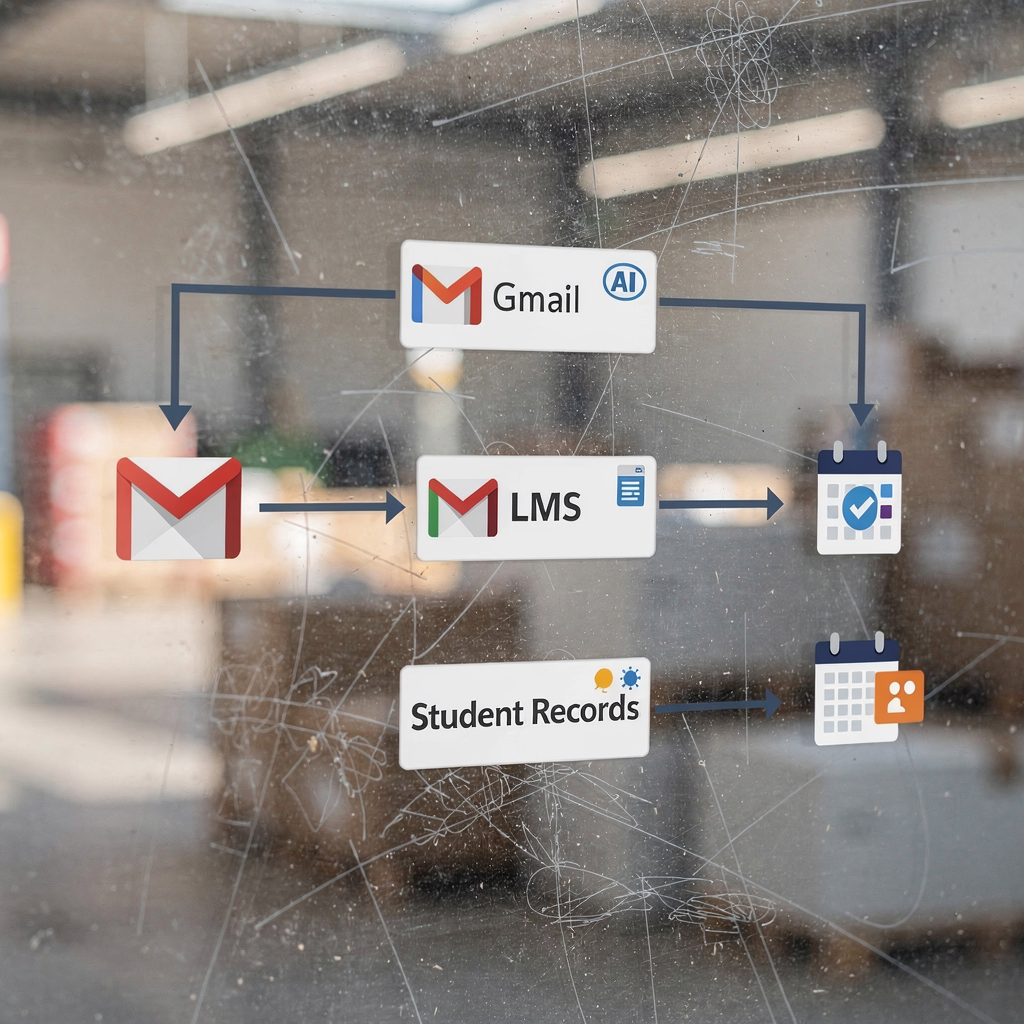
An ai tool can meaningfully reduce staff workload by automating routine steps of email handling. Once deployed, the tool can tag emails by topic, escalate SLA breaches, and create calendar bookings for advising and enrollment meetings. Institutions often integrate AI with Google Workspace because many campuses use Gmail, Calendar and Drive. Integration with campus learning management and student records ensures replies are grounded in the right context. For example, an ai assistant can draft a reply that references course materials and then create a calendar event for a follow-up appointment.
Typical automation includes tagging threads, SLA-based escalation, calendar booking, follow-up reminders and handover to staff. An automation pipeline might analyze incoming messages, route them based on intent, and then either resolve automatically or assign to the correct advisor. This reduces manual triage and makes email support more consistent. Enterprises require single sign-on, role-based admin controls and audit logs so IT can review access and trace decision history. Data residency and retention settings must meet institutional policy and regional law.
To make these workflows practical, vendors often supply no-code connectors and admin dashboards so IT defines governance while business teams set tone and routing logic. If you want to see a logistics-focused proof of concept that maps to campus operations, explore how similar systems handle drafting and routing in operational settings automated logistics correspondence. Integration work also includes syncing with learning management for course notifications and with student information systems for enrollment updates. When you integrate AI with core campus tools, you automate repetitive tasks while leaving final decisions to people. That approach keeps auditability and accuracy central to the deployment and reduces risk for sensitive student information.
integration, integrate, enterprise-grade systems to empower students, student support and student and faculty workflows
Enterprise-grade integration demands scale, security and uptime. Campus services require systems that can handle peak volumes during enrollment and during grading periods. For enterprise-grade deployments, institutions expect high availability, role controls, and a clear incident response plan. Integration should also provide traceability so administrators can audit every response and every escalation. That level of governance supports compliance with FERPA and other data privacy rules.
When you integrate AI into student support, you empower students with personalised, 24/7 access to information. The system can answer student questions instantly and then hand over complex matters to advisors. This seamless handover improves response times and reduces staff backlog. For student and faculty workflows, integration means that course notifications, assignment reminders and event invitations flow from a single, connected stack. Campus systems such as the learning management system, student records, and calendars must be linked so the AI can pull accurate context for replies.
Measured benefits are clear. Institutions that deploy AI see improved student engagement and reduced inbox overload. Students receive consistent messaging across communication channels and they get instant answers for common student queries, which keeps students on track. For a concrete example of how email automation maps to operational response and ROI, review how automated emails are scaled in logistics and operations and learn lessons that apply to campus support virtualworkforce.ai ROI and automation. Enterprise integration also supports personalised outreach for student success, targeted notifications about deadlines, and structured follow-up to improve retention. With the right controls, AI enables consistent, accurate answers and better student support without sacrificing oversight.
Drowning in emails?
Here’s your way out
Save hours every day as AI Agents label and draft emails directly in Outlook or Gmail, giving your team more time to focus on high-value work.
inbox, email with ai, ai-powered workflows to improve student engagement and write emails faster
AI-powered email workflows transform how staff check your inbox and handle unread emails. Prioritisation, thread summarisation and suggested replies let teams reach inbox zero faster. An inbox that analyses student intent can flag urgent appeals and route them so no crucial message is missed. This reduces time spent on triage and helps support teams respond with accurate answers.
Practical inbox improvements include suggested replies that draft email content from templates, follow-up tracking that resurfaces unanswered threads, and thread summaries that condense long exchanges. These features make it easy to write emails faster and to keep conversations focused. For instance, a dashboard can show unresolved student inquiries and highlight threads with deadlines, so advisors respond quickly. Email with AI also supports marketing emails for events and critical notifications, and it helps maintain consistent tone across every email.
Deployment checklist for successful rollout includes curated training data, reply templates, escalation rules and metrics to monitor. Track response time, resolution rate, and satisfaction. Also track unread emails and measure how often AI reduces manual triage. Keep governance so staff workload remains manageable, and ensure that an executive assistant or support team can take over when the AI escalates. For institutions that need examples of practical integration tactics, consider how operations teams automate complex emails via ERP and structured data to lower handling time ERP email automation example. When you use the AI for routine inquiries, you free staff to focus on high-value advising and on personalised student support. This approach improves student engagement, supports student success, and makes email support predictable and auditable.
frequently asked questions about best ai for the education sector
Choosing the best AI system requires pilots, clear KPIs and governance. Run a short pilot, measure KPIs and keep people in the loop. Monitor bias, ensure data privacy, and maintain human review for high-risk replies. Use the ai responsibly and focus on integration and explainability.
FAQ
What is the best way to choose the best ai for a university?
Start with a pilot that tests integration, compliance and accuracy. Check vendor support for FERPA and data residency, and measure response time reductions and student satisfaction.
How do I balance automation and human review?
Automate routine tasks and keep human review for sensitive cases and appeals. Set escalation rules so complex or high-risk emails reach advisors with full context.
Can an ai email assistant handle financial aid queries?
Yes, an ai email assistant can draft initial replies and surface policy text for financial aid, but final decisions should go through a human reviewer. This keeps accuracy high and ensures compliance with financial aid regulations.
How does integration with Google Workspace or Microsoft 365 work?
Integrations typically connect Gmail, Calendar and Drive or Microsoft 365 equivalents via secure APIs and single sign-on. These links let the AI create calendar events, attach course materials, and pull student records for context.
What about data privacy and FERPA compliance?
Choose vendors that provide audit logs, role-based access and data residency controls. Ensure your IT team configures retention and encryption to meet FERPA and regional rules.
How do I measure success after deployment?
Track response time, resolution rate, student satisfaction and the reduction in unread emails and manual triage. Also monitor accuracy of automated replies and escalation counts.
Are AI chatbots and conversational AI the same?
Not exactly. A conversational AI focuses on dialog flow and session context, while an AI chatbot may use generative AI to produce longer email content. Use conversational AI for guided interactions and generative AI for composing messages.
What training data do we need to get started?
Use approved reply templates, past anonymised emails that represent email types, and a curated knowledge base. This helps the model generate consistent and accurate email content.
How do we avoid bias and ensure accurate answers?
Audit responses regularly and include diverse training samples that cover common student queries. Maintain human oversight for decisions that affect student success or enrollment outcomes.
Can small departments use AI affordably?
Yes, many vendors offer modular setups and pay-as-you-go options, and some tools are free to use for basic triage. Start small, measure ROI, and then scale with enterprise-grade controls if needed.
Drowning in emails?
Here’s your way out
Save hours every day as AI Agents label and draft emails directly in Outlook or Gmail, giving your team more time to focus on high-value work.