


Assistant for logistics teams: how an ai email assistant can automate inbox workflow to draft emails and increase productivity
An AI email ASSISTANT sits in a shared inbox and works like a teammate. It reads new messages, looks up order status, and drafts replies that cite the right records. For logistics TEAMS this reduces context switching. Thus staff spend less time on manual DATA ENTRY and more time on coordination. The assistant integrates with ERP and WMS to pull accurate details into replies and can update records after a message is sent.
Core actions include auto-sorting, priority tagging, suggested replies, automated follow-ups, and draft emails. The AI uses an ai model to recognise keywords like PO numbers and MAWB, then applies a TEMPLATE or a generative AI draft. The system assigns tags for exceptions so supervisors see urgent issues faster. When an incoming email mentions a delay, the assistant can escalate the thread and schedule a pickup in the calendar. Teams report that these flows reduce interruptions on the warehouse floor and improve carrier coordination.
Quick facts back the value. Adopters saw roughly a 30% reduction in email handling time and many firms cut reply windows from a day to under eight hours, improving response time and customer satisfaction. A study found 65% of businesses that deployed AI replied faster after installation (65% faster replies). These numbers show clear time savings and fewer missed SLAs.
Practical outcome: fewer interruptions for staff and faster supplier and carrier coordination. An assistant for logistics reduces repetitive tasks and makes shared email threads easier to manage. virtualworkforce.ai offers a no-code AI that drafts accurate, context-aware replies inside Outlook and Gmail while grounding answers in ERP/TMS/WMS data. Teams typically spend less time per message and save hours each week, which helps focus on higher-value work and improves overall productivity.
Use cases and assistant uses: ai-powered virtual assistant for inbox management, email management and template-driven replies
Use cases cover the common message types that clog logistics inboxes. The assistant automates order confirmations, handles shipment exceptions, answers inventory queries, and processes customs or compliance questions. It also manages partner handoffs and exception routing. For each case the assistant uses templates and generative AI to produce clear email content fast.
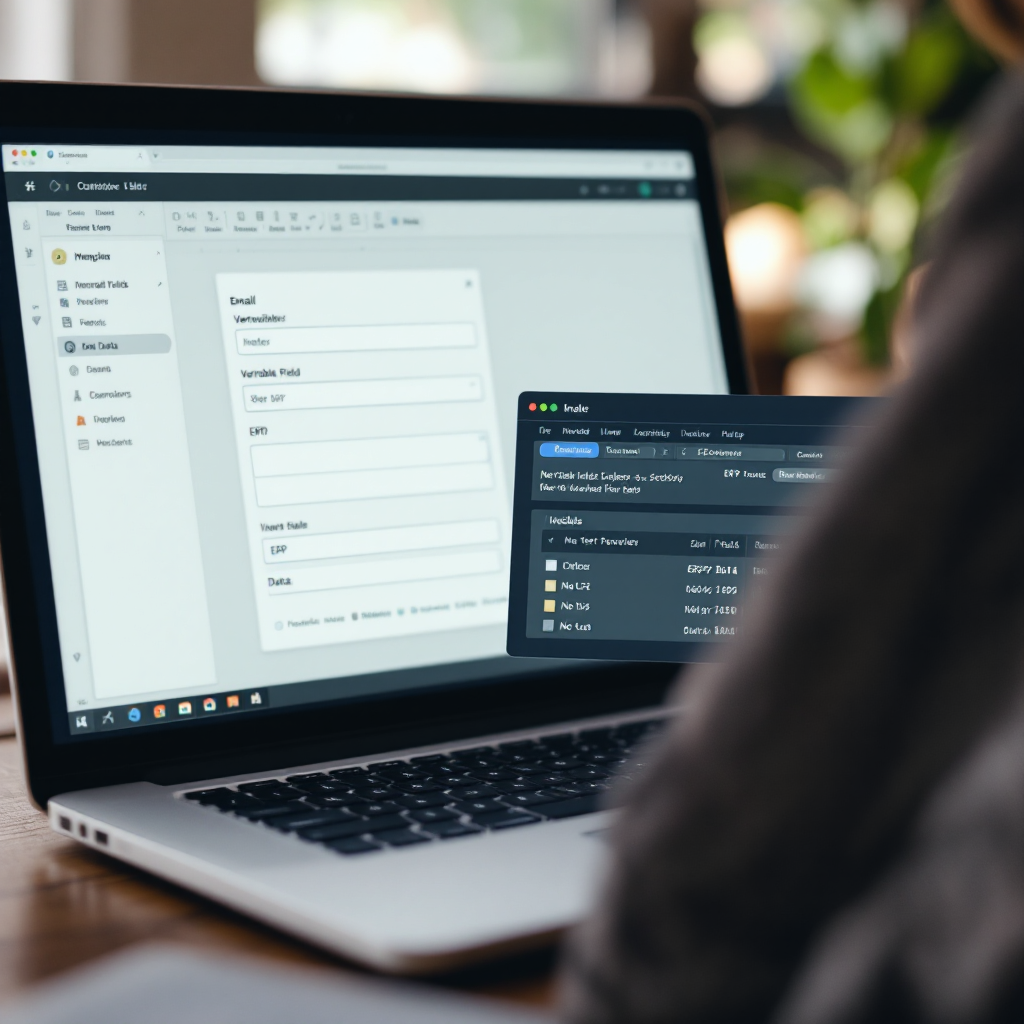
Template-driven replies combine canned text with variable fields. Fields can include PO numbers, container ID, ETA, and contact details. When a QUERY arrives about a missing document, the assistant fills a template with the file link and next steps. When details are absent, fallback text prompts the operator to supply the missing info. This keeps tone consistent and reduces error rates in correspondence.
Generative AI helps when templates do not fit. The assistant drafts custom language and suggests subject lines that improve open rates. It can also produce short, friendly summaries for customers and longer technical responses for carriers. The AI-powered assistant learns from feedback and refines future replies, improving accuracy without extra scripting. Industry evidence shows integrating AI into email workflows improves order processing accuracy by about 15% (15% accuracy gain).
Automation reduces repetitive tasks and manual copy-paste across TMS, WMS, and ERP. The assistant pulls relevant records for each thread so you do not hunt across systems. With a shared inbox, team members keep context and reduce lost threads. virtualworkforce.ai’s approach blends email templates, rules, and generative AI so teams can manage email accounts without heavy IT changes. This setup lowers manual email work and helps teams focus on strategic exceptions and customer care.
Drowning in emails?
Here’s your way out
Save hours every day as AI Agents label and draft emails directly in Outlook or Gmail, giving your team more time to focus on high-value work.
Integrate with ERP and WMS to streamline real-time workflow automation and reduce workload
Integrating an AI assistant with ERP, WMS and other systems creates seamless, real-time flows. When a new order arrives, the assistant can query ERP to confirm allocation, then update the order status in the WMS. This lets teams close loops without logging into multiple dashboards. Event-driven automation triggers actions when specific events surface in a thread, such as a shipment delay or customs hold.
Key integration points include ERP, TMS, order management, and calendar systems. When an incoming email asks for an ETA, the assistant pulls the latest GPS or carrier update and replies with a grounded ETA. If an exception appears, the assistant can escalate to a supervisor and create a task in the order management system. These integrations reduce duplicated effort and help people manage exceptions faster.
Start small to avoid disruption. Begin with inbox rules and a webhook to push events into the WMS. Then add deeper connectors for ERP and TMS. This phased plan reduces risk and lets you measure impact before wider rollout. Virtualworkforce.ai supports native connectors to ERP/TMS/TOS/WMS and can integrate additional APIs quickly, which helps you expand automation without heavy developer time.
Practical benefits: decreased handling time, fewer data entry errors, and more consistent communication. The assistant can log activity and maintain an audit trail for compliance with relevant regulations. Teams gain a data-driven single source for email and update history, which streamlines decision making. For proof points, vendors report measurable drops in manual workload and time savings after integration. Track the metric of change to verify improvements and keep stakeholders aligned.
Key benefits and measurable productivity gains for logistics: inbox management, workload reduction and customer outcomes
AI assistants deliver measurable gains across inbox management and customer outcomes. Firms that adopt AI report faster replies, improved SLA compliance, and fewer misrouted orders. For example, 65% of adopters reported faster response times after deploying AI, which translated into lower ticket backlogs and better carrier relations (65% faster replies).
Key benefits include time savings, reduced errors, and better consistency in email communication. The assistant enables consistent tone, accurate citations, and automatic logging of actions. Teams can delegate repetitive message types to the assistant and reserve human attention for complex exceptions. This focus on high-value work increases team morale and reduces churn.
Useful KPIs to track are average reply time, emails handled per staff hour, error rate in order correspondence, and escalations per week. Tracking these gives a clear view of ROI. Another metric to monitor is handling time per email; many teams cut handling time from around 4.5 minutes to about 1.5 minutes after deployment, producing significant time savings and helping you save hours across the team.
Risk management matters. Vendors must support encryption, access controls, audit logs, and compliance with relevant regulations. Also, employ best practices such as human-in-the-loop review for exceptions and role-based permissions. When configured correctly, an AI-powered assistant improves outcomes without compromising security.
Drowning in emails?
Here’s your way out
Save hours every day as AI Agents label and draft emails directly in Outlook or Gmail, giving your team more time to focus on high-value work.
Templates, email marketing and a short case study of an ai-powered solution in warehousing
Templates accelerate replies and keep language consistent. Below are three ready EMAIL TEMPLATES you can adapt. Each uses variable fields and fallback text to handle missing data. These templates pair well with email marketing tactics like segmented notifications and status updates to customers and partners.
Order confirmation template: Subject: Order Confirmation – {PO} Body: Hello {Name}, we received your PO {PO}. Items: {SKU list}. Expected ship date: {ETA}. If any detail is incorrect, please reply with the correct PO or send the packing list. Fallback: If SKU unknown, request SKU and attach the product spec. This template helps reduce follow-up queries and keeps records consistent.
Shipment delay notice: Subject: Shipment Delay – {MAWB} Body: Hello {Name}, your shipment {MAWB} is delayed due to {reason}. New ETA: {ETA}. We will update you within 24 hours. For urgent needs, contact {Contact}. Fallback: If no ETA, explain next steps and request confirmation. Use this template to keep customers informed and reduce inbound pressure.
Missing info request: Subject: Request for Missing Info – {Order} Body: Hi {Name}, we need {document or detail} to proceed. Please upload to {link} or reply with the file. Next actions: we will hold processing until we receive the document. Fallback: Offer alternatives and expected processing delays. This reduces back-and-forth and keeps operations moving.
Case study: A mid-size logistics business integrated an ai-powered assistant with ERP and WMS. The assistant automated shipment emails, updated records, and escalated exceptions. The project cut manual processing time by ~30% and reduced misrouted orders, leading to higher SLA compliance (30% handling time reduction) and better customer satisfaction. The vendor reported that staff could focus on complex exceptions while the assistant handled routine correspondence.
Selection, trial and deployment checklist: choosing ai tools, starting a free trial and scaling the virtual assistant
Choose vendors by checking core capabilities first. Your checklist should include integration with ERP and WMS, security and compliance, template editing, human-in-the-loop options, and reporting. Confirm the vendor supports role-based access and audit logs. Also ensure they provide connectors for your logistics management software and an easy path to add custom APIs. If you use virtualworkforce.ai, you get no-code setup and deep data fusion across ERP/TMS/TOS/WMS and SharePoint, which reduces IT dependencies.
Run a pilot before full rollout. Start with one site or one team and measure KPIs such as reply time, handling time, and error rate. Use a clear free trial period and define success criteria up front. Begin with inbox rules and webhook-based automations to avoid heavy disruption. Then integrate more deeply as you validate ROI and collect user feedback.
Rollout steps: pick a pilot team; configure templates and escalation paths; connect ERP and email memory; train users; and run the pilot for a set period. After pilot success, expand to other teams, add automations for additional use cases, and provide periodic reviews. Follow best practices by keeping a human review step for unusual cases and refining templates based on real threads.
Final call to action: try a free trial with clear goals and success metrics. Measure average reply time, error reductions, and time saved per week. A careful pilot shows the real impact and makes scale predictable. With the right selection and rollout plan, an assistant for logistics will automate inbox tasks, reduce workload, and let teams focus on strategic priorities.
FAQ
What is an AI email assistant and how does it help logistics teams?
An AI email assistant is software that reads incoming email, pulls relevant data from systems, and drafts or sends replies. It helps logistics teams by automating repetitive tasks, reducing data entry, and speeding up response time so staff can handle exceptions faster.
Can an AI assistant integrate with my ERP or WMS?
Yes. Most modern assistants integrate with ERP and WMS via connectors or APIs. Integration lets the assistant pull order status, update records, and log activity in real-time for accurate replies and downstream updates.
Will an assistant reduce errors in order processing?
Yes. By grounding replies in system data and using templates, assistants reduce manual copy-paste mistakes and improve order processing accuracy. Studies show integration of AI can boost accuracy by about 15% in some cases (15% gain).
How quickly can we start a pilot?
You can often start a pilot within days to weeks depending on connectors and approvals. Begin with inbox rules and a webhook for minimal disruption, then add deeper integrations after initial validation.
Are AI assistants secure and compliant?
Vendors should offer encryption, role-based access, audit logs, and data redaction. Check for support of compliance frameworks and confirm how vendors handle sensitive data. Always test compliance with your legal and IT teams.
Do assistants support templates and generative AI?
Yes. Assistants combine email templates with generative AI to cover both routine and unique queries. Templates ensure consistency, while generative AI customises replies when templates do not fit.
How do we measure ROI for an AI deployment?
Track KPIs like average reply time, handling time per email, emails handled per staff hour, error rate in correspondence, and escalations per week. Measure time saved and translate that into cost or capacity gains.
Can the assistant handle customs and compliance emails?
Yes, when connected to the right data sources the assistant can fill customs forms, request missing documents, and route queries to specialists. See resources on AI for customs documentation emails for details.
Will an assistant replace staff?
No. It handles repetitive messages and frees staff for higher-value tasks like problem solving and carrier negotiation. The goal is to increase productivity and enable teams to focus on complex exceptions.
How should we start a trial?
Define clear success criteria such as reply time reduction, error rate drops, and hours saved per week. Run a pilot with one team, measure KPIs, and scale after you validate results. Many vendors, including virtualworkforce.ai, support a free trial and no-code setup to accelerate pilots.
Drowning in emails?
Here’s your way out
Save hours every day as AI Agents label and draft emails directly in Outlook or Gmail, giving your team more time to focus on high-value work.