


recruitment + automation: why staffing agencies must automate candidate outreach
Staffing agencies face a simple business fact: volume kills manual processes. Recruiters manage many candidates, roles, and clients. When every message requires a human touch, the recruiting process slows. That is why automation matters. For scale, an applicant tracking system is table stakes. Nearly every large employer uses an ATS; in fact 99% of Fortune 500 firms use applicant tracking systems, and integrated email features are a core part of that stack. If your team cannot connect templates and triggers to an existing ATS, you will lose speed.
Manual email bottlenecks appear in three places. First, recruiters spend time writing outreach and the first email for each candidate. Second, messages get missed in shared inboxes. Third, followup often depends on memory, not rules. Use automation to streamline these touchpoints. Automation to streamline outreach reduces missed opportunities. Automation ensures the right messages reach the right candidates when timing matters.
Evidence shows clear gains. Companies using AI-driven sequences report up to a 30% increase in candidate response rates. Staffing firms that adopt automation see meaningful reductions in time-to-fill and improved recruiter productivity. For example, McKinsey found AI and process automation can boost productivity by 15–20% for teams that adopt it according to a 2025 report.
Quick wins for a starting team are simple. First, pilot one role and connect it to your ATS or CRM. Second, map key candidate fields in your applicant tracking system and build one automated email that confirms receipt and explains next steps. Third, add a reminder rule that triggers a polite followup if there is no reply in three days. Finally, monitor open and reply rates and iterate. If you want an example of how AI agents can scale email work across operations, read how to scale logistics operations with AI agents—the principles apply to recruitment too.

email automation + recruitment marketing: personalise at scale and lift response
Recruitment marketing performs best when messages feel personal. You can scale personalization by using ATS and CRM data to tailor subject lines and openings. Use role, skills, location, and availability fields to build dynamic content. When you include personalization tokens that reference the hiring stage, you get higher opens and replies. For instance, teams using personalization commonly report double-digit uplifts; one study reported a ~30% improvement in reply rates when AI helped craft targeted outreach that boost came from AI-driven sequences.
Use cases are clear. Job alerts keep your talent pool warm. Re-engagement sequences revive quiet prospects. Pipelining passive candidates positions your firm for future roles. Start with three sequence types: initial outreach, a short reminder, and a final call-to-action. Keep the first message concise and focused on the candidate’s goals. The second message can offer a quick calendar link for interview scheduling. The third should state the next step and encourage reply. This approach balances persistence with respect for a candidate’s time and helps produce a positive candidate experience.
Templates should include core fields: role title, salary band, location, and next step. A clean template reduces time-to-send and keeps messaging consistent. Test subject lines and CTAs with A/B tests. For example, try “Quick question about [ROLE]” versus “[ROLE] opportunity near you” and measure reply rate. Use different send cadences to learn what frequency works for your audience. Also track analytics so you can measure conversion to interview and placement.
When setting up these sequences, remember to include both email and sms options for important prompts. Make sure consent is recorded in your ATS or CRM and that templates incorporate simple opt-out language. If your team needs help automating outreach across channels, consider how automation software for staffing can integrate email and messaging to nurture candidates and lift results.
Drowning in emails?
Here’s your way out
Save hours every day as AI Agents label and draft emails directly in Outlook or Gmail, giving your team more time to focus on high-value work.
automated recruitment + bullhorn automation: integrate workflows with your ATS/CRM
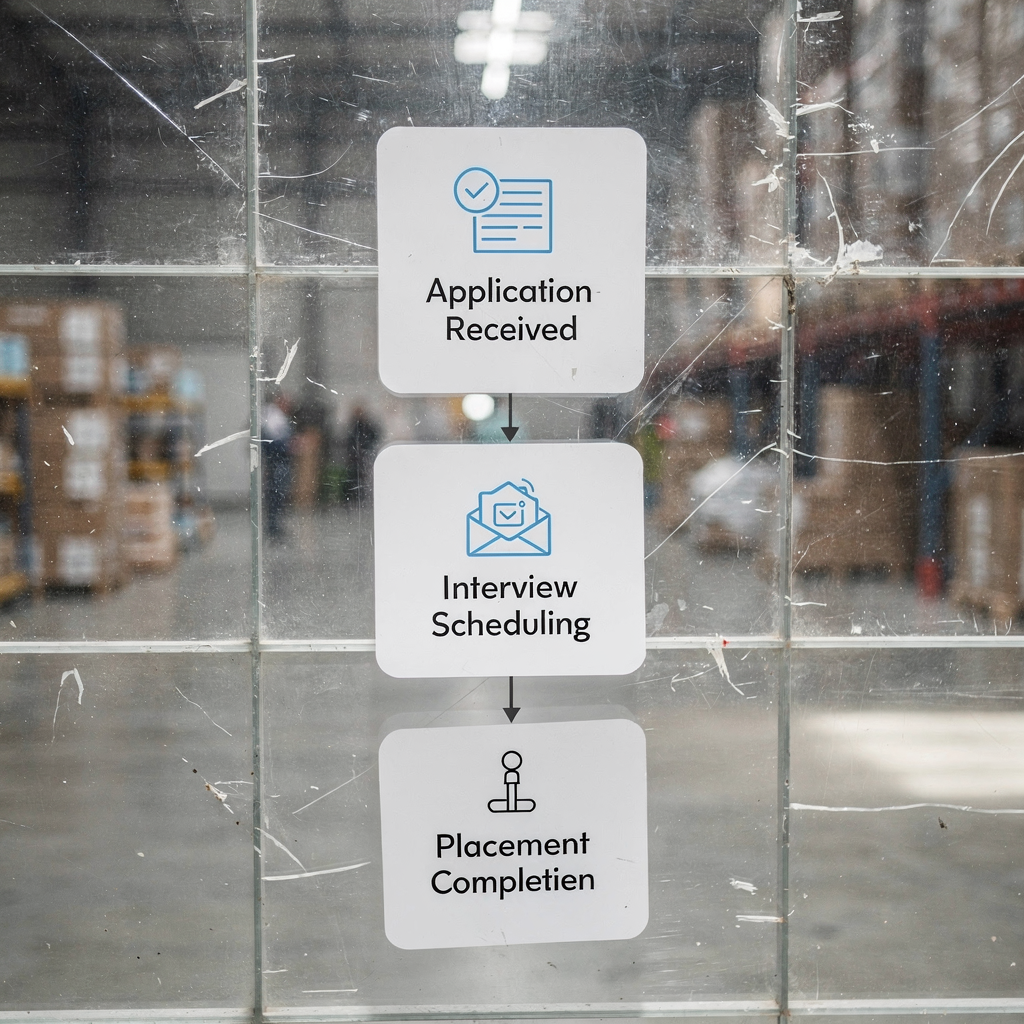
Integration is where automation delivers predictable scale. Many recruiting businesses use Bullhorn or similar recruitment software as their central system. Bullhorn automation supports trigger-based email workflows, templates, and drag-and-drop builders. Typical triggers include application received, stage change, interview scheduled, offer issued, and placement complete. Map those events to templates and you will reduce manual tasks and increase consistency in candidate communication.
Data flow needs are straightforward. Pull candidate fields like name, role, skills, and availability from the applicant tracking record. Push activity logs back into the ATS so recruiters see who was contacted and when. This visibility improves handoffs and reduces duplicate outreach. For teams that want to link operational rules and email drafting, our tools show how AI can draft responses grounded in system data; see examples that explain ROI and consistent replies in operations in this ROI write-up.
Design your first workflow around a common event. When an application arrives, send an automated email that confirms receipt, states the expected timeline, and offers a calendar link for interview scheduling. Add a conditional branch: if the candidate meets baseline qualifications, send a technical questionnaire; otherwise, send a polite rejection with feedback option. That conditional logic keeps irrelevant emails from going to unqualified candidates and preserves recruiter time.
Integration checklist: map candidate fields between ATS or CRM and your email system; test triggers with a small set of records; log every automated message as an activity; and plan error handling for failed sends. Also ensure that templates are stored centrally and that versioning is controlled. For teams using platforms outside Bullhorn, similar principles apply. If you want a hands-on guide to automating outbound messages from common mail platforms, see our resource on how to automate emails with Google Workspace which shows practical setup steps for linking data sources and rules.
recruiting automation software + automation workflows: design workflows for faster placement
Workflow design determines speed. Good recruiting workflows move candidates through the funnel while avoiding noise. Start with small patterns that deliver measurable gains: automated screening emails, automated interview reminders, and feedback loops that close the loop after interviews. These are the building blocks of a scalable recruitment operation. When workflows include conditional steps based on qualification or hiring stage, they reduce irrelevant outreach and improve conversion to interview.
Staffing firms that implement smart flow logic report reductions in time-to-fill of 20–25% in many cases as documented in industry KPI studies. Use branching logic to add short qualification checks before scheduling. For high-volume roles, create a template-based sequence that screens availability, confirms skills, and offers an interview link. Keep sequences short and focused. Insert a pause between the second and third touch so candidates have time to respond. This pause is often the difference between productive followup and fatigue.
Examples of automation workflows include: a new application trigger that sends a screening form; a qualified candidate trigger that launches interview scheduling; and a placement trigger that sends onboarding details. Use pre-built integrations where possible; automation software encompasses connectors to calendar systems, background check vendors, and payroll. Track the right KPIs: interview rate, time-to-fill, conversions to placement, and placements per recruiter. These metrics show whether the workflow shortens the recruiting process and helps you target the right candidates for each role.
Finally, avoid sending irrelevant messages by adding qualification steps early. That keeps candidates engaged and reduces opt-outs. With thoughtful workflow design, automation allows recruiters to handle higher volume while maintaining a positive candidate experience throughout the hiring process.
Drowning in emails?
Here’s your way out
Save hours every day as AI Agents label and draft emails directly in Outlook or Gmail, giving your team more time to focus on high-value work.
recruiter productivity + automation helps: free recruiters to focus on high‑value work
Recruiter productivity rises when mundane tasks disappear. Automate confirmations, reminders, and status updates so recruiters can spend time on relationships and sourcing top talent. McKinsey research finds that AI and automation can boost productivity by about 15–20% for teams that implement these tools that boost is measurable. For staffing teams, that translates into more candidate conversations, better matching, and more placements.
Run a simple time audit. Track how much time recruiters spend on sourcing, screening, interview scheduling, and admin. You will see that admin tasks add up. Then choose tasks to automate: interview confirmations, calendar invites, basic screening emails, and status updates. When you automate these tasks, recruiters gain time to focus on high-value tasks. Recruiters more time to focus on relationship building leads to better outcomes. Recruiters can focus on sourcing passive talent, improving candidate experience, and negotiating offers.
Define KPIs that tie productivity to business outcomes. Track placements per recruiter, time spent sourcing versus admin, reply rates, and no-show rates. Use simple dashboards that show open and reply rates, and then link those to interview and placement metrics. If you want to learn how AI drafts operational replies while keeping data fidelity, our case studies on automating logistics correspondences explain how agents reduce handling time and improve consistency see this example of AI-driven email drafting.
Remember: automation helps when rules match reality. Keep conditional branches tight. Use analytics to surface broken paths. And keep templates up to date so that the right message goes out at the right hiring stage. Over time, this approach will grow your business by increasing throughput without proportional headcount increases.
email marketing + marketing automation: compliance, deliverability and ROI measurement
Email programs must be compliant, measurable, and tuned for deliverability. Start with consent and data rules. For EU candidates, record consent and lawful basis. Keep unsubscribe options visible, and log preferences in your ATS or CRM. This is not optional. Without documented consent you risk legal exposure and damaged deliverability.
Deliverability basics matter. Authenticate your domain with SPF, DKIM, and DMARC. Clean lists frequently to remove bounced addresses. Monitor sender reputation. Use segmentation to avoid sending irrelevant messages to people who have not engaged. For program measurement, track open rate, reply rate, conversion to interview, and conversion to placement. Calculate cost per placement so you can compare email and sms costs to other sourcing channels.
Testing and optimisation cadence should be regular. Run subject-line A/B tests, test CTAs, and vary send times. Launch campaigns in a pilot segment, measure for 30–60 days, and then scale winning sequences. The final checklist before a full launch includes data mapping, templates, triggers, error handling, and reporting. Also verify that your applicant tracking system or applicant tracking integration syncs consent fields so you do not send messages to those who opted out.
When you tie email marketing to marketing automation and recruiting automation, you get full-funnel visibility. Use analytics to see which messages convert and which do not. Adopt best practices around frequency and tone to maintain a positive candidate experience. Finally, pilot a simple 3-step email sequence integrated with your ATS and measure the result. If you use automation tools and recruiting automation tools correctly, you will move faster and place the right candidates more often.
FAQ
What is email automation for staffing companies?
Email automation for staffing companies uses rules and AI to send, log, and manage candidate and client messages. It replaces repetitive manual emails with triggered sequences that maintain consistent candidate communication and speed up the recruiting process.
How quickly can a team see results from recruitment automation?
Many teams see improvements in days for response rates and within weeks for interview volume. Measurable reductions in time-to-fill often appear within 30–90 days after piloting workflows and iterating on templates and triggers.
Which metrics should I track for automated recruitment?
Track open rate, reply/response rate, interview scheduling and no-show rates, time-to-fill, placements per recruiter, and cost per placement. These KPIs link email activity to real hiring outcomes and recruiter productivity.
Can Bullhorn support automated email workflows?
Yes. Bullhorn supports trigger-based templates and drag-and-drop workflow builders that integrate with applicant records. Typical triggers include application received, interview scheduling, and placement completion.
How do I ensure compliance with GDPR and local data rules?
Record consent in your applicant tracking system and honor unsubscribe requests. Document lawful bases for processing candidate data, and limit messaging to individuals who have valid consent or legitimate interest. Keep logs for audits.
Should staffing agencies use SMS with email campaigns?
SMS can increase response rates for time-sensitive prompts like interview confirmations, but you must capture consent first. Use email and sms in combination for critical reminders and scheduling nudges.
What are common pitfalls when automating candidate outreach?
Pitfalls include poor data hygiene, missing consent records, over-messaging, and sending irrelevant templates. Test triggers and monitor analytics to catch and fix these problems quickly.
How does automation impact recruiter productivity?
Automation reduces administrative burden so recruiters can spend more time sourcing and building relationships. Industry reports show productivity gains of roughly 15–20% when AI and process automation are implemented correctly.
Can automated emails damage the candidate experience?
They can if poorly designed or overused. However, thoughtfully timed personalization and respectful cadences create a positive candidate experience by keeping applicants informed and engaged throughout the recruiting process.
How should I start a pilot for email automation in my recruiting business?
Start small: pilot a 3-step sequence for one high-volume role, map fields in your ATS or CRM, test triggers, and measure results for 30–60 days. Iterate templates and cadence based on reply and interview metrics, then scale successful flows.
Drowning in emails?
Here’s your way out
Save hours every day as AI Agents label and draft emails directly in Outlook or Gmail, giving your team more time to focus on high-value work.