


ai agents for engineering: what they are and why engineering firms must care
AI agents for engineering are autonomous software that completes tasks, runs analyses and acts across tools. They can inspect drawings, fetch data, suggest changes and draft reports. In plain terms, an ai agent is a smart helper that reduces repetitive work and frees engineers to focus on higher‑value problems. A recent survey found that roughly a vállalatok nagyjából 79%-a jelezte, hogy 2025-re használ AI ügynököket, and engineering firms are adopting similar patterns as they modernise how teams coordinate.
Why must engineering firms care? First, these agents cut routine work and speed design cycles. Second, they improve decision speed by running data analysis across models and histories. Third, they enable consistent quality across iterations. For example, generative agents embedded in CAD and BIM can propose design variants, and a simple agent can flag noncompliant geometry before a human reviews it. Tools like llms and assistants now help with requirements extraction and documentation without deep programming skills. Also, AI tools help teams handle tight deadlines while reducing error rates.
The shift matters because it changes what engineers spend time on. According to a Stanford study, “AI agents are not just tools but collaborators that augment human expertise, allowing engineers to focus on innovation rather than routine tasks” (Stanford). That quote captures how engineering knowledge gets amplified. Firms that embrace use cases early gain faster delivery and fewer rework cycles.
For teams exploring pilots, start small. Pick a repeatable email or drawing task and automate it. Our own work at virtualworkforce.ai shows how automating inbound messages recovers hours per employee. If you want a logistics example of an AI assistant applied to operations, see our guide on virtuális asszisztens a logisztikában. Transition to broader automation once agents prove reliable.
ai agent and workflow: embedding AI‑powered agents into CAD, BIM and aec pipelines
Embedding agents into CAD, BIM and aec pipelines means mapping where they touch work. Typical touchpoints include drafting, clash detection, version control, specs, QA and handover. Agents can auto‑tag model changes, extract attributes for a bill of materials, and prepare QA checklists. Many modern CAD tool vendors added assistant features and LLM integrations to help with notes and templates. You can find examples in recent Autodesk updates and integrations that make it easier to collaborate across model viewers and repositories.
Practical steps matter. First, map agent tasks to existing workflows before you replace steps. Define triggers and outputs. For example, an agent that auto‑populates BOMs from DWG metadata saves hours per revision and reduces errors when parts shift between suppliers. Second, prefer industry‑standard formats to transfer context. Use IFC, DWG and BCF to keep geometry and comments intact. Third, ensure the agent reads consistent input from your engineering platform APIs and storage. A single api connection can feed many agents if data hygiene is good.
When integrating, aim to seamlessly integrate agents with existing tools to avoid duplication. That reduces friction and keeps change manageable. Note that automated engineering workflows should focus on repeatable interactions first. Start by automating model export, clash reports and routine documentation. As confidence grows, extend agents into procurement and handover steps. For more engineering correspondence examples that show automated email drafting tied to operations, see our article on automatizált logisztikai levelezés.

Drowning in emails?
Here’s your way out
Save hours every day as AI Agents label and draft emails directly in Outlook or Gmail, giving your team more time to focus on high-value work.
automation and engineering automation: tasks, design optimisation and engineering features to automate
Engineering teams gain the most by targeting high‑value automations first. Focus on repetitive tasks, parametric rework and simulation pre‑sets. Automate tedious tasks like routine drafting updates, BOM reconciliation and standard report generation. Agents can also prepare FEA setups and populate solver inputs for common load cases, making simulation more consistent. Many firms report measurable efficiency gains and cost savings when they automate routine tasks. For example, teams that automate documentation reduce revision cycles and free senior engineers to review exceptions.
Prioritise engineering features that lock parameters, propagate constraints and auto‑document decisions. These capabilities reduce downstream defects. Parameter locking and constraint propagation keep models stable as suppliers change parts. Auto‑documentation captures why a change occurred, which is essential for traceable decisions in structural engineering projects and aerospace programs. Use small, repeatable automations to build trust. That means build custom scripts or low-code connectors to handle model exports and standard checks before scaling to agentic systems.
Risk control matters. Always keep humans in the loop for judgement calls. Agents that handle data can suggest changes but should not replace safety decisions. Use a mix of rule‑based checks and probabilistic suggestions. Also, prepare data cleaning as part of the automation rollout: a well‑structured dataset reduces hallucinations and improves results. If your team uses a mix of CAD packages, plan for cross‑tool workflows. You can automate cad exports, translation steps and validation runs to run without manual steps. Finally, maintain a log for each automated action so auditors can review who approved changes and why.
agentic and agent engineering: moving from assistants to agentic engineering across the project lifecycle
Agent engineering describes designing, testing and monitoring agents so they behave safely and usefully. Levels range from assisted agents to semi‑autonomous tools, up to agentic systems that run decision flows autonomously. Across a project lifecycle—concept, design, simulation, procurement, build and handover—agents can take on more responsibility with safeguards. Start with simple assistants and increase autonomy as you validate outcomes. Gartner forecasts that by 2028, about a vállalati alkalmazások körülbelül 33%-a tartalmaz majd agentikus AI‑t, so planning staged adoption makes sense.
When designing agents, apply engineering principles. Treat them like products. Define objectives, inputs, tests and monitoring metrics. Use phased rollouts and A/B tests to see where agents provide the most value. Include traceability so the agent’s reasoning is auditable. Use research agents in controlled settings to refine prompts and policies. Pair agent engineering with model governance to detect drift. Large language models and llm integrations can interpret specifications and generate drafts, but they need grounding in firm data and rules.
Multi‑agent patterns help for complex projects. Use specialised agents for procurement, design review and quality assurance that coordinate via shared state. Multi-agent setups reduce bottlenecks because each agent focuses on a narrow responsibility. However, keep a human in approval loops where safety and compliance matter. Also, document agent behaviour so teams understand when to override recommendations. Training matters too. Provide engineers with coding assistants and low-code options so they can tune agents without deep programming. As systems scale, monitor models in production and set rollback plans. This approach protects projects while letting teams accelerate progress.
Drowning in emails?
Here’s your way out
Save hours every day as AI Agents label and draft emails directly in Outlook or Gmail, giving your team more time to focus on high-value work.
workflows across tools: model context protocol, data quality and industry‑standard integrations
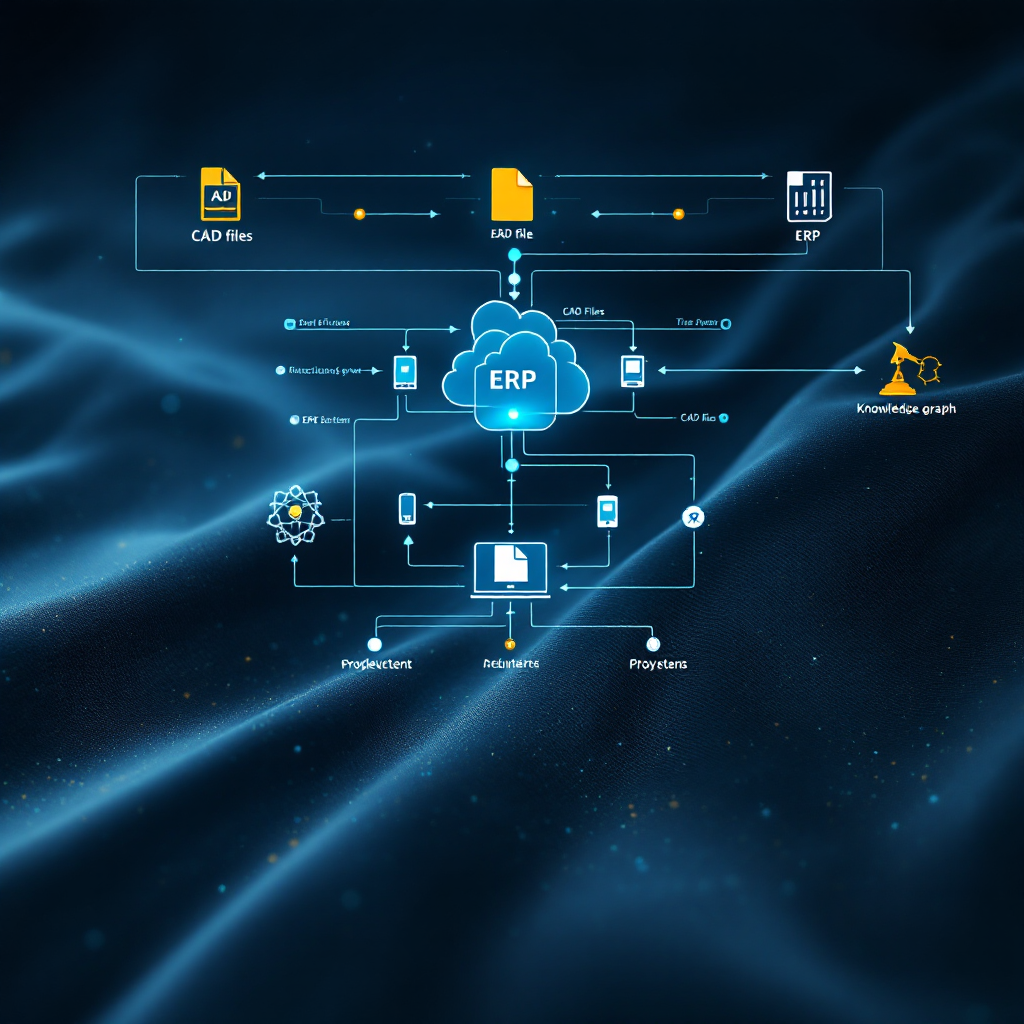
Agents need consistent context. Engineering data often sits in silos across CAD files, PLMs, ERP and email. That causes mistakes and slows work. A model context protocol helps: define common payloads for geometry, metadata and change history. This protocol works like a contract between agents and tools. Include attribution, timestamps and version pointers so agents can trace the origin of an input. Use a knowledge graph to connect parts, vendors and requirements. That reduces ambiguity and helps agents deliver actionable insights.
Data quality is a blocker. Engineering challenges often arise from inconsistent naming, missing attributes and mixed units. Validate, normalise and version data before agents use it. Prefer industry‑standard formats and API hooks to exchange data. For example, connect agents to PIMS, ERP and cloud storage using authenticated APIs. This avoids manual lookups and lets agents pull grounded data without hallucinations. Adopt a policy that flags anomalies to humans for review rather than letting agents decide alone.
Design integrations to seamlessly integrate agents with existing tools. Use adapters for CAD, PLM and ERPs so agents read the right input and output. If you want low‑friction adoption, create low-code connectors that let engineers build simple automations without heavy coding. Also, stay mindful of provenance and permissions. Agents must respect access controls. For complex projects across disciplines, a model context protocol plus a small knowledge graph layer enables agents to assemble context quickly. That makes multi‑step processes predictable and repeatable.
competitive edge: how AI‑powered agents speed delivery, measure ROI and address risks for engineering workflows
AI‑powered agents deliver measurable KPIs when used right. Track cycle time reduction, fewer design iterations, lower rework and faster handover. Many companies report quantifiable benefits: PwC found that a AI ügynököket használó vállalatok 66%-a képes mérhető javulást kimutatni such as cost savings and productivity gains. Use those measures to justify investment. Start with pilots that have clear success criteria and scale successful pilots across similar engineering projects.
Risk controls are essential. Keep a human‑in‑the‑loop for safety checks and critical approvals. Maintain traceable logs and governance so each agented action can be reviewed. Use staged deploy plans and testing. Also, plan for recoverability: if an agent errs, teams must restore prior states quickly. Programming skills help but are not always required. Create low‑code interfaces and coding assistants so domain teams can tune agents without deep software teams.
Competitive edge often comes from combining domain expertise with agentic workflows. Firms that build robust model context protocols and integrate with ERPs and project systems win time. For operations that rely on email as a core input, end‑to‑end automation can cut handling time dramatically. If you want a practical ROI case in logistics workflows, read our analysis on virtualworkforce.ai megtérülés a logisztikában. To see how to scale operations without hiring, review our guide on hogyan skálázzuk a logisztikai műveleteket AI ügynökökkel.
Finally, address cultural change. Train teams, document roles and reward people who adopt agents responsibly. Use monitoring and periodic audits to keep agents aligned with standards. With governance, firms can accelerate delivery and work smarter while limiting exposure. A few careful pilots will show whether you should build custom agents or buy vendor solutions like synera.
FAQ
What is an AI agent in engineering?
An AI agent is autonomous software that completes tasks, runs analyses and acts across integrated tools. It can inspect models, fetch data and propose actions while leaving final decisions to engineers.
How do I start integrating agents into CAD and BIM?
Begin with a narrow use case such as clash detection or BOM population. Map the existing workflow, identify triggers, and create a small pilot that uses industry‑standard formats like DWG or IFC. Validate outputs before expanding.
Are agents safe to use for structural engineering decisions?
Agents can assist but should not replace professional judgement for critical safety decisions. Keep humans in approval loops and use agents for preparatory tasks or suggestions that accelerate review.
What data should I prepare before deploying agents?
Clean and normalise naming conventions, units and metadata. Version your files and establish clear access control. A model context protocol or a lightweight knowledge graph helps agents find consistent inputs.
Can agents reduce design cycle time?
Yes. By automating repetitive tasks and preparing simulation inputs, agents reduce iterations and shorten delivery. Firms that measure outcomes often report faster handovers and lower rework.
Do agents require programming skills to tune?
Not always. Low‑code tools and coding assistants let domain experts adjust behavior without deep programming. For advanced customisation, some coding remains helpful.
How do you measure ROI for agent projects?
Track metrics such as cycle time reduction, fewer iterations, lower rework rates and faster approvals. Use pilots with clear baselines and compare before‑and‑after performance to quantify gains.
What governance is needed for agentic AI?
Implement traceable logs, human approval gates, model testing and rollback plans. Monitor models in production and enforce access controls to reduce risk and ensure compliance.
Can agents handle email and operations workflows?
Yes. Some agents automate the full email lifecycle for operations teams by understanding intent, grounding replies in ERP data, and routing or resolving messages. That reduces manual triage and speeds responses.
How do I choose between building custom agents and buying a solution?
Start with a pilot to determine whether off‑the‑shelf solutions meet your needs. If you need deep integration with unique data sources, build custom agents. If you require fast time to value, consider proven vendor platforms and then extend them.
Drowning in emails?
Here’s your way out
Save hours every day as AI Agents label and draft emails directly in Outlook or Gmail, giving your team more time to focus on high-value work.