


Staff inbox overload is real; automation lets the recruiter recruit.
Staff teams in recruitment face a daily deluge. Recruiters see hundreds of messages every day from candidates, clients, referrals, LinkedIn notes and internal threads. Triage eats time and attention. As a result, recruiters cannot spend enough time building relationships or assessing fit. Recruiters spend much of their day on admin tasks and on data entry. That reduces time to focus on interviews and on building relationships with hiring managers and candidates.
Automated email handling can reverse that trend. For example, firms that use automated outreach see twice the number of leads and about a 58% lift in conversions compared with manual outreach (source). Therefore, teams that apply recruitment automation can nurture candidates faster, reduce manual touches per placement and improve candidate experience. Case studies from HR show large gains. One report recorded an 80% reduction in resolution time and a 70% rise in self-service query resolution when agentic AI was applied in HR workflows (source). Those numbers show clear time savings and better candidate relationships.
So, what should a staffing firm measure? Start with fewer manual touches per placement, candidate NPS, time-to-hire and placements per recruiter. Next, track changes in the number of follow-up tasks and in the rate of no-shows at interviews. Also, align reporting to how often data flows from email into ATS and CRM. Tools that extract contacts automatically cut data entry and let recruiters focus on high-value recruiting activities. For more on automating logistics and operations email flows, teams can read how to scale logistics operations with AI agents for a practical view on integration (read more). Finally, small wins compound: save recruiters time on triage and the recruiting business sees measurable boost in placements and in client experience.

AI parses the inbox and extracts contacts to automate recruitment workflow.
AI reads unstructured messages and finds what matters. First, natural language processing tags intent and pulls name, phone, CV attachments and role interest. Then, the system maps those fields into ATS records and into CRM fields. This reduces spreadsheet work and manual data entry. The process saves time and reduces errors. For staffing teams using existing ATS, the integration keeps data in sync and prevents duplicate records. Many teams connect to Bullhorn and to other management systems to keep job orders current and to enrich candidate profiles.
After parsing, workflows can automatically tag candidate source and add the person to an email sequence. That lets recruiting teams nurture candidates without constant manual intervention. For a proof point on contact extraction, see how AI extracts contact data automatically and creates structured records for follow-up (source). In practice, the system can also trigger an enrichment step and push details back into ATS and CRM. This avoids duplicate outreach and helps recruiters stay on top of pipelines.
Risk controls are essential. Validate parsing accuracy, de-duplicate entries and confirm consent. Respect GDPR and EU requirements when enriching personal data. Also, set escalation paths so only complex queries go to humans. For teams that want zero-code setup with strong governance, virtualworkforce.ai offers thread-aware memory and routing rules so the system routes or resolves emails based on intent and urgency. See an example of integrating email automation with Google Workspace and operational systems for practical setup tips (integration guide). Finally, test parsing on real samples, then iterate. That keeps accuracy high and reduces heavy lifting for recruiters.
Drowning in emails?
Here’s your way out
Save hours every day as AI Agents label and draft emails directly in Outlook or Gmail, giving your team more time to focus on high-value work.
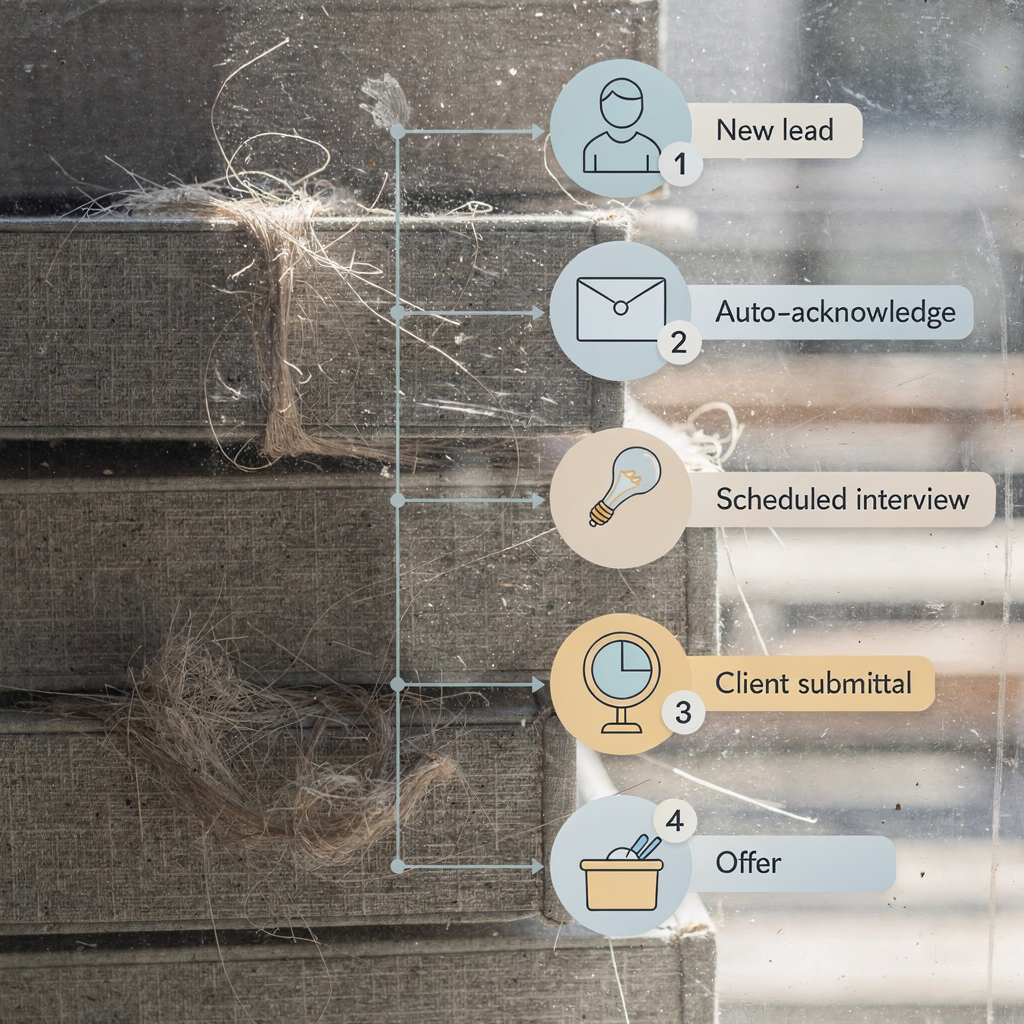
Automate follow-ups, interview scheduling and submittals to speed placement.
Automating common steps reduces delays and drop-outs. Systems can automatically send acknowledgements, qualification messages and reminders. They can also auto-book interview slots and push submittals to clients with one click. This cuts repetitive admin tasks and helps recruiters move candidates through the pipeline faster. For staffing agencies, the benefit is faster time-to-hire and fewer manual touches per placement.
Start with a short, tested template sequence. For example: acknowledge → qualify → interview invite → reminder → offer follow-up. Then A/B test subject lines and cadence to improve open rates. You can run these tests with an ai-powered inbox agent that tracks opens and responses and that optimises sequences over time. One review of inbox agents notes that tools combining AI with reliable data and continuous testing make communication more personalised and effective “Tools that combine AI with reliable data sources and continuous testing are revolutionizing email automation, making communication more personalized and effective”. That quotation highlights how testing and data drive better outcomes.
Automating submittals reduces friction between recruiters and hiring managers. Push candidate summaries and CVs directly from your CRM to hiring managers, attach relevant notes and record the action in the ATS. That keeps everyone aligned. Moreover, automating follow-up emails and confirmations reduces no-shows and improves the client experience. Teams that adopt these flows often report 30–50% reductions in admin time and faster placements. To compare ROI and to learn how virtual agents scale operational email, consult the ROI guide for logistics and operations teams which illustrates similar gains in response speed and consistency (ROI guide).
Personalise email sequence and LinkedIn outreach to improve recruiter productivity.
Personalise at scale to keep messages human. Pull CRM fields like role, location and referral source into emails and into LinkedIn messages. For example, merge role title, prior contact date and referral notes into each message so candidates feel acknowledged. Use tools like Herefish or your existing mail engine to add context automatically. Multi-channel sequences that mix email and LinkedIn increase response rates versus single-channel outreach. When you personalise and when you coordinate channels, the nurturing effect is stronger and candidate relationships stay warm.
Recruiters should keep time for high-value activities. Automation without careful design can feel robotic. Therefore, combine automation with quick coachings so recruiters still handle complex conversations with candidates. A good tech stack integrates with Bullhorn or other ATS and connects to your marketing platform. That alignment helps recruiters track open and response rates, iterate subject lines and refine copy. Also, measure how much time you get back so you can quantify time savings and so you can redeploy that effort to sourcing, interviews and building relationships.
Practical tips: personalise lines that reference referral source, recent conversation or nearby location. Then A/B test message length and calls to action. Use short LinkedIn nudges after an email if no reply appears. This mixed approach helps reduce drop-off and raises placements. Ultimately, the goal is to help staffing firms close roles faster while keeping the candidate and client treated with respect. That balance keeps recruiters productive and helps recruiters focus on screening and on meaningful conversations with candidates.
Drowning in emails?
Here’s your way out
Save hours every day as AI Agents label and draft emails directly in Outlook or Gmail, giving your team more time to focus on high-value work.
Staffing agencies must track KPIs to prove ROI for automation.
Measure outcomes, not activity. Core KPIs include time-to-hire, response rate, conversion per sequence, placements per recruiter and candidate NPS. Also track parsing accuracy, inbox-to-ATS sync latency and reduction in manual follow-ups. These operational metrics show whether the investment reduces admin tasks and improves the recruitment process. When you set baselines, model gains: halving admin time often yields more placements per recruiter and a stronger client experience.
Track both business and technical indicators. On the business side, monitor placements and average days in workflow. On the technical side, keep an eye on enrichment rates and on how many records are de-duplicated automatically. Use analytics dashboards to spot slow stages in the pipeline and to align teams and hiring managers. For staffing firms that want practical comparison points, research shows AI will replace routine roles in some sectors; that underscores why measuring ROI for automation is urgent (MIT study).
Finally, build the business case with real numbers. Show time savings, show how fewer follow-up tasks raise fill rates and show how better candidate experience reduces churn. Use a phased plan: pilot, measure, scale. For further guidance on improving customer service with AI-driven email drafting and on how to scale without hiring, see detailed guides for logistics and operations that apply equally to staffing teams (how to scale). That approach helps align leaders and secures buy-in for wider rollout.
Run webinars and training to embed automation in the staffing firm workflow.
Change management matters. Run short webinars and live training to teach recruiters how to use workflows and to explain escalation paths. Share playbooks that cover inbox rules, tagging conventions and when to escalate to humans. A staged rollout with champions reduces resistance. Use webinars to show wins and to share best practices for personalisation and for reducing no-shows. Also, set clear adoption checklists that include security checks, consent verification and dashboard setup.
Adoption checklist items should include ATS and CRM integration tests, verifying data mapping, testing templates and confirming that automated messages meet brand and compliance standards. Provide enablement sessions that focus on how automation saves recruiters time and on how automation helps recruiters maintain better candidate relationships. Include examples of follow-up emails, of interview scheduling templates and of submittal workflows so recruiters can copy and adapt quickly. Use recorded sessions for on-demand refreshers and for new hires to speed ramp-up.
Continuous improvement is key. Run A/B tests during webinars and share real-time feedback. Use analytics to spot failing sequences, then refine subject lines and cadence. Encourage recruiters to report edge cases so you can update rules. Finally, document the governance model so IT and hiring managers remain aligned. Regular training and practical playbooks help staff adopt tools like virtualworkforce.ai and make recruitment automation part of everyday recruiting activities.
FAQ
How does AI reduce manual data entry for recruiters?
AI reads incoming messages and extracts structured fields such as name, contact details and attachments. Then it maps these fields into existing ATS records, which reduces manual data entry and saves time for recruiters.
Will automation make recruiters redundant?
Automation handles repetitive tasks and automating repetitive workflows, but it does not replace the judgement recruiters provide. Recruiters can spend more time on interviews and on building relationships, which increases placements and improves client experience.
How do I preserve GDPR compliance when extracting contact data?
Validate consent and use strict data governance controls when enriching candidate profiles. Also, set retention rules and ensure you can audit where data came from and how it is used.
Can I integrate these tools with Bullhorn and other ATS?
Yes. Most solutions connect to popular CRMs and to ATS systems like Bullhorn and to other management systems. Integrations keep records in sync and prevent duplicate outreach.
Does automation help reduce no-shows at interviews?
Automated confirmations, reminders and quick rescheduling links reduce no-shows. These touches nudge candidates and clarify expectations, which improves attendance and reduces wasted time.
What KPIs should staffing agencies track first?
Start with time-to-hire, placements per recruiter, response rate and candidate NPS to measure the business impact. Also monitor parsing accuracy and inbox-to-ATS sync latency to track technical performance.
How can I personalise messages at scale without losing authenticity?
Use CRM fields to insert context such as role, referral source and prior contact into short messages. Then keep the tone human and limit template content so recruiters can add one or two personalised lines.
What training do recruiters need to adopt automation?
Run short webinars and provide playbooks that show templates, escalation paths and best practices. Include recorded sessions for ongoing enablement and for new hires to ramp quickly.
How do I measure ROI for recruitment automation?
Compare baseline metrics like admin time per placement and placements per recruiter before and after rollout. Model gains such as halving admin tasks and use real numbers to show time back and increased fill rates.
Can automation improve client experience as well as candidate experience?
Yes. Faster submittals, consistent updates and accurate summaries improve communication with hiring managers. Better coordination means hiring managers get the candidates they need faster, and candidates receive clearer feedback.
Drowning in emails?
Here’s your way out
Save hours every day as AI Agents label and draft emails directly in Outlook or Gmail, giving your team more time to focus on high-value work.