


ai email assistant: why telecoms must use ai
Telecom operators face a flood of messages every day. AI can triage that load so teams respond faster and more accurately. An AI email assistant will sort and label incoming emails, prioritise urgent faults and suggest replies. This reduces response times, cuts routine load and frees agents for complex cases. Teams gain time to focus on escalations and engineering faults. They also improve customer satisfaction and consistency.
Reports show clear gains for organisations that adopt AI. For example, companies using AI report roughly a ~30% efficiency gain and a ~25% CSAT increase after rolling out AI-assisted customer channels, making the business case straightforward ~30% efficiency gain; ~25% CSAT increase. Independent reviews list the best AI email assistants and the features telecom teams should expect ai email assistants in 2025. Vendors and system integrators such as Infosys explain how AI can power transformation across networks and customer touchpoints How AI can drive transformation in telecoms.
Practical benefits include reduced mean time to reply and fewer misrouted enquiries. You also get consistent tone and compliance checks built into templates. Wider adoption leads to measurable ROI. Many teams see payback in weeks rather than months when they automate the heaviest email flows.
Short examples of scope are useful. Scope of work can include auto-tagging, routing to OSS/BSS teams, drafting regulatory replies and creating structured records from unstructured text. Measurable KPIs include first response time, resolution time and CSAT. A realistic ROI timeline maps a pilot to 90-day KPI improvements and wider rollout after templates and automation are tuned.
For telecoms, the right AI approach balances speed and accuracy. virtualworkforce.ai automates the entire email lifecycle for ops teams, cutting handling time and keeping threads grounded in operational data. This lets you write emails faster while ensuring answers are correct and auditable. Use AI to streamline staffing, improve SLA adherence and boost productivity across shared inboxes.
scope of work
Define which email types will be automated, which will be routed, and which require human sign-off. Keep the initial scope narrow so you can measure wins fast.
Drowning in emails?
Here’s your way out
Save hours every day as AI Agents label and draft emails directly in Outlook or Gmail, giving your team more time to focus on high-value work.
measurable KPIs
Track first response time, average handling time and CSAT. Tie each KPI to a business outcome such as churn reduction or lower penalties.
ROI timeline
Run a 30–90 day pilot. Measure improvements and scale the workflows that deliver the biggest business impact.
Drowning in emails?
Here’s your way out
Save hours every day as AI Agents label and draft emails directly in Outlook or Gmail, giving your team more time to focus on high-value work.
inbox and email history: organize your inbox to improve communication
Managing an inbox at scale is the first practical step. AI helps you organise your inbox by auto-tagging, routing and surfacing email history for context. That context prevents repeated questions and avoids lost threads when messages move between teams. You can still maintain clear ownership in shared inboxes and recover thread memory when people leave.
Use rules that prioritise service-impacting issues. For example, flag outage reports, billing disputes and regulatory requests at higher priority. The AI can prioritise by customer tier, ticket severity and contractual SLA. It can also summarise long threads and surface the vital facts so agents spend less time reading and more time solving.
Set retention rules for email history so staff can quickly access prior correspondence without searching through every mailbox. Use AI search that indexes attachments, order numbers and contract clauses. This reduces lookup time and improves accuracy when drafting replies.
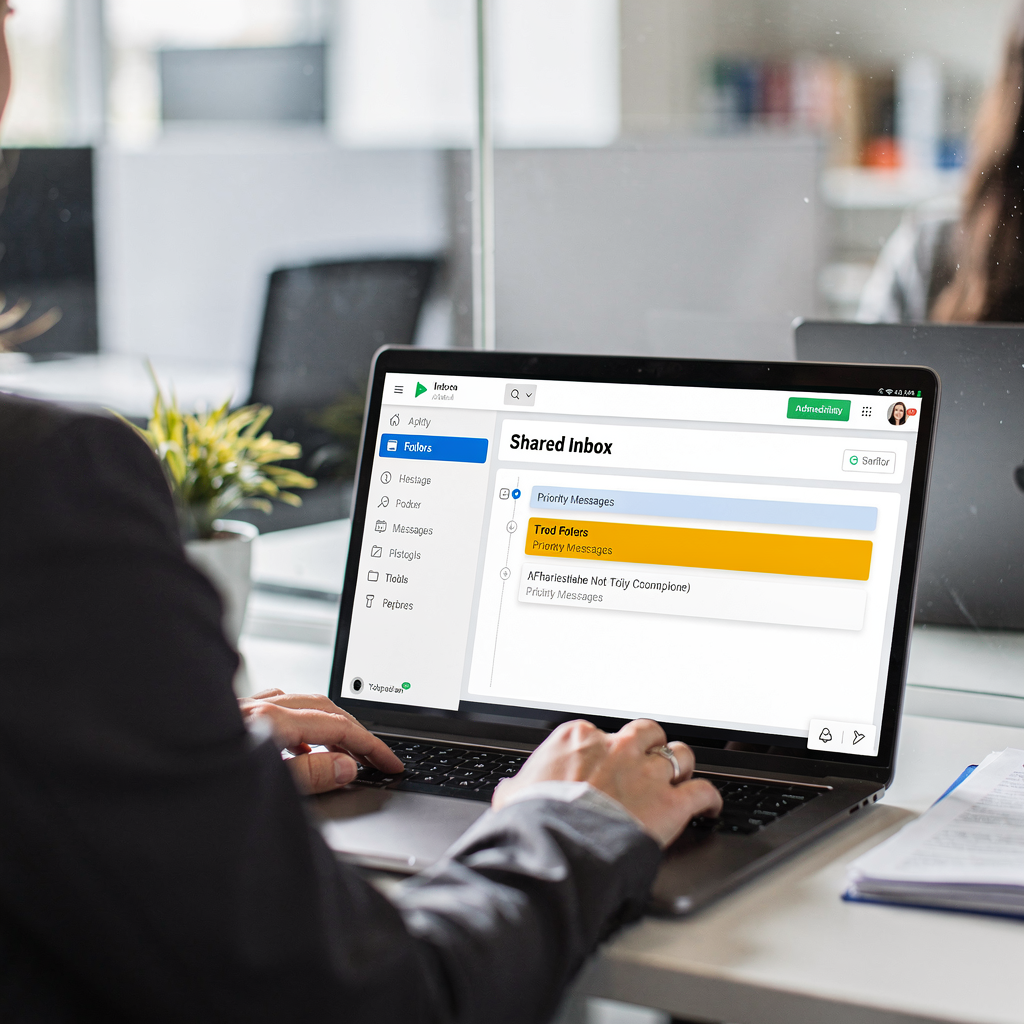
Practical steps include rules for auto-tagging, templates for common responses and a searchable archive. You should categorise messages into clear buckets such as billing, technical fault, provisioning and churn. Decide retention windows and compliance holds for regulatory cases. Train the assistant to summarise key points from email threads so agents can catch up in seconds.
Small quick wins deliver big results. Start with ack receipts and immediate routing. Next add automated triage to create tickets in your support stack. Finally, add summarise functions so senior engineers can scan updates quickly. Integrate inbox work with systems of record so every decision is traceable and auditable.
Tools that focus on email management and shared inboxes reduce rework and speed replies. If you need a logistics-style example for process design, see how automated logistics correspondence can be structured for a high-volume operation automatisert logistikkkorrespondanse. That same pattern applies to telecommunications and customer support.
prioritisation rules
Use customer tier and incident severity to prioritise. Add rules that escalate after defined thresholds so nothing slips past SLA targets.
email history best practice
Keep searchable records, attach relevant documents and let the assistant summarise past decisions. This preserves context across handovers.
quick wins
Start with canned acknowledgements, auto-routing and thread summaries. Measure time saved per email and scale successful rules.
automate, integrate and ai assistant: streamline routine tasks for team collaboration
Telecom teams must automate the repetitive parts of email work. AI helps by automating acknowledgements, ticket creation and follow-ups. It can also create structured data from unstructured messages and push that data into CRM or OSS systems. This reduces manual entry and the chance of human error.
Common automation flows include inbound parsing to create a support ticket, enrichment with customer data, routing to the correct team and drafting a suggested reply. The assistant can also set reminders and perform follow-up sequences. These flows make collaboration faster and reduce handover friction.
Integrate the AI with your CRM, ticketing and ERP so the assistant can ground replies in operational facts. Connectors to Zendesk, Salesforce and internal OSS/BSS systems make seamless workflows. If you need a concrete integration plan, review ERP email automation patterns that mirror telecom needs ERP e-postautomatisering for logistikk. These connections let the assistant fetch order status, log faults and attach evidence to tickets.
Automation reduces repetitive email tasks and error. For example, automated ticket creation ensures fields are complete and consistent. It also speeds up triage by providing context before a human opens the ticket. Use an integration checklist to cover data access, permissions and message formats before you deploy.
Governance matters. Define who can override the assistant, when to escalate and how to audit decisions. Use role-based access and keep a full trail for regulatory review. virtualworkforce.ai emphasises threaded memory across long conversations so the assistant supports team collaboration while preserving traceability.
Tools such as low-code connectors or Zapier-style automations are useful for quick flows. For production, prefer robust APIs and secure connectors. This ensures the assistant can both read and write the data your teams need.
common automation flows
Parse -> enrich -> create ticket -> draft reply -> escalate. Each step should be observable and reversible.
integration checklist
Confirm API access, field mapping, security and error handling. Test with real emails and iterate.
governance points
Set escalation rules, audit trails and fallback options. Train staff to review suggested replies before send during the pilot stage.
best ai email assistant vs best ai email: ai email assistants in 2025 and advanced ai choices
The market in 2025 lists many contenders. Reviews such as Zapier’s roundup help you explore the best ai email assistant choices and compare features utforsk de beste AI e-postverktøyene. Popular tools include focused drafting assistants, multi-user inbox platforms and plugins for Gmail and Outlook. Evaluate vendors on privacy, scale and the depth of their business integrations.
Key selection criteria should include drafting quality, automation rules, multi-user inbox support and security. Ask vendors about data residency, encryption and how their ai model is trained. Look for enterprise features like thread-aware memory, audit logs and the ability to ground replies in your ERP and service records.
When you compare the best ai email assistant options, include practical pilot metrics. Measure time saved per email, reduction in routing errors and CSAT. Also check how well templates and tone controls can be managed centrally. A pilot should report results within 60–90 days so you can decide whether to scale.
For telecoms, advanced ai choices should support long-running operational threads and provide traceability. The Microsoft case studies on AI-powered deployments show how AI can provide accurate and reliable data for customer interactions «AI solutions provide customers with complete, accurate, and reliable data». Amdocs highlights generative AI benefits for network and data management, which indirectly strengthens secure email handling Supercharge Your Telecom Business with Generative AI.
Compare the following dimensions when scoring vendors: privacy and compliance, scale and latency, templates and automation depth, and integration breadth. Also evaluate support for Gmail and Outlook, chrome extension options and the ability to serve shared inboxes. Try to include an ai email writer test and a security audit in your vendor evaluation.
Finally, select vendors that offer both drafting assistance and full lifecycle automation. virtualworkforce.ai is an example of a platform built to automate the full email lifecycle, not just draft replies, which is essential for operational accuracy and traceability.
vendor checklist
Ask about data grounding, thread memory, encryption, pilot metrics and support for multi-user inboxes.
pilot metrics
Track average handling time, routing accuracy and CSAT. Use those metrics to guide scaling decisions.
scaling from pilot to fleet
Document templates, automate more flows iteratively and expand governance as you grow.
personal assistant, email service and template: personalise at scale to boost productivity
Personalisation at scale increases reply relevance and reduces repeat contacts. An AI personal assistant can draft tailored replies using customer tier, contract terms and prior tickets. It fills dynamic fields in templates, controls tone and ensures compliance. This approach improves both productivity and customer perception.

Start with a template library for common email types and then add dynamic fields that pull data from CRM or operational systems. Use tone controls to match corporate voice for billing, technical and sales queries. The assistant should be able to personalise greetings, reference the right contract and include the exact next steps. That reduces drafting time and errors.
Measure productivity by tracking time to compose, time to send and the number of edits per reply. Where possible, A/B test template variations to see which improve reply rates and satisfaction. Remember to include compliance checks in templates for regulated correspondence.
AI features that help include suggested subject lines, recommended attachments and a personal assistant mode that drafts complete replies ready for human approval. A copilot-style interface increases agent confidence by explaining why a suggestion was made. This boosts adoption and reduces correction cycles.
Use a mixture of static templates and AI-generated adjustments. The assistant learns from corrections so suggested replies get better over time. That learning should be auditable so you can track why certain phrasing was used. The result is higher productivity, faster handling and more consistent messaging across your customer base.
For a logistics parallel on template-driven automation and scale, see guidance on scaling operations without hiring hvordan skalere logistikkoperasjoner uten å ansette. The same principles apply in telecommunications when you personalise at scale.
template library
Create templates per email type, then add dynamic fields linked to systems of record. Version control keeps compliance simple.
tone and compliance controls
Allow business teams to configure tone and legal language. Let IT manage access and data sources.
measuring time saved
Track edits per draft, time to send and CSAT. Use that data to expand templates and integrations.
keep your inbox, split your inbox and use an ai: secure email with ai and improve communication
Security, governance and adoption plan are essential when you use an AI in customer-facing processes. Start with a pilot and clear access rules. Define who can see which email accounts and when escalation is required. Keep an audit trail of every action the assistant takes so you have traceability for regulatory reviews.
Your security checklist should cover encryption, data residency and vendor contracts. Ask vendors to explain how they ground replies in operational systems and how the assistant protects sensitive data. Amdocs and Microsoft both point to improvements in data management and performance with generative AI, which matters for secure email handling Amdocs on generative AI and Microsoft on AI-powered success.
Split your inboxes so transactional traffic is separate from complaints and sales. This reduces the risk of API leakage and keeps sensitive threads under stricter controls. Use role-based access so only authorised staff or the assistant can view or act on specific email accounts.
Adoption milestones matter. Start with a small team, train agents on how to review suggested replies and monitor quality. Gradually increase the number of automated email workflows and expand governance. Track KPIs such as SLA adherence, CSAT and average handling time during the 90-day pilot.
Ensure your plan covers retention policies, how the assistant learns from corrections and a rollback process in case of errors. Keep the interface simple so agents see why a reply was suggested and can edit before sending. This builds trust and speeds onboarding.
For practical steps on automating email drafting while keeping IT in control, see how virtualworkforce.ai connects Google Workspace with end-to-end email automation automate emails with Google Workspace. That pattern helps telecoms keep the inbox reliable and secure.
security checklist
Verify encryption at rest and in transit, confirm data residency, and require audit logs for all assistant actions.
adoption milestones
Pilot with a focused team, train users, monitor quality and expand automation incrementally.
KPIs to track
Measure SLA adherence, resolution time and CSAT. Also track reduction in manual lookups and the time saved per email.
FAQ
What is an AI email assistant for telecoms?
An AI email assistant automates inbox tasks such as triage, tagging and drafting replies. It can integrate with CRM, OSS and ERP to ground replies in operational data and speed up responses.
How quickly can a telecom team see benefits?
Teams often see measurable wins in 30–90 days during a focused pilot. Typical improvements include faster response times and higher CSAT when you automate heavy email flows.
Which KPIs should we track in a pilot?
Track first response time, average handling time, routing accuracy and CSAT. Also measure edits per draft to understand the assistant’s drafting quality.
Are AI email assistants secure for sensitive customer data?
They can be secure if you require encryption, data residency and audit logs from vendors. Ensure role-based access and clear retention policies before you deploy.
Can the assistant integrate with my ticketing system?
Yes. Most assistants support connectors to systems like Zendesk and Salesforce or can integrate with OSS/BSS via APIs. This lets the assistant create and enrich tickets automatically.
Will templates limit personalisation?
No. Templates with dynamic fields let the assistant personalise replies using CRM data. The assistant can also adjust tone and content based on the customer and context.
How do we handle errors or incorrect replies?
Start with human review during the pilot so staff can correct drafts. Use those corrections to retrain or tune the assistant and keep a rollback path in governance.
Can an AI assistant help with compliance and audits?
Yes. The assistant can keep an audit trail, attach supporting documents and enforce standard phrasing for regulated replies. That makes audits faster and more reliable.
Do shared inboxes still work with AI?
Shared inboxes work better when the assistant maintains thread-aware memory and clear ownership. The AI can attach context so teams avoid duplicate work and lost threads.
How do we start a pilot without heavy IT work?
Choose a narrow scope of high-volume email types and deploy connectors to the key data sources. Partner with a vendor that offers zero-code setup so you can configure rules and templates quickly.
Checklist CTA: pilot, select vendor, integrate with CRM, measure 90-day KPIs.
Drowning in emails?
Here’s your way out
Save hours every day as AI Agents label and draft emails directly in Outlook or Gmail, giving your team more time to focus on high-value work.