


AI agent and ai recruiter: what agencies gain — time-to-hire, cost and productivity
First, a fact that will stop a debate. Hiring teams now expect AI to speed routine tasks and lift outcomes. Surveys show near-universal adoption: 99% of hiring managers use AI recruiting tools at some stage. As a result, agencies that adopt an AI agent and an AI recruiter see measurable gains in time-to-hire and cost per placement. For example, many firms report large reductions in administrative time when AI handles scheduling, candidate screening and basic comms. Therefore, you can expect faster hiring and reduced recruiter workload.
Second, practical numbers matter. Recruiters who learn AI skills increased about 14% year-on-year, which shows the shift in recruiter capability and demand for AI literacy (SmartRecruiters). Consequently, agencies can redeploy staff to client engagement and higher-value sourcing work. Also, AI systems that automate repetitive tasks let teams scale without proportional headcount growth. That mix of automation and human judgement delivers clear ROI.
Third, real use-cases explain the gains. An AI recruiting assistant can screen CVs, answer candidate questions and run interview scheduling with fewer errors. The result is fewer back-and-forth emails and shorter hiring cycles. In practice, recruiters free time for client meetings and candidate coaching. virtualworkforce.ai shows how automating email lifecycles reduces handling time from ~4.5 minutes to ~1.5 minutes per message; that outcome speaks directly to agencies dealing with high-volume hiring and lots of operational email.
Finally, a quick ROI checklist to deploy now. Measure baseline time-to-hire, interviews per placement, recruiter hours spent on admin and candidate experience scores. Then pilot an AI recruiting agent on one role type and one client. Track changes weekly. If time-to-hire drops and quality of hire holds steady, scale. For more on automating repetitive communications and routing, see a practical logistics example of virtual assistants that handle email-driven workflows aici.

talent intelligence and ai-driven sourcing: how agentic tools find better candidates for recruiter and hiring teams
Firstly, talent intelligence is the shift from manual CV trawls to data-driven candidate pipelines. Talent intelligence and AI-driven sourcing let agencies scan larger talent pools faster, surface passive candidates and rank matches using structured signals. For example, an intelligence platform can combine public profiles, internal ATS records and CRM notes to create richer candidate profiles. This gives recruiting teams a wider pool of better-fit prospects for open roles.
Next, compare manual sourcing with an ai sourcing pipeline. Manual searches yield limited volume and rely on individual researcher time. Conversely, a talent intelligence platform runs persistent queries, updates candidate match scores and flags best-fit talent automatically. As a result, agencies reduce time spent hunting and raise the proportion of interviews that convert to offers. Leading organizations now use talent intelligence to scale; their recruiting and HR teams treat the intelligence platform as a core source of candidates.
Then, what to evaluate when you choose a vendor. First, ask about data sources and freshness. Second, check explainability: can the vendor show why a candidate scored highly? Third, ask how the platform integrates with your ATS and CRM. For example, vendors that link to ATS records reduce duplicate outreach and keep candidate profiles consistent. Also, check whether the platform provides talent insights, such as skills gap trends or marketplace salary signals. Those signals help you craft better job descriptions and spot talent pools you might otherwise miss.
Finally, an actionable step. Run a 30‑day sourcing pilot focused on tech recruitment or another specialist area. Track volume of qualified leads, interviews booked and initial quality of hire. Use a curated list of target accounts and let the platform refresh candidate pools daily. If you want examples of how AI helps automate correspondence and routing, see virtualworkforce.ai’s guide to automated logistics correspondence for a hands-on view of routing and escalation logic aici.
Drowning in emails?
Here’s your way out
Save hours every day as AI Agents label and draft emails directly in Outlook or Gmail, giving your team more time to focus on high-value work.
AI interview and ai interviewer: automating screening, scheduling and improving candidate experience
Scheduling is where teams lose days. AI interview tools cut that loss. Conversational AI can take over interview scheduling, handle reschedules and confirm times across calendars. This stops the long chain of back-and-forth emails and reduces drop-out rates. For high-volume hiring, an AI interviewer can run initial competency screens so human recruiters see only shortlisted, assessed candidates.
Also, candidate experience improves when comms are timely and personalised. AI-powered outreach can provide tailored prep notes and role information. That reduces no-shows and increases candidate engagement. Candidates also use AI agents to apply automatically, which raises volume and complexity. News outlets report that companies are now receiving an influx of AI-generated résumés, so recruiters must adapt screening rules and validation checks (acoperire NYT).
Next, integration is critical. At minimum, an AI interview solution needs calendar access, ATS sync and candidate comms templates. This ensures interview schedules appear correctly in recruiter calendars and candidates get consistent messages. Also, test the candidate-facing UX: confirm that messages read naturally, provide clear next steps and offer a human contact when needed. These checks protect candidate experience while you automate operations.
Finally, practical timelines show value. Automate scheduling and an initial screening in week one of a pilot. By week three, you should see fewer scheduling conflicts and shorter hiring cycles. If the pilot improves time-to-hire and keeps quality of hire steady, expand. For more on scheduling and email automation in operations, review a guide on automating logistics emails with Google Workspace and virtualworkforce.ai that shows calendar and mail integration patterns aici.
Automate workflow with agentic AI: deploy, automate and coordinate staff to lift hiring outcomes and quality of hire
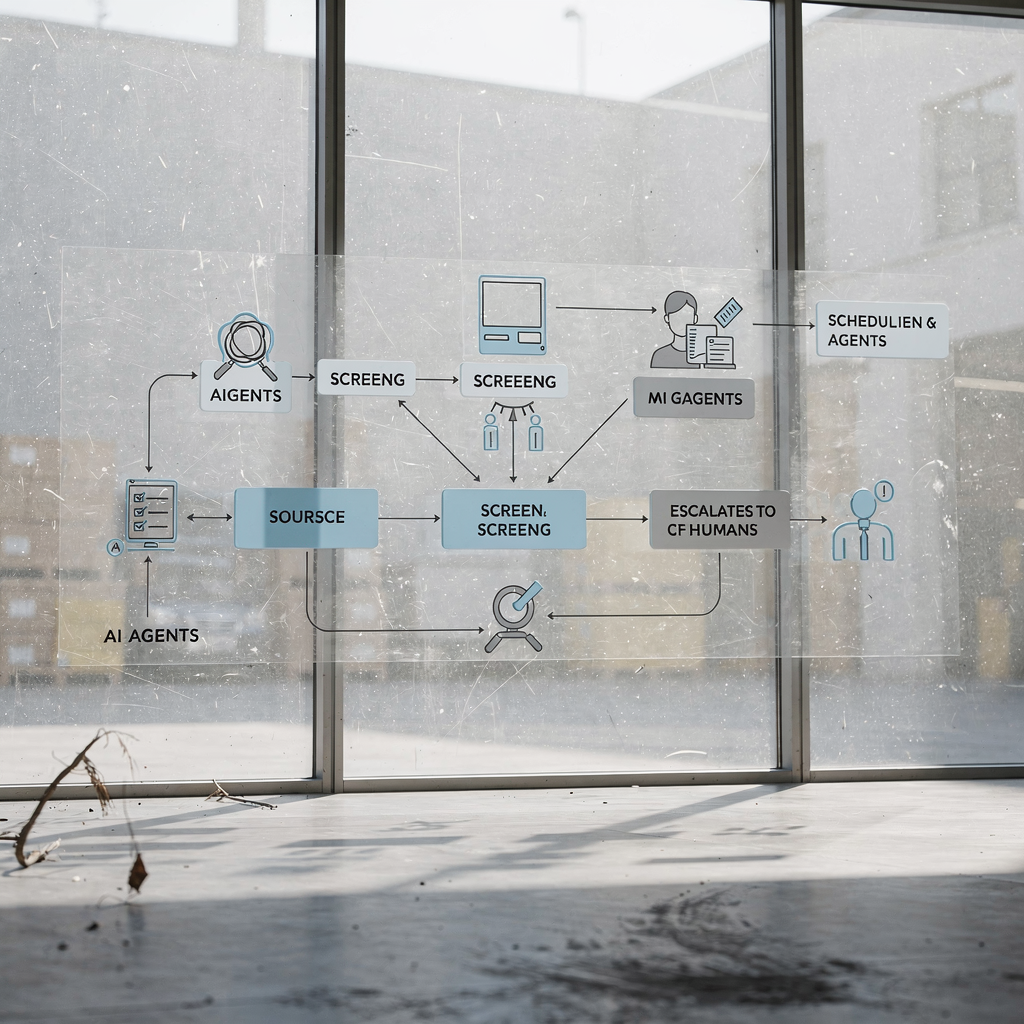
Start with the workflow map. Before automation, recruiters spend time on repetitive tasks such as candidate screening, interview scheduling and status updates. After automation, agentic AI takes on sequences of tasks: source, screen, schedule and followup. Agentic AI acts autonomously within guardrails and frees staff to focus on judgement and relationships. This change raises throughput and improves hiring outcomes when you deploy correctly.
Then, pilot scope matters. Choose a role type with predictable job requirements and a steady flow of open roles. Next, set governance and clear handoffs where humans approve offers and run final interviews. Agentic AI works best when humans lead strategy and AI handles the operational load. As McKinsey notes, the future of work will be agentic, with people and AI agents working side by side (McKinsey).
Also, automation must be integrated into your ATS and CRM. That reduces duplicate entries and keeps candidate profiles current. A recruiting platform that links directly to your ATS and to a talent intelligence source creates a continuous pipeline. Use a team of specialized AI agents for sourcing, screening and calendar coordination so each agent can focus on a single task and hand off cleanly. This approach keeps throughput high and errors low.
Finally, an actionable pilot plan. In 90 days test automation for one client or one job family. Measure time-to-hire, interviews-to-offer, candidate engagement and early quality of hire. Use logging and audit trails so you can review every decision the agents make. If outcomes improve and compliance holds, scale to other clients, including Fortune 500 accounts that expect SLAs and reporting. If you need a model for automated, data-grounded responses in operations, virtualworkforce.ai shows how to reduce handling time and increase consistency by automating the full email lifecycle for ops teams.
Drowning in emails?
Here’s your way out
Save hours every day as AI Agents label and draft emails directly in Outlook or Gmail, giving your team more time to focus on high-value work.
responsible ai for recruiters: bias auditing, transparency and candidate experience safeguards
Ethics and compliance are not optional. Responsible AI must include bias testing, explainability and clear human review gates. Automated screening can reproduce historical bias if models train on biased data. Therefore, every agency should run bias audits and log decision paths. Regulators and clients increasingly expect auditability and transparent reporting about automated decisions. Use explicit tests for demographic parity and outcome differences across job requirements.
Also, candidate disclosure and remediation matter. If you use an AI interviewer or AI agent to make any decision, tell the candidate. Provide a human contact and a way to request manual review. That improves candidate experience and reduces complaints. Additionally, keep records of candidate profiles and all agent actions to meet data retention and GDPR-style obligations. Responsible AI isn’t just ethical AI; it’s risk management and client assurance.
Next, practical controls you can implement. First, retain clear logs for every automated step. Second, set threshold gates where a human must review borderline rejects before they exit the recruitment process. Third, validate models periodically with new data and run fairness tests. Fourth, monitor candidate experience metrics for unintended side effects, such as increased drop-out or poor feedback scores.
Finally, a short compliance checklist. Add bias tests to your release pipeline. Require explainability reports from vendors. Train recruiters to interpret model outputs and to override when needed. Remember that candidates can also use AI agents to apply on their behalf, which complicates verification; media coverage highlights this trend and its effects on résumé volumes (NYT). For more on auditing automation and the future of agentic systems, review recent research that outlines auditing needs for compound AI systems (arXiv).
Leading AI deployments and KPIs: measure quality of hire, hiring outcomes and scale to Fortune 500 clients
Start with the right KPIs. Buyers want clear metrics: time-to-hire, cost-per-hire, interviews-to-offer, candidate experience scores, and quality of hire. Focus on a few that align to client contracts and to recruiting and HR teams. For Fortune 500 clients, include SLA metrics and monthly reporting. These buyers expect a recruiting platform that delivers consistent outcomes and transparent dashboards.
Also, use a phased rollout. Phase 1: pilot on one role family and collect baseline metrics. Phase 2: expand to multiple roles and integrate deeper with ATS and CRM. Phase 3: enterprise scale with SLAs and dashboarding. Leading organizations report that this staged approach reduces risk and wins stakeholder buy-in. You should name KPI owners, set go/no-go gates at 30 and 90 days, and require human review of automated rejects.
Next, dashboard essentials. Show time-to-hire and time-to-offer trends, quality of hire indicators, candidate experience and volume of qualified leads. Add alerts for spikes in rejected candidates or sudden drops in candidate engagement. Also include audit logs and fairness reports for responsible AI. Two brief case examples help. A small agency piloted AI recruiting agents on tech recruitment and cut time-to-hire by weeks while maintaining quality of hire. A second agency scaled to a Fortune 500 client by standardising automated screening and adding weekly SLA reports.
Finally, a 90-day rollout plan. Week 1–2: define scope, KPIs and integrations with ATS and calendar. Week 3–6: run pilot, tune scoring and candidate messaging. Week 7–12: evaluate KPIs, run bias tests and train recruiters on overrides. At the 90‑day gate, decide to scale, pause or revise. If you need practical examples of scaling operations without adding headcount, see virtualworkforce.ai’s guide on how to scale logistics operations with AI agents for a comparable operations-centred playbook aici.
FAQ
What is an AI agent in recruitment?
An AI agent is software that performs tasks in the hiring workflow, such as sourcing, screening or scheduling. It acts under rules and can hand decisions to humans when required, helping teams automate repetitive tasks.
How does AI improve time-to-hire?
AI speeds processes by automating candidate sourcing, screening and interview scheduling. By removing back-and-forth emails and manual triage, AI shortens hiring cycles and increases hiring speed.
Will AI replace recruiters?
No. AI helps recruiters by handling repetitive tasks and surfacing better candidates. Human recruiters retain responsibility for relationship-building, negotiation and final hiring decisions.
How should agencies measure quality of hire?
Use a mix of short-term hiring outcomes and longer-term performance indicators. Combine interviews-to-offer, candidate experience scores and post‑hire performance metrics to judge the effectiveness of AI-enabled hiring.
What are agentic AI and autonomous agents?
Agentic AI refers to systems that can perform multi-step tasks autonomously within defined limits. Autonomous agents can act, monitor and escalate, running sequences such as sourcing → screening → scheduling.
How do we guard against bias in automated screening?
Run regular bias audits, keep detailed logs and require human review for borderline cases. Use explainability reports from vendors and test models on representative candidate data.
Can candidates use AI to apply for roles?
Yes. Candidates increasingly use AI agents to find and apply for jobs, which increases application volume and introduces verification challenges. Agencies should update screening rules and validation checks accordingly.
What integrations are essential for an AI interview tool?
Calendar access, ATS sync and candidate comms integration are essential. These integrations ensure schedules are accurate and candidate records remain consistent across systems.
How do we start a 90-day pilot?
Define scope, choose a role family, set KPIs and integrate with your ATS and calendar systems. Run the pilot, collect metrics weekly and run bias and UX checks before scaling.
Where can I learn more about automating comms and email workflows?
For examples of end-to-end email automation and routing logic in operational teams, review virtualworkforce.ai’s resources on automated logistics correspondence and email drafting. They show practical patterns you can adapt to recruitment admin and candidate comms.
Drowning in emails?
Here’s your way out
Save hours every day as AI Agents label and draft emails directly in Outlook or Gmail, giving your team more time to focus on high-value work.