


ai assistant, ai tools and ats: automate screening and speed placement
AI transforms how teams screen resumes and move candidates through the pipeline. When an AI assistant plugs into an ATS it can parse CVs, map fields, and pre-qualify applicants. That reduces repetitive manual tasks like resume screening and tagging. Typical time saved on screening tasks ranges from 30–40% when parsing and shortlisting run reliably. At scale this helps staffing teams place more candidates and fill roles faster without adding headcount.
Yet accuracy matters. Large studies show AI responses on news topics contain issues in about 45% of cases and roughly 20% include major accuracy errors (study). Apply that risk to candidate data and you see the need for validation, because mismapped fields or hallucinated details can harm hiring experience and candidate outcomes. The BBC research also highlights answer problems that demand auditing when an AI handles sensitive facts (BBC report). Therefore teams must add checks and logs.
Practical checklist for ATS integration:
• Data mapping to ATS fields and testing each CV format.
• Decide when to rule vs model decisions: use rules for required qualifications and models for soft-skill signals.
• Logging for audit and traceability so hiring managers can see why a candidate was shortlisted.
Integrations should expose an audit trail in the ATS and a dashboard for recruiter review. Use short loops for feedback so human recruiters can correct errors and feed retraining data. Also consider a staffing engine recruiting approach that labels risk levels and routes high-risk candidates to a human reviewer. For operations teams, virtualworkforce.ai’s experience with end-to-end email automation offers a useful parallel: ground automations in source data and keep escalation paths clear. For logistics teams that want operational AI examples, our guide to a virtual assistant for logistics explains how to bind data sources and rules to drive accuracy virtual assistant for logistics.
recruiter, ai recruiter and integration: how staffing firms adopt the right ai
Staffing firms face a choice: supplement recruiter workflows or replace them. The right path starts with integration planning and careful pilots. First, map the recruiting process and target tasks like candidate screening and interview scheduling for automation. MIT-style analyses estimate AI can automate about 11.7% of U.S. workforce tasks, which suggests you should automate routine work and keep humans for high-stakes decisions (MIT study). For example, let an ai recruiter pre-qualify candidates and book slots, while human recruiters run final interviews and negotiate offers.
Adoption paths for staffing firms often follow an API-first approach. Start with low-risk use cases and a phased pilot. Connect the ai platform to your ATS and calendar so the system can read job descriptions, suggest interview times, and update recruiter calendars. Run controlled experiments that measure time-to-hire, time-to-fill, and error rates. Use the pilot to refine prompts and the rules that govern automatic actions.
Practical deployment steps:
• Select use cases with clear ROI, such as resume screening and scheduling.
• Run controlled pilots with defined KPIs and acceptance thresholds.
• Measure error rates and apply human-in-loop controls until the model meets quality gates.
Staffing firms should monitor how automation shifts recruiter focus. Use analytics and a candidate-facing feedback loop to measure completion rates and candidate satisfaction. For firms that want to scale without hiring, our practical note on scaling logistics operations shows how to link data systems and keep governance tight how to scale logistics operations without hiring. Finally, leadership must communicate trade-offs openly because surveys show 74% of employees feel mixed or negative about AI adoption, especially around job security and privacy (survey). Training, transparency, and measured pilots address those concerns and help accelerate your staffing firm safely.

Drowning in emails?
Here’s your way out
Save hours every day as AI Agents label and draft emails directly in Outlook or Gmail, giving your team more time to focus on high-value work.
conversational ai, conversational and ai agents: improve candidate experience and scheduling
Conversational AI and AI agents provide 24/7 candidate support. They answer FAQs, confirm interview times, and send confirmations and reminders so candidates know what to expect. That continuous availability reduces no-shows and improves the hiring experience. Conversational flows that reply in real-time increase response rates and push more qualified candidates into the pipeline.
By automating interview scheduling, conversational ai reduces back-and-forth and lets candidates pick slots from live calendars. Systems can check recruiter calendars and suggest alternatives if conflicts appear. Set automatic rescheduling and confirmation logic so candidates receive immediate confirmations and a reminder before the interview. Use rules to avoid double-booking and to enforce minimum notice windows.
Implementation notes:
• Guardrails for escalation to humans when answers require judgment.
• Clear transparency that candidates interact with an AI.
• Data retention settings to comply with security and compliance policies.
Conversational agents must be designed for context. Good agents keep session memory across messages so a candidate who asked about benefits later receives consistent answers. They should also pre-qualify candidates for the recruiter by asking key screening questions. That reduces recruiter workload and increases recruiter productivity for critical conversations. In high-volume hiring, conversational ai handles initial contact, while human recruiters focus on rapport and final selection. For teams managing lots of shipment or customs queries, similar patterns apply; see our page on automating logistics correspondence to understand threading and grounding techniques automated logistics correspondence.
Design transparency and training reduce friction. When candidates know that an ai agent handles scheduling they set expectations, and when escalation is fast they feel supported. Keep flows short, test confirmations and reminders, and iterate. That way you improve completion rates and place more candidates with less effort.
automate, automation, analytics and recruitment: boost productivity with measurable metrics
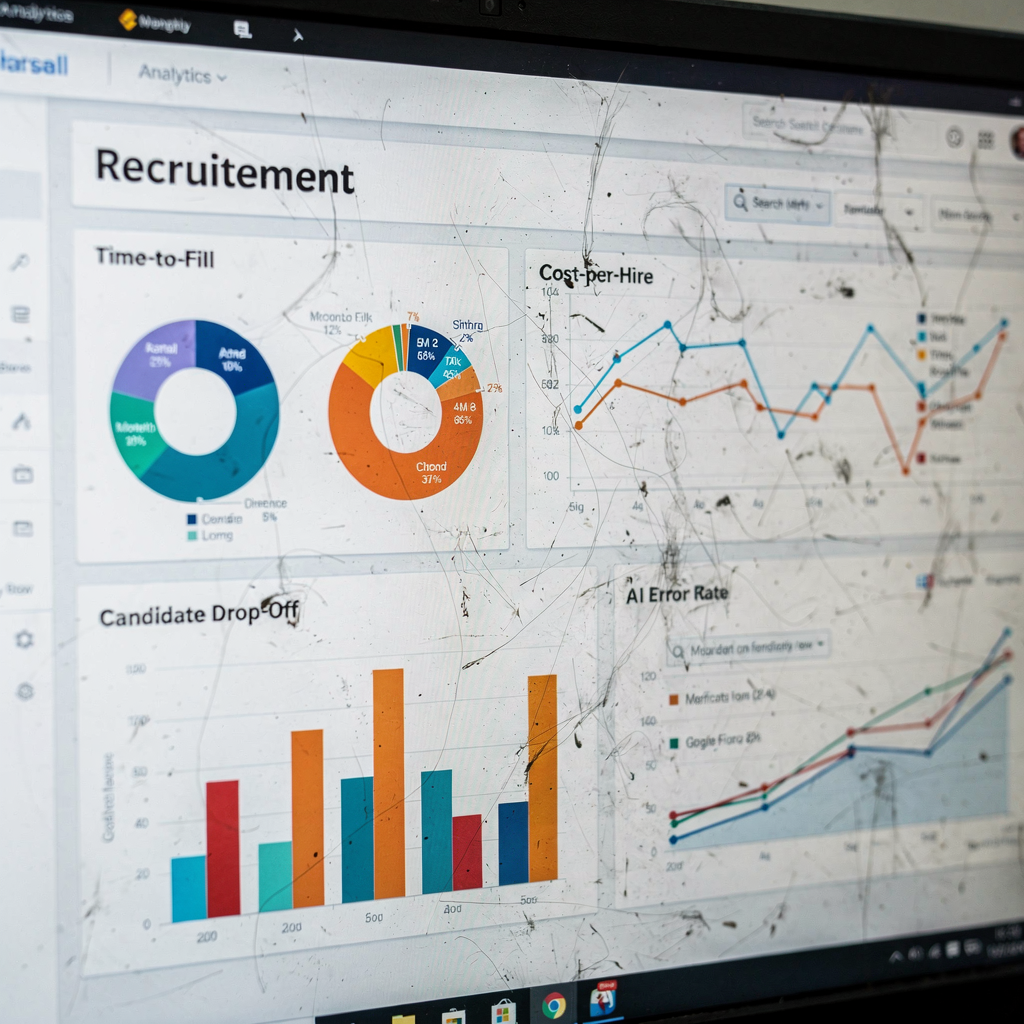
Automation only becomes valuable when you measure impact. Define clear metrics: time-to-fill, time-to-hire, cost-per-hire, quality-of-hire, candidate drop-off, and AI error rate. Build a single dashboard that consolidates these indicators so recruiters, sales reps, and hiring managers can see the full pipeline. Dashboards let teams spot where automation helps and where human review still matters.
Use analytics to find bottlenecks. For example, a dashboard may show that certain roles still have high candidate drop-off during candidate screening. That signals either poor job descriptions or AI errors in pre-qualifying. Track AI hallucinations and mismatches by logging model outputs and auditing a sample. Analytics also identify which talent pools respond best to automated outreach and where manual touch yields better quality-of-hire.
Practical targets and governance:
• Aim for incremental productivity gains instead of a single productivity shock.
• Continuously retrain models with corrected labels to reduce error rates.
• Monitor for model drift with scheduled audits and a conservative rollback plan.
In practice, automation should handle tasks like screening and scheduling while allowing human recruiters to own candidate relationships and final decisions. That hybrid model boosts recruiter productivity and ensures hiring managers keep control of offers. Use analytics to quantify improvements and to communicate wins across the staffing firm’s teams. For organizations that rely on operational email workflows, virtualworkforce.ai shows how automating repetitive email tasks can reduce handling time and free staff to focus on high-value work virtualworkforce.ai ROI for logistics. Combined analytics and automation let firms increase productivity, reduce time-to-hire, and place more candidates with consistent quality.
Drowning in emails?
Here’s your way out
Save hours every day as AI Agents label and draft emails directly in Outlook or Gmail, giving your team more time to focus on high-value work.
staff, staffing agencies, staffing firms and source: governance, bias and secure sourcing
Governance must start before models go live. Test for bias across gender, ethnicity, age, and educational background. Require provenance for the data you use to source candidates, and log all sourcing decisions so auditors can trace outcomes. Consent and privacy controls are essential, especially when candidate data flows across third-party models. Vet third-party models and limit PII flows to external APIs.
Staff training and change management reduce resistance. With 74% of employees reporting mixed or negative feelings about AI, staffing agencies should run training, Q&A sessions, and role-specific playbooks to build trust (study). Explain how automation will reduce repetitive manual tasks and how humans will still handle high-stakes decisions. Describe how the staffing firm’s staff will benefit from increased recruiter productivity and clearer ownership of candidate relationships.
Security and compliance essentials:
• Bias testing and regular audits.
• Provenance of sourcing data and retention policies.
• Human oversight for final shortlists and offers.
Operationally, maintain an auditable trail of who sourced each candidate and what model scores influenced the decision. For firms that place many candidates in logistics roles, grounding AI responses in ERP and document systems is critical. Our page on ERP email automation shows how to keep grounding tight and auditable when AI reads operational records ERP email automation for logistics. Finally, adopt a no-code control panel so non-technical staff can adjust routing, consent settings, and escalation rules without engineering changes. That balances speed with security and helps human recruiters retain control.
best ai, right ai and ai is transforming placement: choose and scale what works
Choose tools by matching strengths to use cases. Use specialized parsing models for CVs, conversational AI for candidate experience, and analytics platforms for tracking ROI. Pick an ai platform that exposes APIs and SLAs and that supports human-in-loop controls. The right ai is the one that increases recruiter focus on high-value tasks while automating repetitive work.
Balance risk and reward. AI is transforming staffing and placement, but accuracy limits remain. Require human review for final shortlists and offers. Use phased rollouts with vendor due diligence, performance SLAs, and continuous monitoring. Train staff on how to use ai-powered tools and how to interpret model signals. That helps ensure quality-of-hire improves alongside speed.
Scaling checklist:
• Vendor due diligence and security reviews.
• Phased rollout and controlled pilots.
• Performance SLAs and dashboards for recruiter productivity.
• Continuous model monitoring and retraining plans.
For staffing firms looking to accelerate your staffing, start small and measure. Use a recruiting acceleration platform for targeted automation and expand to more roles once you hit performance gates. When you select tools, include categories of ai that match the scenario: parsing for CVs, conversational for candidate-facing interactions, and analytics for measurement. Remember to keep human recruiters in the loop for offers and delicate negotiations. If you want operational examples that reduce time spent on repetitive messages, review how to automate logistics emails with Google Workspace and virtualworkforce.ai for a model of end-to-end automation and control automate logistics emails with Google Workspace. With the right mix of technology, training, and governance you can place more candidates, boost productivity, and fill roles faster while protecting quality.
FAQ
How does an AI assistant integrate with our ATS?
An AI assistant integrates via APIs or native connectors that map CV fields to ATS schema. It can automate resume screening and update candidate statuses while logging decisions for audit and review.
Are AI recruiters accurate enough to replace humans?
AI recruiters can handle routine tasks like candidate screening and interview scheduling, but they are not replacements for human judgment. Use human recruiters to review shortlists and lead final interviews to avoid accuracy problems.
What are the biggest risks when we use conversational AI for candidates?
Risks include incorrect answers and data privacy issues. To mitigate them, add escalation paths to humans, disclose that candidates interact with AI, and set strict data retention and consent policies.
How should staffing firms pilot ai recruiting tools?
Run small, controlled pilots with measurable KPIs like time-to-hire and error rate. Use an API-first integration and keep human-in-loop controls until the model consistently meets quality gates.
Which metrics should we track to measure automation ROI?
Track time-to-fill, time-to-hire, cost-per-hire, candidate drop-off, and AI error rate. Use a dashboard to correlate automation actions with recruitment outcomes and to spot model drift.
How can we prevent bias in sourcing and selection?
Implement bias testing across candidate attributes and require provenance for sourcing data. Auditable logs and human oversight for high-stakes decisions also reduce discriminatory outcomes.
What governance is needed for third-party AI models?
Vetting should include security reviews, SLAs, data handling policies, and restrictions on PII flows to external APIs. Maintain a clear escalation and rollback plan for model failures.
Can conversational AI reduce no-shows?
Yes. Automated confirmations and reminders reduce no-shows by keeping candidates informed and engaged. Smart rescheduling logic and timely reminders further improve completion rates.
How much time can automation save recruiters?
Automation can save 30–40% of time on screening tasks and remove many repetitive manual tasks. That shifts recruiter focus to relationship-building and improves recruiter productivity.
What training do staff need for AI adoption?
Staff need hands-on training, transparency about what the AI does, and playbooks for handling escalations. Change management should address concerns about job security and explain the shared human-AI workflow.
Drowning in emails?
Here’s your way out
Save hours every day as AI Agents label and draft emails directly in Outlook or Gmail, giving your team more time to focus on high-value work.