


ai (AI) — Varför AI är viktigt för servicedesken
Summary: AI can cut routine work, speed response and reduce cost-per-ticket while improving service desk efficiency.
AI matters because it automates repetitive tasks like triage, classification and password resets. In IT service management, automation frees agents to focus on complex issues. Reports show AI can handle up to roughly 70% of routine IT requests without human intervention, so teams can target quick wins in volumes and speed (källa). Many organisations report strong ROI: some studies estimate about $4.90 of economic value for every $1 invested in AI solutions (källa). Mid‑2020s surveys show the majority of firms use AI in at least one function, and ITSM adoption keeps rising (källa). That adoption translates into faster time to resolution and lower labour cost per ticket.
Fast wins come from automating ticket triage, auto‑classification, common fixes and password resets. A well‑trained AI assistant can label and route incidents instantly. This reduces mean time to resolution, increases first contact resolution and improves 24/7 availability. As a result, your help desk sees fewer backlog spikes and more predictable SLAs. Use of AI also supports omnichannel support across chat, email and portal channels so users get consistent replies.
However, accuracy limits matter. Studies on AI outputs found a significant share of answers with sourcing or accuracy problems, so validation is essential (källa). For IT, errors in guidance can cause failed fixes or escalations, so treat AI as a collaborator rather than a replacement for oversight. Design hybrid workflows that combine automated steps with agent review for high‑risk work.
3 actions you can take now:
1. Run a pilot that automates triage and password resets to measure MTTR and cost-per-ticket.
2. Track ROI metrics such as economic value per dollar spent and ticket deflection rate.
3. Build validation gates so humans review answers before full autopilot.
ai assistant — How AI assistants transform the service desk workflow
Summary: An AI assistant maps to concrete tasks and can speed every stage of a ticket lifecycle while keeping agents in control.
An AI assistant can provide conversational triage, auto‑classification, guided troubleshooting, runbook automation and ticket summarisation. In practice a customer types a query, conversational AI offers a suggested KB article, and if the user follows the guidance no ticket is created. If the user continues, the assistant creates a contextual ticket with suggested SLA and escalation paths. These flows deflect simple incidents and cut agent effort.
Example flow:
User: ”My VPN won’t connect.”
Assistant: suggests a KB article and a quick test; runs a check; if still unresolved it creates a ticket with logs, probable cause and remediation steps. The assistant can also auto‑invoke runbooks to restart services or gather diagnostics. This reduces repetitive work and lets support agents handle edge cases.
Measure gains through KPIs like first contact resolution, ticket deflection rate and agent time saved. A successful deployment will improve CSAT and reduce average handle time. Prefer hybrid models: let AI handle low‑risk steps, and route complex incidents to humans. Agentic AI and action-capable assistants must have audit trails and rollbacks to avoid unintended changes.
Where to start: pick a narrow vertical such as password resets, order status or connectivity checks. Ensure the AI assistant uses grounded data and connects to ticket history and KB. virtualworkforce.ai-exempel shows how AI agents can automate entire email threads and route or resolve emails using operational data, which maps directly to service desk workflows. Tools like AI tool integrations with major ITSM platforms speed deployment.
3 actions you can take now:
1. Map one common request and build a conversational flow that either deflects or creates a rich ticket.
2. Add context capture so the assistant generates a complete ticket summary and suggested SLA.
3. Instrument every action with logs and human override buttons.

Drowning in emails?
Here’s your way out
Save hours every day as AI Agents label and draft emails directly in Outlook or Gmail, giving your team more time to focus on high-value work.
customer support — Improving customer support and user experience with AI
Summary: AI improves customer support by cutting wait times, enabling 24/7 help and increasing self‑service completion while preserving the option to escalate to humans.
AI delivers faster response times and consistent replies across channels. Use cases include 24/7 conversational support, proactive notifications and personalised guidance across chat, email and portal. Metrics to monitor include response time, CSAT, NPS shifts and self‑service completion rates. Research shows that while many customers welcome faster answers, a sizable group still prefers human contact for complex issues, so design a clear handover path to support agents. For email‑centric operations, automated email lifecycles by AI agents reduce handling time per message and improve ownership in shared inboxes; see examples in logistikens e-postutkast for framed use cases.
UX matters: set clear expectations about what the assistant can do and where it must escalate. Visible sourcing and provenance tagging for answers build trust. Offer simple prompts like ”speak to an agent” and show when answers are machine‑assisted. Use customer support tools that integrate KBs and ticket history so the assistant provides grounded responses. Generative AI can draft empathetic replies, but ensure the drafts are accurate with a solid data grounding step to avoid hallucination, and add checks before sending.
Balance speed with trust: automated responses improve CSAT when accurate, yet studies document high error rates in general AI outputs, so monitor ai responses closely (källa). For omnichannel support, choose an assistant that logs interactions centrally to maintain context and case continuity. This approach delivers exceptional customer service while reducing agent load.
3 actions you can take now:
1. Create a public explanation of the assistant’s scope and a single-click handover option.
2. Track CSAT and self‑service completion after deploying a chat support pilot.
3. Add provenance tags to AI answers and a human review loop for edge cases.
service desk — Integration, architecture and the right AI for your service desk
Summary: Integrate AI through APIs and connectors, govern data flows and roll out in phases to protect privacy and keep control.
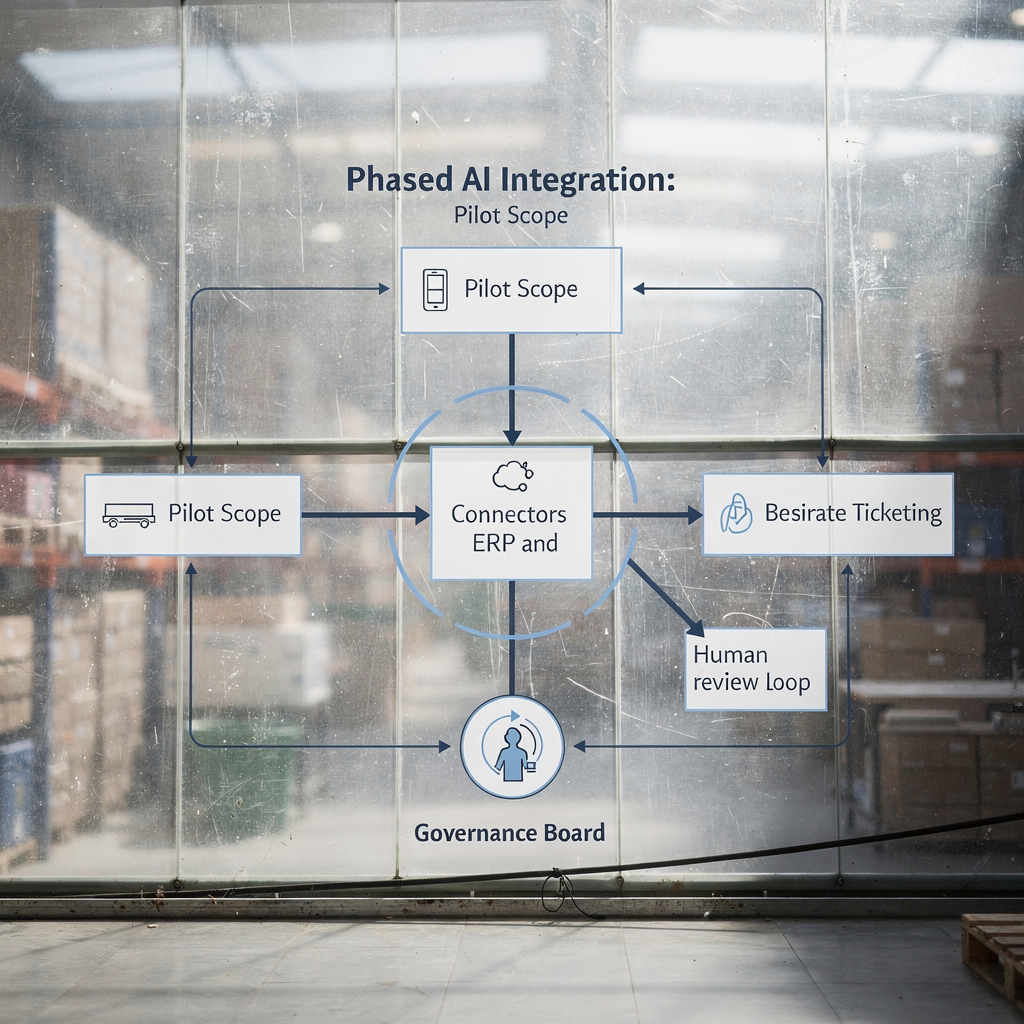
Integrating AI into a service desk requires clear architecture. Use APIs and connectors to sync ticket history, KB, identity systems and logs. Ensure identity and access controls protect sensitive data. Data flows should include traceable logs and provenance for AI answers so auditors can replay decisions. Select an AI service that supports action‑based agents and that can issue safe runbook actions with approvals. Consider tools like ai service desk software that plug into major ITSM platforms and support both read and write operations on tickets.
Selection checklist: confirm GDPR and other compliance needs in the EU, verify system interoperability, evaluate vendor maturity and confirm support for orchestration. Test the right ai copilot scenarios such as draft replies, route suggestions and auto‑remediation. Start small: pilot a single intent, measure outcomes and expand. A phased approach avoids large‑scale failures and improves adoption.
Change management matters. Train agents on new workflows and improve KB quality. Establish governance so product owners approve playbooks and security teams review permissions. Use metrics to decide when to scale. For email-heavy teams, assess ai it support tools that can automate the full lifecycle of operational emails; for example, automatiserad logistikkorrespondens.
3 actions you can take now:
1. Build an API map that shows where the AI will read and write data.
2. Run a compliance review and a pilot under strict access controls.
3. Define governance roles that approve KB updates and runbooks.
Drowning in emails?
Here’s your way out
Save hours every day as AI Agents label and draft emails directly in Outlook or Gmail, giving your team more time to focus on high-value work.
ai tools for it support — Choosing the best AI tool and assistants for your support team
Summary: Pick tools that match your needs: accuracy, action capability, KB integration and governance matter more than flashy features.
When you evaluate AI tools for IT support, focus on accuracy and the ability to act. Compare whether the AI tool can only suggest actions or can execute runbooks. Look for KB integration, multichannel support and analytics. A best ai selection balances action with safety: ensure audit logs, role‑based approvals and the option to rollback automated changes. Also prioritise ease of use so agents adopt the tool without heavy training.
Comparison criteria include accuracy, action capabilities, KB integration, analytics, channel support and pricing. Trial tools on real tickets and run a blind accuracy test before full rollout. Tools like ai help desk software differ: some provide built‑in ai drafting, others offer agentic AI that executes workflows. Evaluate vendor transparency on training data and whether the ai assistant supports custom safety filters. Test tools like Zendesk AI or Freddy AI in sandbox mode to verify behaviour before production; many platforms publish integrations for common ticketing systems and email stacks.
Procurement tip: request a pilot that uses your support tickets and your KB. Measure improvement in service desk efficiency and monitor ai responses for errors. Also choose a solution that can scale support and maintain traceability for audits. If your operations rely on email, consider ai agents that can automate the full email lifecycle to reduce handling time from around 4.5 minutes to 1.5 minutes per message, a tangible efficiency boost reported by some vendors virtualworkforce.ai.
3 actions you can take now:
1. Run a blind accuracy trial using your anonymised tickets and KB entries.
2. Require audit logs and role-based controls in procurement contracts.
3. Choose a pilot that proves both deflection rate and agent time saved.
ai analytics — Measuring performance, mitigating risk and governing AI assistants
Summary: Measure ticket deflection, CSAT changes, accuracy rates and financial impact; govern with audits, provenance and incident plans.
AI analytics let you track performance and control risk. Key metrics include ticket deflection, CSAT change, accuracy/error rate of AI answers, escalations triggered by AI and financial impact. Set targets for service desk efficiency and measure against a baseline. Use automated tests that replay canonical incidents and compare AI responses to approved answers. Capture user feedback and route low‑confidence interactions to humans. Use ai analytics dashboards to spot trends and drift in model behaviour.
Risk examples underscore the need for governance. Studies of AI outputs found many answers with significant problems, which highlights the need for validation and provenance tagging (källa) and (EBU‑rapport). Implement quality controls: human review loops, continuous feedback capture, automated regression tests and provenance tags on every AI answer. Define roles for approving playbooks and maintain a regular audit schedule. Plan an incident response for AI‑induced failures so you can roll back changes and notify stakeholders quickly.
Finally, show financial impact in the language executives prefer: use dollars saved, economic value per investment and time saved per agent. Link analytics to payroll and SLA meters. For email-heavy teams, track reduced handling time and improvements in ownership using targeted metrics and dashboards; exempel på ROI.
3 actions you can take now:
1. Define a KPI dashboard with deflection, CSAT, accuracy and financial metrics.
2. Add provenance tagging and automated regression tests for canonical incidents.
3. Establish a governance board that audits AI answers and approves playbooks.
Vanliga frågor
What can an AI assistant do for a service desk?
An AI assistant can triage requests, auto‑classify tickets, suggest KB articles and draft replies. It can also run approved remediation steps and summarise ticket context for agents.
How much can AI reduce ticket volume?
Industry sources estimate AI can handle up to about 70% of routine requests in some contexts, especially password resets and common fixes (källa). Results vary by scope and data quality.
Are AI responses reliable?
AI can be reliable when grounded in verified KB and logs, but studies show a non‑trivial error rate in AI outputs, so quality controls matter (källa). Always include human validation for high‑risk actions.
How should we measure success?
Track ticket deflection, CSAT, MTTR, cost per ticket and economic value per dollar invested. Combine operational KPIs with financial metrics to show real impact (källa).
What is the best AI tool for help desks?
The best AI tool depends on your needs: choose for accuracy, action capability, KB integration and governance. Run a blind trial with your data to compare tools like ai help desk software and agentic AI variants.
How do we protect data and privacy?
Use APIs with strict access controls, encrypt data flows, and follow EU/GDPR and other regional rules. Limit what the AI can write and keep detailed audit logs for every action.
Should we use generative AI in customer replies?
Generative AI can draft personalised replies quickly, but always ground drafts in your KB and operational data. Include a review step for any message that affects SLAs or finances.
How do we handle customer preference for human contact?
Offer a clear option to escalate to an agent and set expectations about the assistant’s scope. Measure NPS and CSAT to ensure satisfaction and adjust handover thresholds if needed.
What governance is needed for AI agents?
Define roles for approving playbooks, schedule regular audits, require provenance tags and build an incident response plan. Governance keeps AI aligned with business rules and risk limits.
How do I start a pilot?
Pick one high‑volume, low‑risk intent such as password resets or status checks. Instrument KPIs, run the pilot with human oversight and iterate based on measured accuracy and agent feedback. For email workflows, you can review solutions that automate email drafting and routing to see direct ROI examples (internt).
Drowning in emails?
Here’s your way out
Save hours every day as AI Agents label and draft emails directly in Outlook or Gmail, giving your team more time to focus on high-value work.