


ai and ai-powered: the role of ai email assistant in property management
AI now sits at the center of modern property management for co-living operators. First, an AI email assistant that drafts, prioritises and routes messages for property management and leasing teams reduces repetitive tasks. Next, teams regain time and focus on community building. Also, industry data shows clear gains: faster responses and higher resident satisfaction. For example, AI tools can cut response time by up to 50% (källan). In addition, companies report a 20–25% lift in satisfaction when they apply AI to customer communications (källan). Moreover, operators that automate routine emails free staff to handle complex issues and to improve resident experience. For instance, teams often free up to about 40% of staff time by adopting automation and smarter processes (källan).
Core use cases are straightforward. Enquiries from prospects get instant acknowledgements. Tour booking, rent reminders, maintenance triage and lease renewals move from manual handling to predictable flows. Also, measurable KPIs let you track impact from day one. Track response time, resolution time, conversion and backlog. Use simple dashboards to show wins. For teams in leasing, the right AI cuts lead-to-tour time and raises booking rates. Our company, virtualworkforce.ai, automates the full email lifecycle so ops teams reduce handling time and preserve consistency. You can read how end-to-end email automation applies in related logistics workflows in our guide to scaling operations without hiring.
Design your rollout to prioritize quick wins. Start by mapping high-volume inquiries and then automate those. Also, include human review for sensitive or high-value messages. Finally, preserve resident data and context so every reply reflects the community voice and the unique needs of each renter.

ai email and inbox automation: simplify workflow for leasing and booking
AI email plus inbox automation simplifies the leasing and booking workflow in clear ways. First, an AI-driven inbox can smartly route leads to the right person. Then, auto-acknowledgements reassure prospects immediately. Also, scheduling a tour becomes a one-click flow tied to calendars. For example, auto‑routing and calendar checks speed up booking confirmations and reduce no-shows. Use templates as the backbone, and let AI personalise each draft with tenant data. A well-designed template strategy uses core templates for initial enquiries, then AI fills details and tailors tone. Test variations with A/B testing to improve conversion. You can also use tools that integrate with Google Workspace to sync calendars and avoid double bookings. For a practical implementation across inboxes and calendars see our advice on using Google Workspace with automation for email handling with virtualworkforce.ai.
The real benefit is that automation shortens lead-to-tour time. Shorter response windows increase booking rates and lower friction for prospects. Also, auto followup sequences catch warm prospects before they go cold. Use a mix of human review and automated followup so high-value leads get a personalised touch. Keep a small set of templates and let AI draft and then surface those for quick edits. That approach reduces the time staff spend on repetitive composition and increases time for in-person leasing interactions. In parallel, apply spam filtering and smart triage to keep quality high. Also, use occupancy and pricing data in the same flow so confirmations include accurate total costs and payment instructions. Finally, make sure your team can see the email history on the tenant profile so context stays attached to each booking.
Drowning in emails?
Here’s your way out
Save hours every day as AI Agents label and draft emails directly in Outlook or Gmail, giving your team more time to focus on high-value work.
ai assistant, ai agents and ai models: draft template and automate faq and email conversations
Design patterns for AI vary by complexity. For simple replies, a single AI assistant can handle routine questions and confirmations. For more advanced needs, deploy specialised AI agents that focus on leasing, maintenance and billing. An AI agents approach isolates intent and lets each bot apply domain rules. Also, you can keep a human in the loop for high-value prospects while automating routine work.
Drafting works best when you combine templates with dynamic data. Use a base template for a tour confirmation. Then, let AI draft the customised body, insert appointment times and include parking or building access instructions. Always include a short manual review step for premium or enterprise-grade prospects. When teams are stretched, the AI can draft and send confirmations automatically, while tagging the thread for followup. You can also generate emails for maintenance triage where the AI collects photos and schedules vendors.
Automate frequent questions by building an editable FAQ knowledgebase. Let AI models triage incoming mail against that FAQ. If the question matches, AI replies with the approved answer. If not, escalate to a human. Keep the FAQ up to date and retrain models on newer phrasing. For complex legal or lease-language queries, use human review and retain the original thread as proof. Tools like ChatGPT and Gemini can help prototype replies and train tone, but always ground answers in your operational data. For more on drafting and logistics-focused email drafting, see our resource on email drafting AI for logistics workflows. Also, include an easy ”answer your questions” link in emails so renters can ask clarifying questions quickly.
integrate and integration: tie ai-powered email to CRM, WhatsApp and google workspace
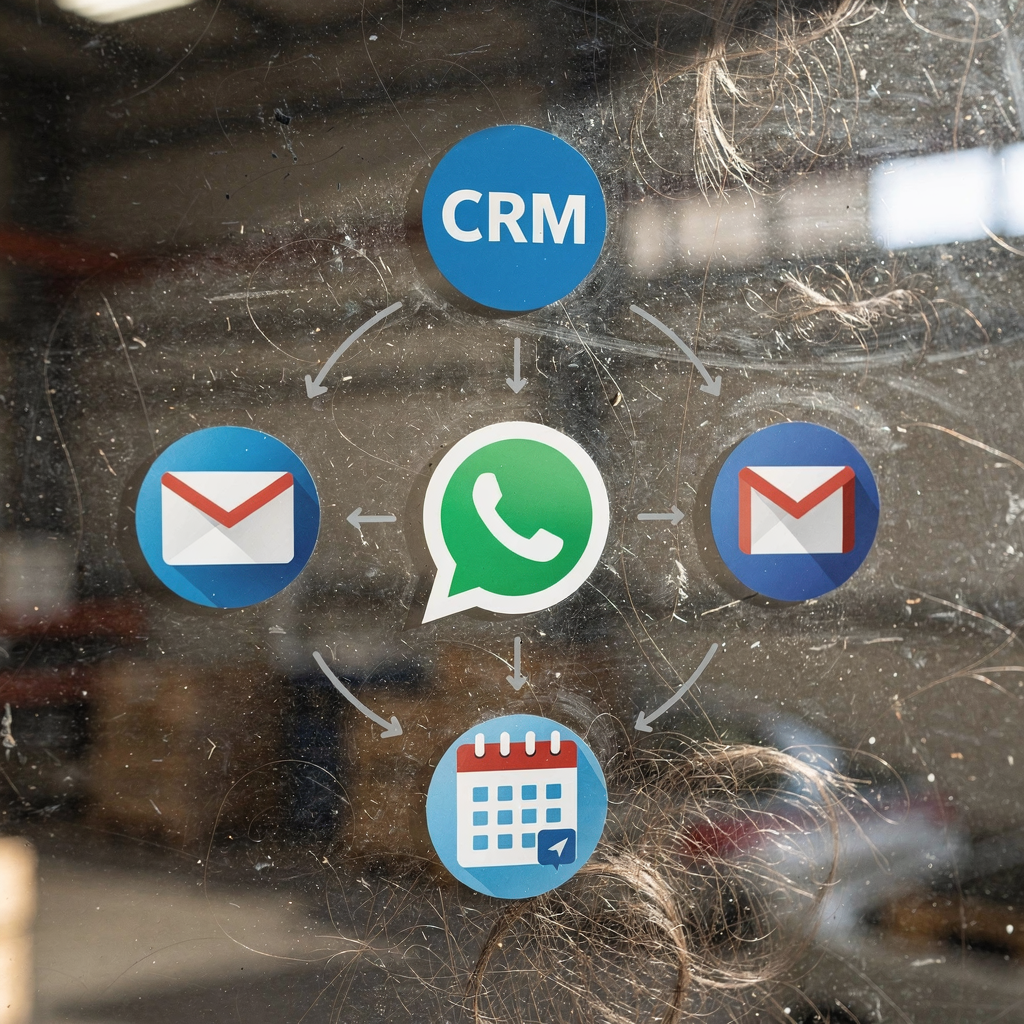
An AI-powered email strategy only succeeds when systems connect. First, sync contact and lease data with your CRM so replies reference accurate tenant records. Then, set up bi-directional integration so emails update tenant profiles and CRM events populate back into email threads. Use a single source of truth to avoid duplicate records and to keep email history attached to tenant profiles. Consider HubSpot or other CRMs where you map engagement fields and tags. Also, ensure Outlook integration or Gmail links so agents can work inside their preferred client without losing context.
Integrate messaging channels like WhatsApp and SMS to handle fast tenant questions. For example, route urgent maintenance updates to WhatsApp while keeping a captured copy in the CRM. Use enterprise tools that log chat transcripts as part of the email record. Seamlessly connect calendars in Google Workspace to enable instant booking and to prevent double-bookings. When you integrate across channels, you can automate followup and outbound campaigns, and you can easily categorize conversations by intent. For best practices on full lifecycle automation and data grounding across systems, review our automated correspondence guidance on related operational scenarios. Finally, set access and governance so IT controls data flows and business teams control tone and routing rules.
Drowning in emails?
Here’s your way out
Save hours every day as AI Agents label and draft emails directly in Outlook or Gmail, giving your team more time to focus on high-value work.
triage, split your inbox and email history: intelligently find answers while keeping your data
Intelligent triage transforms shared inboxes into reliable workflows. First, split your inbox into streams: urgent maintenance, leads, billing and internal. Then, apply AI scoring rules to prioritize incoming messages and to categorize by intent. Use simple rules and machine learning to categorize and then route. For example, tag messages as urgent if they include words that indicate safety or failures, and escalate immediately. This triage process reduces errors and speeds action.
Keep an audit trail by preserving email history in the CRM. Attach timestamps and decision notes for compliance and dispute resolution. Also, clearly state data retention rules and access control so teams can find answers and respect privacy. Use tools that allow you to keep your data on-premises or in controlled cloud storage to satisfy local regulations. Implement spam filtering and automated categorization so agents see fewer low-value messages. Use easy search tools so people can use ai-powered search to quickly find past threads, repair orders, or previous confirmations.
Design your split your inbox rules with both automated and manual checks. Let AI suggest a category and then apply it automatically when confidence is high. For edge cases, route to a small human queue. Also, maintain a human language audit so the tone aligns with your brand. Lastly, remember to backup email history and to set retention windows that meet privacy commitments. If you need examples of deep email automation in operational settings, our virtual assistant logistics page shows use cases that map to property operations and shared inbox handling.
operational efficiency, conversion and next steps: leverage ai solutions and advanced ai to increase conversion
Operational efficiency improves when AI focuses on repetitive and data-driven work. Start with a pilot for 30–60 days. Next, scale by integrating WhatsApp, CRM and Google Workspace. Then, optimise with advanced AI and analytics. Measure booking conversion, lead response time and retention uplift to quantify impact. Use a simple pilot script and a defined KPI set so stakeholders can see value quickly. Also, keep a rollback plan and a training cadence for updating models and templates.
Monitor risks closely. Watch for hallucinations and incorrect facts. Put human review in place for sensitive replies and legal language. Use intelligent automation and enterprise-grade controls for access, provenance and traceability. Also, set rules so the AI only sends automated confirmations when it has verified key data like availability and price. Train teams on how to write emails generated by AI and how to prioritise escalations.
Next steps include vendor selection, integration planning and data privacy reviews. Create a shortlist and then run a small pilot focused on one building or portfolio. During onboarding, map your processes and connect operational systems. You can also compare approaches and ROI by reviewing logistics ROI studies for similar automation problems in our ROI resource. Finally, remember that assistants offer measurable savings and that AI can help teams that are stretched to maintain high service standards. Use this plan to proactively scale while keeping resident communication personal and accurate. For more tactical resources about scaling without hiring, explore our guide on how to scale logistics operations with AI agents for an operational blueprint.
FAQ
What is an AI email assistant for co-living operators?
An AI email assistant automates routine email tasks like acknowledgements, scheduling and triage. It drafts replies, prioritises messages and routes threads so staff can focus on higher-value work.
How quickly can I see improvements in response time?
Many teams report visible gains within weeks when they automate high-volume message types. For example, response time reductions of up to 50% have been observed after deployments (källan).
Can AI handle maintenance requests and emergency triage?
Yes. AI can categorise messages, detect urgency and escalate critical issues to on-call staff. It also records the email history and timestamps so teams have an audit trail.
Will an AI assistant replace leasing staff?
No. AI handles repetitive, data-dependent emails and drafts, while humans manage relationship-building and complex negotiations. This combination improves conversion and operational efficiency.
How do integrations with CRM and messaging apps work?
Integrations sync contact, lease and conversation data so every reply appears in the tenant profile. They also allow calendar checks for bookings and log WhatsApp chats into the CRM for context.
Is resident data secure with AI systems?
Yes, if you choose solutions with enterprise-grade controls and clear data governance. Set access policies, retention rules and audit logs to protect sensitive information and for compliance.
How can I measure conversion and ROI?
Track lead response time, booking conversion, handling time per email and retention uplift. Compare those KPIs before and after your pilot to quantify impact.
What about false or incorrect replies from AI?
Monitor for hallucinations and enforce human-in-the-loop for sensitive replies. Regularly retrain models on accurate operational data and maintain an editable FAQ for consistency.
Can I use AI with Outlook or Gmail?
Yes. Most solutions support Outlook integration and Gmail links and can draft replies directly in the client while logging conversations back to the CRM.
How do I get started with a pilot?
Define KPIs, choose a high-volume use case, connect CRM and calendars, and run a 30–60 day pilot. Then, evaluate results and plan next steps for wider rollout.
Drowning in emails?
Here’s your way out
Save hours every day as AI Agents label and draft emails directly in Outlook or Gmail, giving your team more time to focus on high-value work.