


gmail ai assistant
Save time and reduce context switching: that single promise drives most teams to adopt a gmail AI assistant. These tools embed AI into Gmail to draft, summarise, triage and automate email workflows so you spend less time in your inbox and more time on work that needs human judgment. First, a quick definition: a gmail AI assistant works inside the gmail interface to help with drafting, thread summarisation, scheduling and read tracking. Next, note the key capabilities: context‑aware drafting, thread summarisation, shared inbox handling, calendar scheduling and read tracking. These features help teams organise priorities and cut repetitive tasks.
Fast facts matter when you compare options. For organisations using Google Workspace, Gemini’s deep integration can lift team productivity by up to ~45% according to a 2025 review. For individuals who want speedier composition, GPT for Gmail users report roughly 50% less time composing emails and clearer email content in tests and reviews. For shared mailboxes and team routing, Gmelius customers report a 40% faster response time and higher team productivity on their case studies page. These statistics show why gmail AI assistants in 2025 are more than simple helpers: they reshape how teams work email-first.
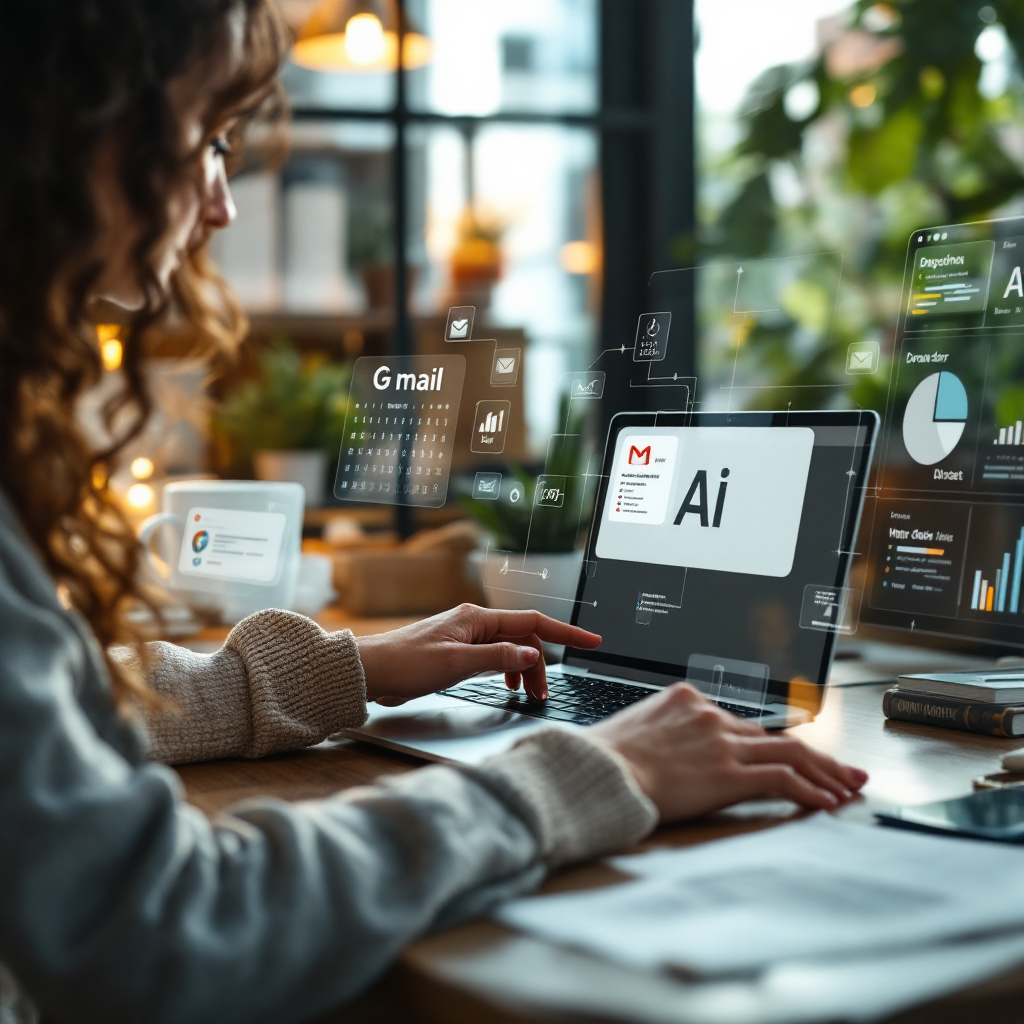
Also, consider what the assistant connects to. For logistics and ops teams, a useful assistant links to ERPs, shipping systems and document stores so replies cite facts, not guesses. Our company, virtualworkforce.ai, builds no-code AI agents that connect Gmail to ERP/TMS/WMS and SharePoint. As a result, teams cut handling time dramatically. To learn how to integrate Gmail with business systems, see guides on how to automate logistics emails with Google Workspace and virtualworkforce.ai’s connectors here. Finally, pick a gmail account and test a pilot. Then measure response time, time per email and missed follow-ups to decide if you scale the assistant.
choose the right gmail ai
Choosing the right gmail AI depends on three priorities: inbox speed, email quality and governance. Start with a practical checklist. First, privacy and data controls: check admin settings and data residency. Second, level of Google Workspace integration: native tools like Gemini for Gmail can read Drive and Calendar; third‑party tools may offer more flexible connectors. Third, team features: shared inboxes, assignment and audit logs matter for support. Fourth, drafting quality: tone control and templates help keep branded email writing consistent. Finally, automation depth: look for sequences, follow‑ups and read tracking. Price and trial length close the deal.
A minimum feature set for our recommendation includes good summarisation, reliable tone presets, calendar integration and admin/privacy controls. For logistics teams that must ground replies in operational data, no-code connectors and role‑based access are essential. For an example of a logistics-focused approach, read about our virtual assistant for logistics which explains how deep data fusion reduces errors and saves time virtual assistant for logistics.
Use a short rubric to score tools (1–5) on four axes: Inbox automation, Email writing quality, Team features and Security. Rate each candidate and weigh the scores by your priorities. For instance, a sales team may favour email tracking and templates; a support team may score higher for shared inbox routing. Also, remember real trade‑offs: native integration with google workspace often yields better access to Drive and Calendar, while third‑party flexibility may integrate external CRMs or ERPs more easily.
To decide fast, run a two‑week pilot. Give each user a clear task set: triage 50 messages, use AI drafting for replies and report time saved. In the pilot, measure response time, time per email, missed follow‑ups and conversion metrics for email campaigns. If you need a walkthrough of how to connect Gmail to ERP systems and automate replies, see our ERP email automation for logistics guide ERP email automation. Finally, pick the right gmail AI assistant by matching features to the most frequent email scenarios in your inbox.
Drowning in emails?
Here’s your way out
Save hours every day as AI Agents label and draft emails directly in Outlook or Gmail, giving your team more time to focus on high-value work.
best gmail ai assistant — top 5 quick comparison and key stats
Here are the top five Gmail AI assistants for 2025 with one‑line strengths and a key statistic for each. Use this quick comparison to narrow choices before you pilot.
- Gemini (Google) — best for deep Google Workspace integration; +45% reported productivity source.
- GPT for Gmail — best for natural drafting and thread summaries; ~50% faster composing source.
- Gmelius — best for team workflows and shared inboxes; ~40% faster response time source.
- Mailmaestro — best for scheduling and reminders inside Gmail; ~35% inbox efficiency gain source.
- Mailbutler — best for sales workflows (tracking, templates); ~25% higher engagement for sales teams source.
Next, a compact matrix to compare Integration, Team features, Drafting quality, Automation and Price tier. First column lists tools; then short notes follow:
- Gemini: Integration = native google workspace, Team = good, Drafting quality = excellent, Automation = moderate, Price = built into Workspace tiers.
- GPT for Gmail: Integration = extension/plug‑in, Team = basic, Drafting quality = excellent, Automation = limited, Price = freemium/paid.
- Gmelius: Integration = integrates directly with gmail and project tools, Team = strong shared inbox features, Drafting quality = good, Automation = strong, Price = paid tiers.
- Mailmaestro: Integration = integrates directly with gmail, Team = small team features, Drafting quality = good, Automation = scheduling-focused, Price = freemium.
- Mailbutler: Integration = inside gmail and other email clients, Team = sales-focused, Drafting quality = templates, Automation = follow-up sequences, Price = paid.
Also, if you are looking for a broader review set, see the 9 best ai email lists that test accuracy and speed 9 best ai email. Use these notes to evaluate whether you need the best gmail ai or a specialised tool. Finally, remember to check admin controls before you deploy any assistant into production.
gpt for gmail and others: concise reviews of each top gmail ai assistant
Below are concise tool reviews. Each entry lists the best use case, one unique feature, one limitation and a quick tip to try it. Keep the reviews short to help you decide quickly.
-
Gmelius — Best for team workflows.
Unique feature: Four specialised AI assistants that automate sequences, shared inboxes and project boards. Gmelius transforms the gmail inbox into a workspace and “enables teams to automate repetitive tasks and focus on what truly matters” source.
Limitation: Requires team buy‑in and admin setup for shared mailboxes. Tip: Start with a shared inbox pilot for support to measure faster response times.
-
GPT for Gmail — Best for high‑quality drafting and multilingual replies.
Unique feature: Context‑aware drafts and thread summaries powered by advanced ai models. Productivity reviews note ~50% less composing time source.
Limitation: Third‑party extensions may need admin consent. Tip: Use tone presets to match brand voice automatically.
-
Mailmaestro — Best for scheduling and reminders inside Gmail.
Unique feature: Built‑in calendar proposals and follow‑up alerts that reduce missed actions. Users report a ~35% boost in inbox efficiency source.
Limitation: Less deep team automation than Gmelius. Tip: Use it for individuals or small teams that schedule frequently.
-
Gemini by Google — Best for google workspace power users.
Unique feature: Native integration with Drive, Docs and Calendar produces better context in replies. A Google AI specialist notes Gemini’s ecosystem integration is its strength source.
Limitation: Requires Workspace admin enablement. Tip: Run a pilot on a team that uses Drive docs heavily to test contextual answers.
-
Mailbutler — Best for sales workflows.
Unique feature: Email tracking and smart templates for follow‑ups; sales teams see higher engagement rates source.
Limitation: Templates need setup to be effective. Tip: Start with top five sales email templates and measure open and reply rates.
For logistics teams that need grounded replies, consider a no-code ai agent that connects Gmail with ERPs and order systems. Our virtualworkforce.ai product explains how deep data fusion improves first‑pass correctness and reduces manual lookups; see our guide on automated logistics correspondence automated logistics correspondence. Finally, when testing any assistant, check whether it supports the ai models you prefer and whether it keeps an audit trail for compliance.
Drowning in emails?
Here’s your way out
Save hours every day as AI Agents label and draft emails directly in Outlook or Gmail, giving your team more time to focus on high-value work.
inbox workflows and email writing: how to use an ai to speed email draft, triage and follow‑ups
Practical workflows make any gmail assistant pay off quickly. Below are short, stepwise routines you can adopt today. They work across email clients and with assistants built into gmail or as extensions.
Daily triage: First, let the assistant summarise long email threads into 2–3 bullet points. Next, label and assign items to teammates. Then, schedule follow‑ups automatically for items flagged as waiting. For shared mailboxes, use assignment rules so one person owns a thread.
Reply drafting: Use a prompt that states tone, key facts and required actions. For example: “Write a polite, concise reply confirming delivery ETA, cite order number 12345, propose two 1‑hour slots for a call, and request confirmation.” This produces a ready email draft you can tweak. Also, store that message as a template so you use it for every similar request.
Meeting scheduling: Let the assistant propose times drawn from connected calendars. The assistant can create invites and include the meeting link while keeping your gmail inbox tidy. For sales or support sequence flows, build automated sequences that send follow‑ups if there is no reply after three days.
Sales and support sequences: Use tracking to see who opened messages and trigger next steps. Mailbutler and Gmelius both offer tracking and sequence tools, which helps measure engagement and reduces manual follow‑ups. For logistics, integrate order systems so replies reference live status; learn how we integrate Gmail with logistics systems in our article on how to improve logistics customer service with AI how to improve logistics customer service with AI.
Quick metrics to measure success include average time per email, average response time, number of missed follow‑ups and conversion or engagement rates for email campaigns. Also, watch for quality metrics such as fewer clarifying replies.
Example summarisation prompt: “Summarise this email thread into three bullets: issue, requested action, current status.” Example drafting prompt: “Draft a short reply, friendly tone, include two date options, and a one‑sentence summary of next steps.” Finally, privacy matters: avoid sending sensitive data to third‑party models without a governance review, and prefer solutions with role‑based access and audit logs when you must use external assistants.
best ai: final pick by use case and setup checklist for your chosen ai email assistant
This section gives final recommendations by use case and a setup checklist for the chosen assistant. First, the short picks by role. For gmail power users who live in Google Workspace, choose Gemini for its native context and multimodal support. For fast, high‑quality drafting across platforms, choose GPT for Gmail. For team inboxes and automation, choose Gmelius. For scheduling and reminders inside Gmail, pick Mailmaestro. For sales teams that need tracking and templates, choose Mailbutler.
Our single pick to speed inbox management and improve email writing is Gemini by Google if your organisation already uses google workspace. Why choose it? It integrates directly into the gmail interface, reads Drive and Calendar to supply context, and offers high‑quality summarisation and admin controls. A note of caution: review Workspace privacy settings and admin controls before deployment to keep sensitive data safe source. Also, test on a small team first to confirm the gains.
Setup checklist for Gemini (or your chosen assistant):
- Enable admin consent and review data settings in Workspace. Audit permissions and set data retention.
- Configure tone, templates and branded signatures so every email follows style guidelines.
- Connect calendars and shared inboxes to enable scheduling and assignment.
- Run a two‑week pilot with clear metrics: time per email, response time, missed follow‑ups, and engagement or conversion for email campaigns.
- Train the team on prompts and use cases; monitor and adjust rules based on feedback.
If your team needs deep operational context, consider a no-code AI agent that fuses ERP/TMS/WMS and email history into replies. Our virtualworkforce.ai platform shows how to set rules and connectors without heavy IT effort; read our guide on scaling logistics operations with AI agents how to scale logistics operations with AI agents. Finally, commit to a two‑week pilot and measure the four metrics listed. If you see clear productivity gains, roll out by mailbox type and refine rules to keep every email correct and timely.
FAQ
What is a gmail AI assistant and how does it work?
A gmail AI assistant is an AI agent that lives inside or alongside Gmail to help with drafting, summarising, triage and automation. It uses AI models to read email threads, propose replies, schedule meetings and automate repeat sequences while letting users edit before sending.
Which gmail AI assistant is best for Google Workspace users?
For Google Workspace power users, Gemini by Google is often the best pick because it integrates directly with Drive, Docs and Calendar. This deep integration gives the assistant richer context for replies and better cross‑document references.
Can I use a gmail AI assistant for sales sequences?
Yes. Tools like Mailbutler and Gmelius offer tracking, templates and automated follow‑up sequences for sales teams. These features increase engagement and help sales reps maintain consistent outreach without manual steps.
Is it safe to send sensitive data to AI assistants?
Safety depends on the assistant’s governance model. Use platforms with role‑based access, audit logs and data redaction. Also, avoid sending highly sensitive details to third‑party models without legal review and admin controls.
How quickly will a gmail AI assistant increase productivity?
Results vary, but published reviews show significant gains: Gemini users report up to ~45% productivity improvement, GPT for Gmail users report ~50% faster composing, and Gmelius customers report ~40% faster response times. Run a two‑week pilot to measure your own gains.
Can a gmail AI assistant integrate with ERPs and logistics systems?
Yes. Some no-code AI agents, including virtualworkforce.ai, connect Gmail to ERP/TMS/WMS systems and SharePoint so replies cite live data. This integration reduces manual lookups and improves first‑pass accuracy.
Will an assistant change the entire email workflow?
It can. An assistant automates routine tasks and standard replies, which changes how teams prioritise emails and manage follow‑ups. However, you should plan rollout and training to keep the transition smooth.
Do these assistants work with multiple email clients?
Some assistants are Gmail‑specific while others offer multi‑client support. Check compatibility if your organisation uses both Gmail and Outlook. For mixed environments, choose a tool that integrates with both or uses an API bridge.
How do I measure success after deploying a gmail AI assistant?
Measure time per email, average response time, missed follow‑ups and engagement or conversion for email campaigns. These metrics show operational gains and help you refine automation sequences.
What is the best way to start a pilot for an assistant?
Start with a focused use case such as shared inbox triage or scheduling. Configure templates and tone settings, enable minimal integrations, and run the pilot for two weeks. Then, compare measured metrics and user feedback to decide on scaling.
Drowning in emails?
Here’s your way out
Save hours every day as AI Agents label and draft emails directly in Outlook or Gmail, giving your team more time to focus on high-value work.