


ai translation: How AI speeds up multilingual email
AI changes how teams read and compose email. First, it creates near-instant drafts that let people reply quickly across different languages. For routine messages, an AI draft can cut hours from a weekly workload and reduce miscommunication when teams collaborate globally. For example, industry observers note how AI has reshaped translation services to meet growing demand; tools now automate large volumes of text and free people to focus on decisions rather than verbatim conversion How AI Is Changing the Translation Service Industry in 2025.
Practically, two kinds of systems speed work. Neural machine translation engines handle bulk content fast. Meanwhile, large language models preserve context for longer threads and complex sentences. That dual approach supports near-real-time reading and draft replies in dozens of tongues. Google Translate covers over 200 languages, making it a go-to for rapid reference; DeepL remains preferred for quality across many European language pairs. These facts help explain why teams often rely on a hybrid workflow: machine drafts, human review.
Speed gains matter for customer-facing ops. When an ops team receives many inbound queries per day, responding fast protects revenue and reputation. virtualworkforce.ai helps here by drafting context-aware replies inside Gmail and Outlook, grounding each answer in ERP, TMS and email memory so agents spend less time hunting for data and more time resolving issues. That automated support trims handling time from roughly 4.5 minutes to about 1.5 minutes per email in many deployments.
This chapter covers core capabilities and typical speed gains: near-instant drafts and real-time reading in dozens of languages. Use AI to produce the first pass and to read messages quickly, but reserve human sign-off for high-stakes content. If you need to translate formal contracts or marketing campaigns, pair automation with a skilled reviewer to avoid being lost in translation or risking awkward tone.
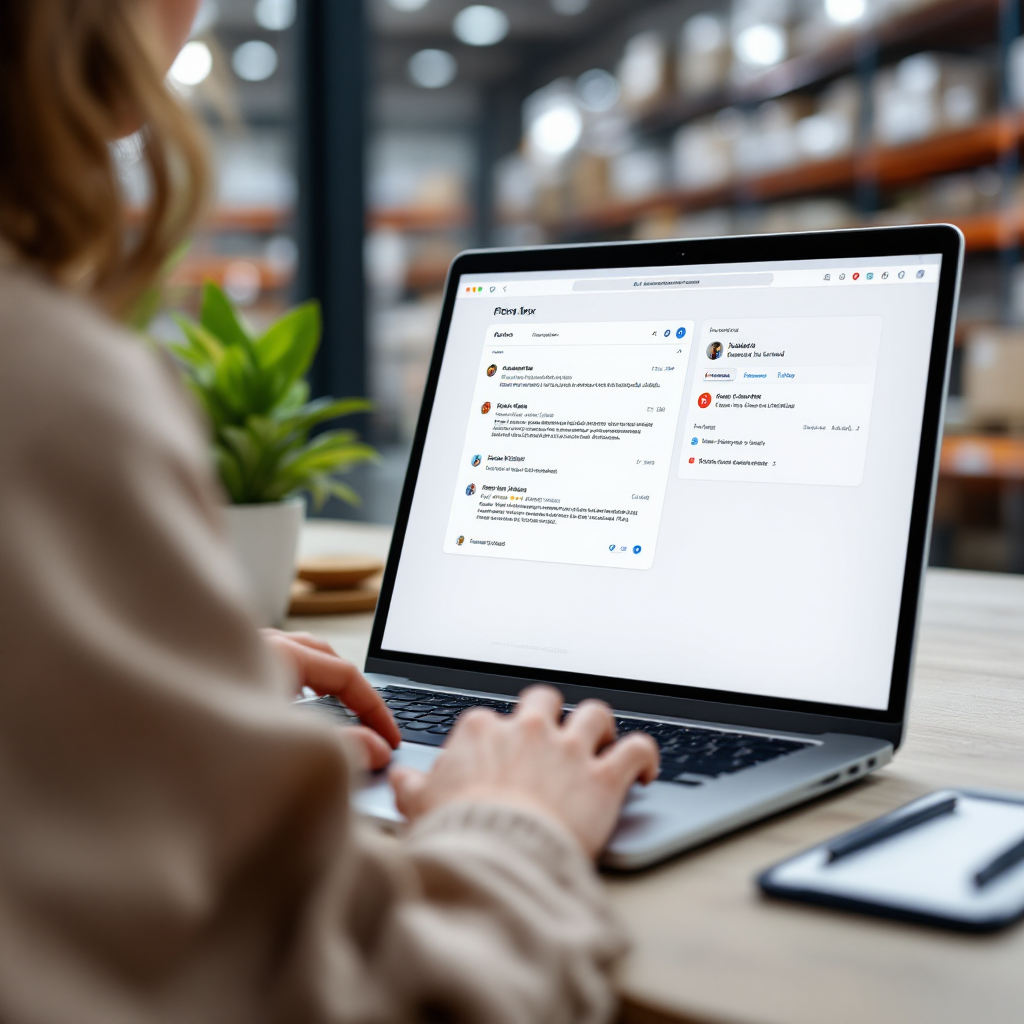
language translate: common tools and how they work
This chapter compares major options so teams can pick the right translation path. DeepL focuses on quality and natural phrasing. Google Translate leads on language coverage and Gmail integration. Microsoft Translator integrates into Outlook and Microsoft 365 and supports enterprise controls. GPT-based assistants add more nuanced tone and context handling for threads that require brand voice or complex data. You can choose by language pair, privacy needs, and whether the tool must integrate with your inbox.
How they work matters. Machine translation systems use neural machine translation to map patterns across parallel corpora. Large language models and LLMS bring a broader sense of context, allowing a reply to match tone, style, and the conversation history. Use a small glossary and templates to keep replies consistent. For example, companies that need to handle orders and ETAs can connect their systems so the translator cites concrete data rather than guessing.
Facts that matter include the range of languages supported and the enterprise features offered. Google supports hundreds of languages, which helps when your team must serve Filipino, Arabic, Vietnamese, or Ukrainian customers. DeepL tends to perform better on European languages such as Danish, Swedish, Norwegian, Finnish, Czech, Slovak, Bulgarian, and Polish. When you need a secure, auditable route for sensitive mail, prefer enterprise offerings and look for connectors that tie translation into your existing ERP or WMS systems (see how virtualworkforce.ai connects to ERP and email memory for contextual replies ERP email automation for logistics).
Short takeaway: pick the tool that matches your language pair, privacy needs and client integration. If you need to translate at scale and keep data inside company systems, prioritize enterprise integrations and local review workflows to avoid errors and miscommunication.
Drowning in emails?
Here’s your way out
Save hours every day as AI Agents label and draft emails directly in Outlook or Gmail, giving your team more time to focus on high-value work.
translator ai email: free online translator tool for your inbox
Many teams start with free options. Gmail includes built-in translate features that let you read incoming mail in your preferred language. Google Translate and DeepL provide free tiers that are fast and user-friendly for low-volume use. Several shared inbox tools and native plugins let you skim translated drafts directly in the inbox without switching tabs. That speed makes them useful for personal work and small-business correspondence where budgets matter.
Free tiers carry clear limits. They often restrict daily volume, lack enterprise security, and do not support private glossaries or audit logs. For operations that process hundreds of emails daily or that handle sensitive customs documentation or invoices, paid plans or enterprise connectors make more sense. Free-to-use tools suit first-pass reading and quick replies. Still, do not use them for confidential legal text or financial data unless you verify compliance and encryption policies.
Practical examples include using a Chrome extension to translate subject lines, or installing a desktop widget to compose short replies in Portuguese, Arabic, Turkish, Indonesian, or Malay. For teams that want a simple free trial before committing, evaluate the hands-on behavior: can the tool preserve original formatting and thread context? If you need to translate emails at scale while preserving original formatting, test with non-sensitive mail and confirm whether the tool keeps layout intact.
Short takeaway: free tools are fine for routine personal or small-business mail. If your team must handle volume, maintain audit trails, or comply with data governance, move to paid or enterprise services that integrate with your existing systems, or consider our automated logistics correspondence features to scale without hiring automated logistics correspondence.
ai translator use ai: workflow to write emails and reply effortlessly
This chapter lays out a step-by-step workflow that helps teams read, draft, and send multilingual email with speed and accuracy. First, translate the incoming message into your working language for clarity. Next, draft a reply in the recipient’s target language using an AI assistant. Then, edit the draft for tone, brand voice, and factual accuracy. Finally, send and log the interaction so your systems stay updated.
Stepwise flow: 1) Translate incoming message to your language; 2) Use an AI tool to draft a reply in the recipient’s language; 3) Edit for tone and facts; 4) Send and update systems. For many ops teams this method shortens turn-around and reduces errors. virtualworkforce.ai takes this further by grounding replies in ERP/TMS/WMS and email history so the AI includes correct ETA, order numbers, and inventory details instead of guessing. That grounding lowers follow-up questions and helps teams collaborate across time zones and with global teams.
Tools & tips: use concise prompts with a GPT or chat assistant to match tone; add short glossary entries for brand terms; keep a human review step for critical messages. If you need to write emails that sell or explain nuanced policy, include a safety step where a native reviewer checks idioms and cultural markers to avoid being lost in translation. You can also personalize templates for common workflows, and set rules so the AI never includes pricing or contracts without human approval.
Short takeaway: AI shortens turn-around; human editing keeps quality. The combined flow helps teams compose, reply, and log results fast and consistently, particularly when you integrate translation with your existing logistics email drafting systems logistics email drafting AI.
Drowning in emails?
Here’s your way out
Save hours every day as AI Agents label and draft emails directly in Outlook or Gmail, giving your team more time to focus on high-value work.
ai translation tool: quality, cultural limits and when to customize
AI saves time, but it can miss nuance. Studies indicate AI translations of marketing content score lower on persuasiveness and authenticity than human-localized copy; one assessment found AI-localized marketing rated about 40% less persuasive and 35% less authentic than professional localization AI Translation Accuracy Gap. That gap appears when text must persuade, comply with local norms, or reflect cultural sensitivities.
Quality gaps manifest in idioms, tone, and implied context. For example, literal conversions can turn a polite phrase into something abrupt, which may harm customer relations. To guard against this, customize output. Build glossaries and templates, provide tone examples, and require human review for legal, sales, or culture-sensitive content. You can tailor translations for Arabic audiences or Portuguese recipients, and keep consistent branded phrasing across diverse languages such as Thai, Hebrew, Persian, Bulgarian, and Czech.
How to customize: create project glossaries, add preferred phrasing for product names, and test templates with native speakers. Also, set rules that prevent auto-sending of contract text or pricing without approval. For enterprise users, choose tools that support custom glossaries and role-based access so you can balance speed with quality and governance. If you need document translation for contracts, add a final human pass to reduce liability.
Short takeaway: customize templates and apply human oversight where nuance matters. When teams follow this approach, they avoid miscommunication and keep the brand voice intact while scaling multilingual replies.
free translation globally: secure scaling and tips from an ai writing assistant
Scaling translation work demands both security and consistency. Enterprise offerings from major vendors include stronger data controls than consumer free services and let you maintain consent, retention rules, and audit logs. For secure scaling, do not auto-translate sensitive content; instead, route such mail to a guarded workflow that requires human review and encrypted connectors.
Best practices include testing free tools on non-sensitive mail, keeping a branded phrase list, and measuring response time and accuracy with native-speaker samples. Use an AI writing assistant to standardize tone and to personalize signature blocks while preserving data privacy. For example, internal teams can use an AI writing assistant to craft replies and to tailor greetings for specific regions, and then pass the draft to a human who confirms legal or commercial accuracy.
Security facts: enterprise-grade connectors and on-prem options provide better governance. If your operation handles customs documentation, invoices, or contractual correspondence, prefer enterprise paths and tools designed for logistics. To scale without adding headcount, link translation tools to your shipping and order systems so replies cite live data. See our guide to scaling logistics with AI agents for practical configuration steps how to scale logistics operations with AI agents.
Quick checklist: test free tools on non-sensitive mail, set review rules, keep a branded phrase list, and measure response time and accuracy. Finally, remember that free AI options have limits; choose subscription plans or enterprise offerings when you need auditability and consistent compliance across global teams.
FAQ
What is an AI translator and how does it apply to email?
An AI translator uses machine translation and language models to convert written text from one language to another. In email, it reads incoming messages, suggests draft replies, and helps teams write emails across different languages faster and with consistent tone.
Can I use free translation tools for business email?
Yes, free tools work well for routine or non-sensitive correspondence and for quick reading of messages in different languages. However, for volume, security, or legal content, use paid or enterprise solutions that provide audit logs and data controls.
How accurate is AI translation for marketing emails?
AI helps create quick drafts, but research shows AI-localized marketing may be less persuasive and less authentic than professionally localized copy AI Translation Accuracy Gap. Human editing improves cultural fit and persuasiveness.
Which tools support many languages like Arabic or Vietnamese?
Google Translate supports over 200 languages and is useful for reading and simple replies, including Arabic and Vietnamese. DeepL performs well on many European languages, while enterprise systems add security and integration features for large teams.
What workflow should ops teams follow to reply efficiently?
Translate incoming mail, draft a reply with an AI assistant, edit the draft for tone and facts, then send and log the interaction. Ground replies in ERP and email history to reduce follow-ups and speed resolution.
Are AI translations safe for confidential documents?
Not always. Free services often lack enterprise controls, so avoid auto-translating sensitive legal or financial documents without secure enterprise connectors and a human review step. Use on-prem or enterprise offerings for high-risk content.
How do I customize translations for brand voice?
Create glossaries, save templates, and add tone examples for the AI to follow. Also, require human review for idioms and high-stakes messages so the final content aligns with brand standards.
Can AI help teams collaborate across language barriers?
Yes. AI reduces friction by providing readable drafts and context-aware replies that let global teams collaborate more efficiently. For logistics teams, connecting translation to order systems improves accuracy and response speed.
What languages are commonly supported by modern translators?
Modern tools cover mainstream languages and many regional ones such as Bulgarian, Czech, Danish, Finnish, Hebrew, Indonesian, Malay, Norwegian, Persian, Slovak, Swedish, Thai, Turkish, Ukrainian, Vietnamese, and Filipino. Coverage varies by provider and quality by language pair.
How can I test translation quality before switching tools?
Run a free trial with representative messages, check how the tool preserves original formatting and thread context, and validate translations with native speakers. Use sample metrics like response time and error rate to decide on subscription or enterprise upgrades.
Drowning in emails?
Here’s your way out
Save hours every day as AI Agents label and draft emails directly in Outlook or Gmail, giving your team more time to focus on high-value work.